

Exa
Exa Labs · Coding
Exa is an AI search engine and search API that ranks web pages by meaning rather than keywords, then returns clean page text for chatbots, agents, and research tools.
About Exa
What Is Exa
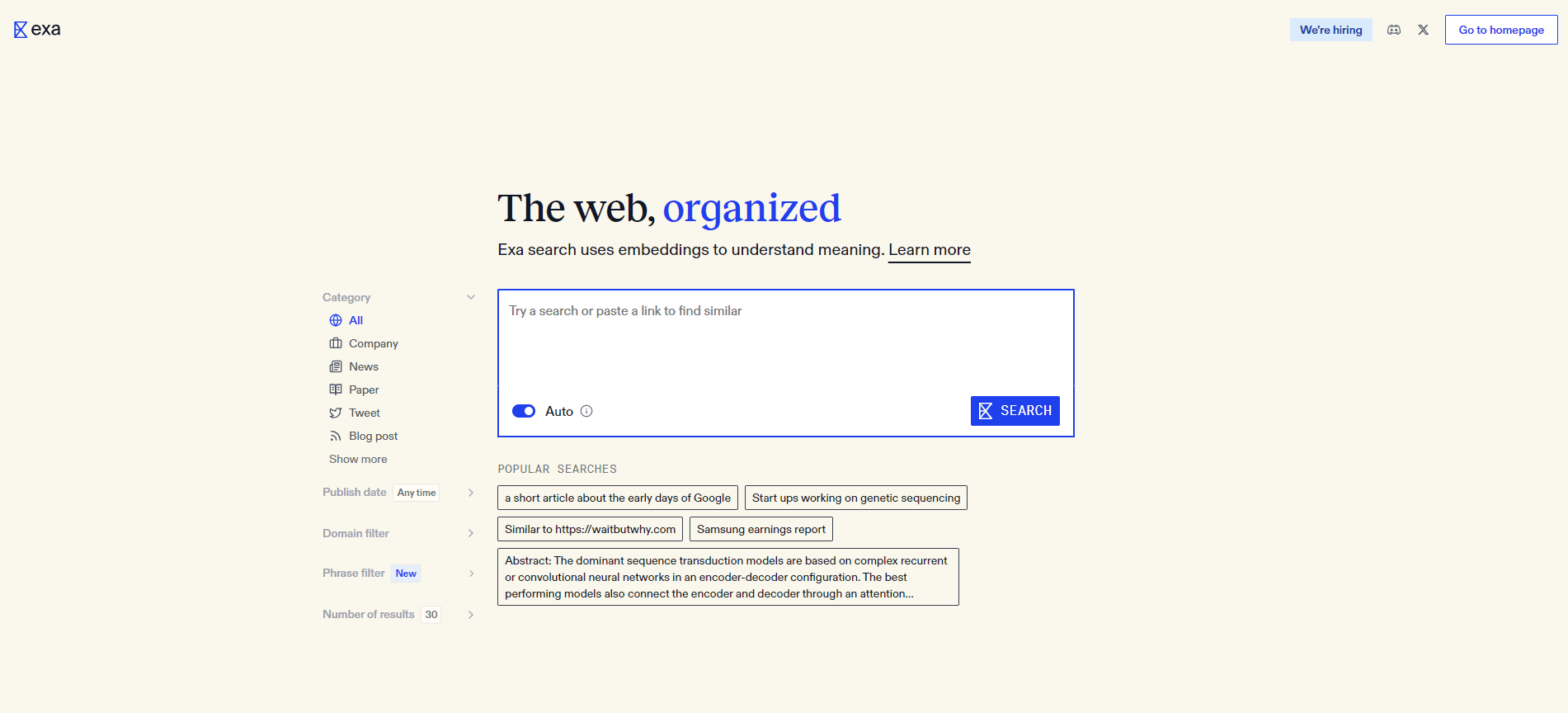
Exa is a search company with its own web index and a neural search layer that ranks pages with embeddings instead of keyword matching. You send a sentence, a question, or a description of the page you want, and the service returns links that fit the idea. Most people reach it two ways: the Exa API at api.exa.ai for code, or the dashboard for building lists and testing queries without writing anything.
The problem it targets is the gap between what people type and what they mean. A keyword search engine matches strings, so a query about "recent techniques for improving retrieval in RAG systems" can surface pages that repeat those words without answering the question. Exa treats the query as meaning, which helps when you don't know the exact wording a page would use.
It's a developer product first. There's no consumer chat app to open and no free unlimited tier, and the free credit is small enough that you'll use it up while testing. If you want a search box for personal browsing, a normal search engine does that job for free.
Getting Started
- Create an account at exa.ai. The dashboard starts you with $10 in credits, which resets on the first of each month.
- Generate an API key in the dashboard, then store it as EXA_API_KEY in your environment.
- Install a client library, exa-py for Python or exa-js for JavaScript, or call the REST endpoint directly.
- Send a natural language query with a search type such as auto and request contents with highlights enabled.
- Read the returned titles, URLs, and excerpts, then pass them into your own model or app.
Product Information
A quick look at Exa's pricing, supported platforms, and performance.
Best for
The users, tasks, and scenarios where this tool fits best.
Users
- AI developers building retrieval for a chatbot
- Research teams tracking a market or a technology
- Data and growth teams doing list building
Tasks
- Grounding a RAG pipeline in fresh pages
- Competitive research with citations
- Finding pages by description rather than keyword
- Keeping watch on a topic
Scenarios
- Prototyping a search feature in a weekend
- Building an internal research tool
- Compiling a prospect or vendor list
Key features
Natural Language Search
Queries are ranked by meaning, so a full question works better than a short string of keywords. Exa returns up to 100 results per request and lets you filter by domain, category, and publish date. It also supports finding pages similar to a URL you already like, which is handy for mapping a niche.
Search Types and Latency Control
The search endpoint offers several modes that trade speed for depth. Lite and instant return fast results, while auto picks a mode for you and Deep Search runs multi-step research with structured output and citations. You pay different rates per mode, so you can keep cheap queries cheap.
Contents and Highlights
For any URL, the Contents endpoint returns full page text, targeted highlights, or a short summary. Highlights are cut to match the query, which means you send less text to your model and pay less for tokens. Pricing runs per page and per content type, so a large crawl adds up.
Websets
A Webset starts with a description of what you want and a target count, plus criteria every result must satisfy. Exa searches, verifies each candidate against those criteria, and then fills enrichment columns such as funding amount or contact details. Results arrive asynchronously through the dashboard, the API, or webhooks.
Answer and Monitors
The Answer endpoint returns a written response to a question with citations, which saves you a model call when you only need a grounded answer. Monitors schedule a search and report new events that match it, so recurring questions turn into a feed instead of manual work.
Developer Integrations
Official SDKs exist for Python and JavaScript, and both read the API key from an environment variable. A hosted MCP server lets tool-using agents call Exa without code, and the OpenAPI spec covers the full request and response schema. Authentication is a bearer token, so a request is a single HTTP call.
Pros and cons
Pros
- Semantic ranking finds pages that answer a question even when they don't repeat your words.
- Contents and highlights come back in the same request as the results, so there's no second scraping step.
- Pricing is pay as you go with no subscription, and $10 of monthly credit covers early testing.
- The Python, JavaScript, and MCP options cover both coded and agent-based workflows.
- Deep Search and the Agent API handle multi-step research with citations attached.
Cons
- It's a developer tool. There's no consumer search page for everyday browsing, so non-technical users have little to do here.
- The free credit is small. A few thousand Lite searches is enough to evaluate the API, not to run a product on.
- Costs scale with results and page content, so a wide crawl with summaries can cost far more than the base request price.
- Search doesn't support pagination, which limits how deep you can walk a large result set in one query.
Frequently asked questions
Exa gives software a way to search the web by meaning and get usable page text back. Teams use it to ground chatbots in current sources, to research markets, and to build lists of companies or people that meet specific criteria.
Related content
Explore related tools, skills, and articles for Exa.
Exa Alternatives

Base Code
Base44 (Wix) · Coding · ProductivityBase Code is a shared cloud development environment from Base44. Teammates describe changes to an existing GitHub codebase in chat, preview them live and send them back as pull requests.

Google EmbeddingGemma 2
Google DeepMind · Writing · Image · CodingGoogle EmbeddingGemma 2 is a 740M-parameter open model that turns text, code, images, audio, and video frames into vectors in one 768-dimension space, running on phones and laptops.

GitGlow
GitGlow · Coding · ProductivityGitGlow is a local-first desktop Git client that lets independent developers review their own code and their AI agents' changes in one place before shipping.