

ExamOnline
ExamOnline · Other
ExamOnline is a cloud platform for building, delivering, and proctoring online exams, with AI monitoring, browser lockdown, and automated grading for schools, certifying bodies, and employers.
About ExamOnline
What Is ExamOnline
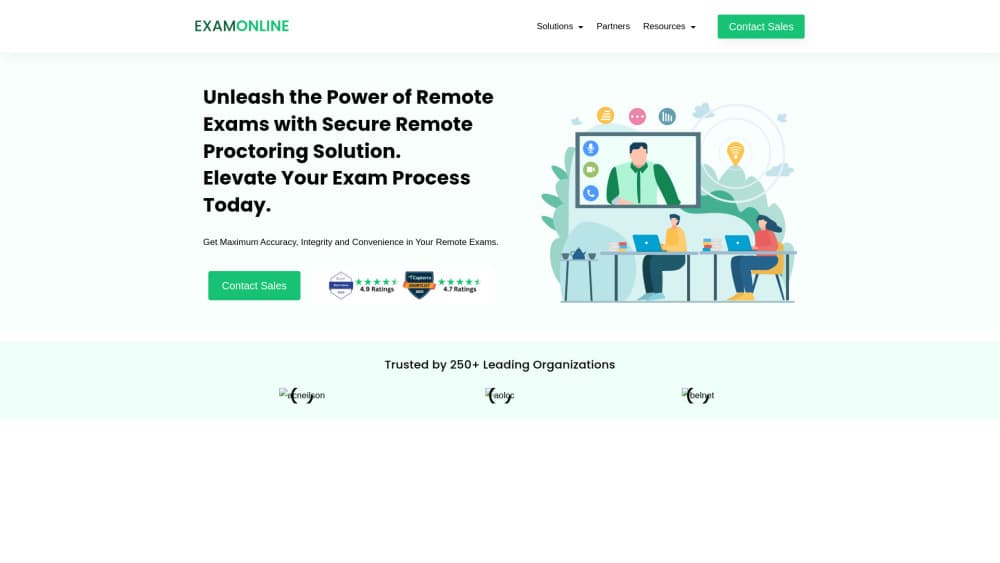
ExamOnline is an online exam software built for organizations that need to run high-stakes tests without gathering everyone in one room. You upload questions, schedule a session, and candidates sit the exam in a locked browser while a webcam, microphone, and screen share feed an AI proctoring layer. Proctors step in when the system flags something.
The product covers more than the exam itself. There's a registration portal for candidates, a question bank with several answer formats, answer-sheet upload by phone for written papers, evaluator workflows for subjective answers, and reports on both results and exam integrity. That range is why it sells as exam management software to universities, certification bodies, and corporate HR teams rather than to individual tutors.
The tradeoff is that this online proctoring software isn't self-serve in the way a consumer app is. Pricing comes as a quote, and the mix of AI-only, live, and hybrid proctoring is chosen per contract. Small schools that run a handful of tests a year may find the sales process heavier than the job requires.
Getting Started
- Book a demo through examonline.in. A sales contact maps your exam volume, proctoring type, and integration needs before any quote is issued.
- Set up the institution account. Administrators get roles for exam creation, evaluation, and proctoring, so permissions can be split across staff.
- Build the question bank. Import objective items, add subjective questions, or configure file and answer-sheet uploads for written responses.
- Create and schedule the exam. Set the window, time zone, randomization rules, and which anti-cheating tools are active, then publish the registration portal.
- Run the session and review the output. Candidates take the test in the secure browser, and administrators receive flagged events, recordings, scores, and performance reports.
Product Information
A quick look at ExamOnline's pricing, supported platforms, and performance.
Best for
The users, tasks, and scenarios where this tool fits best.
Users
- Universities and colleges
- Certification bodies
- Corporate HR and L&D teams
- Exam administrators at test centers
Tasks
- Running a remote proctored exam
- Collecting handwritten answers
- Grading subjective papers
- Screening job applicants
- Auditing exam integrity
Scenarios
- A semester exam for thousands of students across time zones
- A professional certification cycle with fixed dates
- A hiring drive with more applicants than interviewers
Key features
AI Proctoring With Risk Scoring
The remote proctoring layer watches for multiple faces, a candidate leaving the frame, unauthorized objects, and tab-switch attempts, then tags each event with a risk level. Administrators get a post-exam report with clips attached, so a reviewer can check the evidence instead of scrubbing hours of video. Human proctors handle the final call on flagged clips.
Secure Browser Lockdown
Candidates take the exam inside a locked browser that blocks copy and paste, new tabs, and external applications. The browser is configurable, so an institution can allow a calculator or a permitted reference sheet while keeping everything else closed. Proctors receive real-time alerts when a candidate tries to break out.
Identity Checks and Environment Scan
Before the exam starts, the candidate completes an ID check plus a webcam, microphone, and room check. These steps create a record of who sat the test and what the room looked like at the start, which matters when a result is disputed later.
Mixed Question Types and Answer-Sheet Upload
Exams can mix multiple choice, short answer, long answer, fill in the blank, audio or video responses, and file uploads. For written papers, the candidate scans a QR code and photographs each answer sheet from a phone, and the upload lands in the evaluation queue right away.
Evaluation and Result Workflow
Objective questions are marked automatically, while subjective sheets are routed to evaluators with progress tracking. Results and performance reports are generated after marking closes, with options to print score sheets and export the data for institutional records.
Registration Portal and Center Logistics
Institutions can publish a branded registration portal, choose which candidate details to collect, and group fields into tabs. For physical venues, the system allocates seats automatically, and the same dashboard covers remote and center-based candidates.
Pros and cons
Pros
- One platform covers registration, delivery, proctoring, evaluation, and reporting, which cuts the number of tools an exam office has to stitch together.
- Three proctoring models (AI-only, live, and hybrid) let an institution trade cost against human oversight per exam rather than buying one fixed service.
- Answer-sheet upload by phone solves the handwritten exam problem without shipping paper across the country.
- Compliance work is already done: the company cites ISO 9001, ISO 27001, and GDPR, and says the platform is coded in-house.
Cons
- No public price list. You have to talk to sales before you know whether the platform fits your budget, which slows down comparison shopping.
- There's no free plan or self-serve trial, so a small institution can't test the workflow without committing to a demo cycle.
- AI flags still need a human to confirm them. Budget reviewer time for busy exam periods, or false positives will pile up.
- The feature set is wide enough that setup takes planning. Expect a week or more of configuration before a first live exam.
Frequently asked questions
ExamOnline is used to run online exams that need supervision. Institutions use it for university tests, professional certification, corporate assessments, and pre-employment screening, with proctoring built into the exam session instead of added afterward.
Related content
Explore related tools, skills, and articles for ExamOnline.
ExamOnline Alternatives

Odyssey 3
Odyssey · OtherOdyssey-3 is Odyssey's foundation world model. It simulates physics in real time, turns a prompt into an interactive environment, and adapts to robots, cars and games.

JarvisCore
Prescott Data · Coding · Productivity · OtherJarvisCore is an open source Python runtime where AI agents work as equal peers on an agent mesh, claim tasks from a shared ledger, and reach external services through a zero-trust broker.
Clef
Cloudflare · Business · OtherClef is Cloudflare's open-source decision model for Workers AI. It returns calibrated probabilities for typed questions, not generated text, so agents can classify, route, and act fast.