

Expect
Million Software, Inc. · Writing · Coding
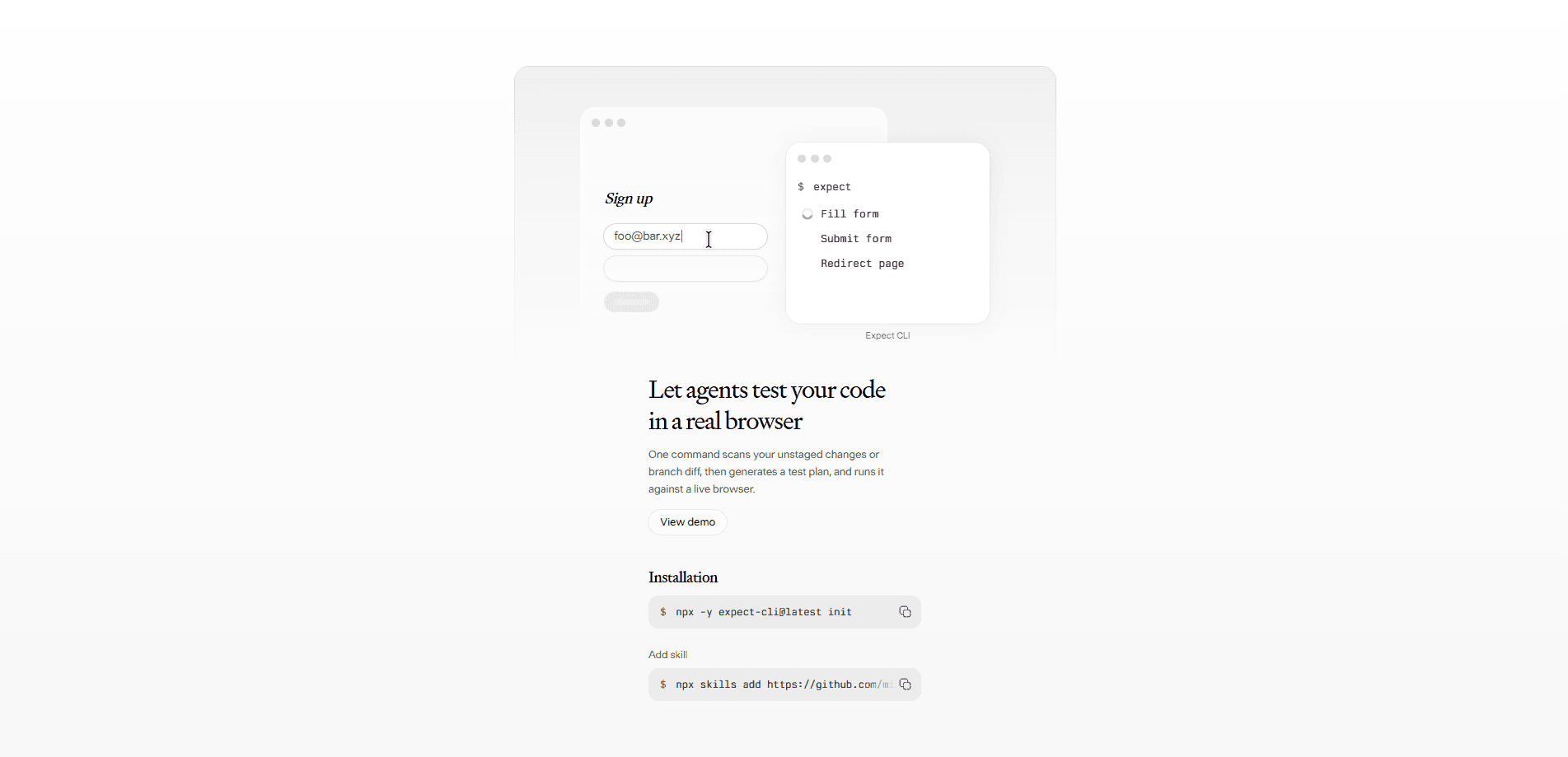
Expect is a command-line tool that lets AI coding agents test their own code changes in a real browser. Think of it as an AI browser testing tool bundled into your terminal. You run one command, the tool reads your unstaged git changes, an agent writes a test plan, and you approve it before anything runs. It targets developers who want a quick sanity check on a change without wiring up a full end-to-end suite. The pitch is simple: coding agent testing, without the test writing.
About Expect
What Is Expect
Expect is a CLI tool from Million Software, Inc. that closes the loop between an AI coding agent writing code and that code actually working in a browser. Instead of trusting the agent's summary of what it changed, you point Expect at your repo and it validates the change against a live page.
It solves a specific, annoying problem. Agents like Claude Code, Codex CLI, and Cursor can edit files fast, but they can't see whether the resulting UI still behaves. Expect hands that check to the agent itself and shows you the result.
The limits are real. Expect works on web projects with a running frontend, so backend-only or pure CLI changes won't get much out of it. Tracing through the official flow, every run needs your approval on the test plan first, which keeps you in the loop but also means it isn't a fire-and-forget background job.
Getting Started
- Open a project with uncommitted changes or a branch diff you want tested.
- Run
npx expect-cliin your terminal. No global install is needed. - Let Expect scan your unstaged git changes or the current branch diff.
- Review the test plan the agent drafts and approve it in the interactive TUI.
- Watch the agent execute the plan against a live browser and read the pass/fail results with session recordings.
Product Information
A quick look at Expect's pricing, supported platforms, and performance.
Best for
The users, tasks, and scenarios where this tool fits best.
Users
- AI coding agent users (Claude Code, Codex CLI, Cursor)
- Frontend developers
- Solo builders shipping fast
Tasks
- Verifying a UI change after an agent edit
- Testing a branch diff before merging
- Smoke-testing a login or checkout flow
Scenarios
- Wrapping up a coding session and wanting proof the page still works.
- Reviewing a teammate's pull request where the change touches interactive UI.
- Quick regression checks on a project that has no existing automation in place.
Key features
Test plans from your git diff
Expect doesn't ask you to write a spec. It scans your unstaged changes or branch diff and hands the work to an AI agent that drafts a plan describing how to validate those specific edits. You get a test plan that maps to what you actually changed, not a generic template.
Human approval in an interactive TUI
Before anything runs, the plan lands in an interactive terminal UI where you read it and approve. This keeps a person in control of what gets tested and prevents the agent from wandering into pages you didn't mean to touch.
Live browser execution
The agent carries out the approved plan against a real browser instance, not a headless mock. That means the click, the render, and the network requests all behave the way a user would see them.
Pass/fail results with session recordings
Each run comes back with pass/fail status and recordings of the session. When something breaks, you can watch what the agent saw instead of guessing from a stack trace.
Works with the agents you already use
Expect is built for Claude Code, Codex CLI, and Cursor, so it slots into an existing agent workflow instead of replacing it. You keep your editor and your agent; Expect just adds the browser check. That matters because switching tools mid-project costs more than most people expect, and a browser test that only works with one specific agent would be dead weight for everyone else.
Pros and cons
Pros
- Zero test authoring: the agent builds the plan from your diff, so you skip writing selectors and assertions.
- Real browser, real results: live execution surfaces layout and interaction bugs that unit tests miss.
- Approval step keeps a human in control of what runs.
- Runs via `npx` with no global install, so setup is basically one command.
Cons
- It needs a web frontend to be meaningful, so backend and pure CLI projects get little value.
- The manual approval step means it's not suited for unattended CI runs.
- Pricing and a formal API aren't documented on the official site yet, so teams can't budget around it.
Frequently asked questions
It runs an AI agent that tests your code changes in a real browser. You run npx expect-cli, it reads your git diff, an agent writes a test plan, you approve it, and the agent executes it against a live page. That's the whole loop.
Related content
Explore related tools, skills, and articles for Expect.
Expect Alternatives

Emailwritr
Emailwritr · Writing · MarketingEmailwritr is an AI email copywriting tool built for affiliates, course creators, and online businesses that want more revenue from the list they already own. Instead of blank pages or generic chatbot prompts, this AI email writer generates welcome sequences, launch campaigns, cart recovery emails, and promo series from frameworks modeled on well-known direct-response copywriters. You connect your autoresponder, answer a few questions about your offer, and it writes the copy for you.

Swms
Swms AI · Writing · Productivity · BusinessSwms is an AI safety compliance tool that turns a plain description of a job into ready-to-use safety documents. Describe your project, trade, and known hazards, and it writes a safe work method statement, job hazard analysis, safe work procedure, RAMS, or safety data sheet in seconds. It also ships with Oscar, a chat assistant that answers workplace safety questions in any language. Teams in construction, mining, transport, and warehousing use it to cut the paperwork that usually eats into a workday.

Prosp
Prosp · Writing · Voice & Language · MarketingProsp is an AI LinkedIn outreach tool built for agencies and sales teams, and it writes the message and the voice note in your own voice for each prospect so they actually reply. You connect your accounts, find leads, and let the AI draft and send personalized messages at scale, all from one inbox. It's built for people running outbound at volume. That's the whole pitch. Every touchpoint still has to feel human.