

explainx ai
explainx ai · Coding · Other
explainx ai is a learning hub for people who want to put AI to work rather than just read about it. The site combines 16 free learning pathways, live workshops and bootcamps, and more than 50 self-paced courses taught by working practitioners. Alongside the courses, it indexes a large library of agent skills, MCP servers, and AI tools you can install and practice on. It suits curious beginners, working professionals, and builders who write code.
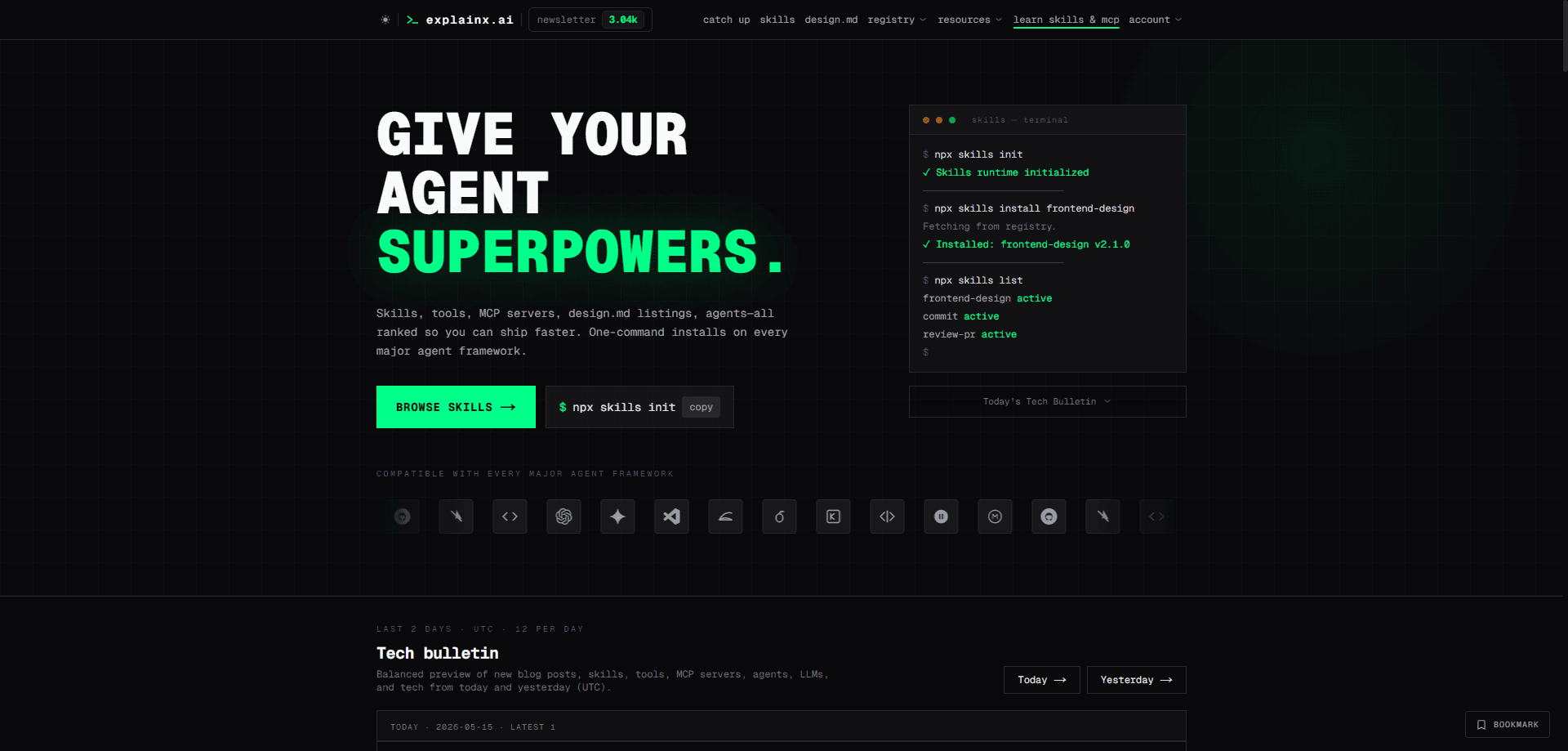
About explainx ai
What Is explainx ai
explainx ai is an online platform for learning and practicing AI. It targets a mix of audiences: everyday users who want AI tools for research and writing, learners who need structured guidance, and developers who build apps, agents, and automations. Instead of one long course, it splits learning into short pathways and live sessions taught by people who use AI in their own jobs.
Want to learn AI online without wading through dry theory? That's the gap it fills. Most people know AI exists but still can't use it well at work. The site pairs instruction with a practical library, so you read about an agent skill or an MCP server and then grab it to try, which is a far better way to learn than passive video watching. Where most course sites stop at video, this one pushes you toward something you can actually run.
So what's the catch? The paid part is genuinely paid. Live workshops run around $79 to $99 each, and there's no free tier that covers everything. The free pathways and a few free live sessions are solid, but certification-style depth sits behind the paid workshops, which means the most valuable material stays out of reach unless you spend. Not ideal on a zero budget. Treat it as a strong starting point, not a full curriculum.
Getting Started
- Create a free account on explainx.ai with your email.
- Pick a learning pathway from the 16 free options that matches your goal, such as research, writing, or building agents.
- Browse the course and workshop calendar, then register for a live session or start a self-paced course.
- Practice on the index: search for a relevant agent skill, MCP server, or AI tool and install it in your own agent framework.
- Track what you build, and if you want deeper training, pay for a workshop or bootcamp.
Product Information
A quick look at explainx ai's pricing, supported platforms, and performance.
Best for
The users, tasks, and scenarios where this tool fits best.
Users
- Beginners curious about AI
- Working professionals
- Developers and builders
Tasks
- Picking up practical AI workflows
- Finding skills and MCP servers
- Building a first AI project
Scenarios
- Learning on a tight schedule
- Preparing for a role that expects AI fluency
- Setting up a team's AI toolkit
Key features
Free Learning Pathways
explainx ai organizes beginner-to-intermediate material into 16 free pathways, each covering a topic like using AI for research, writing, or everyday workflows. Pick a track. Move at your own speed. No payment needed. It's the easiest way to see whether the platform fits how you learn.
Live Workshops and Bootcamps
The platform runs hands-on live sessions led by practitioners, with workshops such as building AI workflows or becoming your team's AI person. Paid workshops sit around $79 to $99, and there are occasional free live sessions on Zoom in English. You learn from someone who teaches from their own work, and you leave with something usable.
50+ Self-Paced Courses
Beyond live events, the site hosts more than 50 courses across skill levels, from beginner to advanced, and you can build on a live session or work toward a certification whenever you're ready. Courses are structured for people who need flexibility, so you can pause and resume around a busy calendar.
Agent Skills Library
The site indexes a large collection of agent skills, the reusable instruction folders that teach an AI agent a specific task. You can search by function and install a skill into major agent frameworks with a single command. For developers, this turns the site into a supply depot, not just a classroom.
MCP Server Index
MCP servers connect an AI model to outside tools and data, and explainx ai catalogs thousands of them with install details, so you can wire an agent into a database, an app, or an internal service without hunting across scattered repos. It's the practical counterpart to the course material on agents. Less reading, more running.
AI Tools Directory
A searchable directory of AI tools rounds out the library, covering everything from writing helpers to coding assistants, so you can filter and compare options before signing up for anything at all. It helps when you know the job you need done but not which product does it.
Curated News and Wiki
A wiki and curated news feed explain current AI concepts and track what's changing. Since skills, servers, and tools shift fast and stale references waste your time, the editorial layer keeps the whole library tied to what's actually current rather than what shipped a year ago.
Pros and cons
Pros
- Free pathways and self-paced courses let you start without paying.
- Live workshops are taught by practitioners who use AI in real jobs.
- The linked library of agent skills, MCP servers, and tools makes learning practical.
- Multiple formats (live, recorded, self-paced) fit different schedules.
- Covers beginners through builders, so you don't outgrow it fast.
Cons
- Paid workshops at $79 to $99 each add up if you want several.
- There's no all-access free tier, so the deepest material stays behind payment.
- API availability isn't documented publicly, which matters if you plan to integrate programmatically.
- It's a learning site. Real skill still comes from hands-on practice on your own problems.
Frequently asked questions
It's a hub for learning and practicing AI. You follow guided pathways, attend live workshops, take self-paced courses, and find agent skills, MCP servers, and AI tools you can install and then try on your own projects.
Related content
Explore related tools, skills, and articles for explainx ai.
explainx ai Alternatives
Forefront
Forefront · CodingForefront is a web platform for building with open-source AI. It lets you fine-tune leading open-source language models on your own data, evaluate how they perform, and run them through an API or export them to host yourself. Developers who want the convenience of a closed-source platform but insist on owning their models and data are the target audience here.

Startkit
StartKit.AI · CodingStartkit is a boilerplate for building AI SaaS and AI wrapper products. Think of it as an AI startup boilerplate with the boring parts already wired up: authentication, Stripe and Lemon Squeezy payments, usage limits, transactional email, and an AI API starter that talks to OpenAI, Anthropic, Groq, or Llama. You clone the repo, set your price, and start on the part of your product that people actually pay for. It's Next.js under React and Tailwind, so most of the boilerplate code already feels familiar.
Testim
Tricentis · CodingTestim is an AI-powered test automation platform for building and running end-to-end tests across web, mobile, and Salesforce applications. It leans on machine learning to keep tests stable when an interface changes, so teams spend less time fixing broken selectors. Not bad for an automated testing tool you can start using today. You create tests by recording actions in a browser, then optionally add JavaScript when you need more control. It's a solid pick for busy QA teams.