
ExtendImageAI
ExtendImageAI · Other
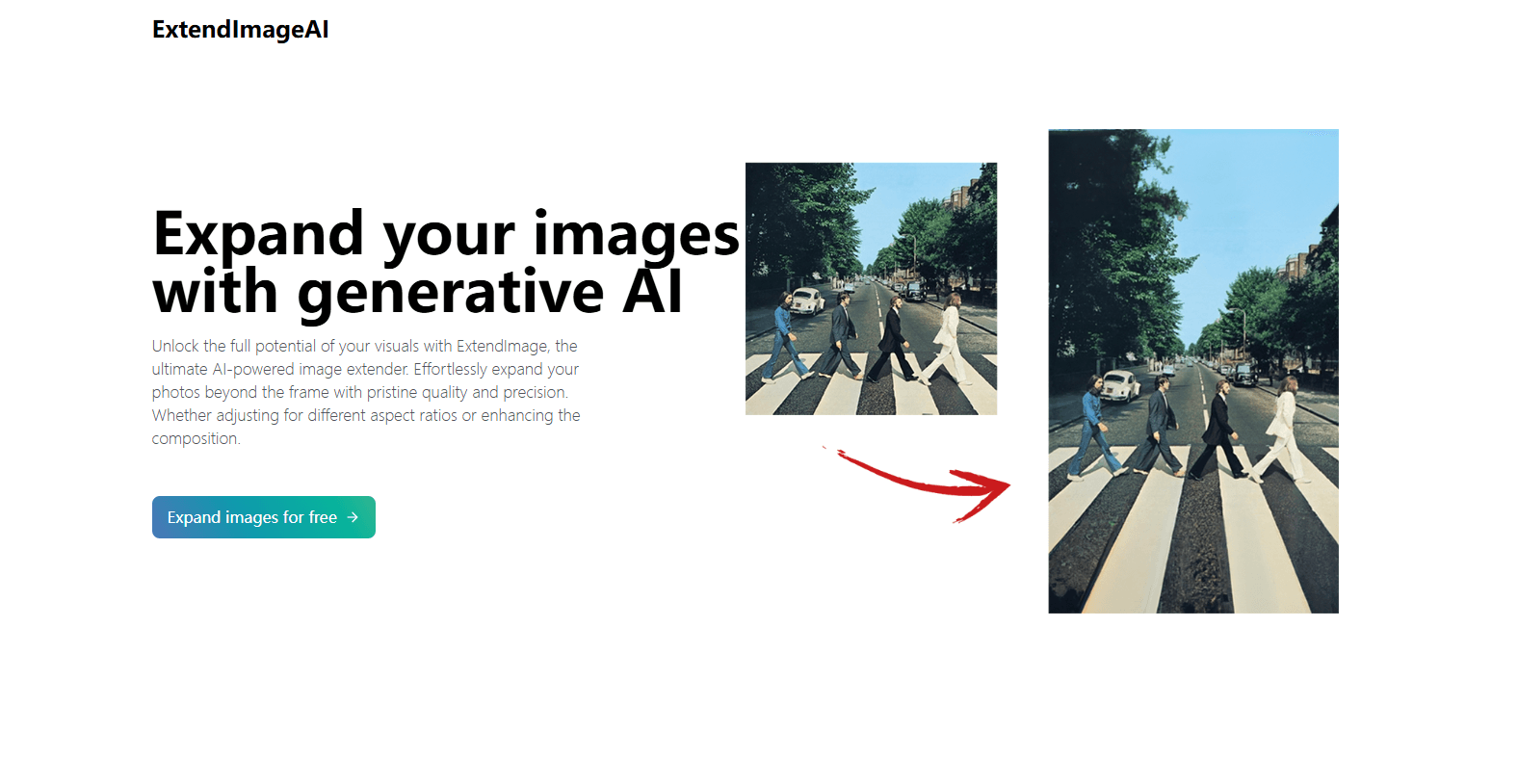
ExtendImageAI is a web-based AI image extender that can uncrop image files and expand image shots by generating new pixels, built for social media creators and marketers.
About ExtendImageAI
What Is ExtendImageAI
ExtendImageAI is an AI photo enlarger that uses generative AI to expand an image past its original edges. You give it a photo, pick a target size or aspect ratio, and the model paints in the missing areas so the result looks like it was always part of the shot. No manual cloning, no patching gaps by hand.
The tool solves a common annoyance. You shoot vertical, but the client wants a banner. You zoomed in too far and cut off someone's shoulder. Cropping can't fix that, because the pixels simply aren't there. ExtendImageAI generates them instead, matching the original color and style so the seams don't show.
The obvious limit is fidelity. Generated pixels are plausible, not real, so fine details like text, small faces, or logos in the extended area can come out soft or slightly off. So what should you actually expect? Treat it as a strong first pass, not a pixel-perfect fix. It's a web app, so there's nothing to install, but you also can't run it fully offline.
Getting Started
- Open extendimage.ai in any browser and upload the photo you want to expand.
- Choose a preset size or aspect ratio, or switch to freeform selection to target one specific section.
- Let the AI fill in the new area and compare the options it returns.
- Refine the result if needed, then download the finished image.
Product Information
A quick look at ExtendImageAI's pricing, supported platforms, and performance.
Best for
The users, tasks, and scenarios where this tool fits best.
Users
- Social media creators who need one photo in several aspect ratios without reshooting
- Marketers and small business owners building ads, posters, and infographics on a budget
- Designers who want a fast first pass at a wider composition before polishing it
- Casual users stuck with awkward framing on a shot they can't retake
Tasks
- Turning a vertical phone photo into a wide banner for a website header
- Fixing a zoomed-in picture where the frame cuts off a subject
- Extending a product shot so there's clean space for text overlays
- Using it as an AI image resizer for Instagram carousels, stories, or print without stretching anything
Scenarios
- Adapting one campaign photo for multiple channels, each with its own size rules
- Salvaging an old or low-res image that still matters for a project
- Testing a few wider compositions quickly before committing to one
Key features
AI Image Expansion Beyond the Frame
The core job is outpainting: adding new content around your image instead of only cropping or stretching it. You pick how much to add by choosing a size or ratio, and the model fills the gap. That means you can rescue shots with bad framing, not just shrink the ones that are already fine.
Style and Color Matching
ExtendImageAI reads the original image and matches its color and style in the generated area. This matters more than it sounds. If the new pixels clash with the original palette, the seam is obvious and the whole image looks pasted together. Matching keeps the extension looking like one unified photo.
Freeform Selection
Instead of expanding every edge, you can draw a freeform selection and target one specific section. Useful when only the left side is empty, or when you want to extend toward a subject rather than away from it. It gives you control over where the AI spends its effort.
Preset Sizes and Aspect Ratios
The tool doubles as an AI image resizer, shipping with common size and ratio presets so you don't have to guess. Pick the format your platform needs and the AI works toward it. It's a small thing, but it removes the trial-and-error of picking dimensions manually.
Multiple Generated Options
For each expansion, ExtendImageAI offers several versions to choose from. Since generative results vary, seeing a few candidates side by side lets you pick the one that fits your design vision instead of accepting the first output.
Browser-Based Workflow
There's nothing to install. You upload in the browser, work, and download. That keeps the barrier low for people who only need it occasionally. The trade-off is that you need an internet connection every time you use it.
Pros and cons
Pros
- Generates missing content for outpainting and uncropping rather than just resizing
- Matches the original image's color and style to hide the seam
- Freeform selection lets you expand in one direction when you need to
- Runs in the browser with no install, so the learning curve is short
- Offers multiple results per run to compare
Cons
- Generated areas can look soft with fine details like text, faces, or logos
- Everything happens online, so it won't work without an internet connection
- Free usage is limited, and heavier use needs a paid plan
Frequently asked questions
It expands images beyond their original borders using generative AI, filling in new pixels to reach a target size or aspect ratio. Think of it as uncropping a photo rather than shrinking it.
Related content
Explore related tools, skills, and articles for ExtendImageAI.
ExtendImageAI Alternatives

Odyssey 3
Odyssey · OtherOdyssey-3 is Odyssey's foundation world model. It simulates physics in real time, turns a prompt into an interactive environment, and adapts to robots, cars and games.

JarvisCore
Prescott Data · Coding · Productivity · OtherJarvisCore is an open source Python runtime where AI agents work as equal peers on an agent mesh, claim tasks from a shared ledger, and reach external services through a zero-trust broker.
Clef
Cloudflare · Business · OtherClef is Cloudflare's open-source decision model for Workers AI. It returns calibrated probabilities for typed questions, not generated text, so agents can classify, route, and act fast.