

extract by Firecrawl
Firecrawl · Coding
extract by Firecrawl is Firecrawl's API endpoint that turns any URL or whole domain into structured JSON. You give it links plus a prompt or schema, and it returns the fields you asked for.
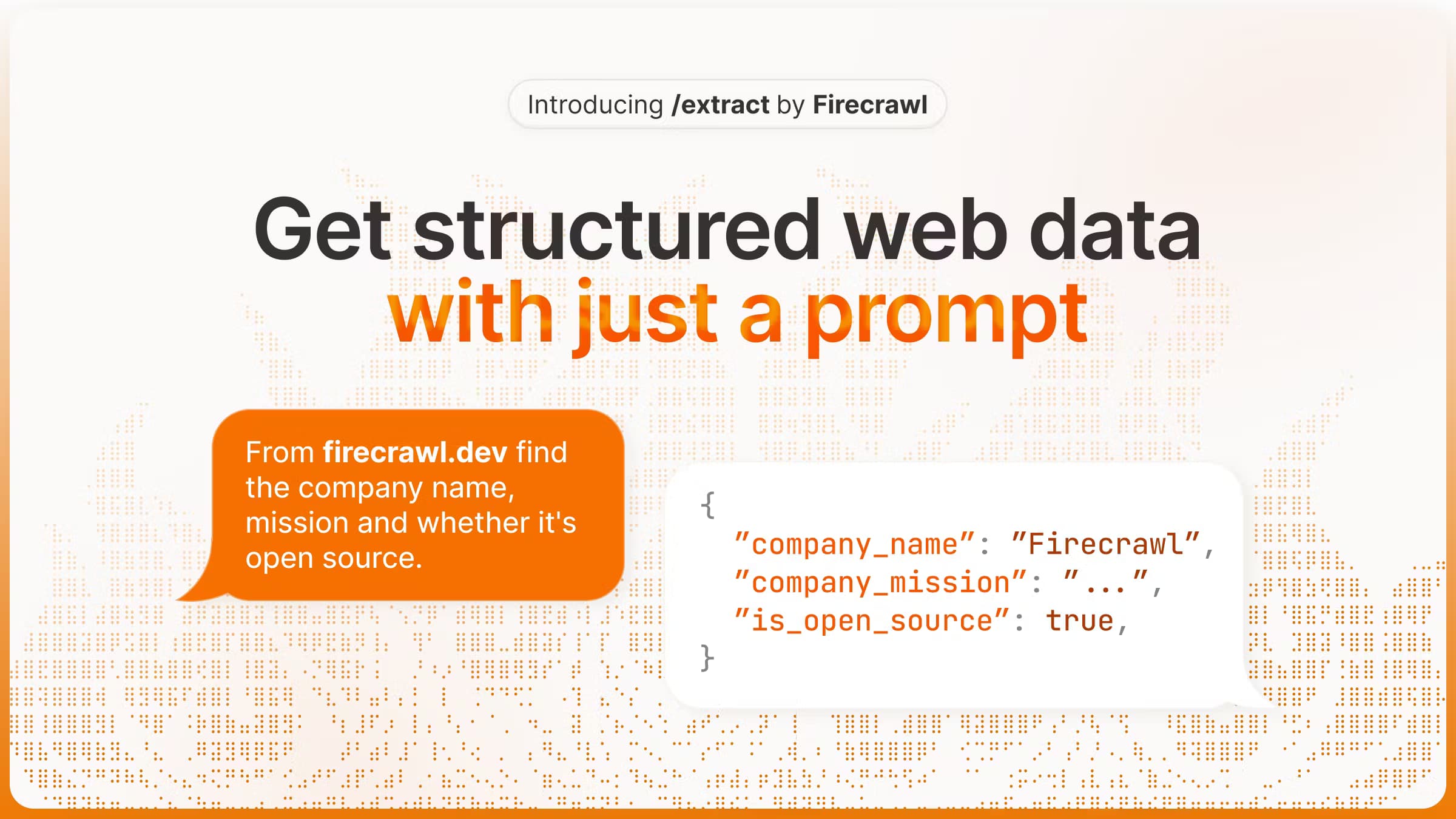
About extract by Firecrawl
What Is extract by Firecrawl
extract by Firecrawl is the /extract endpoint of Firecrawl, a web data API built for AI apps. It scrapes the pages you point it at, then uses a language model to pull out specific fields as JSON. Instead of hand-writing selectors for every site, you describe the data in plain words or hand over a JSON schema, and Firecrawl returns the values already organized.
The endpoint handles the awkward parts of scraping: JavaScript-heavy pages, anti-bot defenses and layout changes across sites. Use it to scrape any website to JSON, whether that's a product grid, a set of articles or a directory. You can target one page, a list of pages, or a full domain with a wildcard like example.com/*, and Firecrawl crawls what it finds before extracting. It's the fit for teams that need repeatable records, prices or company details shipped straight into a database or a downstream workflow.
Two limits shape how you use it. extract runs as an asynchronous job, so you submit URLs and poll a job ID for results rather than getting an instant answer. And Firecrawl now steers new work to /agent, its successor, which finds its own URLs. extract still works, but it's the older path.
Getting Started
- Sign up at firecrawl.dev and copy your API key from the dashboard
- Install the SDK (pip install firecrawl-py or npm install firecrawl) and initialize a client with the key
- Call extract with a list of URLs, a prompt describing the fields, or a JSON schema if you want a fixed shape
- Read the returned data, or poll the job ID if you used the start method for long runs
Product Information
A quick look at extract by Firecrawl's pricing, supported platforms, and performance.
Best for
The users, tasks, and scenarios where this tool fits best.
Users
- Developers building AI apps
- Data and analytics teams
- Startup founders doing market research
- Automation builders
Tasks
- Extracting records from many pages
- Turning messy pages into JSON
- Monitoring prices and availability
- Building knowledge bases for RAG
- Merging data across sources
Scenarios
- A research team tracks competitor pricing weekly
- A developer feeds an AI assistant fresh web facts
- A founder scans a market for the first time
- An ops team keeps a directory current
- A data engineer normalizes scattered sources
Key features
Prompt or Schema Extraction
extract works two ways. You can write a natural language prompt that describes the data you want, and the model picks a sensible shape for it. Or you can supply a JSON schema, so every record comes back with the exact fields and types you defined. Teams that need a stable shape for a database pick the schema; teams exploring an unfamiliar site start with a prompt and tighten it later.
Whole-Domain Extraction With Wildcards
You can point extract at a single page, a short list, or a whole site. A URL with a wildcard, like example.com/*, tells Firecrawl to crawl the domain and parse every page it can find before extracting the fields. That turns a site-wide hunt into one call, so you don't have to assemble the URL list yourself. The full-domain mode is marked experimental, so expect to check results.
Web Search Enrichment
Setting the web search option lets the extraction reach beyond the URLs you gave it. Firecrawl follows related pages to fill in missing context, which helps when a single page doesn't carry everything you need. One documented example pulls dash cam prices, features and reviews by starting from one product page and letting the search widen the net.
Asynchronous Jobs With Status Checks
extract runs as a job, not a blocking call. You submit the request and get a job ID back, then check the status endpoint until it reports completed. The states are completed, processing, failed and cancelled, so you can hook it into a queue or a background worker. Job results stay reachable through the API for 24 hours after they finish.
Official SDKs for Python and Node
Firecrawl ships Python and Node SDKs, so you don't hand-roll HTTP calls. The Python client can take a Pydantic model as the schema, and the Node client accepts a Zod object, giving you typed, validated output. Both offer a start method that returns a job ID right away, plus a status method to fetch results when the job settles.
Credit-Based Billing Shared Across Endpoints
Extract now bills in credits, the same currency as the other endpoints. One credit equals 15 tokens on extract, while a basic scrape costs 1 credit per page. Credits are shared across every endpoint, so search results and page scrapes draw on one balance. That makes it easier to predict spend when a job mixes extracting and crawling.
A Documented Migration Path to Agent
Firecrawl marks extract as the older tool and points new work to /agent, its successor. Agent keeps the prompt and schema options but drops the URL requirement, so it can search and navigate on its own. If your use case is "find this data somewhere on the web," Agent is the path; if you already know the URLs, extract still does the job.
Pros and cons
Pros
- Prompt or JSON schema output means you skip hand-written selectors for every site
- Wildcard URLs let one job cover a whole domain, so you don't build the page list yourself
- Official Python and Node SDKs support Pydantic and Zod for typed, validated results
- Credit billing is shared across endpoints, which keeps spend predictable when a job mixes tasks
- A free tier with 1,000 monthly credits covers light testing without a credit card
Cons
- Extraction is asynchronous, so you can't drop it into a request that needs an instant answer
- Firecrawl now steers new users to Agent, so extract is the older path and trails the newer tool
- Full-domain wildcard extraction is labeled experimental, so wide crawls may need a results check
- Job results vanish from the API after 24 hours, which means long-term storage is your job
- Pages that return error statuses like 403 or 404 still cost a credit
Frequently asked questions
It's the /extract endpoint of Firecrawl, a web data API. You give it URLs plus a prompt or a JSON schema, and a language model returns the fields you asked for as structured JSON. It suits pulling repeatable records from pages that don't share a fixed layout.
Related content
Explore related tools, skills, and articles for extract by Firecrawl.
extract by Firecrawl Alternatives

Base Code
Base44 (Wix) · Coding · ProductivityBase Code is a shared cloud development environment from Base44. Teammates describe changes to an existing GitHub codebase in chat, preview them live and send them back as pull requests.

Google EmbeddingGemma 2
Google DeepMind · Writing · Image · CodingGoogle EmbeddingGemma 2 is a 740M-parameter open model that turns text, code, images, audio, and video frames into vectors in one 768-dimension space, running on phones and laptops.

GitGlow
GitGlow · Coding · ProductivityGitGlow is a local-first desktop Git client that lets independent developers review their own code and their AI agents' changes in one place before shipping.