

Fabrica
Chennchuu Inc. · Coding
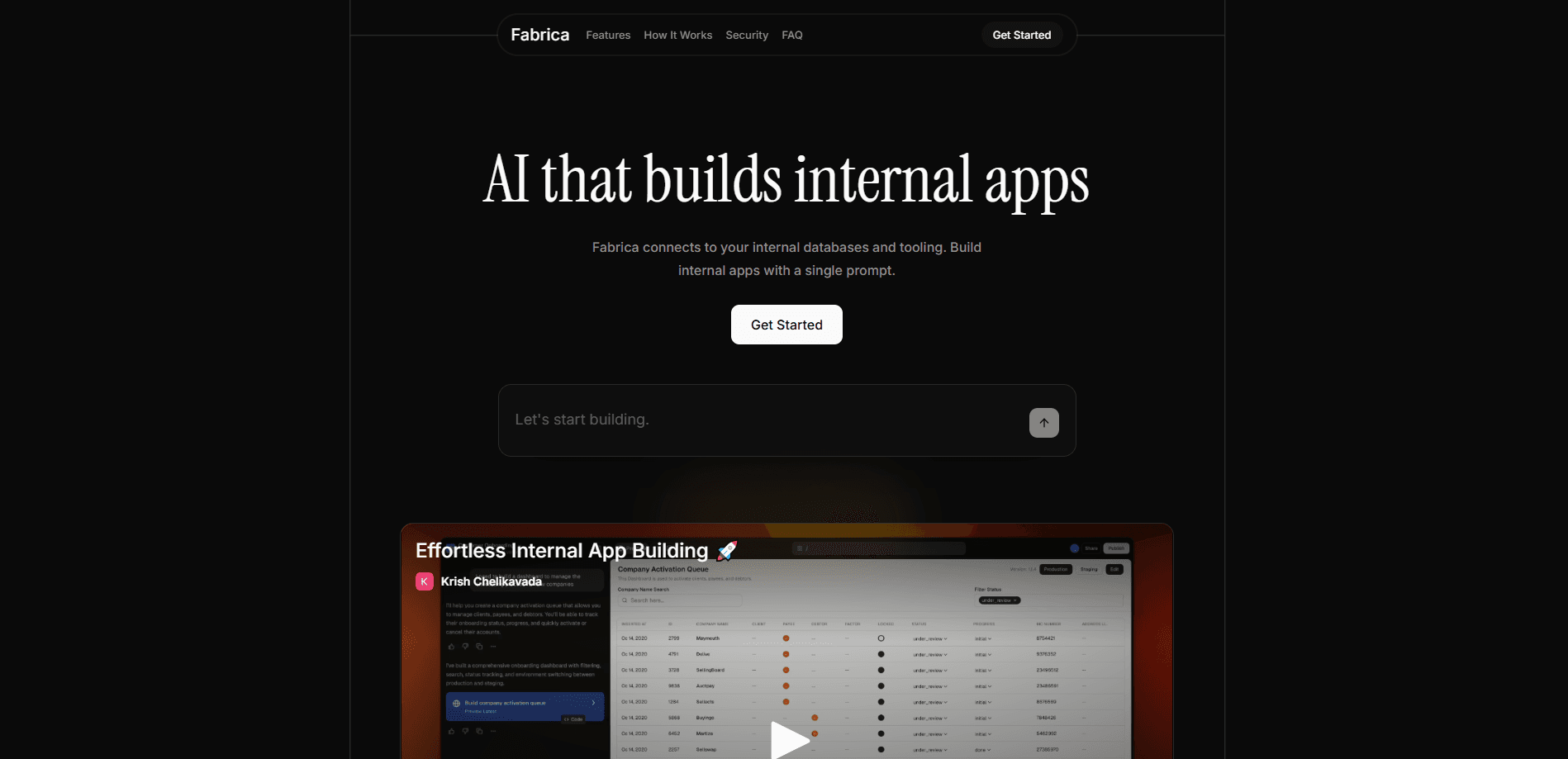
Fabrica is a prompt-to-app platform that builds internal business applications from a plain-English prompt. You connect your databases, CRM, and internal SaaS tools, describe the tool your team needs, and Fabrica generates a working app you can deploy and share. It targets operations, support, sales, and finance teams who want no-code internal tools without waiting on a developer.
About Fabrica
What Is Fabrica
Fabrica is a prompt-to-app builder for internal business tools. Instead of filing a ticket with engineering and waiting weeks, you tell Fabrica what you want in everyday language, and it assembles the app on top of data you've already connected. The pitch is simple: build internal apps with AI, in minutes rather than sprints.
The platform sits between your data sources and your team. It links up to databases like PostgreSQL, MySQL, and Snowflake, SaaS platforms such as Salesforce, HubSpot, and Zendesk, and REST or GraphQL APIs. From there, Fabrica keeps the generated code visible. You can export it or edit it later. No black box.
The most important caveat? Fabrica isn't a free tool with a public price list. Getting in means requesting access through an official form, and pricing is handled by the vendor directly. If you want to test it before committing, there's no self-serve trial you can spin up on your own.
Getting Started
- Request access through the official Fabrica signup form and wait for your account to be set up.
- Connect your data sources, such as your database, CRM, or support platform, using the built-in integrations.
- Describe the internal app you need in plain English, including what it should track, calculate, or automate.
- Review the generated app and the code behind it, then adjust fields, logic, or permissions to fit your workflow.
- Set who can access the tool, deploy it, and share it with your team.
Product Information
A quick look at Fabrica's pricing, supported platforms, and performance.
Best for
The users, tasks, and scenarios where this tool fits best.
Users
- Operations teams
- Sales operations staff
- Finance and support leads
Tasks
- Building a customer onboarding tracker
- Creating a support dashboard
- Automating recurring reporting
Scenarios
- When engineering is backlogged
- When a workflow changes often
- When data is spread across systems
Key features
Prompt-to-App Generation
You describe the internal tool you want in plain English and Fabrica builds it for you. The result isn't a hidden template, either. The underlying code stays visible. You can export it or modify the app whenever your needs change.
Broad Data and Tool Connections
Fabrica links to databases including PostgreSQL, MySQL, SQL Server, Snowflake, BigQuery, and Redshift, plus SaaS platforms like Salesforce, HubSpot, Zendesk, Intercom, and Google Sheets. It also accepts REST and GraphQL endpoints and file uploads, so most teams can reach their existing data without rebuilding it somewhere new.
Enterprise-Grade Security
Data is encrypted end to end, both in transit and at rest. Access runs on role-based controls with SSO support through SAML and OAuth, and credentials are stored encrypted with key rotation. For teams handling sensitive records, that's table stakes rather than a bonus.
Audit Logs and Compliance Controls
Every data access, change, and configuration update is logged with a user and timestamp. You get exportable audit logs for compliance reporting, regional data residency options, and retention policies that vary by plan. That matters if your business answers to a security review.
Safe Publishing Workflows
Changes to a live app don't go out unchecked. Fabrica includes input validation at the form level, approval workflows before changes reach production, admin-controlled publishing permissions, and preview environments for testing. It's the guardrail that keeps a quick internal build from breaking something real.
Monitoring and Alerts
Built-in dashboards show response times, query duration, error tracking with stack traces, and usage analytics by user and endpoint. You can set alerts for slow queries, failures, or unusual activity. That's how you catch a problem before your team does.
Pros and cons
Pros
- Builds internal tools from a written prompt, which cuts the wait on engineering time.
- Connects to many databases, SaaS platforms, and APIs, so it works with data you already have.
- Keeps the generated code visible and exportable, avoiding a total lock-in.
- Ships with security and audit features that suit businesses facing compliance reviews.
- Preview environments and approval workflows reduce the risk of pushing a broken change live.
Cons
- No public pricing or free tier, so you can't judge cost or try it without contacting the vendor.
- Onboarding starts with a request form, which means no instant self-serve signup.
- The value depends on your data being reachable through a supported integration; disconnected systems limit what you can build.
Frequently asked questions
Fabrica turns a plain-English description into a working internal business app. You connect your data sources, describe the tool you need, and it builds something your team can use, with the code kept visible for edits.
Related content
Explore related tools, skills, and articles for Fabrica.
Fabrica Alternatives
Forefront
Forefront · CodingForefront is a web platform for building with open-source AI. It lets you fine-tune leading open-source language models on your own data, evaluate how they perform, and run them through an API or export them to host yourself. Developers who want the convenience of a closed-source platform but insist on owning their models and data are the target audience here.

Startkit
StartKit.AI · CodingStartkit is a boilerplate for building AI SaaS and AI wrapper products. Think of it as an AI startup boilerplate with the boring parts already wired up: authentication, Stripe and Lemon Squeezy payments, usage limits, transactional email, and an AI API starter that talks to OpenAI, Anthropic, Groq, or Llama. You clone the repo, set your price, and start on the part of your product that people actually pay for. It's Next.js under React and Tailwind, so most of the boilerplate code already feels familiar.
Testim
Tricentis · CodingTestim is an AI-powered test automation platform for building and running end-to-end tests across web, mobile, and Salesforce applications. It leans on machine learning to keep tests stable when an interface changes, so teams spend less time fixing broken selectors. Not bad for an automated testing tool you can start using today. You create tests by recording actions in a browser, then optionally add JavaScript when you need more control. It's a solid pick for busy QA teams.