

FactGuard
FactGuard · AI Detection
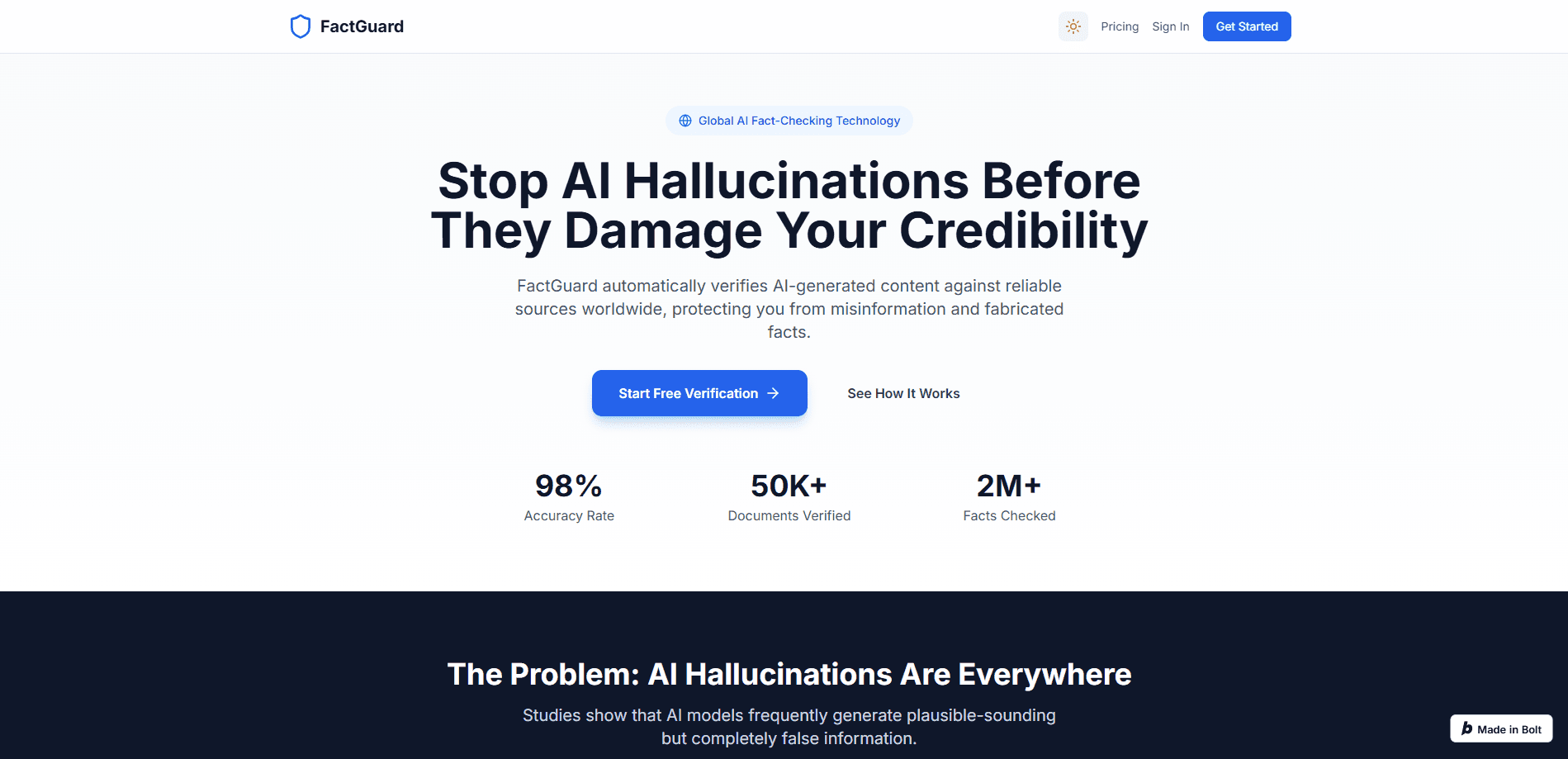
FactGuard is a web-based fact-checking tool built for the flood of AI-written text. Paste in a draft or point it at a news URL, and it pulls the text apart into individual claims, checks each one against sources like Reuters, BBC, and Snopes, and hands back a confidence score for every finding. The pitch is simple: you get a verdict plus the sources behind it, so AI content verification doesn't come down to trusting a chatbot's word. If you publish, edit, or research with AI, it works as a fast pass that catches the confident-but-wrong stuff.
About FactGuard
What Is FactGuard
FactGuard fact-checks content that was written, or partly written, by AI. You feed it text or a live article URL, and it doesn't just say "looks fine." It splits the copy into separate factual claims, searches for evidence on each one, and returns a confidence score with links you can click.
The tool targets a real problem. Chatbots write in fluent, assured sentences. Fluent isn't the same as right. FactGuard exists to put a second set of eyes on that text before it reaches readers, clients, or a submission pile.
There are limits worth knowing. FactGuard is a web app, so there's no desktop or mobile install, and it runs on a credit system rather than an unlimited free tier. It also checks claims against published sources, which means a claim that's true but poorly covered online may come back with a lower score than it deserves. Treat the output as a strong first pass, not a final ruling.
Getting Started
- Create an account on the FactGuard site so your credit balance and history stay tied to you.
- Paste your AI-generated text into the input box, or switch to the URL tab and enter a news article or webpage link to scan for hoaxes.
- Hit Verify Now for text, or Scan URL for a link. FactGuard extracts the content and breaks it into claims.
- Read the results panel, which flags each claim and shows a confidence score plus the cited sources behind it.
- Top up credits from the pricing page when your balance runs low, or grab the ad-free premium bundle if you use it heavily.
Product Information
A quick look at FactGuard's pricing, supported platforms, and performance.
Best for
The users, tasks, and scenarios where this tool fits best.
Users
- Content creators and marketers
- Journalists and editors
- Researchers and students
Tasks
- Fact-check AI-generated content
- Scanning a news URL for hoaxes
- Verifying claims before publication
Scenarios
- You're about to publish a blog post that an AI helped write and want a quick accuracy pass.
- A client sends you copy with confident claims you can't personally confirm.
- You spot a viral article and want to know whether its central claims hold up before sharing it.
Key features
Claim-Level Breakdown
FactGuard doesn't score a whole article with one number. It separates the text into individual claims and handles each on its own, so a piece with three checkable facts and twenty sentences of opinion gives you three verdicts instead of one vague grade. That's claim verification at the sentence level. It matters when you're editing, because it points you straight at the sentence that's wrong.
Confidence Scoring
Every claim comes back with a confidence score, which tells you how sure the system is about its own verdict. A high score on a well-covered claim is reassuring. A low score is a signal to slow down and check the cited source manually, especially on niche or very recent topics that the web hasn't fully indexed yet.
Source Transparency
Findings are backed by cited sources rather than a bare "true" or "false." The tool searches across outlets including Reuters, BBC, CNN, Snopes, and Politifact, and links what it found. You can verify the verification, which is the part most chatbot answers skip. If a claim's score looks off, the linked evidence is where you go to settle it.
Text and URL Checking
You can paste raw text or hand FactGuard a news article URL. The URL mode works as a hoax scanner: it extracts the article body and checks it for hoax content and misinformation. That saves you copying and pasting a long piece by hand. Both modes feed the same claim-checking engine, so the results come back in the same format.
Built for AI-Era Content
The whole tool is aimed at text that machines wrote. AI output tends to be smooth and grammatically clean. That makes fabrications harder to spot by eye. FactGuard acts as an AI misinformation detector tuned to the specific failure mode of AI copy: claims stated with total confidence that don't survive a search. It's a detector built for a problem that barely existed a few years ago.
Pros and cons
Pros
- Breaks content into individual claims instead of scoring the whole piece, so you know which sentence needs fixing.
- Every finding comes with source links, so you can check the checker rather than taking a number on faith.
- Handles both pasted text and live article URLs, which covers drafting and reviewing in one tool.
- Web-based with no install, and it runs in the browser on any desktop.
Cons
- No API and no desktop or mobile app, so it can't be wired into an automated publishing pipeline or used offline.
- Credits are consumed per verification and per URL scan, so heavy or team use adds up quickly.
- Claims that are true but thinly covered online can score lower than they deserve, which means a low score isn't proof a claim is false.
Frequently asked questions
It's an AI fact-checking tool for text that AI wrote or helped write. You paste content or a URL, and it splits the copy into claims, checks each one against global sources, and returns a confidence score with citations for every finding.
Related content
Explore related tools, skills, and articles for FactGuard.
FactGuard Alternatives
Isgen AI
Isgen · AI DetectionIsgen AI is a web-based AI detector that scores text for machine authorship and shows you which sentences and phrases push the number up. It's built for teachers, editors, students, and writers. Their question is simple: did this draft come from ChatGPT, GPT-5, Claude, Gemini, DeepSeek, or another model? You paste or upload content, run a scan, and get a Human, AI, and Mixed breakdown in seconds. There's also a companion editor that scores text while you write it.
Humanizeai Tools
Humanizeai Tools · Writing · AI DetectionHumanizeai Tools is a web-based AI humanizer that rewrites machine-generated text so it sounds like a person wrote it, which is the whole point of the category it belongs to. Paste a draft from ChatGPT, Claude, or Gemini, run it through the tool, and it swaps out the phrases and sentence patterns that AI detectors flag. If your goal is to make AI text sound human before you publish it, this is the kind of tool built for exactly that. It suits students, bloggers, and marketers who need copy that reads naturally and clears tools like GPTZero, Copyleaks, and Winston AI after a single pass.

Hidemyai
Hidemyai · Writing · AI DetectionHidemyai is an AI content humanizer. It rewrites text from ChatGPT, Jasper, and similar tools so the result reads like a person wrote it. You paste your draft, pick a document type and tone, and the service returns a version meant to bypass AI detectors such as Originality.ai, Turnitin, and ZeroGPT. It targets writers, marketers, and students who lean on AI drafts but can't ship copy that sounds robotic. The promise is simple: make AI content undetectable.