

Fadr - AI Music Maker
Pebble · Voice & Language
Fadr is an AI music maker that splits any song into vocals, drums, bass, and melodies, then lets you remix, mash up, and DJ with the pieces in your browser.
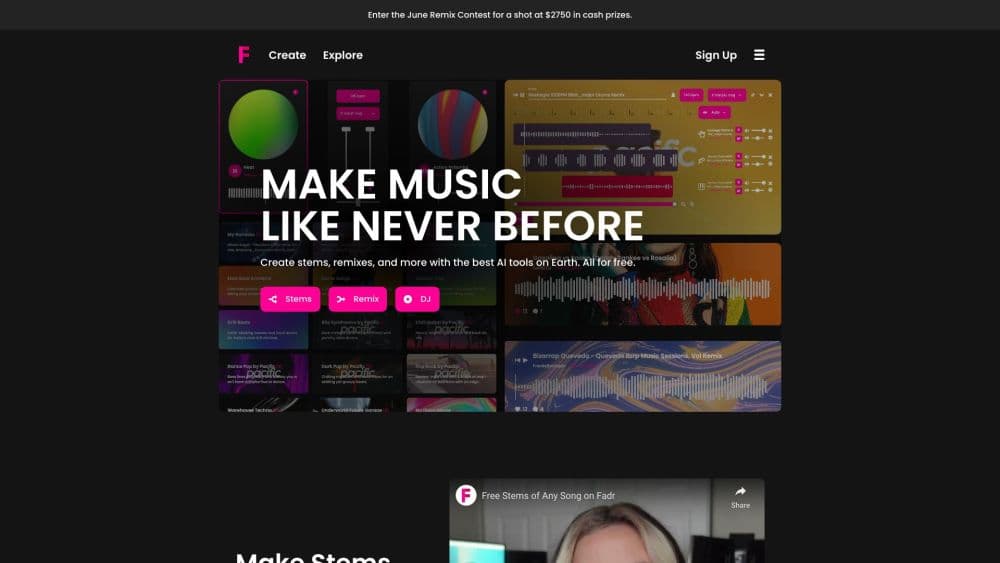
About Fadr - AI Music Maker
What Is Fadr
Fadr is a browser-based music toolkit for producers, DJs, and anyone who wants to take a finished song apart and rebuild it. Upload a track and it separates the audio into stems you can play with: vocals, melodies, drums, and bass. From there you can loop sections, swap parts between songs, and build a remix or a DJ set without a studio full of gear.
The company behind it is Pebble, and the pitch is simple. Most stem-splitting tools lock the useful features behind a paywall or cap how much you can process. Fadr keeps the core workflow free, including unlimited stems and MP3 downloads, and sells the pro extras on top. Those extras are what heavier users pay for: individual drum and vocal stems, lossless WAV files, longer uploads, and an API for building the same separation into your own products.
The catch is where the free plan stops. Fadr Basic gives you MP3 output and basic four-way splits. The moment you want WAV quality, a clean kick from a snare, or a plugin inside your DAW, you need Plus. Nothing here is a replacement for a full DAW either, so treat it as a fast separation and remix layer, not the place you finish a mix.
Getting Started
- Sign up at fadr.com with an email or a social login. No install needed since it runs in the browser.
- Upload a song you have the rights to use. Free accounts handle shorter tracks; Plus raises the upload limit to an hour.
- Let Fadr split the track into stems, then preview each part and loop the section you want to work with.
- Build your version. Drag stems into the remix maker, line up a DJ set, or export the MIDI so you can keep working in your own software.
- Download the result as MP3 on the free plan, or upgrade to Plus for WAV files and individual stems.
Product Information
A quick look at Fadr - AI Music Maker's pricing, supported platforms, and performance.
Best for
The users, tasks, and scenarios where this tool fits best.
Users
- Bedroom producers
- DJs
- Music students and teachers
- App and plugin developers
Tasks
- Making acapellas and instrumentals
- Building a mashup
- Extracting MIDI
- Cleaning up a sample
- Making a DJ set
Scenarios
- Prepping a live set
- Practicing an instrument over a backing track
- Remixing a client track on a deadline
- Prototyping a music app
Key features
Stem Separation
Fadr splits a song into vocals, melodies, drums, and bass. The free plan handles those four basic stems, and Plus breaks things down further into lead and background vocals, individual drum parts like kick and snare, piano, guitar, strings, and wind. That finer split is what you need when you want to keep one piece and drop the rest.
Remix Maker
Once a track is separated, the remix maker lets you rearrange the pieces. You can swap a beat between songs, build loops, and reshape a track into something new without recording anything. It works on the stems Fadr already made, so you skip the manual chopping.
DJ Sets
Fadr includes a DJ mode for mixing separated tracks. Because you are working with stems instead of full songs, you can bring in just the vocals of one track over the drums of another, which is more flexible than a standard crossfade.
MIDI Detection
The tool detects the notes inside a melody, bassline, or drum performance and turns them into MIDI. You can then export that MIDI and rebuild the part with your own instruments, which is useful for producers who want to study or reconstruct a track.
DrumGPT and Siren Plugins
Fadr ships plugins that run inside your DAW. DrumGPT generates and reshapes drum patterns, and Siren handles the vocal side. These need the Plus plan, and they let you keep the Fadr workflow going without leaving your production software.
API Access
Plus accounts get API access, so you can build Fadr's separation into your own apps and services. For developers that is the main reason to pay, since the free plan doesn't include it.
Pros and cons
Pros
- Free plan is genuinely usable, with unlimited stems, remixes, and DJ sets plus MP3 downloads rather than a short trial.
- Stem separation covers the four core parts on the free plan and goes much finer on Plus, including individual kick and snare.
- Runs entirely in the browser, so there is nothing to install and it works across operating systems.
- MIDI detection lets you pull notes out of a track and keep working in your own DAW instead of being stuck in Fadr.
- API access on Plus opens the separation up to developers who want to embed it.
Cons
- Free plan caps output at MP3, so anyone who needs lossless WAV files has to upgrade.
- Individual drum and vocal stems sit behind Plus, which matters if you want a clean kick or a soloed acapella at full quality.
- Upload length is limited on the free plan, so long mixes and full DJ sets push you toward the paid tier.
Frequently asked questions
Yes. Fadr Basic is free for life and covers unlimited stems, remixes, and DJ sets with MP3 downloads. The paid Fadr Plus plan adds pro features on top rather than unlocking the basic workflow.
Related content
Explore related tools, skills, and articles for Fadr - AI Music Maker.
Fadr - AI Music Maker Alternatives

Foley
Hanamori Labs, LLC · Voice & Language · Productivity · AI AssistantFoley is a voice to-do list that turns a spoken sentence into a filed task, complete with project, date and time, then helps you plan the day around what is already there.

HireKey
HireKey · Voice & Language · Productivity · LeaningHireKey is an AI job search copilot built by a former tech recruiter. It checks role fit, tailors resumes, runs interview practice and tracks every application.

Fluence
Yay Software (Yannick Huchard) · Writing · Voice & Language · ProductivityFluence is an Android app that reads PDFs, EPUBs, Word files and web articles aloud, follows each sentence as it speaks, and answers questions about the text on the phone itself.