

Fast.io
VividEngine, LLC · Coding · Leaning
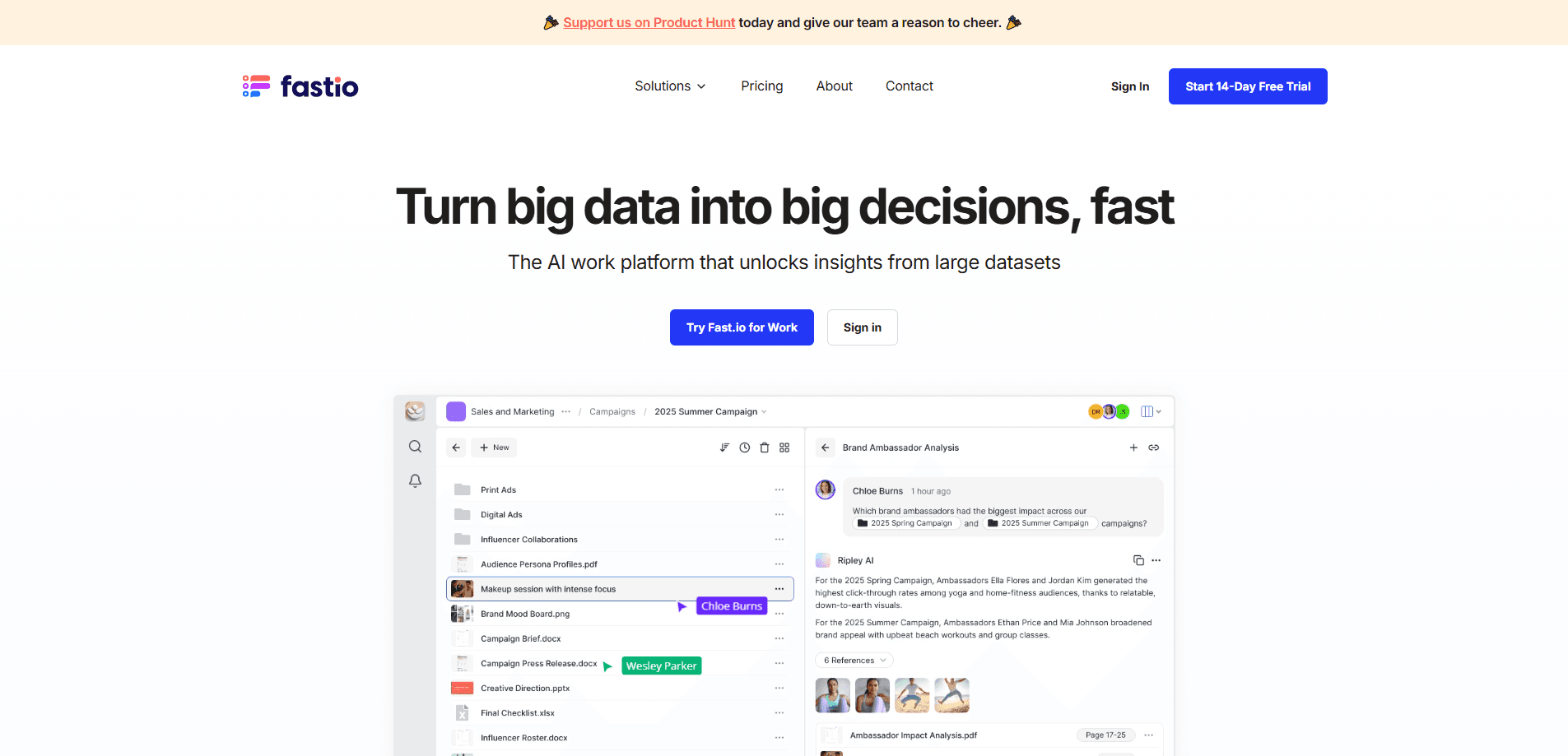
Fastio is an AI project workspace. Each project gets one place for its files, its team and the AI agents that work on it, so people and agents read the same files.
About Fast.io
What Is Fastio
Fastio is an AI project workspace that gives a team and its AI agents one shared place to store, search and work on a project's files. It connects to the storage you already use, like Dropbox, Box, OneDrive and Google Drive, and to the agents you already run, like Claude, ChatGPT, Codex, Cursor and Gemini. The pitch is simple: stop copying files into yet another tool and give every agent the same working set your team has.
It is AI cloud storage for teams, but the files never have to leave the drives they already sit in. The problem it targets is the gap between where files live and where agents look. Connect a drive, and Fastio indexes what arrives so both people and agents can search by content and metadata. Steaming a folder of contracts into a chat tool usually means losing the paper trail, and Fastio answers with citations that point back to the file behind every claim. Teams that run real project work through agents feel that difference fastest.
Two limits matter before you commit. There is no permanent free tier. Monthly plans start with a 30-day trial that requires a card, and yearly billing starts paid on day one. And this is a team product. Pricing is built around seats, storage and monthly credits, so a single person with a handful of files is paying for room they will not use.
Getting Started
- Sign up and pick a plan, then create a workspace for the project you want to bring in
- Add people and agents at the project level so access follows the workspace, not each person
- Connect a Dropbox, Box, OneDrive or Google Drive folder, or upload files directly, and turn on intelligence so the files index as they arrive
- Point your agent at the Fastio MCP server, then ask questions and let answers cite the source files
Product Information
A quick look at Fast.io's pricing, supported platforms, and performance.
Best for
The users, tasks, and scenarios where this tool fits best.
Users
- Businesses running project work through AI agents
- Agencies and creative teams
- Legal teams handling client matters
- Teams building a company brain
- Developers needing persistent agent storage
Tasks
- Syncing files into one workspace
- AI search and cited answers
- Metadata extraction
- Coordinating people and agents on the same files
- Sending work out to clients
Scenarios
- Reviewing a contract renewal across thousands of files
- Retiring a tool but keeping what it knew
- Archiving a finished project
- Giving new agents the same context
- Keeping client deliverables separate
Key features
Project Workspaces That Own Their Files
Every workspace holds one project's files, members and activity, and belongs to the organization rather than to any one person. Add people and agents once, and everyone on the project has what they need without copying files or managing access one file at a time. When someone leaves or a project ends, the work stays with the project instead of leaving with a personal account.
One MCP Connection for Every Agent
Connect Claude, ChatGPT, Codex, Cursor, Gemini, Grok or any other MCP client to a workspace through a single connection, with a CLI and a REST API alongside for custom setups. Each agent can search the project by content and metadata, read and write its files and pick up where the last agent left off. Because the brain lives in the workspace and not in the agent, swapping tools later does not mean rebuilding it.
Ripley AI and Cited Answers
Ripley, the built-in AI, answers questions from your own files and points back to the document behind each claim. Files index as they arrive, so people and agents can search a project by keyword or by meaning across everything in it. The agent acts as the identity it signed in with, and answers are filtered by that identity's permissions, so an answer never contains a file the asker could not already open.
Cloud Sync and Import Without Migration
Keep a Dropbox, Box or OneDrive folder in sync with a workspace one-way or two-way, or import files from Google Drive, with Drive sync listed as coming soon. You adopt Fastio without migrating off the storage your team already pays for. Upload anything else directly, and the project works from one copy.
Metadata Extraction
Describe the fields you want, and Fastio extracts them from any set of files you choose into a table your team and agents can sort and filter. Contracts, invoices and reports become data without anyone reading every page. That structured output is also what lets an agent get the exact details a task needs instead of scanning raw files.
Sharing, Client Portals and E-Signature
Send work out through branded shares and portals that recipients open without an account, and control access with passwords, expiry and per-recipient rules or by turning off downloads. Documents can go out for signature from the workspace, and the signed copy files itself back with a tamper-evident audit certificate. It keeps the handoff inside the same permissioned place the files already live.
Security, Auditing and Compliance
Fastio encrypts data at rest with AES-256 and uses TLS for connections, and every action by people and agents lands in an activity log with version history and file locks on every plan. Two-factor authentication comes standard, and Enterprise adds single sign-on through SAML, OIDC and SCIM, plus legal holds, security alerts and an audit stream to your SIEM.
Pros and cons
Pros
- Works over the storage you already pay for, so Dropbox, Box and OneDrive users avoid a full migration
- One MCP connection covers Claude, ChatGPT, Codex, Cursor and any other agent client, with CLI and REST API options
- Answers cite the source file, which makes AI output easier to trust and check against the original
- Seats come with every plan, so adding a teammate to a project does not mean buying another license
- Files belong to the workspace, so work stays with the project when people come and go
Cons
- No permanent free plan, and the 30-day trial requires a card, so there is no casual way to try it first
- Pricing is built for teams with seats, storage and credits, which overshoots what one person with a few files needs
- The Windows desktop app is not out yet, so Windows users work through the browser and the agent connections
- Google Drive support is import-only for now, with two-way sync still listed as coming soon
Frequently asked questions
Fastio is an AI project workspace. Each project gets one place for its files, its team and the AI agents that work on it, so people and agents work from the same files instead of copying them between tools.
Related content
Explore related tools, skills, and articles for Fast.io.
Fast.io Alternatives

Base Code
Base44 (Wix) · Coding · ProductivityBase Code is a shared cloud development environment from Base44. Teammates describe changes to an existing GitHub codebase in chat, preview them live and send them back as pull requests.

Google EmbeddingGemma 2
Google DeepMind · Writing · Image · CodingGoogle EmbeddingGemma 2 is a 740M-parameter open model that turns text, code, images, audio, and video frames into vectors in one 768-dimension space, running on phones and laptops.

GitGlow
GitGlow · Coding · ProductivityGitGlow is a local-first desktop Git client that lets independent developers review their own code and their AI agents' changes in one place before shipping.