

Feezza
Feezza Inc. · AI Assistant
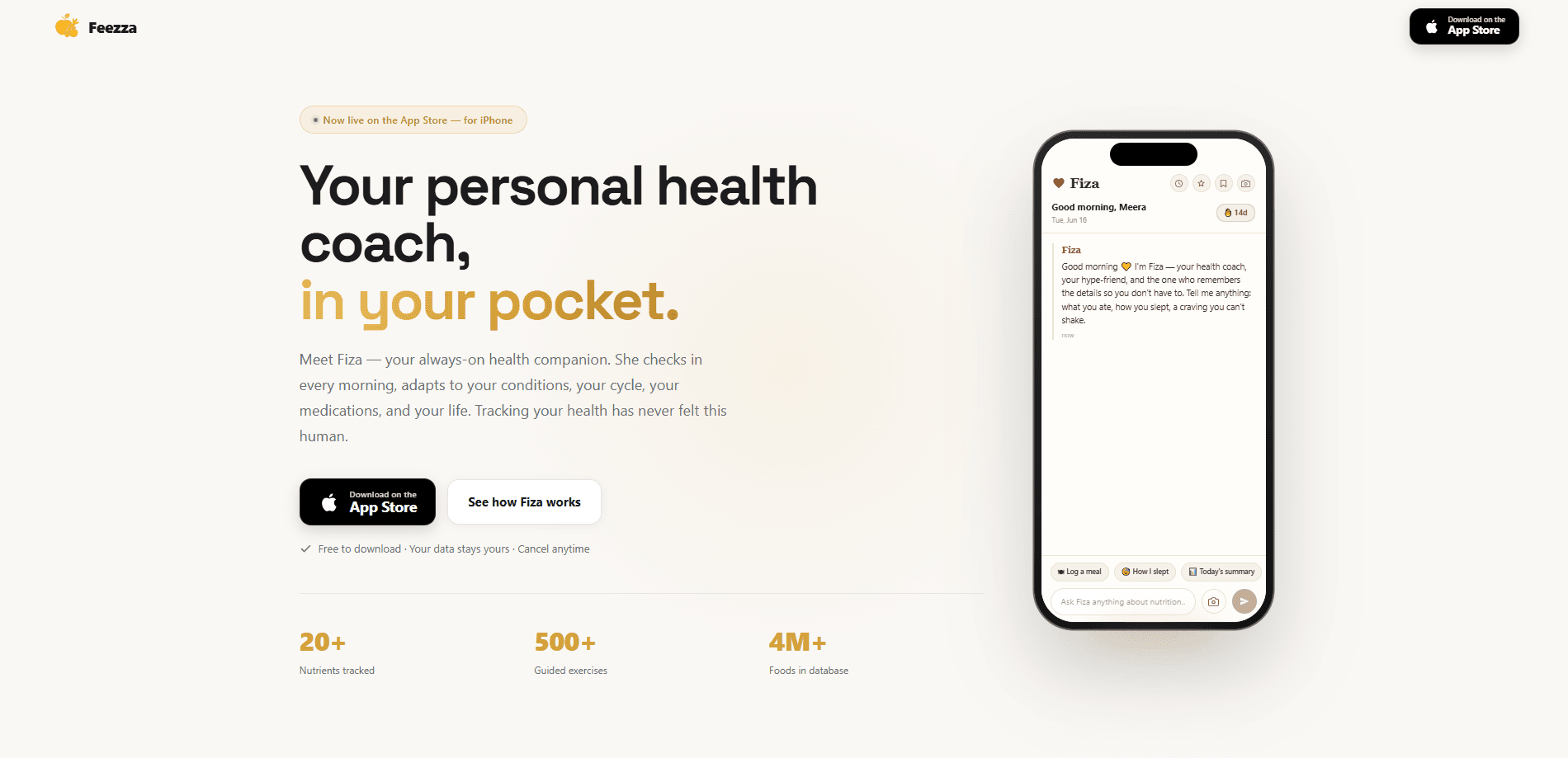
Feezza is an iPhone health companion built around Fiza, an always-on AI nutrition coach that checks in with you instead of waiting for you to open the app. It works as an AI calorie counter and macro tracker, covering calories, macros, and more than 20 micronutrients, and you can log food three ways through voice, a photo, or a barcode scan. The app also tailors its advice to health conditions and your monthly cycle, details most calorie counters skip entirely.
About Feezza
What Is Feezza
Feezza is a nutrition tracking app for iPhone that puts an AI coach at the center of the experience. Instead of a silent food diary you have to remember to open, it uses Fiza to reach out first, asking how your day is going and nudging you when your logged intake drifts off target. The idea is simple: tracking fails when it feels like homework, so Feezza tries to carry more of the load.
Most calorie counters stop at calories and the three macros. Feezza goes wider, tracking more than 20 micronutrients so you can see if you're actually hitting things like iron, calcium, or fiber, not just staying under a number. You can log food by talking, by snapping a photo, or by scanning a barcode, which removes a lot of the friction that makes people quit trackers after a week or two.
Think of it as a food logging app first and a coach second. Logging has to be quick, or nothing else matters.
The app's biggest differentiator is context. Feezza tailors its guidance to health conditions and to your monthly cycle, which mainstream trackers largely ignore. That's rare. The catch is that it's iPhone only, so Android users are out of luck, and like any AI-based estimator, photo and voice estimates are approximations rather than lab measurements.
Getting Started
- Download Feezza from the App Store and create your account.
- Complete onboarding by entering your goals, activity level, and any health conditions you want the coach to factor in.
- Set your targets, then log your first meal by voice, photo, or barcode scan.
- Check the dashboard to see calories, macros, and micronutrients against your daily goals.
- Enable check-ins from Fiza so the coach can reach out and adjust guidance as your logs build up.
Product Information
A quick look at Feezza's pricing, supported platforms, and performance.
Best for
The users, tasks, and scenarios where this tool fits best.
Users
- People who struggle to keep a food diary
- Users managing a health condition
- Anyone tracking their cycle alongside nutrition
Tasks
- Logging meals fast
- Watching micronutrients
- Staying consistent
Scenarios
- Busy weekdays when typing out every meal feels like too much
- Eating out at restaurants
- Managing a condition like diabetes or PCOS
Key features
Fiza, the Always-On AI Coach
Fiza is the reason Feezza feels different from a standard food diary. Rather than sitting idle until you open the app, the coach reaches out with check-ins and nudges based on what you've logged. Protein low today? It flags it and suggests a fix. A coach that starts the conversation beats one you have to chase.
Three Ways to Log Food
Feezza is a food logging app that lets you log meals by voice, photo, or barcode, so you pick whatever's fastest in the moment. Say what you ate. Snap a picture of the plate. Scan a package. Manual entry bogs people down. Cutting that step out goes a long way toward making the app easy to stick with.
Calorie and Macro Tracking
Feezza's core job is to count calories and the three macronutrients (protein, carbs, and fat) against daily targets. The dashboard shows where you stand at a glance. Room for a snack today? The app tells you. It's the baseline every tracker needs, and it's covered.
More Than 20 Micronutrients
Beyond macros, Feezza tracks over 20 micronutrients, the vitamins and minerals that affect energy, recovery, and long-term health. Most calorie apps ignore this kind of micronutrient tracking entirely. If you care about hitting enough iron, calcium, or fiber, this is where Feezza goes further than the typical counter.
Guidance for Health Conditions
Feezza tailors its advice to health conditions, so the guidance isn't one-size-fits-all. If you're managing blood sugar or another ongoing concern, the coach adapts its suggestions rather than handing you the same generic plan it gives everyone else.
Cycle-Aware Nutrition
The app factors your monthly cycle into its advice, adjusting suggestions across the month. Most calorie counters simply don't address this. For users whose appetite and energy shift with their cycle, it's a meaningful addition.
Pros and cons
Pros
- Proactive AI coach checks in first, which helps people who forget to log.
- Three logging methods (voice, photo, barcode) cut the friction that ends most tracking streaks.
- Tracks over 20 micronutrients, not just calories and macros.
- Tailors guidance to health conditions and the monthly cycle, a rare feature in this category.
Cons
- iPhone only, so Android users can't use it at all.
- Photo and voice estimates are approximations, not precise measurements, so accuracy depends on review.
Frequently asked questions
Feezza is an iPhone calorie tracker covering calories, macros, and over 20 micronutrients. Its standout feature is Fiza, an AI coach that checks in with you rather than waiting for you to open the app.
Related content
Explore related tools, skills, and articles for Feezza.
Feezza Alternatives

Iplan AI
Iplan AI · Productivity · AI AssistantIplan AI is an AI travel planner that turns a few trip details into a full day-by-day itinerary in seconds. You answer questions about your destination, interests, budget, and travel companions, and the tool builds a plan you can edit, share, and carry with you on any device. It targets travelers who want a solid draft without spending hours in spreadsheets and browser tabs. Think of it as an itinerary generator that does the tedious part for you.

Screenhelp
Screenhelp · Productivity · AI AssistantScreenhelp is an AI screen assistant that turns a single keyboard shortcut into real-time help. You press Ctrl+Shift+Space, it captures what's on your screen, and it streams an answer into a private panel in about two seconds. Think of it as an AI screenshot helper you trigger on demand. It runs on Mac, Windows, and the web, starts free with 30 answers a month, and stays invisible during screen sharing on Zoom, Teams, and Google Meet.

Rainbow
Rainbow · AI AssistantRainbow is an AI weather forecast app built around short-term precipitation nowcasting. Its engine pushes min-by-min rain and snow predictions up to four hours ahead, blending live satellite and radar feeds into hyperlocal forecasts. The app adds live rain radar, a seven-day outlook, precipitation alerts, home-screen widgets, and a hurricane tracker, and it runs on both Android and iOS with a free tier plus paid upgrades.