

FetchAI
Hau-Ben Shih · Other
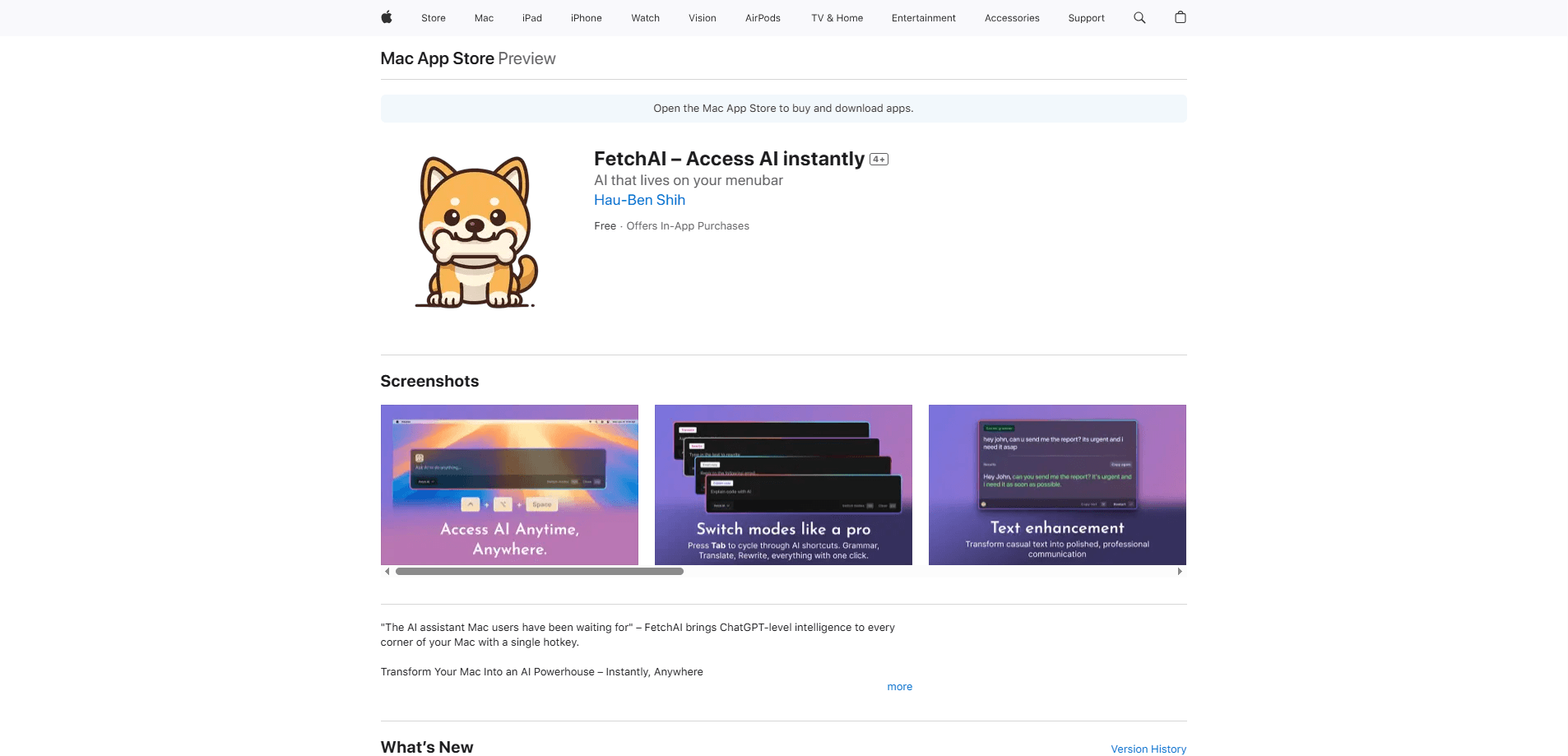
FetchAI is a Mac AI assistant that runs pro AI tools with one global hotkey, ⌃⌥Space. Fix grammar, translate, explain code, or draft text in any app. Core tasks are free; premium adds GPT-4o.
About FetchAI
What Is FetchAI
FetchAI is a native macOS productivity tool that removes the friction of using AI. Instead of opening a browser tab, pasting text into ChatGPT, and copying the answer back, you press one shortcut and run a ready-made prompt wherever you're working. It was built by independent developer Hau-Ben Shih, who first shipped a grammar tool and then expanded it into a broader set of AI shortcuts.
The problem it targets is repetition. Most people lean on AI for the same handful of jobs every day, like fixing grammar, answering an email, or rewriting a prompt, and retyping those requests gets old fast. FetchAI keeps up to five of your most-used shortcuts a keystroke away, so the request is always ready.
The main catch is scope. As an AI app for Mac it's a shortcut launcher, not a chat app, so it handles quick, single-shot tasks well but isn't built for long back-and-forth conversations or heavy project work. If you want a full assistant you can talk to for an hour, this isn't that tool.
Getting Started
- Download FetchAI from the Mac App Store on a Mac running macOS 14.6 or later.
- Grant accessibility permission so the global hotkey works across your apps.
- Open settings and pick up to five shortcuts you use most, such as grammar, translation, or code explanation.
- Select text in any app, press ⌃⌥Space, and choose the action you want.
- For premium models like GPT-4o, Claude, and Gemini, subscribe to Premium from the settings screen.
Product Information
A quick look at FetchAI's pricing, supported platforms, and performance.
Best for
The users, tasks, and scenarios where this tool fits best.
Users
- Writers and students
- Developers
- Non-native speakers
Tasks
- Fixing grammar and tone on an email
- Explaining a block of code
- Rewriting a prompt
Scenarios
- Answering messages during a busy workday
- Editing on the fly in apps that lack built-in AI
- Quick language help while traveling or browsing
Key features
Global Hotkey Access
The core idea is one shortcut everywhere. Press ⌃⌥Space in any Mac app and the FetchAI panel appears on top of what you're doing. There's no window to hunt for and no app to switch to, which keeps your attention on the task at hand.
Ready-Made AI Shortcuts
FetchAI ships with a library of engineered prompts covering grammar, tone, rewriting, translation, code help, and content creation. You pin up to five favorites so the actions you actually repeat are always one keystroke away.
Writing and Tone Tools
Acting as a grammar fixer, it turns rough text into clean prose, and the tone controls shift formality for a given audience. As an AI writing tool it also handles rewriting and content drafting in the same panel. A one-click polish pass handles the common case where you just want the message to read better without rewriting it yourself.
Translation With Context
The app translates across 10+ languages and factors in cultural context rather than swapping words one by one. That makes it more useful for messages where tone matters, not just raw meaning.
Code Assistant
You can ask FetchAI to write, explain, or debug code in any language. It's aimed at quick lookups and small fixes, the kind of question you'd otherwise paste into a chat window mid-task.
Premium Model Access
Core features run free on models such as Llama and DeepSeek, with no character limits. Subscribing to Premium swaps in GPT-4o, Claude, and Gemini Pro for harder tasks and removes usage caps. Premium Monthly is currently $2.99.
Pros and cons
Pros
- The ⌃⌥Space hotkey works system-wide, so AI is available in apps that have no built-in assistant.
- The free tier covers core rewriting, translation, and grammar with no character limits, which is generous for a launcher.
- Native glassmorphism design and a menu bar presence keep it feeling like part of macOS rather than a bolted-on panel.
- Pinning five shortcuts covers the handful of tasks most people repeat every day.
Cons
- It's a shortcut launcher, not a chat app, so long conversations and multi-step projects aren't its strength.
- Premium model access sits behind the $2.99/month subscription, and the paywall shows up when you try GPT-4o.
- It needs accessibility permission to work globally, which some users are cautious about granting.
Frequently asked questions
FetchAI runs prebuilt AI prompts from anywhere on your Mac. Press ⌃⌥Space, pick an action like grammar, translation, or code help, and it works on the text you selected without you leaving your app.
Related content
Explore related tools, skills, and articles for FetchAI.
FetchAI Alternatives

JarvisCore
Prescott Data · Coding · Productivity · OtherJarvisCore is an open source Python runtime where AI agents work as equal peers on an agent mesh, claim tasks from a shared ledger, and reach external services through a zero-trust broker.
Clef
Cloudflare · Business · OtherClef is Cloudflare's open-source decision model for Workers AI. It returns calibrated probabilities for typed questions, not generated text, so agents can classify, route, and act fast.

iFixAi
iFixAi · Business · OtheriFixAi is an open-source auditor for AI agents. It runs your agent through a simulation of your business, grades every reply, and returns an A to F scorecard backed by evidence.