

FetchSandbox
FetchSandbox · Coding
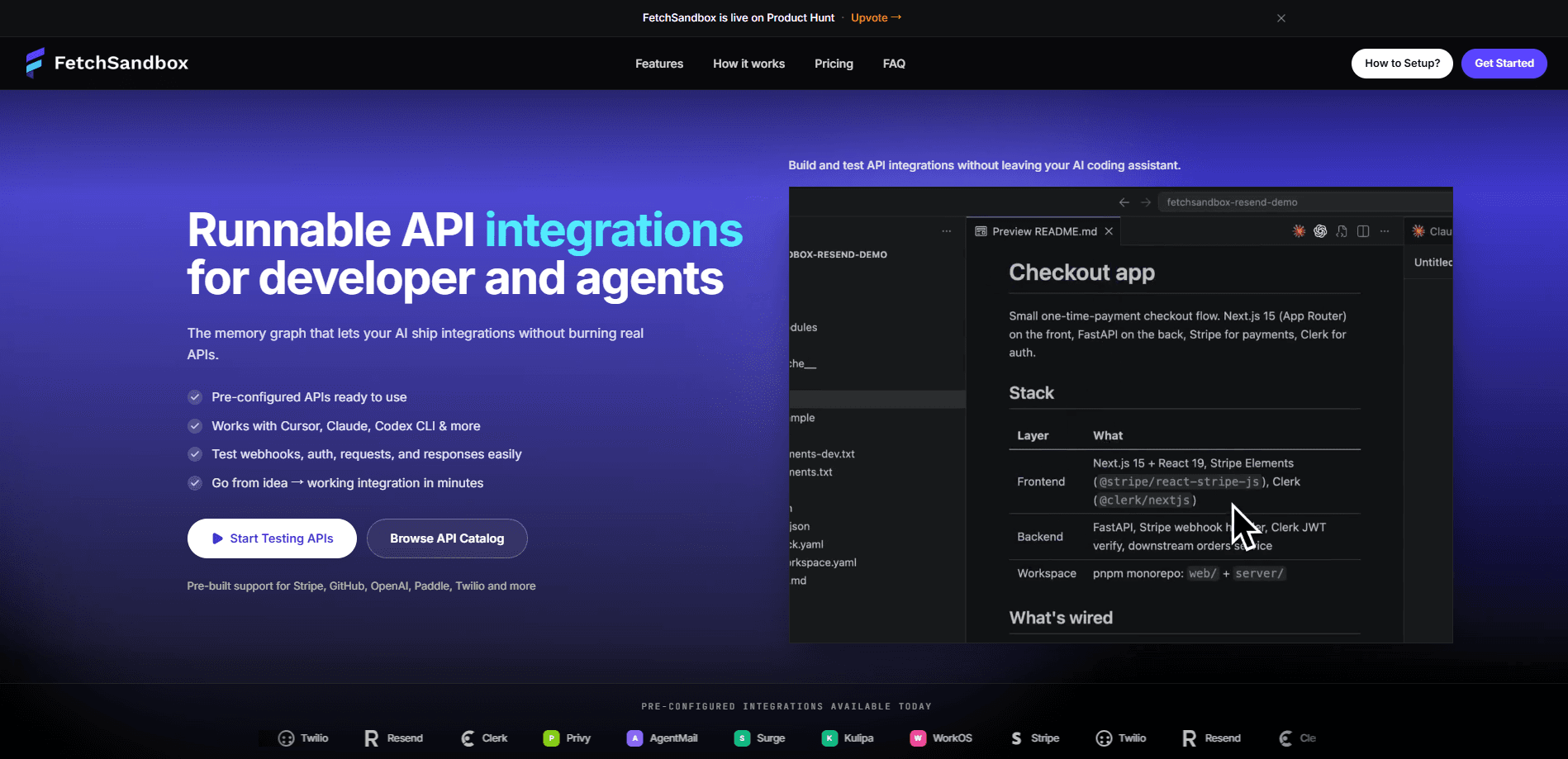
FetchSandbox is an API sandbox and webhook simulator that lets developers test integrations with real services like Stripe, GitHub, Twilio, and Resend without touching production keys or burning live API quota. It plugs into AI coding assistants through an MCP server, turns an OpenAPI mock server into a stateful workflow, and hands back a receipt URL as proof that a scenario actually ran. Think of it as a mock server alternative that checks the whole workflow, not just one request. The pitch is aimed at teams shipping payment, email, and auth integrations who keep finding bugs that only show up when a second system reacts.
About FetchSandbox
What Is FetchSandbox
FetchSandbox is a hosted testing engine for API integrations. You pick an API from a catalog, and it spins up a stateful sandbox that behaves like the real thing: it keeps state between calls and fires the webhooks the real service would. No API keys. No OAuth setup. No real charges, and no production data touched.
The product lives inside your coding workflow. An MCP server and a CLI let tools like Cursor, Claude Code, Codex CLI, VS Code, and Windsurf call the sandbox directly, so an AI agent can run a scenario, watch it fail on the old code, and confirm it passes on the new one. Its own description calls it a deterministic verification engine: a fix only counts if the scenario fails before and passes after, and the verdict is an exit code rather than an opinion. Put simply, it treats the MCP server for coding agents as the front door.
The limit worth knowing up front is coverage. The catalog leans on a set of pre-configured providers, and if a scenario you need doesn't exist in the curated workflow, the tool tells you so instead of faking a pass. That's rare. For an API that isn't in the catalog, you're mostly on your own until you bring your own spec, which is where the paid tiers come in.
Getting Started
- Add the FetchSandbox MCP server to your IDE or CLI (Claude Code, Cursor, VS Code, Windsurf, and others are supported), and sign in.
- Pick an API from the catalog, such as Stripe, GitHub Webhooks, OpenAI, Twilio, or Resend.
- In your agent, type a task with the
./fetchsandboxprefix, like./fetchsandbox help me add stripe to my app. - Let it introspect your repo and run one workflow against the sandbox. The agent shows a proof table with each step, response code, and webhook result.
- Review the proposed diff, then copy the receipt URL and ship-recap into your pull request.
Product Information
A quick look at FetchSandbox's pricing, supported platforms, and performance.
Best for
The users, tasks, and scenarios where this tool fits best.
Users
- Solo developers and indie builders
- Backend and integration engineers
- Teams standardizing on AI coding assistants
Tasks
- Testing a Stripe checkout flow
- Debugging webhook handlers
- Verifying a fix
Scenarios
- Adding a second integration to a repo that already has one, where the tool reads both and wires them together.
- Working through an invoice or payment handler that looks fine but double-charges under a duplicate webhook.
- Checking an auth flow when you'd rather not stand up real credentials or hit a live provider.
Key features
Stateful API Sandbox
The sandbox keeps state between calls, so a customer you create is still there when you charge it, and the webhooks fire the way a real service would. That matters. Most integration bugs live in the sequence, not in a single request. It behaves like the live API while leaving production untouched. No real keys, no real charges during development.
Deterministic Verification
FetchSandbox frames itself as a verification engine rather than a plain API testing tool. When your agent claims it fixed something, the tool runs the same scenario against the old code and the new code. The fix only counts if the run fails before and passes after, which turns a vague "looks good" into an exit code. The company's stated goal is a verdict you can automate, not a colleague's opinion.
MCP Server and CLI
The MCP server connects the sandbox to popular AI coding assistants, and the CLI covers terminal-driven workflows. Both are open source under the MIT license. The hosted engine, the sandboxes, and the webhook simulation are what you pay for. That split is useful if you want to read the integration code before trusting it with your repo.
Webhook Simulation and Edge Cases
Webhooks are the part most test setups skip, and they're where FetchSandbox spends its effort. You can duplicate a webhook, deliver events out of order, or fire a stale event to see how your handler reacts. Each workflow lists the required webhook events and invariants as part of the spec. "Did it actually work" finally has an answer.
Receipt URLs
Every run produces a receipt URL that anyone can open and replay. That's the trust piece: you paste it into a pull request or a Slack thread and a reviewer can audit what happened without taking a screenshot on faith. Each step carries a method, path, response code, and duration, and each webhook carries a signature-verify result. No more guessing.
Pre-Configured API Catalog
The catalog ships with pre-built support for providers like Stripe, Twilio, Resend, Clerk, Privy, AgentMail, Surge, Kulipa, and WorkOS. Picking one gets you a working sandbox in minutes rather than a blank mock server. Higher tiers let you add up to five of your own APIs from a spec, which is where teams with internal services will end up.
Brownfield Composition
When you add a second integration to a repo that already has one, the tool reads both and connects them, and adding a third reads all three. In one documented example, a user ID set by Clerk flows into Stripe payment metadata and then into a Resend lookup. Isolated mock servers can't do this. It's the closest the product comes to how real codebases are actually wired.
Honest Failure Reporting
When a requested scenario doesn't materialize, the tool says so and explains why, rather than reporting a false pass. In a published Stripe session, it noted that a declined-payment scenario didn't run because the curated workflow's happy-path test card overrode it, then listed the exact commands to exercise that branch. Knowing the tool's limits is more useful than a green checkmark you can't trust.
Pros and cons
Pros
- Runs realistic, stateful API workflows without real keys, real charges, or production data.
- Verifies fixes deterministically, so a change has to fail before and pass after to count.
- MCP server and CLI drop the sandbox into Cursor, Claude Code, and other AI coding assistants.
- Public receipt URLs make each run auditable in a pull request or chat.
- The free tier offers 500 runs a month with no card required.
Cons
- Coverage depends on the catalog, so an API that isn't pre-configured needs a paid tier and your own spec.
- Not every scenario in a curated workflow is reachable, which the tool will admit rather than work around.
- The pricing jumps from free to $200 a month for a workspace, a steep step for individuals.
- It's a young product, and the hosted engine is where the value sits, not the open-source parts.
Frequently asked questions
It's an API sandbox and webhook simulator for testing integrations before they reach production. You run a scenario against a stateful sandbox that behaves like the real API, including webhooks and state changes, and get back a proof table plus a receipt URL. It works inside AI coding assistants through an MCP server. So what does that buy you? Fewer bugs that only surface in production.
Related content
Explore related tools, skills, and articles for FetchSandbox.
FetchSandbox Alternatives
Forefront
Forefront · CodingForefront is a web platform for building with open-source AI. It lets you fine-tune leading open-source language models on your own data, evaluate how they perform, and run them through an API or export them to host yourself. Developers who want the convenience of a closed-source platform but insist on owning their models and data are the target audience here.

Startkit
StartKit.AI · CodingStartkit is a boilerplate for building AI SaaS and AI wrapper products. Think of it as an AI startup boilerplate with the boring parts already wired up: authentication, Stripe and Lemon Squeezy payments, usage limits, transactional email, and an AI API starter that talks to OpenAI, Anthropic, Groq, or Llama. You clone the repo, set your price, and start on the part of your product that people actually pay for. It's Next.js under React and Tailwind, so most of the boilerplate code already feels familiar.
Testim
Tricentis · CodingTestim is an AI-powered test automation platform for building and running end-to-end tests across web, mobile, and Salesforce applications. It leans on machine learning to keep tests stable when an interface changes, so teams spend less time fixing broken selectors. Not bad for an automated testing tool you can start using today. You create tests by recording actions in a browser, then optionally add JavaScript when you need more control. It's a solid pick for busy QA teams.