

File Transcribe
File Transcribe · Writing · Marketing
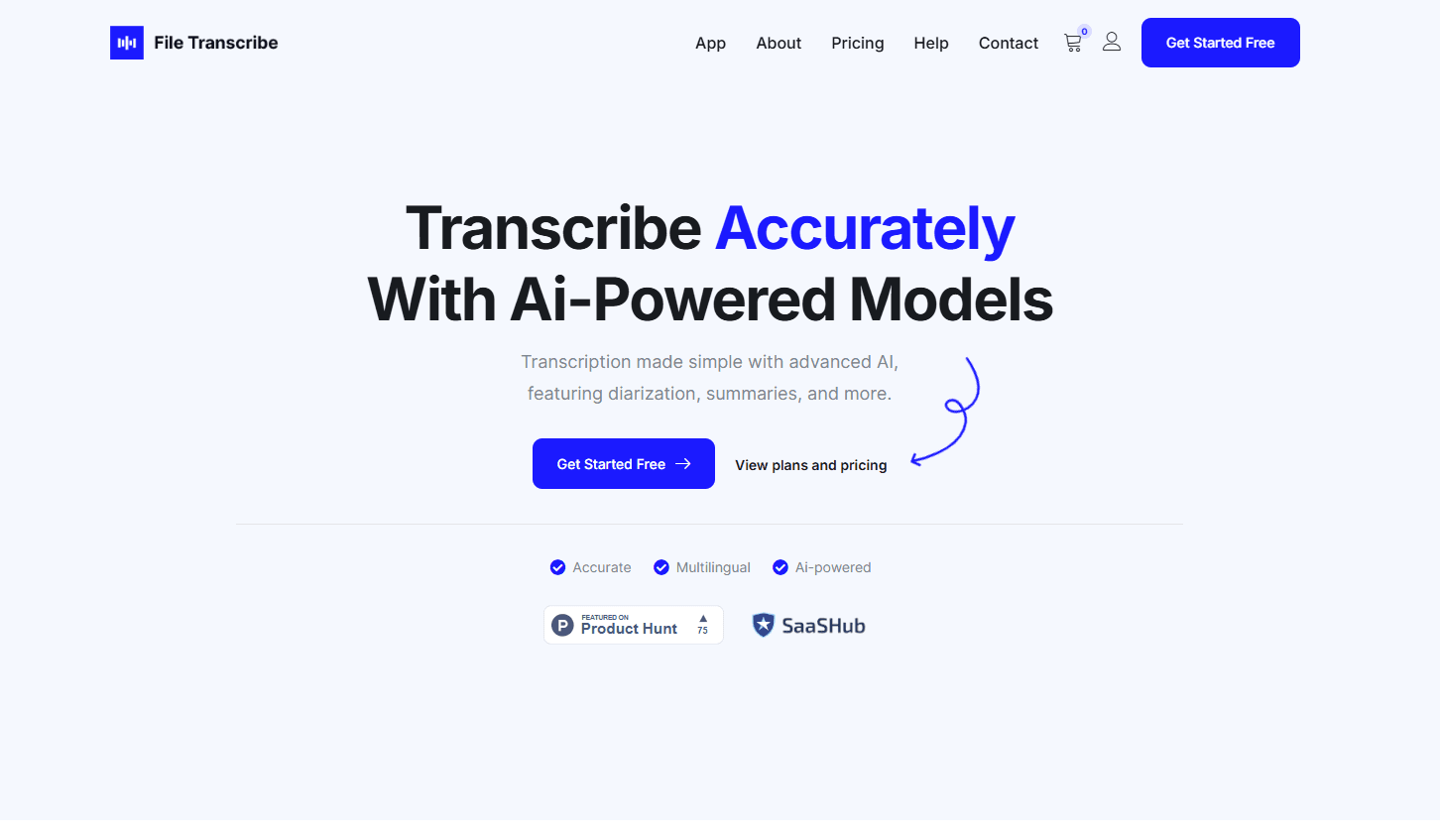
File Transcribe turns audio and video files into editable text in a browser, with speaker labels, timestamps and SRT captions. Guests can test it without an account.
About File Transcribe
What Is File Transcribe
File Transcribe is a web app for people who already have a recording and want the text out of it. You drop in an MP3, WAV, M4A, MP4 or MOV file, wait for the speech to text pass, and get an editable transcript with speaker labels and timestamps. It doesn't join your meetings or record calls. The whole product is the path from a file on your laptop to a document you can ship.
The pitch is narrow on purpose. Meeting bots capture audio for you, then lock the useful parts inside a workspace built for teams. File Transcribe skips the capture step, which suits podcasters working from a Zoom export, reporters back from an interview, or students with a phone memo of a lecture. Video transcription works the same way, with MP4 and MOV files read for their audio track. Uploads from guests delete after 24 hours, so you can test the output before you trust it with anything sensitive.
The limits are worth knowing up front. Transcription quality depends on your source audio, and heavy accents, crosstalk or background noise will cost you editing time. There's no live recording inside the browser, and no public API for wiring the service into your own pipeline. Long files and long retention sit behind paid plans.
Getting Started
- Open filetranscribe.com and drop an audio or video file on the upload area, or click it to browse your device. No signup is required for the guest allowance.
- Pick the spoken language in the upload options, or leave detection on for mixed-language recordings.
- Wait for processing, then read the transcript with speaker labels and timestamps in place.
- Fix names and misheard words in the editor, then copy quotes or download the text. Create a free account if you want the transcript saved to a searchable library.
Product Information
A quick look at File Transcribe's pricing, supported platforms, and performance.
Best for
The users, tasks, and scenarios where this tool fits best.
Users
- Podcast producers
- Students
- Journalists
- Small agencies
Tasks
- Turning interviews into quotable text
- Making captions for YouTube
- Converting lecture recordings into study notes
- Documenting client calls
Scenarios
- You already have the file and just need the words
- You want to check accuracy before paying
- You handle sensitive audio occasionally
Key features
Upload First Transcription With No Account
The homepage contains the whole first step, so a new visitor can drag in a file and see a transcript before deciding anything. Guest access covers two transcriptions a day, files up to 10 minutes, and uploads up to 100 MB. That's enough to judge whether the output matches your audio quality.
Speaker Labels Across Multiple Voices
Every transcript separates speakers, which is the difference between a usable interview record and a wall of unattributed text. Labels are editable, so you can replace "Speaker 2" with a real name and keep it consistent through the document. Podcast transcription and panel recordings benefit most.
Timestamped Transcript Editor
The editor pairs text with audio playback. Click a line to hear that moment, fix a garbled word in place, and move on. Timestamps make the review pass shorter because you're checking specific spots instead of listening to the file end to end.
Captions and Document Exports
Free accounts export TXT. Pro and Plus add SRT, VTT and PDF, which covers YouTube uploads, video editors and client handoff. Captions come out aligned to the transcript you already cleaned up, so the subtitle file inherits your corrections.
AI Summary, Topics and Translation
Paid plans add a summary, topic detection, sentiment analysis, translation and an Ask AI panel for querying the transcript. These are convenience layers on top of the transcript rather than the reason to buy. Freelancers billing by the project will get more out of them than someone transcribing one file a month.
Guest Privacy With Automatic Deletion
Guest files delete automatically after 24 hours, and signed-in retention follows the plan: 3 days on Free, 30 on Pro, 90 on Plus. You can delete a transcript at any time. For interview material or clinical dictation, that short window is a practical safeguard rather than a promise.
Pros and cons
Pros
- No account needed to test, with two free transcriptions a day and no card on file.
- Pro at $15 a month billed annually includes about 2,000 audio minutes, which undercuts most per-minute transcription services for steady volume.
- Speaker labels and timestamps arrive on the free tier, so the core transcript is usable before you pay.
- SRT and VTT export on paid plans fits YouTube and video editing workflows without a second tool.
- The interface stays small, so the first transcript takes minutes to produce, not an afternoon of onboarding.
Cons
- No live recording or meeting capture. You need the audio file already, which rules it out if you want a bot to join calls.
- Guest and Free limits are tight: 10 minutes per guest file, 30 minutes per file on Free, and 50 minutes a month. A single long interview can exhaust the free balance.
- Team workspaces are listed as coming soon, so shared libraries and seat billing aren't available. Agencies have to manage separate subscriptions.
- No public API or developer docs, which means no way to automate transcription inside your own app or batch pipeline.
Frequently asked questions
Yes. Guests transcribe two files a day at up to 10 minutes each with no account. A free account raises the per-file limit to 30 minutes and adds 50 minutes a month plus a saved library.
Related content
Explore related tools, skills, and articles for File Transcribe.
File Transcribe Alternatives

Google EmbeddingGemma 2
Google DeepMind · Writing · Image · CodingGoogle EmbeddingGemma 2 is a 740M-parameter open model that turns text, code, images, audio, and video frames into vectors in one 768-dimension space, running on phones and laptops.

MePersona
MePersona, Inc. · Writing · Productivity · MarketingMePersona is an AI unified inbox for creators. It learns your voice, drafts replies to fan messages from 12 platforms, and sends only what you approve.

Fluence
Yay Software (Yannick Huchard) · Writing · Voice & Language · ProductivityFluence is an Android app that reads PDFs, EPUBs, Word files and web articles aloud, follows each sentence as it speaks, and answers questions about the text on the phone itself.