

AI Film Production
FilmFlow · Writing · Video
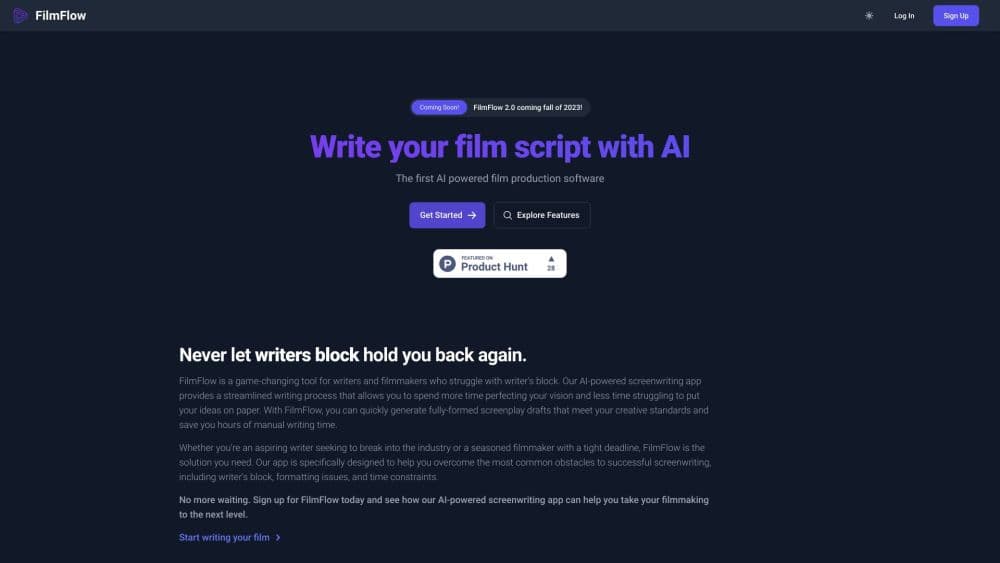
FilmFlow is an AI YouTube content tool that generates video ideas, writes scripts with hooks and calls to action, then drafts titles, descriptions, tags, and thumbnail concepts.
About AI Film Production
What Is FilmFlow
FilmFlow is a web app for people building a YouTube channel around search traffic and sales rather than daily vlogging. You enter your niche, it returns a short list of video ideas built with what the company calls the ASQ method (Answer Specific Questions), and it writes a script for whichever idea you pick.
The output is meant to be shoot-ready. Every script opens with a hook, lays out talking points in order, and ends with calls to action that point at a product, an affiliate link, or a signup. A second set of tools handles the metadata around the video: title options, a description, tags, and thumbnail concepts. That's the part beginners skip and the part search traffic depends on.
Two limits matter before you plan around this tool. Signups are closed on the official site right now, so you can read the pricing page but you can't create an account today. And FilmFlow writes scripts, not footage. You still record, edit, and upload, and the AI can't tell you whether your niche actually pays.
Getting Started
- Open filmflow.ai and read the plan list. Accounts are invite-only at the moment, so watch the site or the company's YouTube channel for a reopening.
- Enter your channel's focus area once you're in. The idea generator leans on that niche to frame questions viewers already search for.
- Pick one idea and generate the script, then edit the hook and the calls to action so they match what you can actually deliver on camera.
- Move the suggested title, description, and tags into YouTube Studio, and treat the thumbnail concept as a brief for your next shoot.
Product Information
A quick look at AI Film Production's pricing, supported platforms, and performance.
Best for
The users, tasks, and scenarios where this tool fits best.
Users
- New creators in a teaching, review, or tutorial niche
- Solo creators who freeze at the blank page
- Small teams running several channels
Tasks
- Finding topics with buyer intent
- Writing a first draft of a script
- Filling in video metadata
- Swapping calls to action across a back catalog
Scenarios
- Keeping a weekly upload schedule
- Launching a channel around a product you sell
- Testing a niche before committing to it
Key features
Niche-Based Video Ideation
The video idea generator asks for your channel's focus and returns three to five topics built around questions viewers search. Each idea is pitched at transactional intent, meaning the viewer is close to buying, comparing, or trying something. That's a narrow slice of YouTube, and it's the slice the product is aimed at.
Script Drafts With Hooks and CTAs
This is the YouTube script generator at the center of the product. A draft arrives with an opening hook, a sequence of talking points, and calls to action placed where a viewer is most likely to act. You get a structure to film against instead of a page of generic paragraphs, and every section stays editable.
Titles, Descriptions, Tags, and Thumbnail Concepts
The YouTube SEO tools bundle four jobs into one step: title options, a description, a tag list, and a written thumbnail concept. The thumbnail part is text only, a description of what the image should show, so someone still has to design it. Having the metadata drafted at the same time as the script is the real time saver here.
Dynamic CTA Management
You store your calls to action in your account, and FilmFlow inserts the current version when it writes a script. Change the offer once and new scripts pick up the new wording. For creators who promote the same product across dozens of videos, that beats hunting through old documents for a stale link.
Output Quotas by Plan
Each plan is defined by monthly output rather than features: Starter covers 5 scripts and 5 topics, Professional covers 20 of each, and Premium removes the cap. That structure is easy to read, and it also means the cheaper plans run out fast if you publish more than once a week.
A Demo Site You Can Try Now
With signups closed, the demo link in the site menu is the only way to see the output. It shows sample topics and scripts without an account, which is enough to judge whether the writing style fits your channel. Treat it as a preview, not a test of your own niche.
Pros and cons
Pros
- The workflow covers idea, script, and metadata in one place, which removes the handoff between four separate tools.
- Scripts arrive with a hook and a close already written, so a first draft takes minutes instead of an afternoon.
- Storing CTAs in the account keeps affiliate links and offers consistent across a growing catalog.
- Pricing is simple to compare, since plans differ by volume rather than by locked features.
- The demo site shows real sample output, which is the only way to judge quality while signups stay closed.
Cons
- Signups are closed as of October 2026, so you can't buy a plan or test the output today.
- There's no footage, voice, or editing step, which means FilmFlow covers roughly the first third of a video workflow.
- Generated scripts follow a recognizable structure, and viewers who watch a lot of AI-assisted channels notice the pattern, so plan on a real rewrite.
- The smallest plan tops out at 5 scripts a month, and there's no free tier to judge quality before paying.
Frequently asked questions
It generates YouTube video ideas from your niche, writes a script with a hook and calls to action, and drafts the title, description, tags, and thumbnail concept for that video. All of it happens in a browser, and you still handle filming and editing.
Related content
Explore related tools, skills, and articles for AI Film Production.
AI Film Production Alternatives

Google EmbeddingGemma 2
Google DeepMind · Writing · Image · CodingGoogle EmbeddingGemma 2 is a 740M-parameter open model that turns text, code, images, audio, and video frames into vectors in one 768-dimension space, running on phones and laptops.

MePersona
MePersona, Inc. · Writing · Productivity · MarketingMePersona is an AI unified inbox for creators. It learns your voice, drafts replies to fan messages from 12 platforms, and sends only what you approve.

Fluence
Yay Software (Yannick Huchard) · Writing · Voice & Language · ProductivityFluence is an Android app that reads PDFs, EPUBs, Word files and web articles aloud, follows each sentence as it speaks, and answers questions about the text on the phone itself.