

Financial Fusion
Financial Fusion · Marketing · Business
Financial Fusion turns the books a firm already manages into branded client reports and an AI CFO that answers questions about the numbers.
About Financial Fusion
What Is Financial Fusion
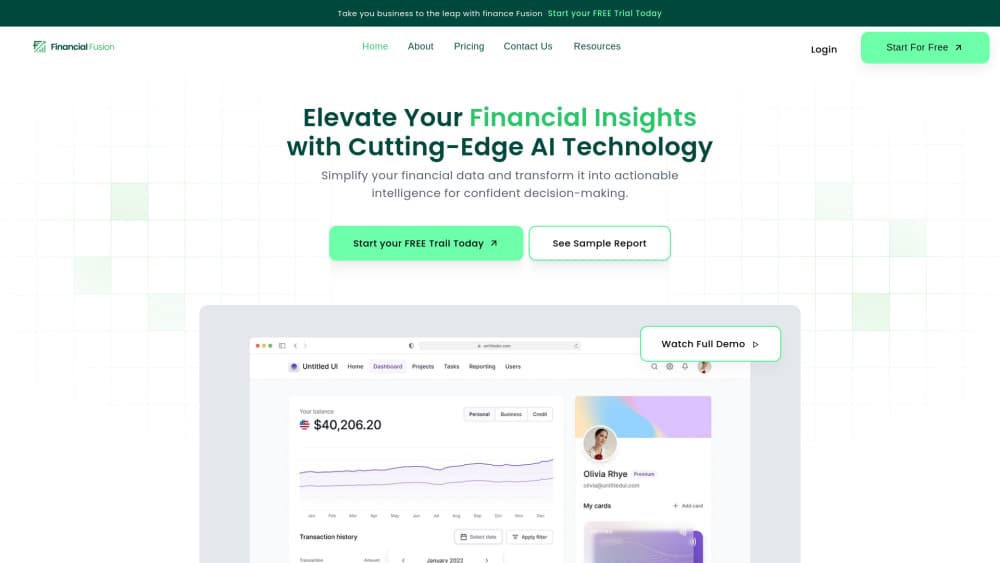
Financial Fusion is financial reporting software built for accounting firms, bookkeepers, and fractional CFOs. It connects to a client's QuickBooks, Xero, Sage, Zoho Books, or spreadsheet file, pulls the ledger, and builds a branded monthly report with a profit and loss statement, a balance sheet, cash flow, key ratios, and year-over-year comparisons. Each section carries a plain-English summary, a short list of findings, and one recommended action.
The pitch is revenue, not speed. A firm already does CFO-level analysis in its head. This turns that work into a document a client pays an advisory retainer for, with the firm's logo on the cover. The AI CFO chat handles the follow-up questions, and answers point back to the statement and month they came from.
Two gaps keep it from being a full finance suite. Forecasting and budgeting sit on the roadmap rather than in the product, so planning still happens in a spreadsheet. And it runs on cloud accounting data, which means a firm stuck on desktop-only software has to bring Excel or Google Sheets into the mix first.
Getting Started
- Sign up at financialfusion.io. You can begin with the free financial review and no card, then pick a plan once you've seen the output.
- Connect a client's books. QuickBooks, Xero, Sage, Zoho Books, Excel, and Google Sheets all link through the provider's own authorization screen.
- Run the bookkeeping health check. It flags duplicate invoices, undeposited funds, uncategorized lumps, and prepaid items that were never amortized across months.
- Generate the report. Add your logo, choose the period, and read the summary, findings, and action items before anything reaches the client.
- Send it, then answer the follow-up in the AI CFO chat when the client asks why a number moved.
Product Information
A quick look at Financial Fusion's pricing, supported platforms, and performance.
Best for
The users, tasks, and scenarios where this tool fits best.
Users
- Bookkeeping and accounting firm owners
- Fractional CFOs
- Small business owners with an in-house finance lead
- Medical practices and nonprofits
Tasks
- Producing month-end client reports
- Selling an advisory retainer
- Cleaning up a new client's books
- Answering "why did cash dip in April" in a meeting
Scenarios
- Month-end close week at a small firm
- Onboarding a client mid-year
- Pitching advisory to a compliance-only client
Key features
Branded Month-End Reports
Every report goes out under the firm's logo and colors, covering the profit and loss statement, balance sheet, cash flow, key ratios, and trailing twelve-month trends. Sections are built to be read by a business owner rather than an accountant, so the charts come with a verdict instead of a bare line. This is the deliverable that justifies a fee above bookkeeping.
Plain-English Findings and Action Items
Each section ends with a summary paragraph, a few findings, and a single recommended action. The wording is generated from the actual figures, so a jump in expense categories reads as a specific observation rather than a generic note. You can edit the language before sending, which matters when a client is sensitive about a weak quarter.
AI CFO Chat With Source Trails
The AI CFO answers questions about a client's books in normal language, and each answer shows the statement, line item, and month it drew from. Ask what to cut to extend runway by three months and it ranks the levers by size and risk. Answers stay tied to the connected data, so you can defend a number in front of a client.
Bookkeeping Health Check
Before any report is generated, Financial Fusion scans the ledger for miscategorized entries, uncategorized lumps, duplicates, and anomalies. The output is a short diagnostic that names the issues distorting the numbers and what fixing them is worth. Firms use it as a free entry point with prospects and as a first pass on messy take-on clients.
Drilldowns and Year-over-Year Views
Every figure in the report opens into the transactions behind it, and the trailing twelve-month view shows whether a change is a trend or a one-off. That combination answers the two questions clients actually ask: what happened, and is it normal for us.
Accounting Stack Integrations
QuickBooks, Xero, Sage, Zoho Books, Excel, and Google Sheets connect through each provider's own secure authorization, and nothing needs to change in how the client keeps the books. Reports refresh from the connected source, so a corrected entry flows through on the next run.
Pros and cons
Pros
- Turns bookkeeping data you already hold into a sellable advisory deliverable, with no new hire and no new process for the client.
- White-label output with written findings and action items, which is the part most report tools leave to you.
- AI CFO answers carry a source trail, so a claim about cash or margin can be checked in front of the client.
- The health check catches dirty data (duplicate invoices, undeposited funds, unamortized prepaid) before it lands in a report.
- Client books stay in an isolated, encrypted environment and are not used to train models, which is the question most clients ask first.
Cons
- No forecasting or budgeting yet. Anything that looks forward still happens in a spreadsheet, which leaves a gap in a full CFO offer.
- AI CFO questions are capped at 5 a month on Essential and 10 on Professional. A busy close week can burn through that.
- There's no documented public API, so pushing report data into your own client portal means manual exports.
- The product is young and independent reviews are thin, so most of the evidence comes from the vendor's own case studies.
Frequently asked questions
It's reporting and advisory software for accounting firms, bookkeepers, and fractional CFOs. It reads a client's cloud accounting data and produces branded client reports plus an AI CFO that answers questions about the numbers.
Related content
Explore related tools, skills, and articles for Financial Fusion.
Financial Fusion Alternatives

ngram 2.0
ngram · Video · Marketingngram 2.0 is an AI video generator for teams. It turns a prompt, a screen recording, or a product URL into a narrated explainer, product demo, or AI avatar video, and every scene stays editable.

shippedit.me
Krawlup · Marketing · Businessshippedit.me now redirects to Krawlup, a web platform that audits SEO, AEO and page speed every week, then hands the fixes to AI coding agents over MCP.

MePersona
MePersona, Inc. · Writing · Productivity · MarketingMePersona is an AI unified inbox for creators. It learns your voice, drafts replies to fan messages from 12 platforms, and sends only what you approve.