

FireWally
Nektony LLC · Other
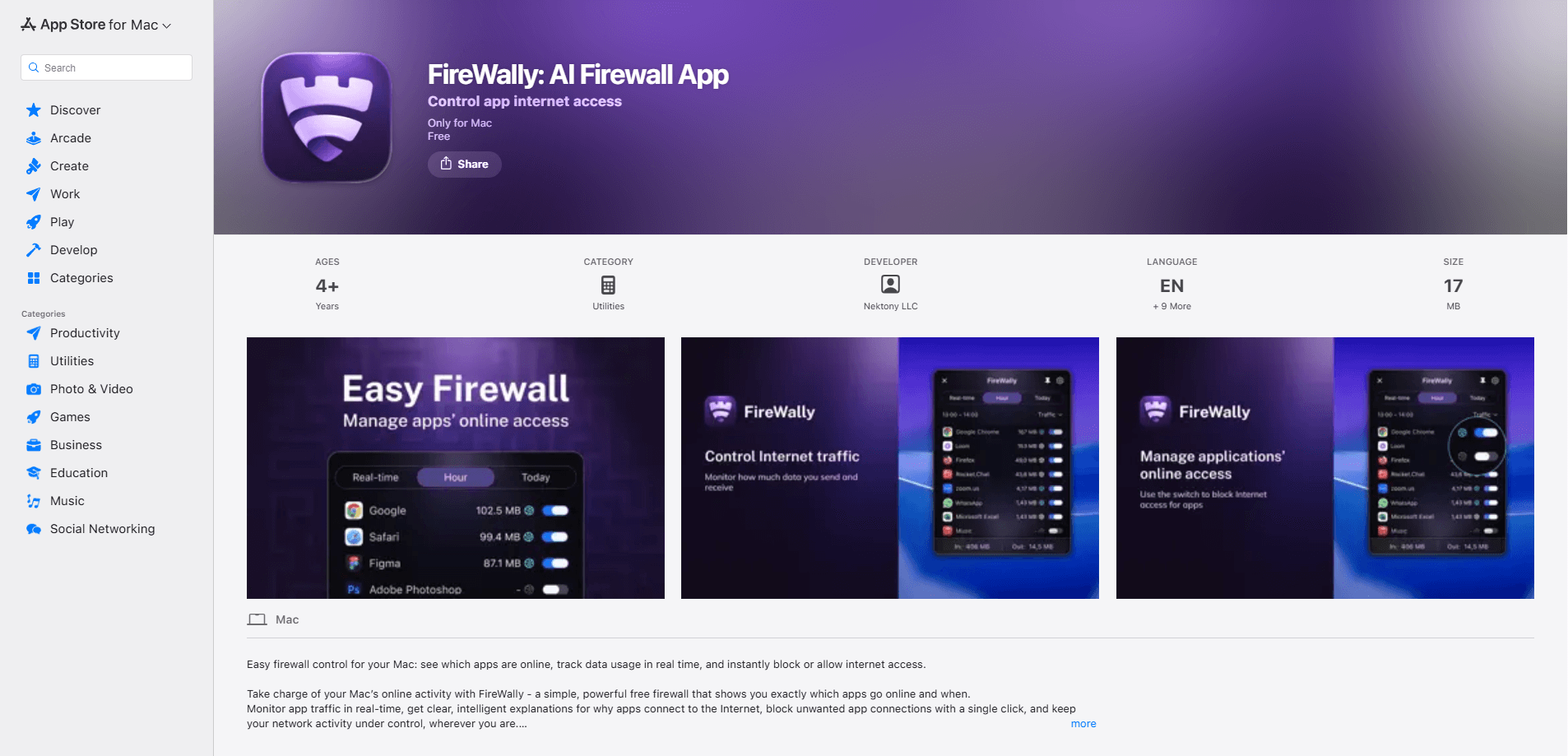
FireWally is a free firewall for macOS that shows every application connecting to the internet and lets you decide what stays online. It pairs real-time traffic monitoring with Apple Intelligence summaries, so you can see not just that an app is talking to the network, but a plain-language reason why. If you want a lightweight Mac network monitor without digging through system settings, this one installs in seconds and stays out of the way. Most Mac users never see the connections running behind their apps. FireWally makes them visible. That alone changes how you think about your Mac.
About FireWally
What Is FireWally
FireWally is a network monitoring and firewall tool built for macOS by Nektony LLC, the developer behind several well-known Mac utilities. It watches the connections your apps and system services make, then gives you one-click control to block app internet access or allow it. The idea is simple: most people have no clue how many background processes phone home, and FireWally makes that visible.
It stands out because of how it explains things. Instead of showing raw IPs and ports, this FireWally AI firewall uses Apple Intelligence to describe what an app is and why it might be connecting. That turns a technical readout into something a normal Mac user can act on. No jargon required.
The main catch is scope. FireWally is macOS only, and the AI explanations depend on Apple Intelligence. You'll need a recent Mac with Apple silicon and a supported macOS version. There's no iOS or Windows version, and no API for automation. That's the trade-off.
Getting Started
- Download FireWally from the Mac App Store and open it. The app is free, so there's no account or trial to set up.
- Give it the network permissions macOS asks for the first time it runs, since a firewall needs that access to see traffic.
- Pick a protection mode for new apps: Allow (new apps connect automatically, no prompts), Ask (FireWally blocks each new app until you approve or deny it), or Block (new connections are refused by default).
- Check the live traffic view to see which apps are sending and receiving data right now, then click any app to block or allow it.
- Read the Apple Intelligence summaries on apps you don't recognize to understand what they do before you decide.
Product Information
A quick look at FireWally's pricing, supported platforms, and performance.
Best for
The users, tasks, and scenarios where this tool fits best.
Users
- Privacy-conscious Mac owners
- Frequent travelers
- People who want a simple firewall
Tasks
- Blocking a suspicious app
- Reviewing background activity
- Understanding an unknown connection
Scenarios
- Working on public Wi-Fi at a cafe or airport
- Living on a limited data plan
- Setting up a new Mac
Key features
Real-Time Traffic Monitoring
FireWally shows live inbound and outbound traffic for every active app and system service, plus totals for the past hour and the current day. You get a clear view of background processes, high-traffic apps, and unexpected connections instead of guessing what's using your bandwidth. It updates as traffic happens.
One-Click App Blocking
Any app in the list can be blocked or allowed instantly. That makes it easy to pause a background sync, cut off data use on a metered connection, or shut down a connection you don't recognize without editing any rules. No rule editor needed. One click, done.
Protection Modes for New Apps
The first time an app tries to go online, FireWally applies the mode you chose. Allow lets new apps connect silently, Ask prompts you to approve or deny each one while holding the connection, and Block refuses new apps by default. Switching modes changes how much you're interrupted.
Apple Intelligence Insights
FireWally uses Apple Intelligence to explain what each app is and why it connects, turning raw network data into readable summaries. This is the feature that makes the tool approachable if you're not a network admin. Ever wonder why an app needs the internet at all? FireWally answers that. It does require a Mac that supports Apple Intelligence.
Privacy-First Design
FireWally only measures the size of traffic, never the content of what's sent or received. It counts bytes. Nothing else. You get visibility into connection behavior without the app reading your data. That matters if privacy is the reason you wanted a firewall in the first place.
Travel and Mobile Data Control
For anyone on a hotspot or a capped plan, FireWally highlights apps that quietly pull data in the background. Blocking those connections keeps you inside your limit and avoids surprise charges on the road. Travelers tend to feel this one fast.
Pros and cons
Pros
- Completely free, with no subscription or account required to use the core firewall.
- Apple Intelligence summaries explain unfamiliar connections in plain language instead of raw network details.
- Three protection modes fit different comfort levels, from silent auto-allow to strict blocking.
- Lightweight and Mac-native, so it doesn't feel like a heavyweight security suite.
- Blocks traffic content is never read, only measured, which keeps privacy intact.
Cons
- Mac only, so it won't help if you also want to monitor an iPhone or Windows PC.
- The AI explanations need Apple Intelligence, meaning older Intel Macs miss out on the best feature.
- It's a per-app connection control tool, not a full security suite, so it won't scan for malware.
- No API, so you can't wire the data into your own dashboards or scripts.
Frequently asked questions
FireWally is a free macOS firewall and network monitor that shows every app connecting to the internet and lets you block or allow each one. It combines real-time traffic tracking with Apple Intelligence summaries, so you can understand and control what your Mac does online.
Related content
Explore related tools, skills, and articles for FireWally.
FireWally Alternatives
BinkBink
BinkBink · OtherBinkBink is a free online game platform and AI game maker that lets anyone turn a short text description into a playable browser game. You can jump into hundreds of community-made games. Or describe your own idea and play it in seconds, then share it with friends. Want to create your own game? You don't need to code. No engine setup, no download, no hassle.

Audiogen
Audiogen Inc. · OtherAudiogen is an AI music generator built by Audiogen Inc., a small research team that spent about 2.5 years training its own generative music model and designing a web interface around it. Instead of a plain text box, this AI music tool turns the timeline into a beginner-friendly Generative Audio Workstation, or GAW, where inpainting, extending, remixing and stem editing work more like painting on a canvas. The product is still in beta, so access runs through a waitlist or an invite. Paid plans aren't published yet.

Aiml API
AIMLAPI OÜ · OtherAiml API is a unified AI model API that puts more than 1000 models from OpenAI, Google, Anthropic, and others behind one endpoint and one bill. You write code against a single OpenAI-compatible schema, then switch between chat, image, video, and audio models by changing a model string. It suits developers and small teams who want multi-model access without juggling a dozen separate provider accounts, and it removes the usual billing headache that comes with testing several vendors. One key covers it all.