

Fixa.dev
TELEOPSROBOTICS, LLC · Voice & Language · Coding
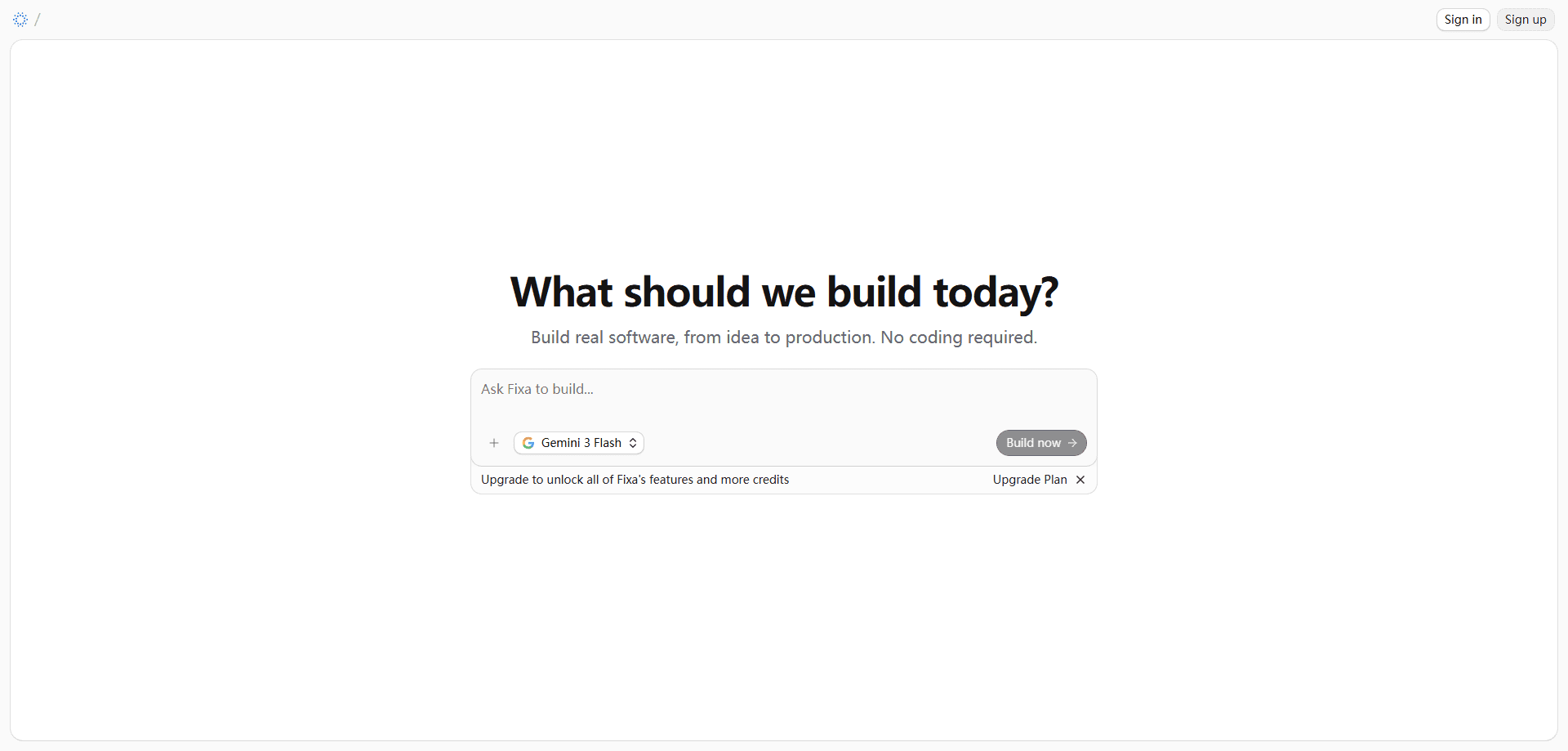
Fixa.dev is a browser-based AI coding agent that plans, writes, runs, and debugs software on a live cloud machine. You describe what you want or import a GitHub repo, and the agent keeps going until the build passes instead of stopping at a first draft. It's an AI software builder for founders, indie developers, and small teams who want to build apps with AI without wiring up their own environment. Think of it as a software development agent that gets a real terminal, the whole repository, and the patience to fix what breaks.
About Fixa.dev
What Is Fixa.dev
Fixa.dev is an agentic coding tool that runs in a cloud sandbox rather than on your laptop. Each project gets its own workspace with a real filesystem and a shell. The agent can install packages, run builds, and execute a test suite the way a working engineer would. You start from scratch or bring a repository over from GitHub, and the agent reads your code before it writes anything. No local setup required.
The problem it targets is the gap between a demo and software that actually runs. Plenty of AI code generators hand you a tidy first draft and leave the hard parts to you: the failing build, the dependency that won't install, the bug that only shows up three pages deep. Fixa treats that messy middle as the main event. That's why it's built around a live machine and a feedback loop instead of a single completion.
The trade-off is that it's a hosted service, not a local tool. Your code runs in Fixa's sandbox, you pay a subscription as monthly usage grows, and there's no on-premise option in the current plans. Need everything on your own hardware? This isn't the fit.
Getting Started
- Open Fixa.dev in your browser and start a project, either from scratch or by importing an existing GitHub repository.
- Describe what you want in plain language, then watch the agent lay out a visible task list you can follow and correct mid-run.
- Let the agent install dependencies, run the build, and execute tests inside its cloud sandbox.
- Check the live preview URL and the screenshots the agent takes of the page it just built.
- Iterate on the result, or set the environment variables and keys a project needs so it keeps running on its own.
Product Information
A quick look at Fixa.dev's pricing, supported platforms, and performance.
Best for
The users, tasks, and scenarios where this tool fits best.
Users
- Founders and solo builders
- Indie developers
- Small product teams
Tasks
- Building apps from a description
- Refactoring across a codebase
- Debugging failing builds
Scenarios
- Turning a weekend idea into a working prototype before you commit to a real stack.
- Fixing a broken AI-generated project that builds locally but fails once dependencies and tests come into play.
- Cleaning up and extending an existing GitHub repo without cloning it onto your own machine.
Key features
Live Cloud Sandbox
Every project gets its own workspace with a real filesystem and a shell. The agent uses them to install packages, run builds, and execute the full test suite, which is what separates running software from a code dump. Generated code stays isolated in that sandbox. Nothing runs on your own machine unless you move it there.
Plans Before It Builds
Fixa shows a visible task list before it starts writing. So what? You can read the plan, spot a wrong turn early, and correct it mid-run instead of discovering the problem after the whole thing is built. For a tool that touches many files, that feedback window matters more than raw speed.
GitHub Import and Multi-File Edits
You can bring an existing repo over from GitHub, and the agent reads the codebase before it changes anything. It edits across multiple files, so a refactor is a real refactor rather than a string of isolated tweaks. Codebase search with grep, glob, and navigation keeps the agent oriented in large repositories. No copy-paste marathon.
Live Preview and Screenshots
Each project gets a dev server and a shareable preview URL. The agent takes screenshots and reads the page it just rendered. That lets it catch a layout that broke rather than assuming the markup is fine. It closes the loop between "I wrote code" and "the code does what you asked."
Web Search and Frontier Models
The agent looks up current documentation on the web instead of guessing at an API from memory. It draws on models from Anthropic, OpenAI, Google, and xAI, picked per task, and can spawn parallel subagents for research and larger jobs. Fewer outdated answers. More throughput on bigger changes.
Pros and cons
Pros
- Runs in a cloud sandbox with a real terminal, so the agent can build and test, not just generate code.
- Visible task list lets you follow and correct the plan while it's still working.
- GitHub import plus multi-file edits and codebase search handle real repos, not just greenfield snippets.
- Live preview, screenshots, and web search give the agent feedback so it can fix what it broke.
- Free tier to start, with self-serve paid plans you can cancel from the billing portal.
Cons
- Your code runs in Fixa's cloud sandbox, so teams that require everything on their own hardware are out.
- No API is documented, so you can't wire the agent into an existing pipeline.
- Usage scales with a monthly percentage, so heavy sessions on complex repos push you toward higher tiers.
Frequently asked questions
It's an AI coding agent for building and fixing software in a browser. You describe a project or import a GitHub repo. The agent then plans, writes, runs, and debugs it on a live cloud machine until it works.
Related content
Explore related tools, skills, and articles for Fixa.dev.
Fixa.dev Alternatives

Foley
Hanamori Labs, LLC · Voice & Language · Productivity · AI AssistantFoley is a voice to-do list that turns a spoken sentence into a filed task, complete with project, date and time, then helps you plan the day around what is already there.

HireKey
HireKey · Voice & Language · Productivity · LeaningHireKey is an AI job search copilot built by a former tech recruiter. It checks role fit, tailors resumes, runs interview practice and tracks every application.

Fluence
Yay Software (Yannick Huchard) · Writing · Voice & Language · ProductivityFluence is an Android app that reads PDFs, EPUBs, Word files and web articles aloud, follows each sentence as it speaks, and answers questions about the text on the phone itself.