

Flakes · Your next browser
Flakes · Coding · Productivity
Flakes is a keyboard-first browser for macOS, and it builds every habit around the keys instead of the mouse. It pairs Vim-style navigation and a ⌘K command palette with Drift AI, a built-in assistant that reads your open tabs and answers questions about them. If you live in a browser all day, this one is worth a look.
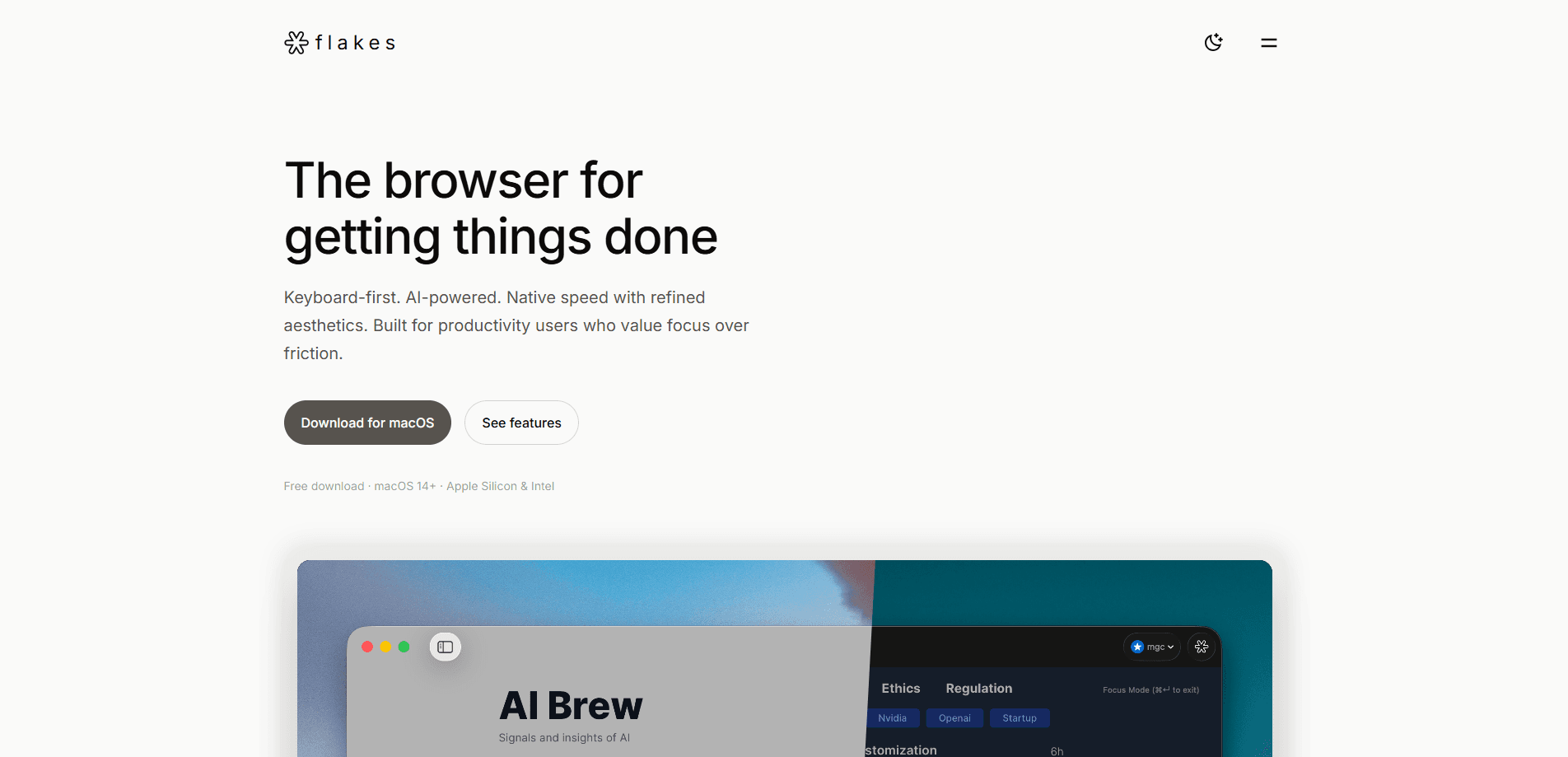
About Flakes · Your next browser
What Is Flakes · Your next browser
Flakes is a free macOS browser that trades the usual toolbar clutter for a keyboard-driven, distraction-free workspace. It's built with SwiftUI and WebKit, so it starts instantly and scrolls smoothly. No web app stuffed into a window here.
The draw isn't one feature. It's the combination. You can jump anywhere with ⌘K, move through pages with h/j/k/l, press f to reveal link hints, and hit ⌘Enter to strip everything but the content. Drift AI sits on top of that and reads your open tabs, so a single question can draw answers from every page you have open.
The main limitation is platform. Flakes runs on macOS 14 or later only, and both Apple Silicon and Intel Macs work. Windows, Linux, ChromeOS, and mobile users are out. The team also calls the browser early, so some polish you'd expect from a mature product may still be missing.
Getting Started
- Go to flakes.ai and download the macOS build.
- Open the app and grant it the permissions it requests during first launch.
- Press ⌘K to bring up the command palette, then search history, open a URL, or run a command.
- Navigate with h/j/k/l, press f for link hints, and use ⌘Enter for focus mode.
- Open a few tabs and ask Drift AI a question to see how it pulls answers from your open pages.
Product Information
A quick look at Flakes · Your next browser's pricing, supported platforms, and performance.
Best for
The users, tasks, and scenarios where this tool fits best.
Users
- Keyboard-heavy Mac users
- Developers and engineers
- Designers and PMs who live in tabs
Tasks
- Cross-tab research
- Fast browsing without the mouse
- Reading without distractions
- Real-time translation
Scenarios
- Digging through documentation
- Comparing sources side by side
- A low-clutter daily driver
Key features
Command Palette
Press ⌘K and a single box handles search history, URL entry, commands, and AI questions. Instead of memorizing dozens of shortcuts or digging through menus, you type what you want and pick from the results. That matters. This one shortcut is what makes the keyboard-first browser actually usable, since you don't have to learn every binding up front.
Keyboard Navigation
Flakes borrows Vim motions, so h/j/k/l move you around and f surfaces clickable link hints. You can switch tabs, scroll, and manage windows without leaving the keyboard for a mouse. If you already think in Vim, this is the part that feels like home right away.
Drift AI
Drift AI is the assistant layer, and it reads your open tabs. Ask a question and you get a direct answer that spans everything you're viewing, not just the page in front of you. It also handles real-time translation and lets you hold longer conversations about the content on screen. It's optional. That matters if you'd rather keep AI features off by default.
Focus Mode
Press ⌘Enter and the toolbar, address bar, and other chrome disappear. Only the page is left. Ad blocking is on by default too, so the whole feature aims at people who want to read and work without visual noise. One shortcut. No settings menu required.
Native Speed
Flakes is written in SwiftUI and WebKit rather than shipped as a wrapped web app. So cold start is fast, scrolling is smooth, and the memory footprint stays small. Why does that matter? A browser that feels like part of macOS rarely gets in your way, and one that feels bolted on always does.
Privacy by Default
It's a local browser with ad blocking turned on out of the box. Private mode leaves no history and stays isolated in memory. AI features are opt-in rather than forced on, a deliberate choice given how much a browser sees.
Pros and cons
Pros
- Keyboard-first design with ⌘K, Vim motions, and link hints that cut mouse use for heavy Mac users.
- Drift AI answers questions across all open tabs instead of one page at a time.
- Native SwiftUI and WebKit build starts fast and scrolls smoothly on macOS.
- Free to download, so you can run it alongside your current browser for a week before deciding whether the keyboard-first workflow actually sticks for you.
- Focus mode and a clean interface keep distractions low, and because there's no subscription, there's no cost to keeping it installed as a secondary browser.
Cons
- macOS 14+ only, which shuts out Windows, Linux, and mobile users entirely, so Flakes can never be the one browser that covers every device you own.
- The team calls it early, meaning features and polish you expect from a mature browser may still be missing, and if you depend on a long list of extensions today, some of them probably won't work yet.
- AI features depend on Drift understanding your tabs, so their usefulness varies with how you browse and won't suit everyone.
Frequently asked questions
Flakes is a free, AI-native browser for macOS built around keyboard navigation and focus. It combines Vim-style controls, a command palette, and the Drift AI assistant in a native Mac app.
Related content
Explore related tools, skills, and articles for Flakes · Your next browser.
Flakes · Your next browser Alternatives
Forefront
Forefront · CodingForefront is a web platform for building with open-source AI. It lets you fine-tune leading open-source language models on your own data, evaluate how they perform, and run them through an API or export them to host yourself. Developers who want the convenience of a closed-source platform but insist on owning their models and data are the target audience here.

Startkit
StartKit.AI · CodingStartkit is a boilerplate for building AI SaaS and AI wrapper products. Think of it as an AI startup boilerplate with the boring parts already wired up: authentication, Stripe and Lemon Squeezy payments, usage limits, transactional email, and an AI API starter that talks to OpenAI, Anthropic, Groq, or Llama. You clone the repo, set your price, and start on the part of your product that people actually pay for. It's Next.js under React and Tailwind, so most of the boilerplate code already feels familiar.
Testim
Tricentis · CodingTestim is an AI-powered test automation platform for building and running end-to-end tests across web, mobile, and Salesforce applications. It leans on machine learning to keep tests stable when an interface changes, so teams spend less time fixing broken selectors. Not bad for an automated testing tool you can start using today. You create tests by recording actions in a browser, then optionally add JavaScript when you need more control. It's a solid pick for busy QA teams.