

Fliki
Nine Thirty Five LLC · Writing · Video
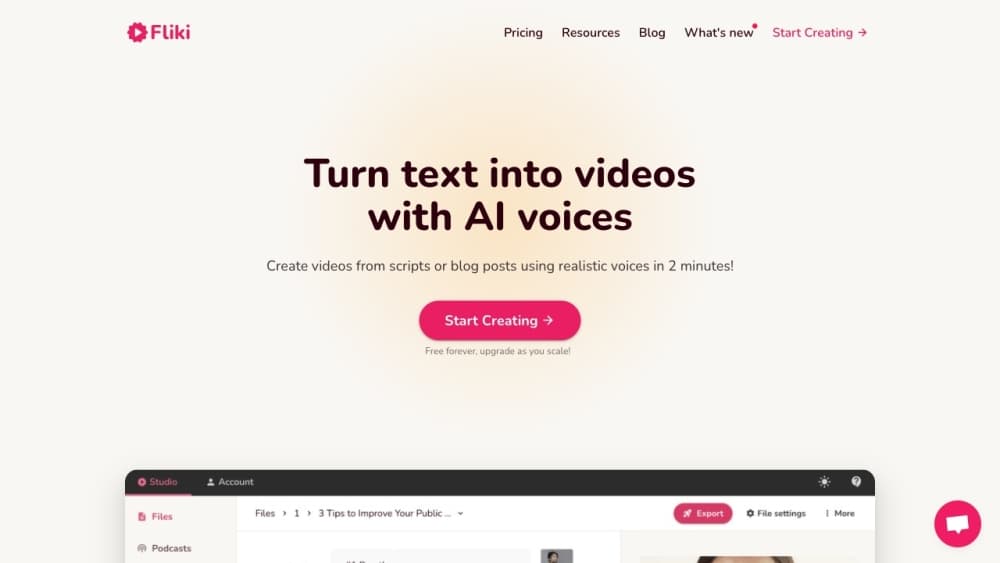
Fliki is an AI video generator and text-to-speech platform that turns written content into finished videos. You paste a script, a blog link, a slide deck, or a one-line idea, and it writes the narration, picks visuals, adds music and subtitles, and renders a publish-ready clip. It runs in a browser, and paid plans lift the free tier's watermark and one-minute export cap.
About Fliki
What Is Fliki
Fliki is a web-based AI video and voice platform from Nine Thirty Five LLC, built for people who need video output without a camera, a lighting setup, or an editing timeline that takes weeks to learn. Paste text into the editor and the tool breaks it into scenes, generates a voiceover from its voice library, and matches stock or AI-made visuals to each line. Audio-only projects work the same way, which is why podcasters and audiobook readers use it alongside social media creators.
The core appeal is speed and language coverage. Fliki advertises 2,000+ voices across 80+ languages, and its translation and dubbing tools let you re-cut the same script for viewers who don't speak English. So when does that actually help? Blog-to-video and PPT-to-video features handle repurposing, so a 1,500-word post or a deck can become a narrated clip without a rewrite.
The limits matter as much as the features. The free plan gives you 3 credits a month, a 720p ceiling, and a Fliki watermark on every export. Export length is capped at 1 minute free, 15 minutes on Standard, and 40 minutes on Premium. Credits drain whenever the tool reprocesses your audio, so heavy script edits cost more, and a project that looks cheap on paper can quietly eat through a month's allowance.
Getting Started
- Sign up at fliki.ai with an email or Google account. No credit card is required for the free plan.
- Choose a workflow: text to video, idea to video, blog post to video, or PPT to video. Paste your script, URL, or prompt and pick a language.
- Pick a voice from the library, then let Fliki generate scenes. Swap visuals, trim segments, and adjust pacing in the editor.
- Add music, subtitles, or an AI avatar if you want one, then export. Free exports run at 720p with a watermark.
- Publish directly to YouTube or TikTok, or download the file. Paid plans include commercial rights to the output.
Product Information
A quick look at Fliki's pricing, supported platforms, and performance.
Best for
The users, tasks, and scenarios where this tool fits best.
Users
- Social media creators
- Small business owners
- Teachers and trainers
- Podcasters and authors
Tasks
- Turning a blog post into a video
- Dubbing a video into another language
- Making faceless videos at volume
- Cloning a voice for consistent narration
Scenarios
- Keeping a posting schedule without a production team
- Localizing training material for a distributed workforce
- Quick turnaround on product or event promos
Key features
Text to Video
Paste a script, an article, or a single prompt and Fliki assembles a video with narration, visuals, music, and burned-in captions, all without you touching a timeline or exporting assets between apps. It segments long text into scenes and lets you regenerate any part that doesn't fit. For social clips, the whole pass usually finishes in a few minutes.
Text to Speech and AI Voices
The voice library holds 2,000+ options across 80+ languages and 100+ accents, with control over pacing and emphasis that makes the output sound less like a flat read-aloud. You can generate voiceover for a video or export audio on its own. Voices range from standard to ultra-realistic, and the ultra-realistic tier is reserved for paid plans.
Voice Cloning
Record a short sample, often around two minutes, and Fliki builds a clone you can reuse across projects. The clone works in 70+ languages, so you can ship narration in a language you don't speak while keeping your own voice and accent intact. Free plans don't include cloning at all.
AI Avatars and Digital Twin
Fliki generates photo avatars and AI presenters, and its digital twin feature creates a talking version of you from a single recording. The twin handles presentations and lessons in 80+ languages without another shoot day.
Blog, PPT, and Idea to Video
Blog-to-video pulls the article text, writes a condensed script, and pairs it with visuals and captions in one pass. PPT-to-video converts each slide into a narrated scene, which fits training and onboarding decks where the material already exists. Idea-to-video starts from a prompt when there's no source text at all, and it's the option most people reach for on a blank day.
AI Video Translator and Dubbing
Upload a finished video and Fliki translates it into 80+ languages with a native-style voiceover and translated captions. The Premium tier adds lip-synced mouth movement for dubbed footage. Dubbing keeps the original visual cut, so one video covers many markets.
Series and Bulk Creation
Tell Fliki your topic, style, and posting schedule and it plans upcoming videos, writes the scripts, and stages them. Cross-posting to TikTok, Instagram, and YouTube runs from the same dashboard. Bulk tools and a Zapier integration help when you're producing many clips at once.
AI Model Access and API
Fliki routes generation through third-party models from OpenAI, Google, Kling, Bytedance, ElevenLabs, and others, and picks a model per task. Premium and Enterprise plans include API access for teams wiring Fliki into their own workflow. Everything else stays inside the browser editor.
Pros and cons
Pros
- Text-to-video and text-to-speech sit in one editor, so you don't stitch two tools together for a narrated clip.
- Voice and language coverage is wide, with 2,000+ voices across 80+ languages and dubbing for finished videos.
- The free plan lets you test real output before paying, with 3 credits and no credit card.
- Blog, PPT, and URL inputs cover the repurposing jobs most teams actually need.
- Paid plans include commercial rights and watermark removal, which matters for monetized channels.
Cons
- Free exports carry a Fliki watermark and cap at 720p with a 1-minute limit, which rules out most real publishing.
- Credits are consumed on every reprocess, so editing a script heavily can burn through a month's allowance faster than expected.
- Voice cloning and API access are locked behind higher tiers, so the cheapest paid plan won't cover every use case.
- Some user reviews on app stores report billing friction and unexpected charges, so check the plan toggle before checkout.
Frequently asked questions
Fliki turns text into video and audio. It generates narration with AI voices, matches visuals to your script, and exports a finished clip for social media, training, or ads. It also handles audio-only projects like narration and podcast segments.
Related content
Explore related tools, skills, and articles for Fliki.
Fliki Alternatives

Emailwritr
Emailwritr · Writing · MarketingEmailwritr is an AI email copywriting tool built for affiliates, course creators, and online businesses that want more revenue from the list they already own. Instead of blank pages or generic chatbot prompts, this AI email writer generates welcome sequences, launch campaigns, cart recovery emails, and promo series from frameworks modeled on well-known direct-response copywriters. You connect your autoresponder, answer a few questions about your offer, and it writes the copy for you.

Swms
Swms AI · Writing · Productivity · BusinessSwms is an AI safety compliance tool that turns a plain description of a job into ready-to-use safety documents. Describe your project, trade, and known hazards, and it writes a safe work method statement, job hazard analysis, safe work procedure, RAMS, or safety data sheet in seconds. It also ships with Oscar, a chat assistant that answers workplace safety questions in any language. Teams in construction, mining, transport, and warehousing use it to cut the paperwork that usually eats into a workday.

Prosp
Prosp · Writing · Voice & Language · MarketingProsp is an AI LinkedIn outreach tool built for agencies and sales teams, and it writes the message and the voice note in your own voice for each prospect so they actually reply. You connect your accounts, find leads, and let the AI draft and send personalized messages at scale, all from one inbox. It's built for people running outbound at volume. That's the whole pitch. Every touchpoint still has to feel human.