

Floatee - Floating All In One
MA I KA · Other · Chatbot
Floatee is a floating Android multitasking app that keeps AI, screen translation, and a browser on top of other apps, so you don't switch screens to get things done.
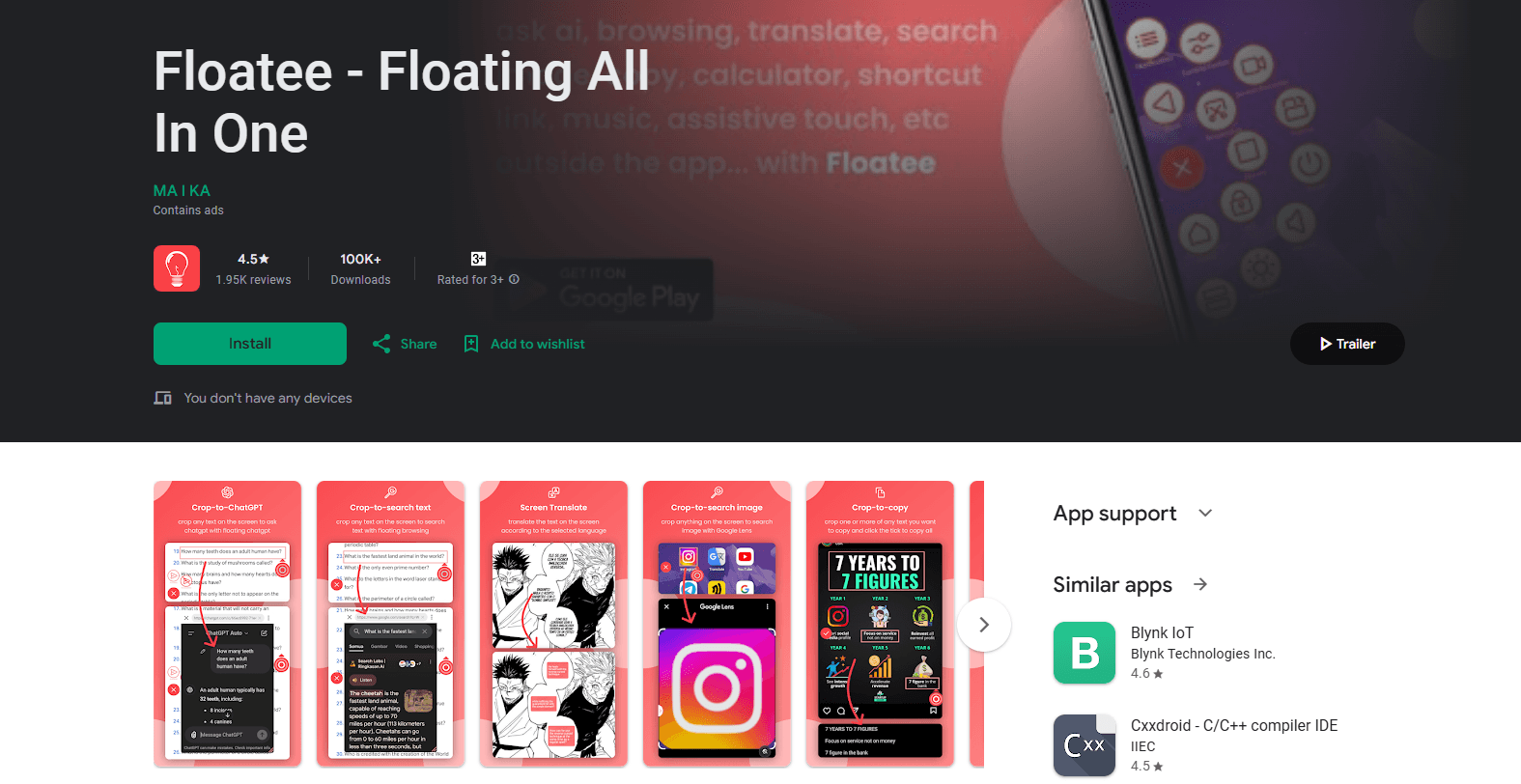
About Floatee - Floating All In One
What Is Floatee
Floatee is a floating app for Android that overlays a set of everyday tools on top of whatever you're already doing. Crop a line of text from a manga page and send it to ChatGPT. Translate a foreign article as you scroll it. Look up a word without leaving the page. The point is to stop bouncing between apps for small jobs.
The app bundles roughly a dozen utilities behind one floating button: an AI assistant that taps into multiple models, live screen translation for text and subtitles, a floating browser wired to Google Search and Google Lens, an auto clicker, a document scanner, a QR scanner, drawing tools with a color picker, floating notes, a dictionary, a floating clock, and a music shortcut. Some of these are genuinely useful. Others feel like filler. The app also depends on Android's Accessibility Service to draw over other apps, which is the same permission a screen reader needs, so it asks for a lot of trust up front.
The ratings tell part of the story. Floatee sits at 3.6 stars with over a million downloads, which means plenty of people find it handy and a noticeable share hit rough edges. If you only want one tool, say a screen translator, a single-purpose app is usually leaner and less intrusive. Floatee makes sense when you want several of these tools living in the same floating menu.
Getting Started
- Install Floatee from Google Play and open it.
- Grant the Accessibility Service and display-over-other-apps permissions when prompted. Without them, the floating button won't appear.
- Customize the floating menu and pick which tools you want on it.
- Tap the floating button inside any app, then crop text or an image to send it to AI, translation, or search.
- Adjust settings like the default translation language and AI model to cut down on taps later.
Product Information
A quick look at Floatee - Floating All In One's pricing, supported platforms, and performance.
Best for
The users, tasks, and scenarios where this tool fits best.
Users
- Students reading foreign material
- Manga and manhwa readers
- Mobile multitaskers
- Android power users who automate taps
Tasks
- Translating on-screen text in real time
- Asking an AI about what's on your screen
- Looking up a word mid-read
- Scanning documents and QR codes
Scenarios
- Reading a foreign news article on the bus
- Watching a subtitled show in another language
- Drawing over a screenshot to explain something
- Jotting a quick note while deep in another app
Key features
Ask AI From Any Screen
Crop a chunk of text or an image on your screen and send it straight to an AI model. Floatee routes it to ChatGPT, Google AI, or Gemini and shows the answer in a floating window. The draw is cutting out the copy, switch, and paste routine. For a quick "what does this mean" moment, that gap matters. It's also the closest thing Floatee has to a dedicated AI assistant Android users can trigger from anywhere.
Live Screen Translation
Floatee translates on-screen text in real time as you scroll or switch screens. No screenshots, no copy-paste. It handles articles, social posts, and chat, and it works on content the app has no control over, which is the whole point of an overlay. So does the quality hold up? It follows the underlying translation engine, so expect smooth output on common language pairs and rougher results on niche ones.
Subtitle Translator
For video, Floatee overlays translated subtitles directly on your screen instead of making you find a version with the subtitles you want. It's aimed at people watching foreign shows, movies, or clips where official subtitles are missing. Timing can drift on fast dialogue, but for casual viewing it does the job.
Floating Browser, Search, and Lens
Crop text or an image and send it to Google Search or Google Lens inside a floating browser, without leaving your current app. One tap to search, one tap to see results. It turns Floatee into a lookup layer that sits over whatever you're reading.
Auto Clicker and Assistive Touch
Floatee automates taps, long presses, and swipes, which is handy for repetitive games or app testing. The assistive touch button adds a floating control for back, home, recents, screenshots, screen recording, split screen, brightness, and volume. Both lean on the Accessibility Service, and both are the kind of feature that either clicks with you instantly or you ignore entirely.
Document and QR Scanner
Point your camera at a document and Floatee turns it into a clean JPG or PDF you can save and share from the floating window. QR codes scan instantly without opening your camera app, with the result shown in seconds. It's a lightweight version of a dedicated scanner, good enough for receipts and forms.
Drawing Tools and Color Picker
Sketch, highlight, or annotate directly on your screen, and use the built-in color picker to grab any color on display. Designers, developers, and anyone marking up a screenshot will find this the most practical of the utility add-ons.
Privacy-First Captures
Floatee says screen captures used for cropping, translation, and AI features are processed on your device and deleted right after. Nothing gets stored or shared, according to the developer. That matters because an overlay app sees a lot of your screen, and how it handles those captures is a fair thing to ask about.
Pros and cons
Pros
- Real time-saver for anyone who reads foreign content or looks things up constantly, since nothing requires leaving the current screen
- Genuinely broad toolset, from translation and AI to scanning and annotation, in one floating menu
- Free to use with an ad-supported model, so you can test the core tools before paying
- Works over any app, which single-purpose translators and scanners can't do
Cons
- Lives off Android's Accessibility Service, so you have to trust it with broad screen access, and some people won't want that
- Translation quality depends on the underlying engine, so rare language pairs and fast subtitles come out rough
- The ratings sit around 3.6 stars, and reviews point to uneven polish across the many bundled tools
- In-app purchases run from under a dollar up to over $100, so know what each paid feature actually does before you buy
Frequently asked questions
Floatee is an all in one floating app for Android. It overlays tools like an AI assistant, screen translation, a floating browser, a scanner, and drawing utilities on top of other apps, so you can translate, search, or ask AI without switching screens.
Related content
Explore related tools, skills, and articles for Floatee - Floating All In One.
Floatee - Floating All In One Alternatives

Odyssey 3
Odyssey · OtherOdyssey-3 is Odyssey's foundation world model. It simulates physics in real time, turns a prompt into an interactive environment, and adapts to robots, cars and games.

JarvisCore
Prescott Data · Coding · Productivity · OtherJarvisCore is an open source Python runtime where AI agents work as equal peers on an agent mesh, claim tasks from a shared ledger, and reach external services through a zero-trust broker.
Clef
Cloudflare · Business · OtherClef is Cloudflare's open-source decision model for Workers AI. It returns calibrated probabilities for typed questions, not generated text, so agents can classify, route, and act fast.