

Fluently
Fluently · Voice & Language
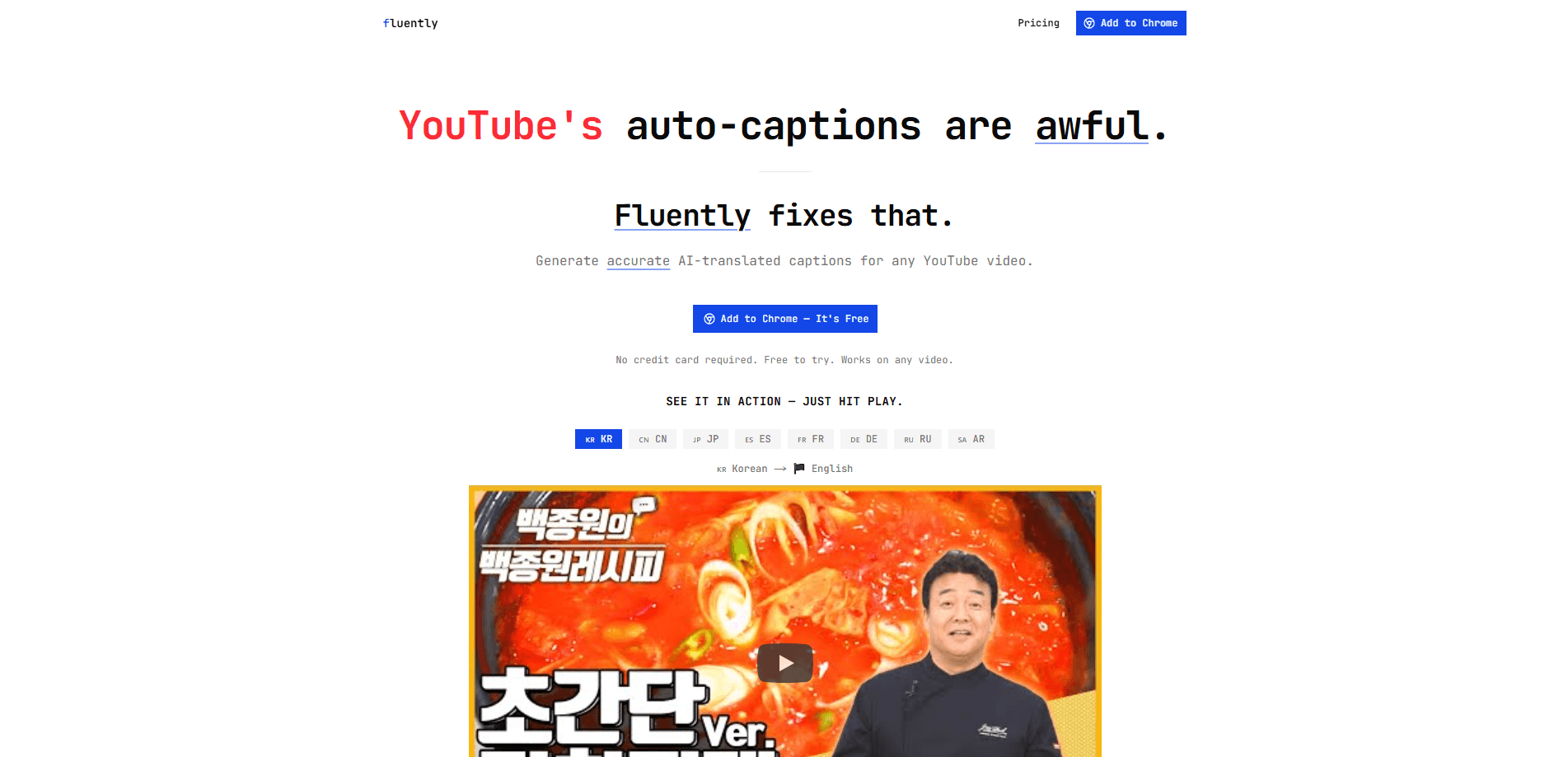
Fluently is an AI YouTube caption translator. It generates accurate translated captions for any YouTube video, which means you can translate YouTube captions without waiting on a transcript tool, downloading subtitle files, or copying chunks of text into a separate chat window just to follow what two people on screen are saying to each other. You pick your output language in the settings, hit Translate, and readable captions stream in as the video plays. It also lets you ask AI about any single caption line. That turns a foreign-language video into something you can actually follow.
About Fluently
What Is Fluently
Fluently is a YouTube subtitle translation tool. Most YouTube auto-captions are messy. Translated captions are often worse. So the product focuses on one job, and does it well: giving you clean, readable captions in the language you speak. If you've ever tried to follow a fast interview through half-broken auto-captions that drop words and mistime every line, you already know why that gap matters.
You open a video, choose your output language, and Fluently builds accurate AI-translated captions for it, so the text you read matches what the speaker actually says instead of a rough guess. The captions appear as they're streamed in. You don't have to wait for the whole video to finish processing. It works on any video, not a hand-picked set.
The main limit is scope, and it's worth stating up front. Fluently is built around YouTube. It doesn't handle other video sites or local files. What happens when the source video has no captions at all? Then there's little for Fluently to translate. It leans on captions existing in some form. And it's a paid tool, with plans starting at $9.99/month. There's no free tier for casual testing.
Getting Started
- Go to usefluently.app and pick a plan before you translate videos.
- Set your output language in the settings menu.
- Open a YouTube video and click Translate.
- Wait for translation to complete; captions stream in automatically as they're ready.
- Click the Ask button on any caption to get AI help with a specific segment you didn't understand.
Product Information
A quick look at Fluently's pricing, supported platforms, and performance.
Best for
The users, tasks, and scenarios where this tool fits best.
Users
- Language learners
- Non-native speakers
- Curious viewers
Tasks
- Watching foreign-language tutorials
- Understanding interviews and talks
- Checking a specific caption line
Scenarios
- Catching up on videos from creators outside your language
- Following breaking news clips
- Studying without subtitles that match
Key features
AI-Translated Captions for Any YouTube Video
Fluently builds translated captions for whatever video you're watching. It doesn't limit you to a curated library. You choose the output language, and the tool generates captions that follow the spoken content. This matters most for videos where the built-in auto-captions are garbled or only exist in the original tongue, and for the many clips where the only on-screen text is in a language you can't read at speed.
Live Caption Streaming
Captions appear automatically once they're ready. You can start watching as they stream in. So you don't have to sit through a full processing wait before the video is usable. For long talks or livestreams, which can run well past an hour, that keeps the gap between opening a video and actually understanding it short.
Ask AI About Any Caption
Every caption line has an Ask button. Click it and you can question the AI about that specific segment. It's handy when a phrase, idiom, or fast exchange doesn't land. Instead of rewinding and rewatching a full minute of video because one sentence sailed past you, you get a plain-language explanation of the exact line that tripped you up, right where you already are on the page.
Output Language Control
Your preferred language lives in the settings menu. You set it once and it carries across videos. The demo on the site shows a Korean-to-English flow. But the setting is built around your choice of output language rather than a single fixed pair.
Works on Any Video
Fluently isn't tied to specific channels or categories. News clips, tutorials, interviews, and casual uploads are all fair game, as long as the video has captions to work from. That breadth is the point. You stop deciding which videos are worth the effort of translating.
Pros and cons
Pros
- Accurate translated captions beat YouTube's own auto-captions on messy or accented audio.
- Captions stream in live, so you can start watching without a long wait.
- The Ask button turns confusing lines into quick explanations.
- Output language is a setting, so you set your preference once.
- Works across any YouTube video rather than a fixed catalog.
Cons
- No free plan means you can't test it before paying; plans start at $9.99/month.
- It's limited to YouTube, so other video sites and local files aren't covered.
- If a source video has no captions at all, translation has nothing solid to build from.
Frequently asked questions
It generates accurate AI-translated captions for YouTube videos. You choose your output language, click Translate, and readable captions appear as the video plays.
Related content
Explore related tools, skills, and articles for Fluently.
Fluently Alternatives

Foley
Hanamori Labs, LLC · Voice & Language · Productivity · AI AssistantFoley is a voice to-do list that turns a spoken sentence into a filed task, complete with project, date and time, then helps you plan the day around what is already there.

HireKey
HireKey · Voice & Language · Productivity · LeaningHireKey is an AI job search copilot built by a former tech recruiter. It checks role fit, tailors resumes, runs interview practice and tracks every application.

Fluence
Yay Software (Yannick Huchard) · Writing · Voice & Language · ProductivityFluence is an Android app that reads PDFs, EPUBs, Word files and web articles aloud, follows each sentence as it speaks, and answers questions about the text on the phone itself.