

FluentPal: Get fluent faster
FluentPal · Voice & Language
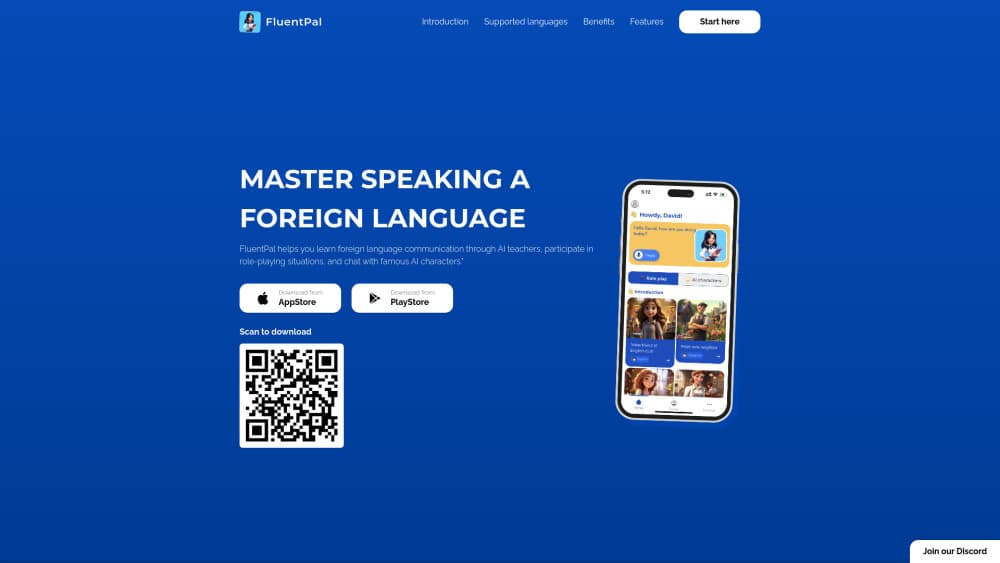
FluentPal is an AI language learning app that drops you into short conversations with animated tutors, then scores your pronunciation and explains each correction in a language you already speak.
About FluentPal: Get fluent faster
What Is FluentPal
FluentPal is a speaking practice app for iPhone, iPad and Android, built by a small team of AI engineers and language teachers. You pick a language, and the app hands you an AI tutor with a face and a voice. That character talks back, waits for your answer and reacts to what you actually said. There are five courses to choose from: English, German, Chinese, Korean and Japanese.
The problem it targets is the gap between knowing words and using them. Most apps stop at tapping the right answer. FluentPal makes you produce a sentence out loud, then shows the corrected version next to your attempt. If you get stuck halfway, a lightbulb button offers a reply you can listen to and repeat.
Two limits matter before you download it. First, the course list is short: five languages, and nothing for Spanish, French or Italian learners yet, even with the interface translated into 20 languages. Second, every correction comes from a model. Nobody grades your accent by ear, so a picky exam candidate may still want a human teacher for the final polish.
Getting Started
- Install FluentPal free from the App Store or Google Play. No card is needed to open an account.
- Choose the language you want to learn, then set the interface language. Menus, translations and tutor explanations follow that choice.
- Take the first course lesson, or skip straight to a tutor session and pick a mode: Q&A, Fix the mistake, Translate, Speaking practice or Chit-chat.
- Answer out loud. Tap the lightbulb when a sentence won't come, listen to the suggestion, then say it in your own voice.
- Read the wrap-up report after each session. It lists a pronunciation score for every sentence and more natural ways to phrase what you meant.
Product Information
A quick look at FluentPal: Get fluent faster's pricing, supported platforms, and performance.
Best for
The users, tasks, and scenarios where this tool fits best.
Users
- Complete beginners
- Travellers with a trip a few weeks out
- Professionals who read a language well but freeze on calls
- Adults who want to learn English for work
- Exam candidates for HSK, TOPIK, JLPT or CEFR tests
Tasks
- Daily speaking reps
- Fixing repeated grammar slips
- Rehearsing one specific conversation
- Keeping a second language alive
Scenarios
- A ten minute commute
- Living abroad without locals to practise with
- Pre-interview nerves
- Filling a classroom gap
Key features
Animated Tutors That Talk Back
Each tutor leads one type of session, from open chit-chat to structured Q&A. The character has a recorded voice, and replies follow what you just said rather than a fixed script. A wrong answer leads somewhere useful instead of ending the exchange.
Courses Scored on CEFR, HSK, TOPIK and JLPT
Every level holds 30 lessons, and each lesson is one conversation split into five steps: listen, read, practise, translate, answer. Because the levels match public exam scales, you can tell roughly where you stand without guessing.
More Than 225 Everyday Scenarios
The app ships over 225 situations across 12 topics, from ordering food to opening a bank account. Each one opens with the phrases you need, then moves into a live exchange, so the words are still fresh when you use them.
Pronunciation Scores on Every Sentence
FluentPal listens to your recording and returns a score for each sentence, plus a replay in the tutor's voice for comparison. A low score points at specific sounds, which is easier to act on than one grade at the end of a lesson.
Suggested Replies and Romanization
When a sentence won't come, the lightbulb shows replies that fit the moment, and you can hear them before repeating. Korean, Chinese and Japanese also get romanization, useful at the start and easy to ignore later.
Session Reports and Streaks
Every session ends with a summary of what worked and what didn't, written in your interface language. A daily streak sits on top of that, and the app nudges you when a day is about to break.
Pros and cons
Pros
- Speaking comes first. You produce sentences from the first session instead of tapping word tiles.
- Explanations arrive in your own language, which keeps beginners from drowning in the target language.
- Feedback is per sentence, so you know exactly which sound needs work.
- Free daily practice is genuinely usable, and PRO stays optional at the start.
- The interface covers 20 languages, a wider set than most rivals offer.
Cons
- Only five learning languages. Spanish, French and Italian are missing from the course list.
- No human review. If you need an examiner's judgment on your accent, the app can't replace a teacher.
- Unlimited conversations sit behind PRO, so heavy users hit the paywall fast.
- No public API, which rules it out for schools or developers who want to build on top of it.
Frequently asked questions
Conversation. You practise speaking through tutor chats, scenario dialogues and short courses, and the app corrects grammar and pronunciation after you talk. Lessons include reading and writing steps, but speech is the core of every session.
Related content
Explore related tools, skills, and articles for FluentPal: Get fluent faster.
FluentPal: Get fluent faster Alternatives

Foley
Hanamori Labs, LLC · Voice & Language · Productivity · AI AssistantFoley is a voice to-do list that turns a spoken sentence into a filed task, complete with project, date and time, then helps you plan the day around what is already there.

HireKey
HireKey · Voice & Language · Productivity · LeaningHireKey is an AI job search copilot built by a former tech recruiter. It checks role fit, tailors resumes, runs interview practice and tracks every application.

Fluence
Yay Software (Yannick Huchard) · Writing · Voice & Language · ProductivityFluence is an Android app that reads PDFs, EPUBs, Word files and web articles aloud, follows each sentence as it speaks, and answers questions about the text on the phone itself.