

Folderly
Folderly · Writing · Productivity
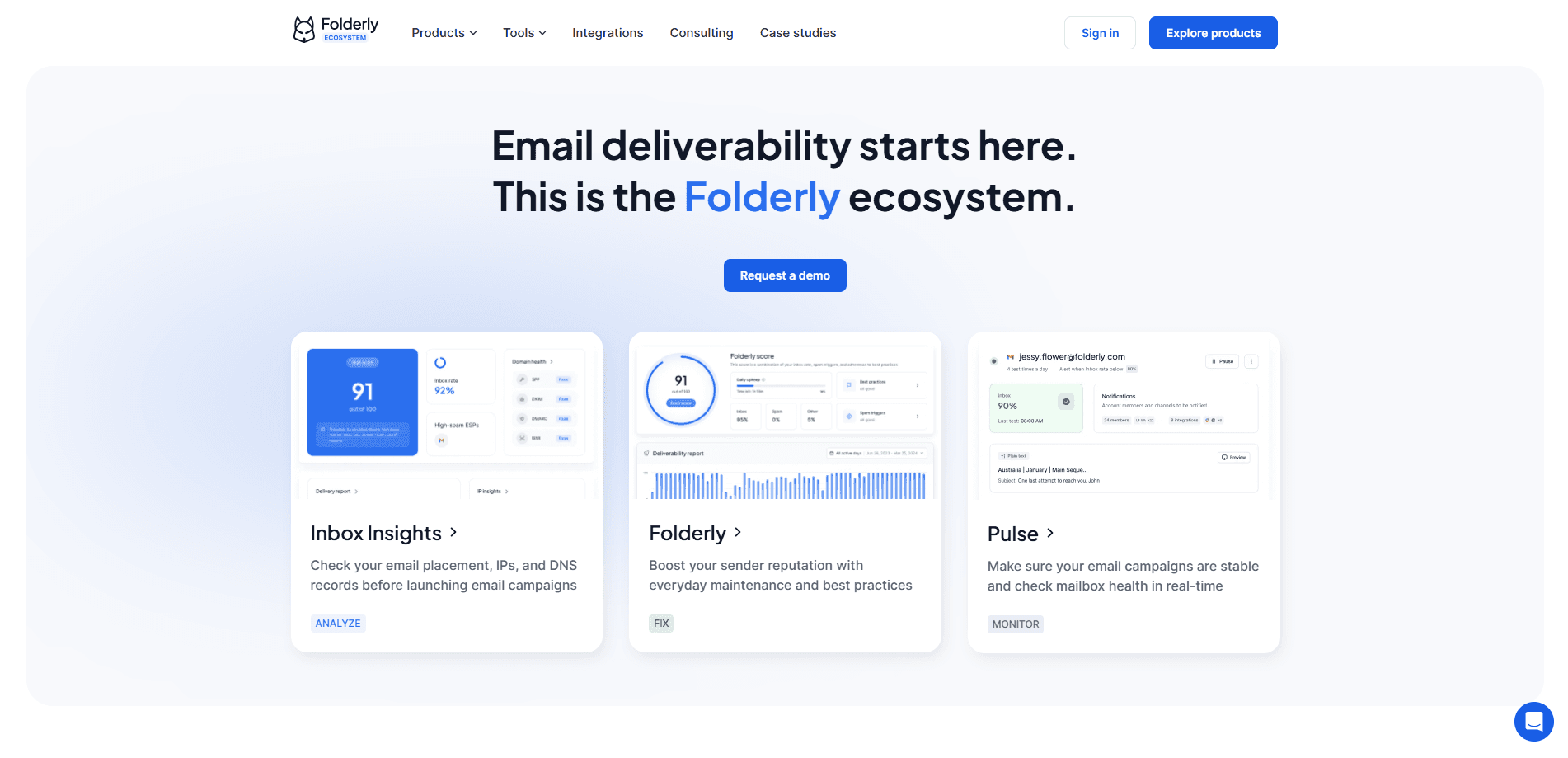
Folderly is email deliverability software that helps B2B teams get their outbound emails into the inbox instead of the spam folder. It runs automated placement tests, checks domain and IP health, flags spam-triggering words, and monitors sender reputation through a single dashboard. The software targets sales, marketing, and cold outreach teams that depend on email landing reliably, and the whole point is to catch the kind of quiet deliverability problem that never shows up in your own send logs.
About Folderly
What Is Folderly
Folderly is a deliverability service built around one job: making sure the messages you send actually reach a real person's inbox. The platform combines automated email tests, domain and IP diagnostics, and ongoing monitoring, which together mean you spot a placement problem before a campaign goes out, not after it flops.
The core promise is 99% inbox placement, which the company backs with case studies rather than a single metric. Adhesive Media, one of its featured customers, reported a 25% reply rate and tripled revenue after switching. Willow Tree reported a 70% open rate and a 21% reply rate. Those numbers come from Folderly's own marketing. Treat them as vendor claims.
Folderly sits in the same space as email warm-up tools, but positions itself differently. Warm-up services mostly generate fake engagement to build reputation. Folderly diagnoses the technical root causes instead, such as DNS records, authentication, and spammy content, then gives you step-by-step fixes. The main limitation is the price. The flagship plan runs $96 per mailbox per month. That's steep for solo senders or tiny teams.
Getting Started
- Sign up at app.folderly.com and pick the product you need, either the full deliverability platform, Inbox Insights for testing, or Pulse for monitoring.
- Connect your sending domain and mailbox, then let Folderly scan your DNS records, SPF, DKIM, and DMARC setup.
- Run an automated test by choosing a mailbox and an email template to see exactly where the message lands.
- Review the placement report, IP insights, and domain health panel, then apply the suggested fixes.
- Turn on continuous monitoring so Pulse alerts you through Email, Slack, or SMS when placement changes.
Product Information
A quick look at Folderly's pricing, supported platforms, and performance.
Best for
The users, tasks, and scenarios where this tool fits best.
Users
- B2B sales teams
- Email marketing managers
- Agencies running outbound for clients
Tasks
- Diagnosing why emails land in spam
- Checking inbox placement before a campaign
- Monitoring sender reputation over time
Scenarios
- Launching a new domain or sending IP
- Running recurring cold outreach
- Auditing an existing email setup
Key features
Automated Inbox Placement Testing
Folderly lets you pick a mailbox and an email template, then runs a test that reports exactly where the message lands. You get a detailed placement report across major providers like Gmail and Outlook. That's it. No guesswork. You know whether a subject line or body is triggering filters before you send to your real list.
Spam Trigger Detection
The platform scans messages for the technical and content-based signals that push email into spam. It highlights spammy words and authentication problems in plain language, then explains what each one does to your delivery. That turns a vague "my emails aren't landing" complaint into a specific list of things to fix.
Domain Health and IP Insights
Folderly checks your sending domain for technical issues such as SPF, DKIM, and DMARC misconfigurations. The IP insights panel shows the type of each sending IP, its sender score, and whether it appears on any blacklists. No raw data dumps here. You get step-by-step resolution guides instead.
Continuous Deliverability Monitoring
Pulse is the free monitoring layer that tracks spam placement around the clock. When something changes, it alerts you through Email, Slack, SMS, and other channels. That means you learn about a reputation dip before it quietly kills a campaign's results. What does a bad reputation cost? More than the subscription.
Spam Words Checker
A dedicated checker scans your copy for words and phrases that hurt deliverability. It's a small feature, but a useful one. A single risky phrase in a cold email template can undo weeks of reputation building, and this catches it before the send ever leaves your outbox.
Warm-Up Alternative Approach
Rather than faking engagement like a standard email warm-up tool, Folderly focuses on fixing root causes and maintaining good sending habits. For teams that want a durable reputation instead of a short-term boost, that's the more honest path. It just takes more work up front.
Pros and cons
Pros
- Covers the full loop: test, diagnose, fix, and monitor in one platform.
- Detailed reports name the specific spam triggers and DNS issues instead of leaving you guessing.
- Free tiers for Inbox Insights and Pulse make it possible to try before paying.
- Strong reputation on review sites, rated 4.8 on G2 and 4.9 on Capterra as of the vendor's site.
Cons
- The full platform costs $96 per mailbox per month yearly, which rules it out for small senders who only fire off a handful of campaigns and can't justify the spend against actual reply revenue.
- It's built for B2B outbound, so consumer or transactional email senders get little value.
- There's no public mention of an API, so automating Folderly from your own stack isn't an option today.
Frequently asked questions
Folderly tests, diagnoses, and monitors email deliverability. It shows where your emails land, explains why they might go to spam, and gives you fixes for domain, IP, and content problems, then keeps watching placement over time.
Related content
Explore related tools, skills, and articles for Folderly.
Folderly Alternatives

Google EmbeddingGemma 2
Google DeepMind · Writing · Image · CodingGoogle EmbeddingGemma 2 is a 740M-parameter open model that turns text, code, images, audio, and video frames into vectors in one 768-dimension space, running on phones and laptops.

MePersona
MePersona, Inc. · Writing · Productivity · MarketingMePersona is an AI unified inbox for creators. It learns your voice, drafts replies to fan messages from 12 platforms, and sends only what you approve.

Fluence
Yay Software (Yannick Huchard) · Writing · Voice & Language · ProductivityFluence is an Android app that reads PDFs, EPUBs, Word files and web articles aloud, follows each sentence as it speaks, and answers questions about the text on the phone itself.