
Forewrite
Forewrite · AI Detection · Other
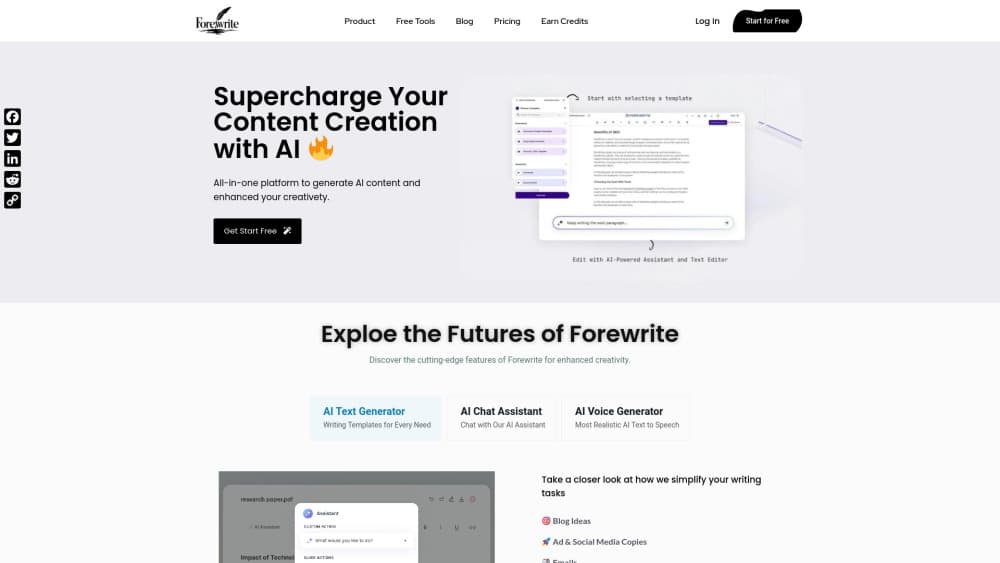
Forewrite is a browser-based AI writing app that puts several leading AI models in one workspace, along with AI chat, writing templates, a document editor, an article wizard and voice tools.
About Forewrite
What Is Forewrite
Forewrite is a paid web app for people who write as part of their job. Bloggers, marketers and small business owners open one tab and get access to a small lineup of AI models, then use them for chat, drafts, images and voice work. The pitch is simple: one subscription instead of three, and the right model for each task.
The problem it targets is tool fatigue. Most writers end up paying for a chat assistant, a separate copywriting tool and a voice generator, then copy text between them. Forewrite folds those jobs into one account and charges $49 a month or $149 a year.
The limit is on the other side of the same coin. There's no free plan and no free trial beyond a 7-day refund window, so you commit before you know whether the model lineup suits your work. Premium models also draw on a monthly word allowance that resets instead of rolling over.
Getting Started
- Create an account with your email address or a Google login at app.forewrite.com.
- Choose the monthly plan at $49 or the yearly plan at $149. Checkout runs on Gumroad, and Pro switches on in your Forewrite account once the payment clears.
- Pick a model from the menu inside any chat or document. Premium models are labeled Most capable, Balanced and Reasoning, while Fast and Light cover everyday requests.
- Start in AI Writer for a template, in Docs Editor for a blank page, or in Article Wizard if you have a keyword and want a full draft.
- Save your tone and product details in Brand Voice so later drafts open with your context already loaded.
Product Information
A quick look at Forewrite's pricing, supported platforms, and performance.
Best for
The users, tasks, and scenarios where this tool fits best.
Users
- Freelance writers and bloggers
- Small business owners who handle their own marketing
- Marketing teams on a tight tool budget
Tasks
- Turning a keyword into a publishable article
- Cleaning up a long draft
- Writing ad and email copy at volume
- Adding narration or transcripts
Scenarios
- Running a weekly content calendar
- Deciding which model fits a job
- Repurposing a recorded webinar
Key features
Several AI Models in One Menu
Forewrite doesn't build its own model. It connects to providers and exposes their models in a single picker inside every chat and document, so you're not juggling browser tabs or separate logins. The lineup splits into premium models with a monthly word allowance and fast models for quick jobs, and the current list always shows in the app rather than on the marketing page.
AI Chat With Model Switching
You can ask a question, then switch the model in the middle of the same conversation to compare answers. That's useful when a first draft sounds generic: send the same thread to a stronger model and keep the context. Chat handles research questions, brainstorming and short rewrite requests, and it sits next to the writing tools rather than in a separate product.
Writing Templates for Repeat Jobs
AI Writer ships with templates for blog posts, emails, ads, product descriptions, YouTube scripts and SEO pages. Each template asks for the details that matter to that format, which is faster than explaining a structure in a blank prompt every time. For anyone producing the same kind of copy weekly, the templates are the part that saves the most time.
Docs Editor for Long Drafts
The document editor is built for work that runs past a few paragraphs. You can rewrite, shorten, lengthen, simplify or translate any selected section without leaving the page, which keeps a 2,000-word piece in one place instead of spread across a chat log. It's the tool to reach for when a draft needs a second pass rather than a fresh start.
Article Wizard From Keyword to Draft
Article Wizard takes one keyword and returns a title, an outline and then a finished draft. Because the outline comes first, you get a checkpoint before the model writes the body, and fixing the structure there costs less than editing a full article. It's the fastest route in the app from an empty page to something you can shape.
Brand Voice, Images and Voice Tools
Brand Voice stores your tone and product details once, so new drafts start with the right context instead of a generic voice. On top of that, the subscription includes AI images, AI voiceover and speech to text on a monthly allowance. A single account therefore covers the copy, the artwork and the narration for a campaign, which is rare at this price.
Pros and cons
Pros
- Premium and fast models behind one login, with the model list shown inside the app.
- Switching models mid-conversation makes answer comparison quick when a draft sounds flat.
- The $149 yearly plan works out to about $12.42 a month, well below most single-model subscriptions.
- Text, image, voiceover and transcription tools share one subscription and one monthly allowance.
- No API keys or technical setup, so a non-technical user can start in a few minutes.
Cons
- No free plan or trial. The 7-day refund window is the only way to test it without paying.
- The monthly word allowance doesn't roll over, which punishes light months and heavy months equally.
- Model names aren't published on the pricing page, so you can't verify the lineup before you pay.
- There's no public API and no mobile app, which rules it out for teams that need either.
Frequently asked questions
Forewrite is a writing workspace. You use it to chat with AI models, generate blog posts and ad copy from templates, edit long documents, and produce images, voiceovers or transcripts. It's aimed at people who write for work rather than casual users.
Related content
Explore related tools, skills, and articles for Forewrite.
Forewrite Alternatives
Isgen AI
Isgen · AI DetectionIsgen AI is a web-based AI detector that scores text for machine authorship and shows you which sentences and phrases push the number up. It's built for teachers, editors, students, and writers. Their question is simple: did this draft come from ChatGPT, GPT-5, Claude, Gemini, DeepSeek, or another model? You paste or upload content, run a scan, and get a Human, AI, and Mixed breakdown in seconds. There's also a companion editor that scores text while you write it.
Humanizeai Tools
Humanizeai Tools · Writing · AI DetectionHumanizeai Tools is a web-based AI humanizer that rewrites machine-generated text so it sounds like a person wrote it, which is the whole point of the category it belongs to. Paste a draft from ChatGPT, Claude, or Gemini, run it through the tool, and it swaps out the phrases and sentence patterns that AI detectors flag. If your goal is to make AI text sound human before you publish it, this is the kind of tool built for exactly that. It suits students, bloggers, and marketers who need copy that reads naturally and clears tools like GPTZero, Copyleaks, and Winston AI after a single pass.

Hidemyai
Hidemyai · Writing · AI DetectionHidemyai is an AI content humanizer. It rewrites text from ChatGPT, Jasper, and similar tools so the result reads like a person wrote it. You paste your draft, pick a document type and tone, and the service returns a version meant to bypass AI detectors such as Originality.ai, Turnitin, and ZeroGPT. It targets writers, marketers, and students who lean on AI drafts but can't ship copy that sounds robotic. The promise is simple: make AI content undetectable.