

Forgeon
Forgeon · Writing
Forgeon is an interactive gamebook platform where the reader makes choices that change what happens next. Think of it as an interactive book creator and store rolled together: a reader-facing catalog and app sit beside a browser-based branching story editor that handles scenes, variables, RPG mechanics, images, music, and sound effects in one workspace. Authors build a book from a scene tree, submit it for moderation, and publish it to the Forgeon catalog, where built-in AI translation for books opens the story in dozens of languages.
About Forgeon
What Is Forgeon
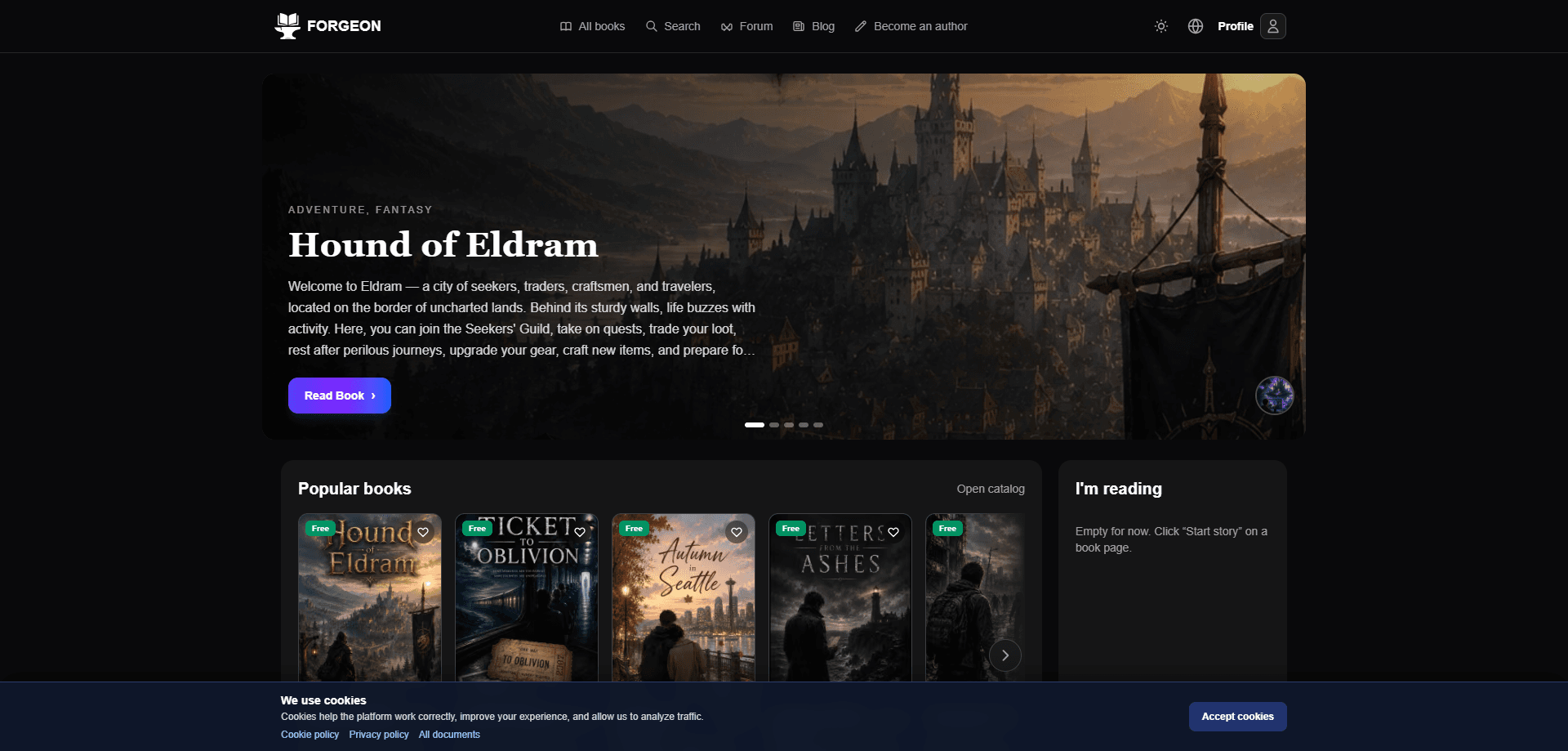
Forgeon is a fairly new interactive gamebook platform aimed at two groups at once: readers who want interactive fiction and authors who want a professional interactive book creator. The reading side looks like a book store. You browse a catalog, open a free or paid book, and make choices that steer the plot. The catalog covers fantasy, sci-fi, mystery, and survival stories, and every title tracks ratings and reader counts so you can see what other people are actually finishing.
The creating side is where Forgeon separates itself from a plain ebook store. Its branching story editor runs in a browser and gives you a scene tree, choice conditions, variables, items, currency, levels, and time-based events without asking you to write code. You add illustrations, music, and sound effects to set the mood, then set a price, genres, tags, and an age rating before submitting the book for review. That last step matters: Forgeon moderates content and media before anything hits the catalog, so reader-facing quality is predictable.
The main limitation is where you can work. The editor is built for desktop browsers, so if you plan to write on a phone or tablet, that's not going to be a comfortable experience. Reading and managing your account work fine in the companion app, but authoring is desktop-first by design. Pricing is straightforward on the author side: creating and editing books costs nothing, and Forgeon takes a 20% commission on actual platform receipts rather than the full storefront price. No upfront fee. No seat license.
Getting Started
- Sign up at forgeon.art and, if you plan to publish, accept the author terms in your dashboard.
- Open the editor in a desktop browser and start a new book with a title, genre, and age rating.
- Build the structure: lay out scenes in the scene tree, add choices and conditions, and define any variables, items, or stats your story needs.
- Attach media such as images, backgrounds, music, and sound effects, then set the cover, description, and price on the store card.
- Submit the book for moderation; once it's approved, it goes live in the Forgeon catalog for readers.
Product Information
A quick look at Forgeon's pricing, supported platforms, and performance.
Best for
The users, tasks, and scenarios where this tool fits best.
Users
- Interactive fiction readers
- Indie authors and small studios
- Educators running branching lessons
Tasks
- Writing a branching novel
- Building RPG mechanics into a story
- Publishing a paid game book
Scenarios
- Weekend worldbuilding
- Localizing a story for a wider audience
- Tracking reader engagement
Key features
Visual Scene Editor With Branching Choices
The editor shows your book as a scene tree, so you can see how pages connect and where branches split. Choices can carry conditions, which means a door only opens if the reader picked up the key or built enough trust earlier. You don't touch code for any of it. For anyone who has tried to manage a nonlinear story in a word processor, the tree view alone saves a lot of confusion. That's the whole point.
Variables and RPG Mechanics
Stories can track stats, resources, items, currency, time, and levels as the reader moves through them. That's what turns a simple fork into a game where earlier decisions have weight. An author can gate an ending behind a stat threshold, drain a resource on a risky path, or hand out an item that changes later options. None of that needs code. Treat it as a visual novel editor that happens to speak RPG, and the design makes sense.
Media, Atmosphere, and Page Styling
You can attach images, backgrounds, music, and sound effects, then style pages to match the mood. A horror scene and a pastoral one can feel different on the same platform. Layering sound over a tense choice does more for immersion than text alone, and Forgeon builds that in rather than leaving it to workarounds. Sound design isn't an afterthought here.
Publishing With Moderation
Books go through content and media review before they reach the catalog, using age ratings of 13+, 16+, or 18+ that have to match the actual content. It's an extra step, but it means readers get a storefront without the worst surprises. Authors keep rights to their own text, images, and audio. That matters more than it sounds.
Storefront and Monetization
Authors set their own price, and Forgeon's 20% commission applies to what the platform actually received after App Store, Google Play, and payment processor fees, not the sticker price. Reader Premium subscriptions feed an author pool funded from net revenue, and payouts can be requested from a $25 balance through Stripe Connect, Wise, or Payoneer, with KYC possibly required. Read that twice.
Built-in AI Translation for Readers
Once a book is in the catalog, readers can open it in their own language using an on-platform translator that covers many languages. Why does that matter? Because the pitch to authors is simple: you write once and your audience isn't boxed into one country. It's a real advantage for indie writers who can't afford professional localization.
Achievements Tied to Reader Progress
Achievements can be linked to specific choices and to how far a reader has gotten. That gives completionists a reason to replay and chase alternate endings, which is exactly the behavior a branching story rewards. It also gives authors a lightweight way to signal the paths worth exploring. Simple, but effective.
Pros and cons
Pros
- Creating and editing books is free, so you can build a full project before spending anything.
- Branching logic, variables, and RPG systems come built in, which removes the need for a custom engine or a developer.
- The browser editor is a full interactive fiction tool, mixing structure, logic, and media instead of splitting them across apps.
- Moderation keeps the reader-facing catalog cleaner and sets clear age ratings.
- The AI translator widens a book's reach without authors paying for separate localized versions.
Cons
- The editor is desktop-browser only, so writing on a phone or tablet isn't practical; the app is mainly for reading and account management.
- Commission and payout rules take some reading to understand, since the 20% applies to net receipts rather than the listed price, and KYC may be required before payout.
- Non-ASCII characters had to be avoided in catalog examples; readers should check the live catalog directly because titles, prices, and ratings change.
Frequently asked questions
Forgeon is used to read and create interactive game books, where the reader's choices change the story. Readers browse a catalog of free and paid titles, and authors use a browser editor to build branching stories with variables, media, and RPG mechanics, then publish them.
Related content
Explore related tools, skills, and articles for Forgeon.
Forgeon Alternatives

Google EmbeddingGemma 2
Google DeepMind · Writing · Image · CodingGoogle EmbeddingGemma 2 is a 740M-parameter open model that turns text, code, images, audio, and video frames into vectors in one 768-dimension space, running on phones and laptops.

MePersona
MePersona, Inc. · Writing · Productivity · MarketingMePersona is an AI unified inbox for creators. It learns your voice, drafts replies to fan messages from 12 platforms, and sends only what you approve.

Fluence
Yay Software (Yannick Huchard) · Writing · Voice & Language · ProductivityFluence is an Android app that reads PDFs, EPUBs, Word files and web articles aloud, follows each sentence as it speaks, and answers questions about the text on the phone itself.