

FormRobin
AppSumo Originals (Sumo Group, Inc.) · Coding · Productivity
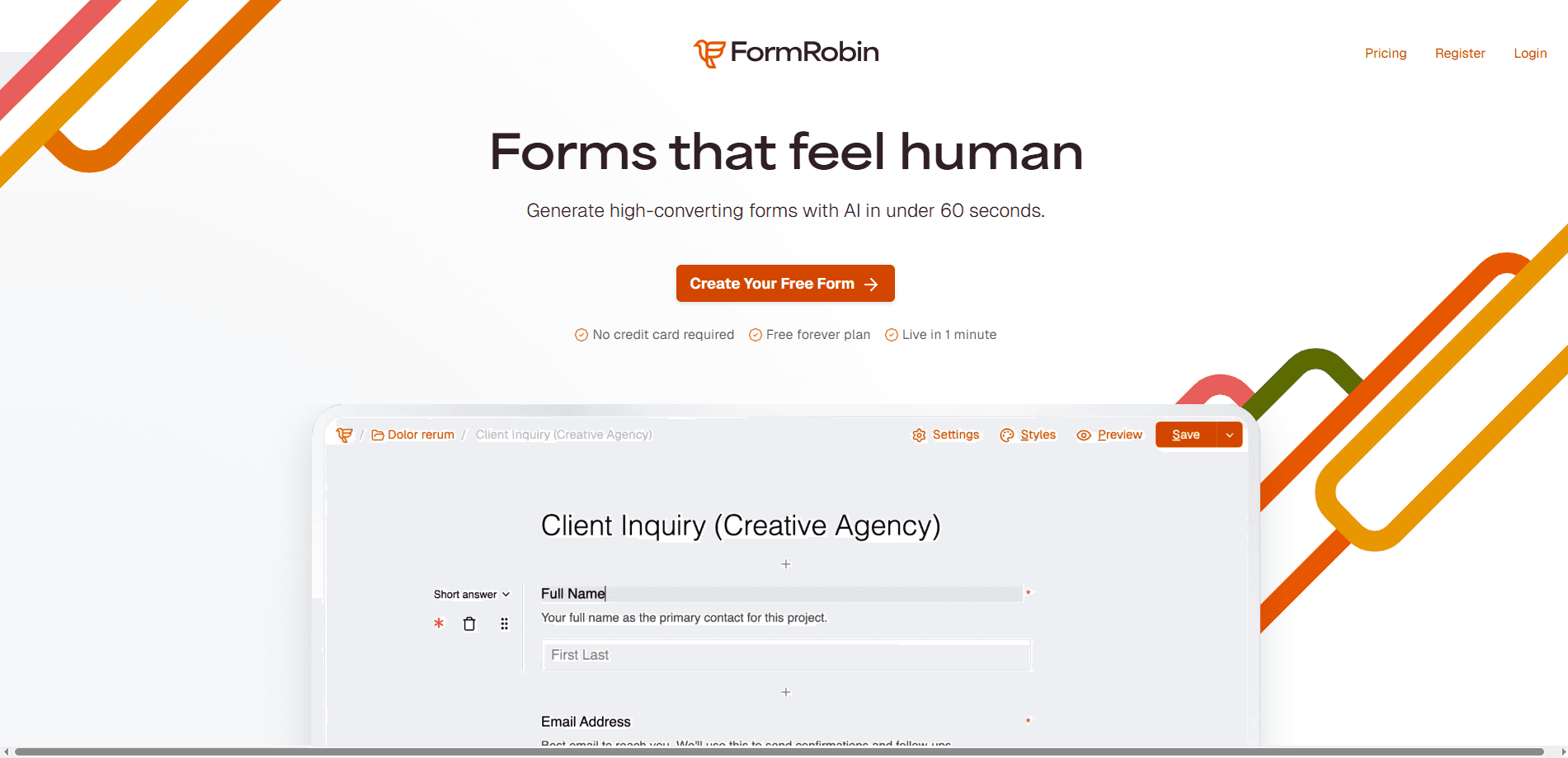
FormRobin is an AI-powered form builder that turns a plain description of what you need into a working form, usually in under a minute. You type what the form is for, and its AI drafts the structure, fields, and layout for you to edit and publish. Think of it as an online form builder that does the tedious part for you. The free plan covers unlimited forms, unlimited monthly responses, conditional logic, CSV export, and an API, so it works as a real tool rather than a trial that expires.
About FormRobin
What Is FormRobin
FormRobin is a web-based form builder built around AI generation. Instead of dragging fields one at a time, you describe the form you want and let the AI assemble the first draft. From there you customize colors, fonts, and spacing to match your brand, add conditional logic so fields appear only when they're relevant, and publish to a single link you can embed, email, or post.
It's aimed at people who need forms often but don't want to fight a clunky editor. Marketers running lead capture, small teams collecting client intake, and creators gathering feedback all fit the same pattern: describe it, generate it, publish it. As a no-code form creator, it skips the developer entirely. The free tier doesn't cap how many forms you make or how many responses you collect each month, which is unusual for this category.
Why does that matter? Most free form builders throttle you the moment a campaign goes viral. That's the trap FormRobin dodges.
The biggest catch is that the free plan keeps "Powered by FormRobin" branding on your forms, and the AI generation is limited to 2 forms per month on free versus 50 on the paid tier. That ceiling shows up fast. If you generate a lot of forms from scratch with AI, plan around it. It's also built by AppSumo Originals and integrates most cleanly with SendFox and Zapier, so teams deep in a different automation stack should check the connectors before committing.
Getting Started
- Create a free account at formrobin.com with your email.
- Describe the form you need, such as "client intake form for a design studio," and let the AI build the first draft.
- Adjust fields, upload your logo, and set your brand colors and fonts.
- Add conditional logic, a thank-you message, or a custom redirect if you need one.
- Publish, then share the form link, embed it on your site, or connect it to SendFox or Zapier.
Product Information
A quick look at FormRobin's pricing, supported platforms, and performance.
Best for
The users, tasks, and scenarios where this tool fits best.
Users
- Small business owners
- Marketing teams
- Freelancers and creators
Tasks
- Building a lead capture form
- Running a client intake questionnaire
- Collecting event RSVPs
- Setting up a quick survey
Scenarios
- Launching a product and needing a signup form the same afternoon.
- Replacing a spreadsheet-based intake process with a form that routes responses straight to your email tool.
- Testing several form versions across a campaign and comparing which one holds attention.
Key features
AI Form Generation
You describe the form in plain language and FormRobin builds the structure, fields, and layout for you. That first draft is editable, so you're refining rather than starting from a blank canvas. The free plan allows 2 AI generations per month, while the paid tier raises it to 50. Not much. Just enough to test the workflow.
Brand Customization
Forms inherit your colors, fonts, and styling so they look like they belong on your site rather than on a third-party tool. There's no designer step in the middle, which saves time and keeps your brand consistent across every form you publish. The trade-off on free is the "Powered by FormRobin" badge, which the paid tier doesn't remove either but pairs with more control over the rest of the look.
Conditional Logic
Fields can show or hide based on earlier answers, so a respondent only sees questions that apply to them. A short form stays short for most people while still capturing the detail you need from the few who require it. Nice. This is on both the free and paid tiers.
Real-Time Analytics
You can see where respondents drop off and which questions people skip, then act on that. Form analytics like this usually cost extra elsewhere. A win for free users. Advanced analytics, which lets you filter by custom timeframes, sits behind the paid tier. On free you still get the core response data and CSV export.
Integrations
Forms connect to SendFox for email lists and to Zapier for reaching more than 5,000 other apps. Responses can also flow out through webhooks and custom redirects, but those two are paid-tier features. If your stack runs on something Zapier can't bridge, you'll want to check before you build around it.
Unlimited Forms and Responses
The free plan doesn't limit how many forms you create or how many responses you collect each month. For high-traffic campaigns, that removes the response caps that trip up most free form builders, and it means a single busy week won't lock you out of collecting leads. The paid tier keeps the same unlimited terms and adds the advanced features on top.
Pros and cons
Pros
- AI generation gets you from idea to a usable draft in about a minute.
- Unlimited forms and unlimited monthly responses even on the free plan.
- Conditional logic and CSV export included without paying.
- Clean brand customization with no designer required.
- REST API plus SendFox and Zapier integrations for automating response handling.
Cons
- Free plan keeps "Powered by FormRobin" branding on every form, which can clash with a polished brand.
- AI generation is capped at 2 forms per month on free, so heavy users hit that limit quickly.
- Advanced analytics, custom redirects, and webhooks are locked to the paid tier.
- Integration options center on SendFox and Zapier, which may not fit teams using other automation platforms.
Frequently asked questions
Yes. The free plan includes unlimited forms, unlimited monthly responses, conditional logic, CSV export, and API access. It stays free indefinitely rather than running as a trial. The catch is that it keeps FormRobin branding on your forms.
Related content
Explore related tools, skills, and articles for FormRobin.
FormRobin Alternatives
Forefront
Forefront · CodingForefront is a web platform for building with open-source AI. It lets you fine-tune leading open-source language models on your own data, evaluate how they perform, and run them through an API or export them to host yourself. Developers who want the convenience of a closed-source platform but insist on owning their models and data are the target audience here.

Startkit
StartKit.AI · CodingStartkit is a boilerplate for building AI SaaS and AI wrapper products. Think of it as an AI startup boilerplate with the boring parts already wired up: authentication, Stripe and Lemon Squeezy payments, usage limits, transactional email, and an AI API starter that talks to OpenAI, Anthropic, Groq, or Llama. You clone the repo, set your price, and start on the part of your product that people actually pay for. It's Next.js under React and Tailwind, so most of the boilerplate code already feels familiar.
Testim
Tricentis · CodingTestim is an AI-powered test automation platform for building and running end-to-end tests across web, mobile, and Salesforce applications. It leans on machine learning to keep tests stable when an interface changes, so teams spend less time fixing broken selectors. Not bad for an automated testing tool you can start using today. You create tests by recording actions in a browser, then optionally add JavaScript when you need more control. It's a solid pick for busy QA teams.