

forms.app: Unlimited Responses
forms.app · Coding · Productivity
forms.app is a free online form builder for teams that combines unlimited responses, 30+ field types, and AI-assisted form creation in one browser-based tool.
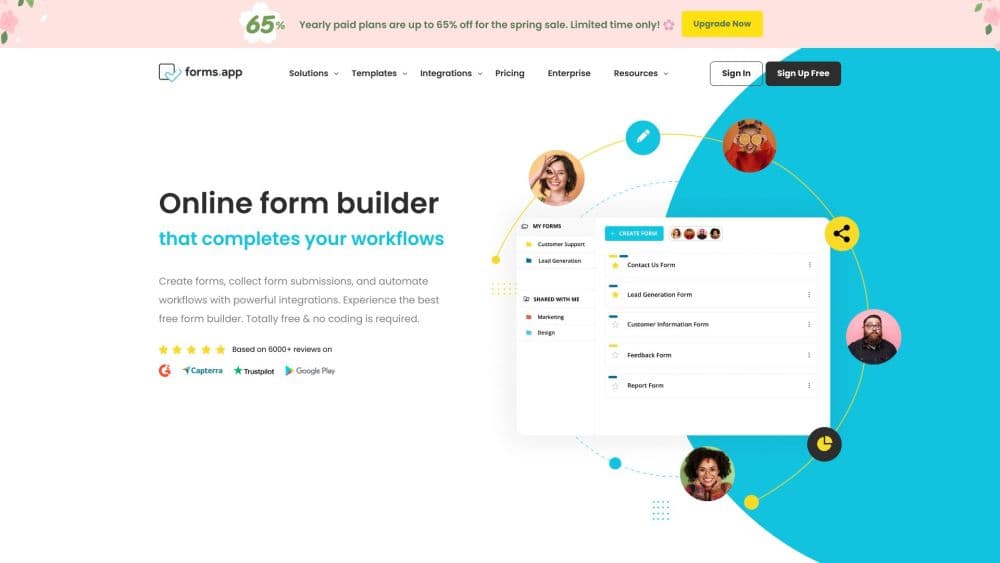
About forms.app: Unlimited Responses
What Is forms.app
forms.app is a web-based form builder and survey maker built for teams that collect data often. You get unlimited responses, unlimited views, and unlimited team members on the free plan, which is unusual for a paid product category where most rivals meter submissions. The pitch is simple: build a form, share it, and keep every answer without counting them.
The tool leans on AI to cut setup time. The AI form creator drafts a whole form from a plain-language description, a question paraphraser offers alternative ways to ask the same thing, and an answer option generator fills in multiple-choice choices. After responses land, AI insights and response summaries help you read the data without exporting it.
The main limits sit around storage and advanced routing, not volume. Free accounts get 10 MB of file storage and up to 5 forms, so anyone storing large uploads or running many parallel projects will hit paid tiers sooner than the response limits suggest.
Getting Started
- Sign up for free with Google, Microsoft, or an email address. No credit card is required on the free plan.
- Start from a blank canvas or pick one of the 5,000+ pre-built form templates, then drag fields into place.
- Configure conditional logic, payments, or e-signatures if the form needs them.
- Share the form through a link, embed it on a site, or connect it to a tool like Google Sheets or Slack.
- Track responses in the dashboard in real time and use AI insights to spot patterns.
Product Information
A quick look at forms.app: Unlimited Responses's pricing, supported platforms, and performance.
Best for
The users, tasks, and scenarios where this tool fits best.
Users
- Small teams and startups
- Market researchers
- Small online sellers who need payment collection without a separate checkout, provided they stay within the file storage limits of their plan.
Tasks
- Running customer feedback surveys
- Collecting event RSVPs and registrations
- Selling products or services directly
Scenarios
- Gathering client briefs on a recurring basis
- Early project research where you do not yet know how many people will respond
- Launching a lead-capture form for a campaign
Key features
AI form creator
Describe the form you want in plain language and forms.app drafts the questions, field types, and layout for you. It targets the slow part of form building, which is deciding what to ask and how to phrase it. You still edit the result, but you start from a near-finished draft instead of a blank page.
Unlimited responses on the free plan
The free tier does not cap the number of submissions, views, or team members. This matters most when a form suddenly gets more traffic than expected, like a survey that spreads on social media. You do not lose data or get blocked at a threshold.
Drag and drop builder with 30+ field types
Build a form field by field by dragging elements from a menu onto the canvas. The 30+ types cover text, ratings, file uploads, product listings, and signatures, so most data collection needs fit without a custom setup. Forms stay mobile-responsive, which means respondents can fill them on any device.
Conditional logic and multiple pages
Show or hide questions based on earlier answers, and break long forms into pages. Logic keeps forms short for people who only need part of it, while page breaks stop lengthy forms from feeling overwhelming. Both are available without writing code.
Payments, product listings, and e-signatures
Turn a form into a checkout with a product listing field and payments through Stripe or PayPal. E-signatures add legally binding signing, and signed forms export as PDFs. It lets a single form handle signup, payment, and confirmation in one pass.
500+ integrations and webhooks
Connect forms to Google Sheets, Slack, HubSpot, Mailchimp, Zapier, and hundreds of other tools. Every new response can trigger an automated workflow instead of a manual copy-paste. Webhooks cover the custom cases that ready-made integrations miss.
Pros and cons
Pros
- Unlimited responses and unlimited team members on the free plan remove the submission caps that push most users to upgrade elsewhere.
- AI form creator, question paraphraser, and answer option generator shorten the setup process for non-specialists.
- 30+ field types plus payments and e-signatures cover surveys, registrations, and sales in one tool.
- 500+ integrations and webhooks slot forms into existing tools like Google Sheets and Slack.
Cons
- The free plan caps file storage at 10 MB and forms at 5, so uploads and large form portfolios push you toward paid tiers quickly.
- API availability is not clearly documented, which is a problem if you plan to build custom integrations instead of using the ready-made ones.
- Drop-off analysis and partial responses sit behind the Pro and Premium plans, so free users cannot see where respondents quit.
Frequently asked questions
forms.app is an online form builder for creating surveys, quizzes, registration forms, and payment forms. You build a form in the browser, share it by link or embed, and collect the responses in one dashboard.
Related content
Explore related tools, skills, and articles for forms.app: Unlimited Responses.
forms.app: Unlimited Responses Alternatives

Base Code
Base44 (Wix) · Coding · ProductivityBase Code is a shared cloud development environment from Base44. Teammates describe changes to an existing GitHub codebase in chat, preview them live and send them back as pull requests.

Google EmbeddingGemma 2
Google DeepMind · Writing · Image · CodingGoogle EmbeddingGemma 2 is a 740M-parameter open model that turns text, code, images, audio, and video frames into vectors in one 768-dimension space, running on phones and laptops.

GitGlow
GitGlow · Coding · ProductivityGitGlow is a local-first desktop Git client that lets independent developers review their own code and their AI agents' changes in one place before shipping.