

Free Music Creator AI
FreeMusicCreator.ai · Writing · Voice & Language
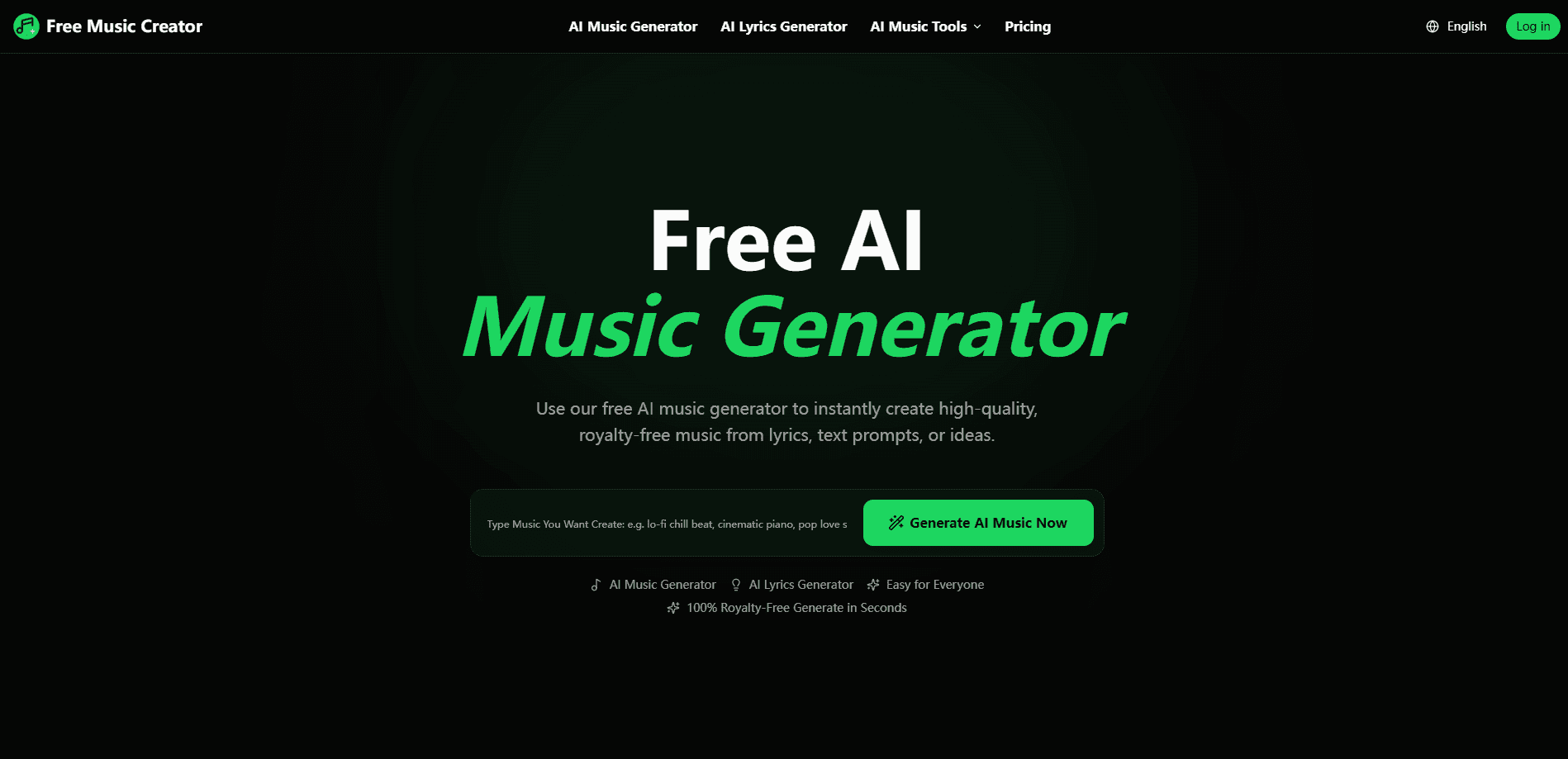
Free Music Creator AI is a browser-based AI music generator. It turns text prompts, lyrics, and mood notes into full royalty-free tracks in seconds. Call it text to music without the studio. It pairs an AI song generator and an AI lyrics generator with editing tools like vocal removal, stem splitting, and mastering, so you can go from a rough idea to a downloadable song without opening a DAW. The freemium model gives everyone a free entry point, while paid plans add commercial rights and higher monthly limits.
About Free Music Creator AI
What Is Free Music Creator AI
Free Music Creator AI is an online studio for making original music from plain language. Type what you want, pick a style, or paste lyrics, and the AI song generator produces a finished track you can preview, tweak, and download. Around that core sits a small toolkit for the jobs that usually follow: an AI lyrics generator, an AI voice remover for karaoke and remixes, an AI stem splitter that pulls vocals, drums, bass, and piano apart, plus tempo, MIDI, and metadata tools.
The main problem it solves is speed. Hiring a composer is expensive. Learning a DAW takes months. This tool trades all of that for a prompt box, which is why YouTubers, TikTok creators, podcasters, and indie game teams use it for background music and original theme songs. According to the site, more than 6,000 creators have made over 122,000 songs, and the style list runs past 50 genres.
The limits matter as much as the features. The free plan is personal use only and caps you at 2 songs and 1 generation a month, so it's really a test drive. Commercial rights only come with paid plans. And if the AI misreads your prompt, you'll spend a few tries dialing it in. Anyone planning to monetize a video should budget for a paid tier from the start.
Getting Started
- Create a free account on freemusiccreator.ai. No software install is needed since everything runs in the browser.
- Describe your track: type a text prompt, upload or write lyrics with the AI lyrics generator, or pick a style and mood.
- Hit generate and let the AI song generator build a full track, then listen to the preview.
- Refine the result by rewriting your prompt or adjusting the style until it fits your project.
- Download the track according to your plan, or run it through the vocal remover and stem splitter if you need separated parts.
Product Information
A quick look at Free Music Creator AI's pricing, supported platforms, and performance.
Best for
The users, tasks, and scenarios where this tool fits best.
Users
- YouTube and TikTok creators
- Podcasters
- Indie game and app developers
- Karaoke and remix fans
- Beginners with no music training
Tasks
- Writing editable lyrics
- Removing vocals from a song
- Splitting stems for remixing
- Producing quick demo ideas
- Adding tempo, MIDI, and metadata edits
Scenarios
- Finishing a video the night before it goes live
- Building a channel's sonic identity
- Practicing an instrument over a stripped backing track
- Mocking up a game or app scene
Key features
AI Music Generator
This is the core tool. You describe the track you want in text, and it returns an original, royalty-free song, instrumental, or background piece. It handles vocals and instrumentals, so the same engine covers a sung theme song and a low-key background bed. Generation is fast enough to test several directions in one sitting.
AI Lyrics Generator
Feed it a title, a mood, a style, or a rough idea and it drafts editable lyrics you can rewrite to taste. You can set the language and song structure, which helps if you're building verses and choruses rather than a single block of text. It's a starting point, not a finished lyric sheet, but it kills the blank-page problem.
AI Voice Remover
Upload a song and it separates the vocals from the instrumental, giving you a usable karaoke track or a cleaner bed for your own vocal. It works online in the browser, so there's nothing to install. The quality depends on how the original was mixed. For practice and casual remixes, it's more than enough.
AI Stem Splitter
The stem splitter goes further than two-way separation and isolates vocals, drums, bass, piano, and other instruments as individual audio stems. That's what makes remixing and sampling practical. Keep the drums. Swap the bass. Pull a piano line into a new arrangement. It's the feature that turns the tool from a generator into a small editing suite.
Tempo, MIDI, and Metadata Tools
Beyond making sound, the platform lets you adjust tempo and work with MIDI and track metadata. These are the unglamorous parts of finishing a track, and having them in the same place saves exporting into another app. Paid plans include the advanced versions of these tools.
Download and Licensing Controls
Every plan can download tracks, and paid tiers add a commercial license so you can publish on YouTube, Spotify, TikTok, and client videos. The free plan is capped at limited downloads and personal use only. If your goal is to earn from a track, the license is the line that matters most. What do you get on the free plan? Just a taste, and that's by design.
Pros and cons
Pros
- Runs entirely in a browser, so you can make music from any machine without installing a DAW.
- The AI song generator, lyrics generator, vocal remover, and stem splitter live in one place. That covers the whole idea-to-export flow.
- A free plan lets you test the output quality before paying anything.
- Paid plans include a commercial license, which removes the licensing guesswork for monetized videos.
- Credit bundles are one-time purchases that never expire and work on every plan, including Free.
Cons
- The free plan is a trial at heart: 2 songs and 1 generation per month is too little for regular use.
- Commercial rights are locked behind paid plans, so free users can't monetize what they make.
- Output is prompt-driven, so getting a specific sound can take several tries and a bit of patience with rewording.
Frequently asked questions
Full songs, instrumentals, background music, and editable lyrics, plus karaoke tracks and separated audio stems. The output is royalty-free when generated under a plan that includes a commercial license.
Related content
Explore related tools, skills, and articles for Free Music Creator AI.
Free Music Creator AI Alternatives

Google EmbeddingGemma 2
Google DeepMind · Writing · Image · CodingGoogle EmbeddingGemma 2 is a 740M-parameter open model that turns text, code, images, audio, and video frames into vectors in one 768-dimension space, running on phones and laptops.

MePersona
MePersona, Inc. · Writing · Productivity · MarketingMePersona is an AI unified inbox for creators. It learns your voice, drafts replies to fan messages from 12 platforms, and sends only what you approve.

Fluence
Yay Software (Yannick Huchard) · Writing · Voice & Language · ProductivityFluence is an Android app that reads PDFs, EPUBs, Word files and web articles aloud, follows each sentence as it speaks, and answers questions about the text on the phone itself.