
Free TikTok Voice Generator
Independent web tool · Voice & Language
Free TikTok Voice Generator is a browser tool that turns typed text into the trending TikTok AI voices, from Jessie to Ghostface. It runs free with no signup and exports audio as MP3.
About Free TikTok Voice Generator
What Is Free TikTok Voice Generator
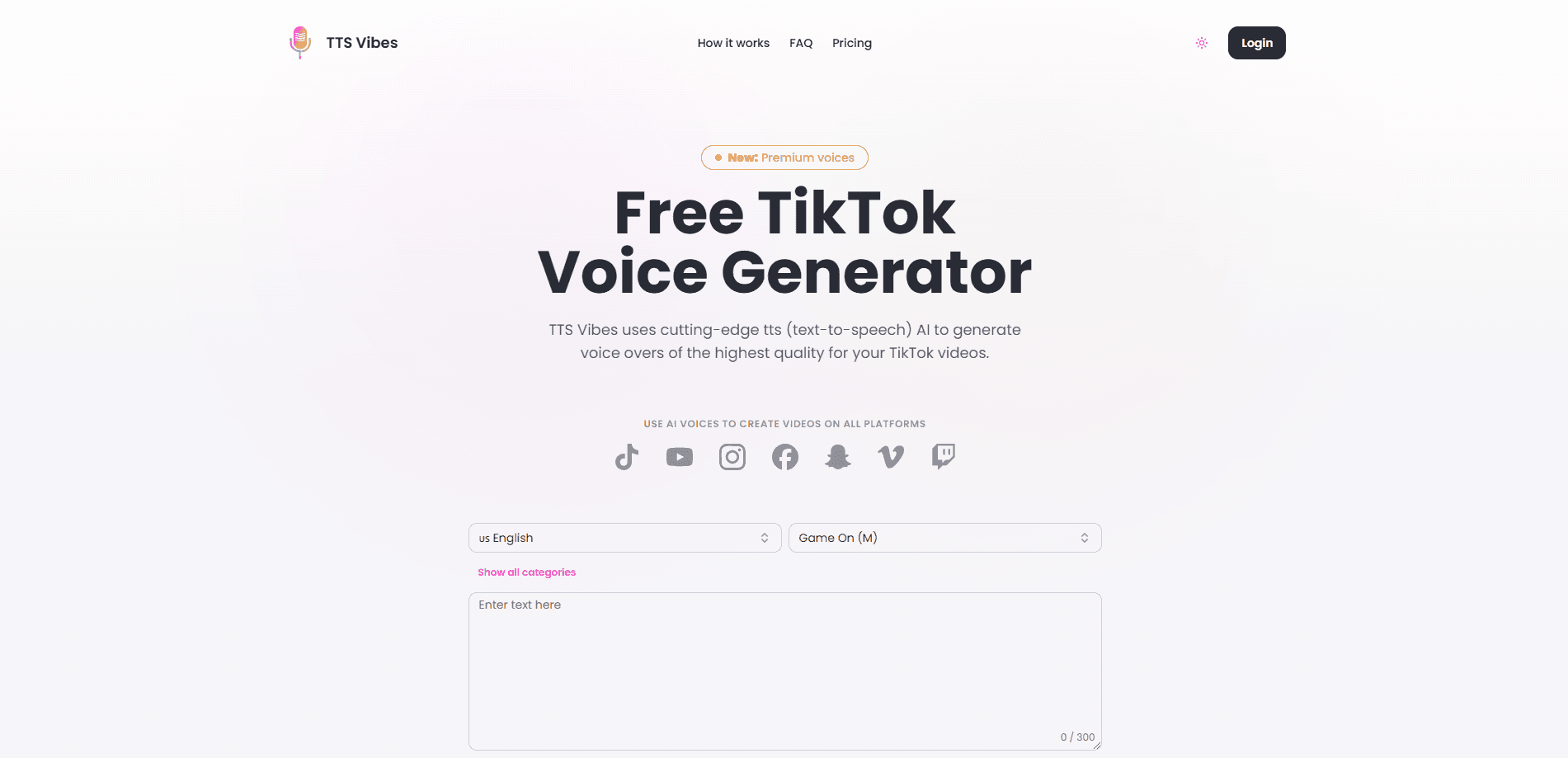
Free TikTok Voice Generator is an online text to speech tool built for people who post on TikTok. You paste a script, pick one of the voices that show up in viral videos, and the site returns an audio file you can drop straight into your edit. The whole thing runs in the browser, so you don't install anything and you don't create an account.
The tool solves a small but constant problem for short video creators. The voices people copy again and again, like the female narrator or the robotic Ghostface, aren't easy to reproduce by hand. A TikTok voice generator handles that for you by running the text through the same TikTok AI voice engine the platform uses, then handing back a clean clip. If you have ever wanted your narration to sound like a trending sound rather than your own mic, that is the job this tool does.
There are limits worth knowing before you start. These free tools usually cap how much text one generation accepts, so a full episode script has to be broken into chunks. The audio also leans on TikTok's own engine, which means the voice list changes when TikTok changes it, and quality stays in the serviceable range rather than studio grade.
Getting Started
- Open the site in any browser. No account is required, so you land straight on the tool.
- Paste or type your script into the text box, then keep it under the character limit the page shows.
- Pick a voice from the list, including character voices like Jessie, C3PO or Ghostface, and choose your language.
- Hit generate, wait a few seconds, then preview the clip and download it as an MP3 for your TikTok video.
Product Information
A quick look at Free TikTok Voice Generator's pricing, supported platforms, and performance.
Best for
The users, tasks, and scenarios where this tool fits best.
Users
- TikTok creators
- Faceless channel owners
- Meme and reaction posters
- Casual editors
Tasks
- Voiceover for a short clip
- Character impressions
- Multilingual scripts
- Quick revisions
- Drafting a sound concept
Scenarios
- You have a script ready and want a voiceover in under a minute
- Your own mic sounds flat on phone recordings
- You post in more than one language
- You are riding a trend
- You edit on your phone
Key features
Trending TikTok Voices in One Place
The tool gathers the voices that keep appearing in viral videos and puts them behind one text box. You get the classic female narrator, the deep Ghostface tone, the C3PO style line and a batch of character voices drawn from the same TikTok TTS set viewers already know. You can preview each one before you download. For creators who chase formats rather than original audio, that shared voice list is the main draw.
Free Text to Speech With No Signup
You don't hand over an email or sit through a paywall to use it. Open the page, type your line and generate. That matters when you only need a single sentence for a draft, because signing up for a full subscription tool to produce one clip is more setup than the job deserves.
Text to MP3 Download
Every generation ends in a downloadable audio file rather than a link you can only play in the browser. Saving as MP3 means the clip drops into CapCut, TikTok's own editor or any other app that takes imported audio, so the tool fits whatever workflow you already use instead of locking you into one.
Character, Narrator and Accent Options
The voice list goes past plain narration. You can reach for comedic character reads, robotic styles and different accents, which lets one clip switch between a serious narrator and a joke voice without a second app. If a format calls for a specific familiar sound, you can usually find something close here.
Multilingual Generation
The engine accepts text in multiple languages and returns audio in the language you write. A creator running the same format for different regions can keep the voice style steady while the script changes, which saves re-recording and keeps a channel's sound consistent across posts.
Works in the Browser on Any Device
There is nothing to install. The generator runs on desktop and on a phone browser, so you can make a voice line on the same device you edit with. For creators who work mostly from a phone, skipping the desktop step removes a real barrier between an idea and a finished clip.
Pros and cons
Pros
- Free to use with no account, no email and no paywall step
- Produces the recognizable TikTok character voices in seconds
- Downloads as MP3, so it imports into CapCut and other editors
- Runs in any browser, on desktop and mobile alike
- Multilingual output keeps one voice style across region versions
Cons
- Character limits mean long scripts must be split into chunks
- The voice list follows TikTok's engine, so options can change without warning
- Audio quality is fine for short video but not a match for paid studio tools
- No API or bulk export, so it suits single clips rather than batch production
Frequently asked questions
It's a browser tool that converts typed text into the trending TikTok AI voices. You paste a script, choose a voice such as Jessie or Ghostface, and the site returns an audio file you can download and drop into your TikTok video.
Related content
Explore related tools, skills, and articles for Free TikTok Voice Generator.
Free TikTok Voice Generator Alternatives

Off the Record
Weird Machines · Voice & Language · ProductivityOff the Record is a macOS app from Weird Machines that reshapes your voice in real time to block AI transcription, so people hear you normally and notetakers get nothing usable.
Cekura Bench
Cekura · Voice & Language · BusinessCekura Bench is a public benchmark that runs speech-to-speech models and deployed voice agents through 82 simulated phone calls, three times each, then publishes pass rates, latency and cost.
Griffin by Tavus
Tavus · Voice & Language · Video · ChatbotGriffin by Tavus is the first Human Interaction Model: a full-duplex, video-to-video system that watches, listens, and answers during a live video call in real time.