

Friday: AI E-mail Assistant
Plink · Writing
Friday is an AI email assistant that drafts, proofreads, and rewrites your messages with personalized GPT-4 suggestions on web and Android.
About Friday: AI E-mail Assistant
What Is Friday: AI E-mail Assistant
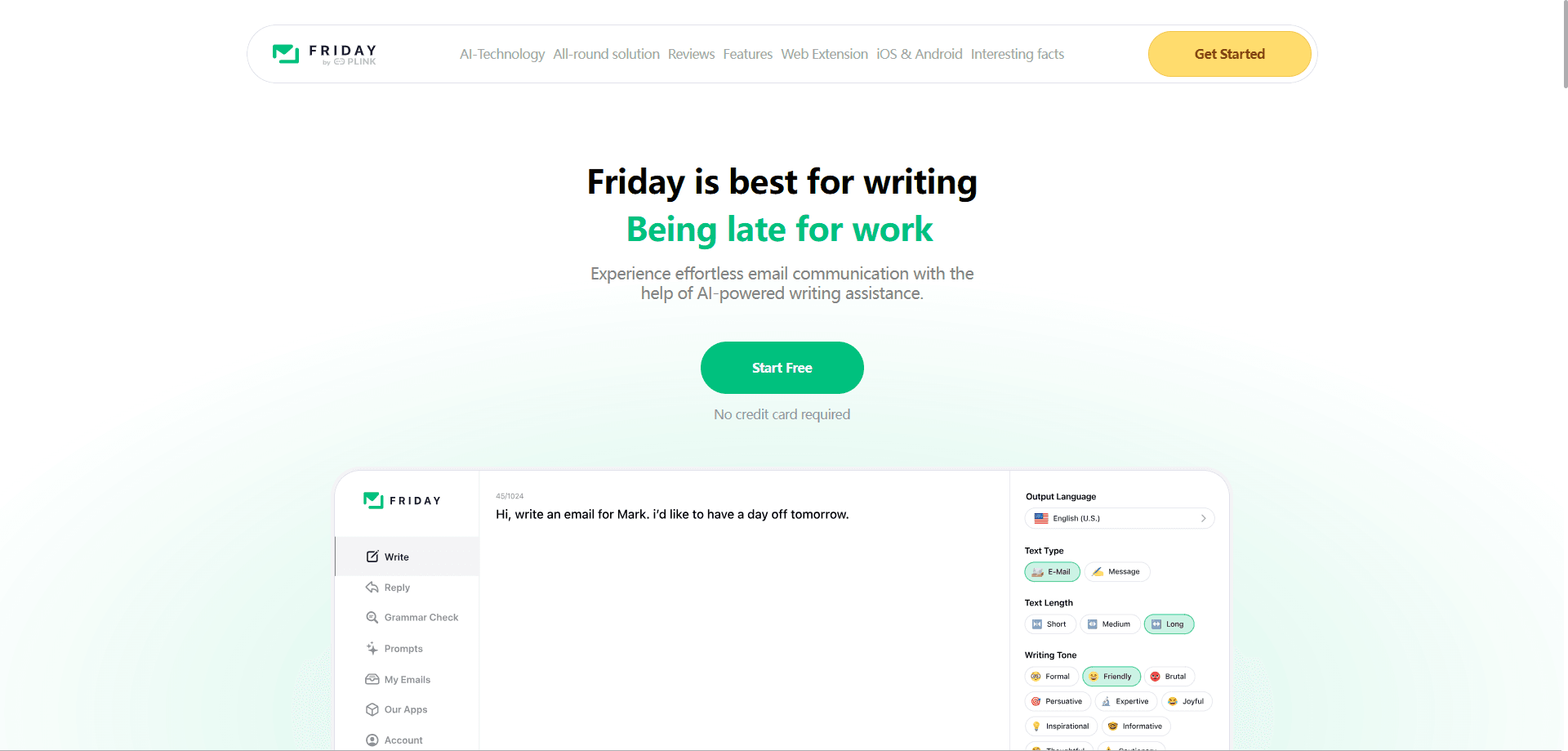
Friday is an AI email assistant built for people who write a lot of messages and hate staring at a blank reply box. You describe what you want to say, and it produces a draft you can send or edit, in the tone you pick. The whole point is getting from "I need to reply to this" to "sent" without wrestling with phrasing.
The tool leans on GPT-4 to do the heavy lifting. It suggests openings, tightens rambling sentences, and fixes grammar while you type. That's useful if English isn't your first language, or if you want a second pair of eyes before you hit send on an email to your boss. Drafting an important message at midnight and sending it half-awake is a great way to regret something, and Friday cuts down that risk considerably.
It isn't a full inbox manager. It won't triage a thousand unread threads, and it won't auto-reply on your behalf while you're away. Friday helps you write and polish messages instead. Treat it as a writing copilot sitting next to your compose window.
Friday runs as a browser tool and an Android app, so you can draft on your phone between meetings and finish on your laptop. The Android app is on Google Play, which makes it easy to test before committing.
Getting Started
- Open friday-email.ai in your browser or install the Friday app from Google Play.
- Sign up and connect the account you want to write from.
- Type a short prompt describing the email, or paste the message you're replying to.
- Pick a tone, then let Friday generate or refine the draft.
- Review the result, make your edits, and export or copy it into your email client.
Product Information
A quick look at Friday: AI E-mail Assistant's pricing, supported platforms, and performance.
Best for
The users, tasks, and scenarios where this tool fits best.
Users
- Non-native English speakers
- Busy professionals
- Freelancers and sales reps
Tasks
- Drafting a reply to a long thread
- Proofreading before sending
- Rewriting tone
Scenarios
- Clearing a backlog of client emails on a Friday afternoon
- Replying to an important message from your phone
- Writing follow-ups in a language you're still learning
Key features
AI Email Writer
Friday works as an AI email writer that turns a one-line prompt into a full message. Describe the email and it produces a subject line and body you can send or edit. That's the blank-page problem solved, which is where most people lose the most time. Describe the email in a sentence and Friday writes a full draft with a subject line and body. It's aimed at the blank-page problem, which is where most people lose the most time. You get a starting point instantly instead of a cursor and a deadline.
Grammar Checker and Proofreading
The assistant doubles as a grammar checker, scanning spelling, punctuation, and sentence structure as it works. Email proofreading like this matters most for people writing in a second language or under time pressure. One typo can undercut an otherwise solid email. Friday catches it before you hit send.
Personalized Suggestions
Friday acts as an AI email composer that adapts to how you write and who you're writing to. The drafts pick up on the context you give it instead of serving generic template text. A note to your team shouldn't read like a note to a client. It doesn't.
Tone Controls
You can steer the draft toward formal, friendly, or direct. Blunt, warm, precise. Rewriting a message to land better with a specific reader takes one pass instead of a full manual overhaul, and the difference between a request that gets answered and one that gets ignored often comes down to tone alone.
Web and Android Access
Friday works in the browser and as an Android app on Google Play. You can draft on your phone during a commute, then finish and polish the same message on a bigger screen when you're back at your desk, which is far more convenient than being chained to one device for every reply.
Powered by GPT-4
The drafting and rewriting run on GPT-4, which is why the output usually reads naturally rather than stiffly. According to the developer, the model handles the wording so you can focus on what you actually want to say. That's the whole promise of an AI email assistant, and it holds up in the drafts.
Pros and cons
Pros
- Lets you write emails faster by turning a slow blank page into a draft you can edit in seconds.
- Grammar and proofreading catch slips that basic spellcheck misses.
- Tone controls make it easy to match a message to the reader.
- Free entry point and an Android app mean you can test it with little risk.
Cons
- It helps you write, it doesn't manage your inbox, so it won't triage or auto-reply for you.
- Suggestions can sound a touch formal; an unedited draft can lose your voice, which regular contacts may notice.
- I couldn't confirm the current pricing tiers from the official site during this write-up, so verify before you upgrade.
Frequently asked questions
Friday is an AI email assistant that writes, proofreads, and rewrites emails for you using GPT-4. You give it a prompt or paste a message to reply to, and it returns a draft you can edit and send. It's built for anyone who writes a lot of email and wants to cut the time per message.
Related content
Explore related tools, skills, and articles for Friday: AI E-mail Assistant.
Friday: AI E-mail Assistant Alternatives

Google EmbeddingGemma 2
Google DeepMind · Writing · Image · CodingGoogle EmbeddingGemma 2 is a 740M-parameter open model that turns text, code, images, audio, and video frames into vectors in one 768-dimension space, running on phones and laptops.

MePersona
MePersona, Inc. · Writing · Productivity · MarketingMePersona is an AI unified inbox for creators. It learns your voice, drafts replies to fan messages from 12 platforms, and sends only what you approve.

Fluence
Yay Software (Yannick Huchard) · Writing · Voice & Language · ProductivityFluence is an Android app that reads PDFs, EPUBs, Word files and web articles aloud, follows each sentence as it speaks, and answers questions about the text on the phone itself.