

Fuser
Fuser · Other
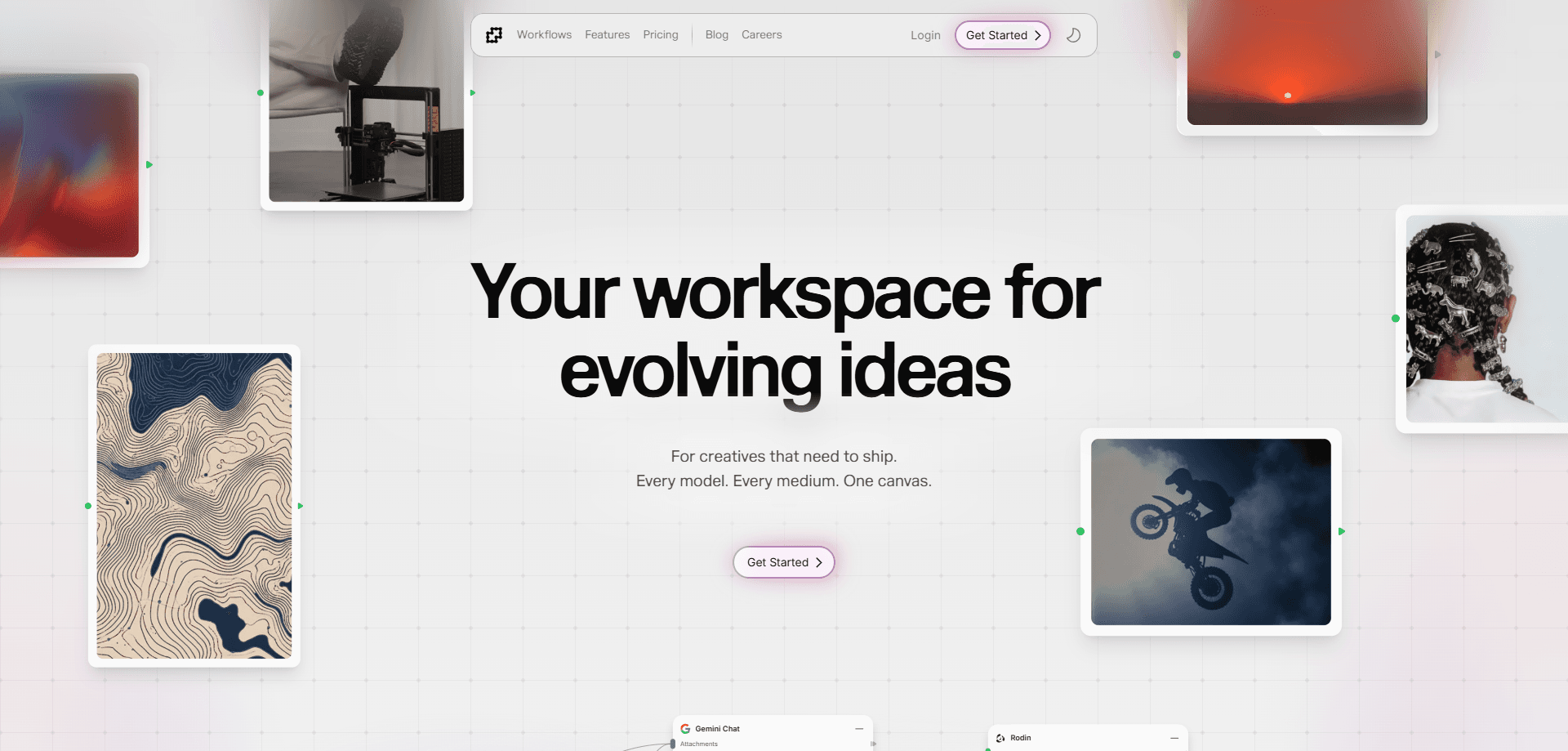
Fuser is an AI creative workspace that pulls hundreds of generative models onto a single node-based canvas. Instead of juggling a dozen subscriptions and copy-pasting between them, you wire models together, save the setup as a reusable recipe, and ship images, video, audio, or 3D from one project. It's built for designers, filmmakers, and small teams who need to iterate fast and keep the process visible. Think of it less as a generator and more as a workbench for the models you already trust. One project, many models.
About Fuser
What Is Fuser
Fuser is a multi-model AI platform, an AI workflow tool with a simple idea behind it: your creative process shouldn't be scattered across ten browser tabs. The canvas is a node-based editor, which means each model, asset, and tool is a block you can connect to others. Feed an image into a video model, run the result through an upscaler, then layer it with text and vectors in the compositor. The chain stays intact. Change one step and re-run the rest.
The model lineup is the real draw. Fuser taps providers like OpenAI, Anthropic, Runway, Kling, Luma, Ideogram, and Stability, spanning image, video, audio, and language models in one library. There's an AI image and video generator behind nearly every node. According to Fuser, its research team tests every model on the market so you don't have to. That breadth matters if you want to compare outputs from two video models without switching accounts.
The limits are worth knowing up front. It's a web-based tool aimed at people who already think in workflows, so the node editor has a learning curve if you've never touched one. Pricing runs on credits rather than flat monthly caps, which rewards lighter months but can surprise you on heavy generation days. And there's no mobile app. Desktop browser only. Fair enough for a workbench, less so if you like to work on the move.
Getting Started
- Go to fuser.studio and start the free 30-day trial of the Professional plan, which comes with 500 credits to begin and 500 more every 30 days.
- Pick a starting point: open a blank canvas or clone a public recipe from the community.
- Drag models, assets, and tools onto the canvas and connect them into a chain, or prompt the whole thing at once.
- Adjust the settings for each node and run the workflow to generate your output.
- Save the chain as a recipe so your team can reuse it, then export or share the finished asset.
Product Information
A quick look at Fuser's pricing, supported platforms, and performance.
Best for
The users, tasks, and scenarios where this tool fits best.
Users
- Designers
- Filmmakers and video editors
- Small creative teams
Tasks
- Building a reusable AI workflow
- Comparing model output
- Multi-medium production
Scenarios
- Turning a concept sketch into a finished visual for a client pitch.
- Producing short social clips where several models feed into one timeline.
- Prototyping a custom creative app by wiring canvas elements into a live interface.
Key features
Node-Based Canvas
Every model, asset, and tool on Fuser is a block you connect on a shared canvas. That setup lets you trace exactly how an image became a video and adjust any step without starting over. No guesswork about where a result came from. If you think in pipelines rather than single prompts, this is the structure that makes the platform click.
300+ Models in One Library
Fuser gathers image, video, audio, and language models from providers like OpenAI, Anthropic, Runway, Kling, Luma, and Stability. The point is choice without the account juggling. Can you compare how two video models read the same prompt? Yes. You keep whichever fits the shot.
Recipes for Reusable Workflows
A recipe saves a finished chain so you or your team can run it again on new inputs. Build once. Reuse forever. Fuser puts exploration at the center here, so you build a workflow once and iterate on it instead of rebuilding each time. This is what keeps a multi-model process from becoming a mess.
Applications Builder
Fuser lets you assemble the elements from your canvas into a working app, prompt and edit it, and publish it live in a click. It's a way to turn a personal workflow into something a teammate or client can use directly. Ship it. The finished app keeps the models and logic you already tuned.
Compositor
The compositor layers images, video, text, vectors, and 3D objects in one place. That means the last step of a project doesn't force an export into a separate editor. No round-trip. You finish where you started, with the model outputs still connected to their sources.
Credits That Roll Over
Credits carry month to month, and you can pause, switch tiers, or skip a month without losing them. Fuser also prices per generation rather than per model, so you pay for 4K only when you need it. Slow month? Nothing wasted. For teams with uneven workloads, that flexibility is the main reason to stay.
Pros and cons
Pros
- One canvas for image, video, audio, and 3D models removes app-switching between providers.
- Access to 300+ models, including major video and image names, without separate subscriptions.
- Recipes make multi-step AI workflows repeatable, which saves real time on recurring work.
- Credits roll over and plans pause, so slow months don't burn unused spend.
Cons
- No mobile app, so everything runs in a desktop browser.
- The node-based editor assumes some workflow literacy and takes time to learn.
- Credit-based pricing means heavy generation days can cost more than a flat cap would.
- Enterprise needs (unlimited credits, custom contracts) require a sales conversation, not a self-serve upgrade.
Frequently asked questions
Fuser is an AI creative workspace for producing images, video, audio, and 3D from multiple models on one canvas. It suits people who want to chain several AI models into a repeatable workflow rather than run them one at a time.
Related content
Explore related tools, skills, and articles for Fuser.
Fuser Alternatives
BinkBink
BinkBink · OtherBinkBink is a free online game platform and AI game maker that lets anyone turn a short text description into a playable browser game. You can jump into hundreds of community-made games. Or describe your own idea and play it in seconds, then share it with friends. Want to create your own game? You don't need to code. No engine setup, no download, no hassle.

Audiogen
Audiogen Inc. · OtherAudiogen is an AI music generator built by Audiogen Inc., a small research team that spent about 2.5 years training its own generative music model and designing a web interface around it. Instead of a plain text box, this AI music tool turns the timeline into a beginner-friendly Generative Audio Workstation, or GAW, where inpainting, extending, remixing and stem editing work more like painting on a canvas. The product is still in beta, so access runs through a waitlist or an invite. Paid plans aren't published yet.

Aiml API
AIMLAPI OÜ · OtherAiml API is a unified AI model API that puts more than 1000 models from OpenAI, Google, Anthropic, and others behind one endpoint and one bill. You write code against a single OpenAI-compatible schema, then switch between chat, image, video, and audio models by changing a model string. It suits developers and small teams who want multi-model access without juggling a dozen separate provider accounts, and it removes the usual billing headache that comes with testing several vendors. One key covers it all.