

Fusion
Fusion (FusionOS.ai) · Marketing
Fusion is an AI advertising platform that scans your website, drafts campaign copy and produces ad creatives in every size you need for social, search and email.
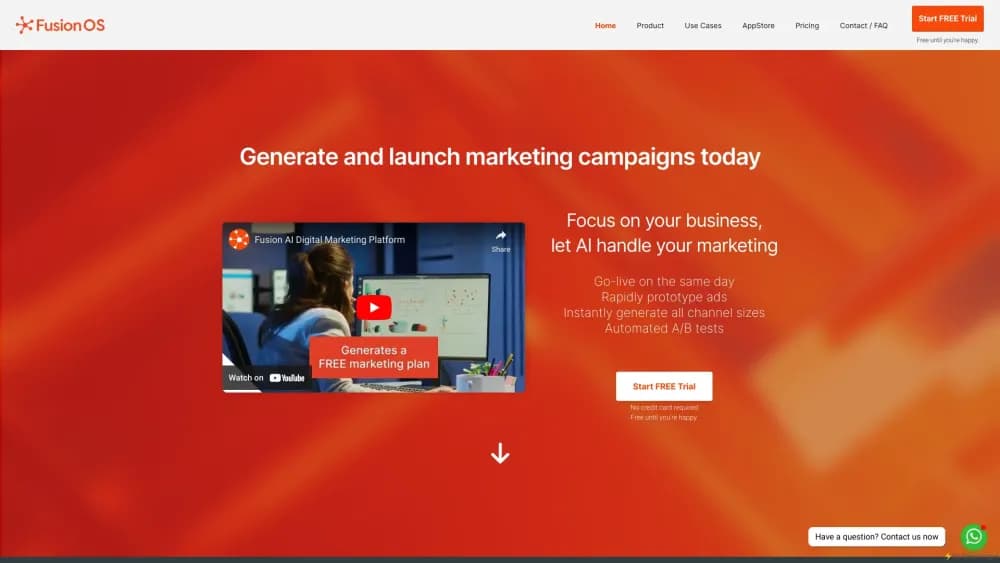
About Fusion
What Is Fusion
Fusion, also listed as FusionOS.ai or FusionAds.ai, is generative advertising software for teams that need campaign material without a design queue. You give it a website address or a product shot, and it returns ad copy plus finished visuals for the channels you pick. The pitch is speed: a first draft of a full campaign in minutes instead of a week of back and forth.
The tool is built around one-click omni-content generation. From a single brief it writes social posts, paid search headlines, email copy and SMS text, then renders the matching images at the sizes each platform expects. Automated A/B testing runs variants against each other, and shared workspaces let a client or a teammate comment on a draft before anything goes live.
There are limits worth knowing before you commit. Fusion doesn't publish a price list, so you have to request a quote, and there's no permanent free tier, only a trial. The fusionos.ai address now redirects to the company's agency site, which means the self-serve product is no longer presented as a standalone app on the open web. Treat the platform as something to evaluate with the vendor directly.
Getting Started
- Open the Fusion site and request access or start the free trial, then confirm your business email.
- Paste your website URL, or upload product photos and a logo, so the AI has brand material to work from.
- Pick the channels you need, such as Facebook feed, Instagram story, Google search, email or SMS, and describe the offer in plain language.
- Review the generated copy and creatives, edit text directly in the layered files, then export or push the approved versions to your connected accounts.
Product Information
A quick look at Fusion's pricing, supported platforms, and performance.
Best for
The users, tasks, and scenarios where this tool fits best.
Users
- Small business owners
- Agency account teams
- Startup founders
- Solo social media managers
Tasks
- Launching a product across several channels
- Resizing a winning ad
- Writing variant headlines for A/B testing
- Producing client-ready mockups
Scenarios
- A local retailer with no in-house designer needs seasonal promo ads by Friday
- An agency pitching a new account
- A founder testing a new offer
Key features
Website Scan to Campaign Draft
Fusion reads a URL and pulls colors, product imagery and page copy into a starting brief. That saves the setup step where most ad tools ask you to build a brand kit by hand. The result is a usable first draft rather than a blank canvas, and you refine from there.
One-Click Omni-Content Generation
A single action produces copy for social posts, paid ads, email and SMS at the same time. Each channel gets its own length and tone constraints instead of one block of text pasted everywhere. For a small team, that removes the most repetitive part of a launch.
Multi-Format Ad Creative Generation
The AI ad generator renders Facebook feed ads, Instagram story ads, Google Ads, Twitter ads and ecommerce banners at their native sizes. You don't export one image and stretch it. High-resolution output means the same asset can run on a phone screen or a display placement.
Editable PSD Ads With Layered Files
Each download is one of the editable PSD ads, delivered as an Adobe Photoshop file with separate text, product and background layers rather than flat JPEGs. A designer can restyle a headline or drop in a new product photo without rebuilding the layout. This is the feature that separates Fusion from simple text-to-image ad tools.
Automated A/B Testing
Fusion creates multiple variants of an ad and rotates them so you can see which angle performs better. Marketers who would otherwise set up tests by hand get the comparison without extra spreadsheet work. Results feed back into the next round of generation.
Client and Team Collaboration
Shared workspaces let teammates and clients comment on a specific creative, approve it, or ask for a change in the same thread. Agency workflows that usually run through email attachments stay inside one tool. Approval history also makes it easier to show what was signed off and when.
Marketing Tool Integrations
Fusion connects to ad accounts, email platforms and analytics dashboards so approved assets can move without manual downloads. The integration layer is what turns a marketing copy generator into something closer to a campaign system. Setup takes an afternoon of account permissions, not a developer.
Pros and cons
Pros
- A workable campaign draft comes from a URL, not a blank brief, which cuts the slowest part of production.
- Layered PSD exports mean designers can keep editing instead of starting over, and ad creative automation still leaves room for a final human polish.
- Copy and creative come from the same brief, so headlines and visuals usually match.
- Automated A/B testing produces variants without manual setup, useful for small teams.
Cons
- No public price list. You can't compare cost against alternatives until you talk to sales, which slows procurement.
- No permanent free plan. The trial is the only way to test output quality before paying.
- Generated copy tends toward generic marketing phrasing, so brand voice still needs a human pass.
- The fusionos.ai domain now redirects to the company's agency site, so confirm product access and roadmap directly with the vendor.
Frequently asked questions
Fusion generates ad campaigns from a website scan or a product brief. It writes channel-specific copy, renders creatives at platform sizes, and exports editable files for review. The output is a starting draft for a marketer or designer, not a fully autonomous ad buyer.
Related content
Explore related tools, skills, and articles for Fusion.
Fusion Alternatives

ngram 2.0
ngram · Video · Marketingngram 2.0 is an AI video generator for teams. It turns a prompt, a screen recording, or a product URL into a narrated explainer, product demo, or AI avatar video, and every scene stays editable.

shippedit.me
Krawlup · Marketing · Businessshippedit.me now redirects to Krawlup, a web platform that audits SEO, AEO and page speed every week, then hands the fixes to AI coding agents over MCP.

MePersona
MePersona, Inc. · Writing · Productivity · MarketingMePersona is an AI unified inbox for creators. It learns your voice, drafts replies to fan messages from 12 platforms, and sends only what you approve.