

G.I.A.ac
G.I.A.ac · Coding
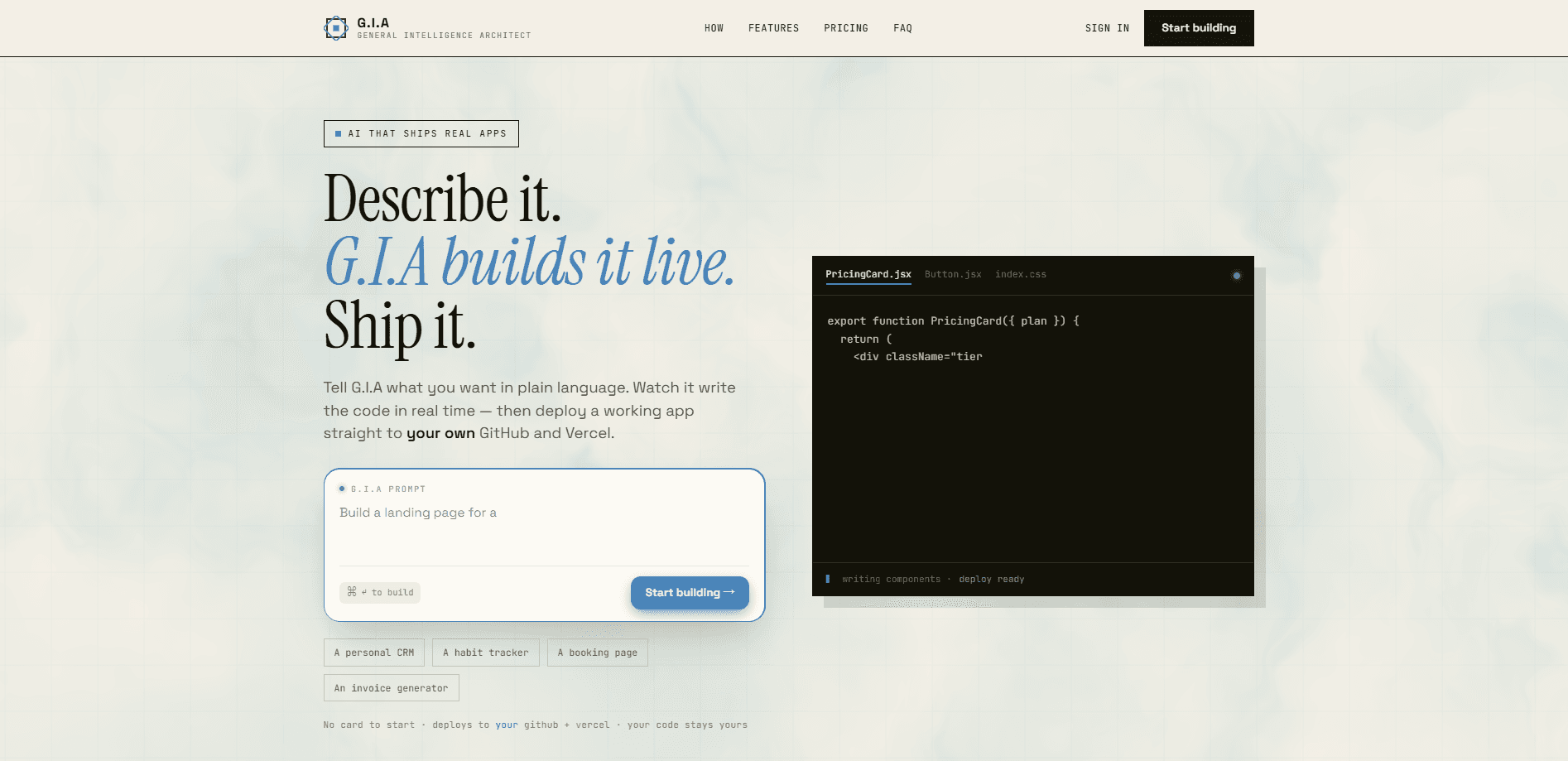
G.I.A.ac is a prompt to app builder that turns a plain-language description into a working web app. You describe what you want, watch the actual files stream onto the screen as they're written, then push the result to your own GitHub and Vercel accounts with one click. It sits in the "vibe coding" camp. But unlike tools that hand you a sandbox demo and walk away, it ships something you own and can keep editing. That's the whole point: a no-code web app you actually control.
About G.I.A.ac
What Is G.I.A.ac
G.I.A.ac is a web-based AI coding agent for people who have an idea but not the patience for boilerplate. You type a description, and it plans the project, writes the code, and checks its own work before handing it over. No build apps without code experience required. The output isn't a locked preview. It's a real repository and a live URL that live in your accounts.
The problem it targets is the gap between "I have an idea" and "I have something running." Most AI code generators stop at a snippet or a hosted sandbox, leaving you to figure out how to turn that fragment into something real people can visit. G.I.A.ac keeps going through deployment, which is usually where non-developers get stuck. So why does that matter? Deployment is the step that turns a demo into something you can actually share.
The catch: it builds web apps, so you need GitHub and Vercel accounts to deploy. If you've never touched either, there's a bit of setup ahead. Annoying, but not hard. And because the builder is an AI system, its output can be imperfect. You're expected to review before you ship. The good news is the tool tells you what it couldn't verify instead of pretending everything works.
Getting Started
- Sign up on the G.I.A.ac site. No card is needed to start on the free tier.
- Describe the app you want in plain language. One clear sentence is enough to kick things off.
- Watch the agent plan, write, and self-check the code as files appear live on screen, and refine it with follow-up prompts.
- Connect your GitHub and Vercel accounts once, then deploy with a single click to get a real repository and a live URL.
- Optional: export the code as a ZIP or keep building inside the platform with the built-in assistant.
Product Information
A quick look at G.I.A.ac's pricing, supported platforms, and performance.
Best for
The users, tasks, and scenarios where this tool fits best.
Users
- Founders and side-project builders
- Non-coders with an idea
- Developers who want speed
Tasks
- Turning a one-sentence concept into a live landing page or small web app.
- Spinning up a starter from a template and reshaping it with follow-up prompts.
- Adding an AI chat assistant that answers customer questions using only your app's own data.
- Exporting generated code to keep working on it locally or in another editor.
Scenarios
- Validating a product idea over a weekend without a full dev setup.
- Building an internal tool when your team has no front-end developer free.
- Prototyping a client site fast, then handing the repo over for further work.
Key features
Live code streaming
Instead of a spinner, G.I.A.ac shows the app writing itself in real time. You see each file land as the agent types. That makes it easy to follow what's being built and to spot when it drifts from what you asked for. No guessing.
One-click deploy to your own accounts
Connect GitHub and Vercel once, and the builder pushes a real repo and a live URL on your behalf. That means the output lives on your infrastructure, not locked inside a platform you can't leave. Simple. Portable. Yours.
Built-in AI assistant on every app
Every app it builds ships with a chat assistant that knows your services, prices, and domain, and it only ever sees your app's own data. That scoping means it can't leak information it was never given, which is a sensible default for anyone worried about a chatbot inventing answers.
Honest self-checking
When G.I.A.ac finishes a build, it reports what works, what's still sample data, and what it couldn't verify, without pretending everything is finished. Skipping the fake-demo routine is rarer than it should be in this space, and it saves you from shipping something you assumed was complete. That honesty is the feature.
Templates to start fast
You can begin from a proven starter and shape it with follow-up prompts until it fits, which is a quicker route than describing everything from a blank page when your idea is close to a common app pattern. Templates also give the agent a clearer target, so the first build tends to land closer to what you want.
Bring your own accounts
Deployment runs on your GitHub and Vercel, so you keep ownership and portability, and you can walk away with the whole project whenever you like. The trade-off is that the tool needs access to those accounts, and you need to already have them.
Secure by default
Tokens are encrypted at rest, tenants are isolated, and secrets never ship to the browser. For a tool that touches your deploy credentials, these are the basics worth checking before you connect anything. Don't skip them.
Pros and cons
Pros
- Deploys to your own GitHub and Vercel, so the code is genuinely yours and you can export it any time.
- Live code streaming shows real files being written, which makes the process transparent instead of a black box.
- Every built app includes an AI chat assistant scoped to your app's own data.
- A usable free tier means you can test the workflow before paying anything.
- Its self-check reports honestly flag what it couldn't verify.
Cons
- Web apps are the focus, so native mobile or desktop builds aren't the target.
- You need GitHub and Vercel accounts to deploy, which adds friction if you've never used either.
- Project limits on the Standard tier (up to 5) can get tight if you build often.
- AI-generated output can be imperfect, so reviewing before shipping is on you.
Frequently asked questions
Yes. The code is yours, it deploys to your own GitHub and Vercel accounts, and you can export it at any time. Nothing is locked to the platform.
Related content
Explore related tools, skills, and articles for G.I.A.ac.
G.I.A.ac Alternatives
Forefront
Forefront · CodingForefront is a web platform for building with open-source AI. It lets you fine-tune leading open-source language models on your own data, evaluate how they perform, and run them through an API or export them to host yourself. Developers who want the convenience of a closed-source platform but insist on owning their models and data are the target audience here.

Startkit
StartKit.AI · CodingStartkit is a boilerplate for building AI SaaS and AI wrapper products. Think of it as an AI startup boilerplate with the boring parts already wired up: authentication, Stripe and Lemon Squeezy payments, usage limits, transactional email, and an AI API starter that talks to OpenAI, Anthropic, Groq, or Llama. You clone the repo, set your price, and start on the part of your product that people actually pay for. It's Next.js under React and Tailwind, so most of the boilerplate code already feels familiar.
Testim
Tricentis · CodingTestim is an AI-powered test automation platform for building and running end-to-end tests across web, mobile, and Salesforce applications. It leans on machine learning to keep tests stable when an interface changes, so teams spend less time fixing broken selectors. Not bad for an automated testing tool you can start using today. You create tests by recording actions in a browser, then optionally add JavaScript when you need more control. It's a solid pick for busy QA teams.