

GAIA
The Experience Company · Other
GAIA is an open-source personal AI assistant that plugs into your mail, calendar and chat apps, then runs routine work on its own and reports back when the job is done.
About GAIA
What Is GAIA
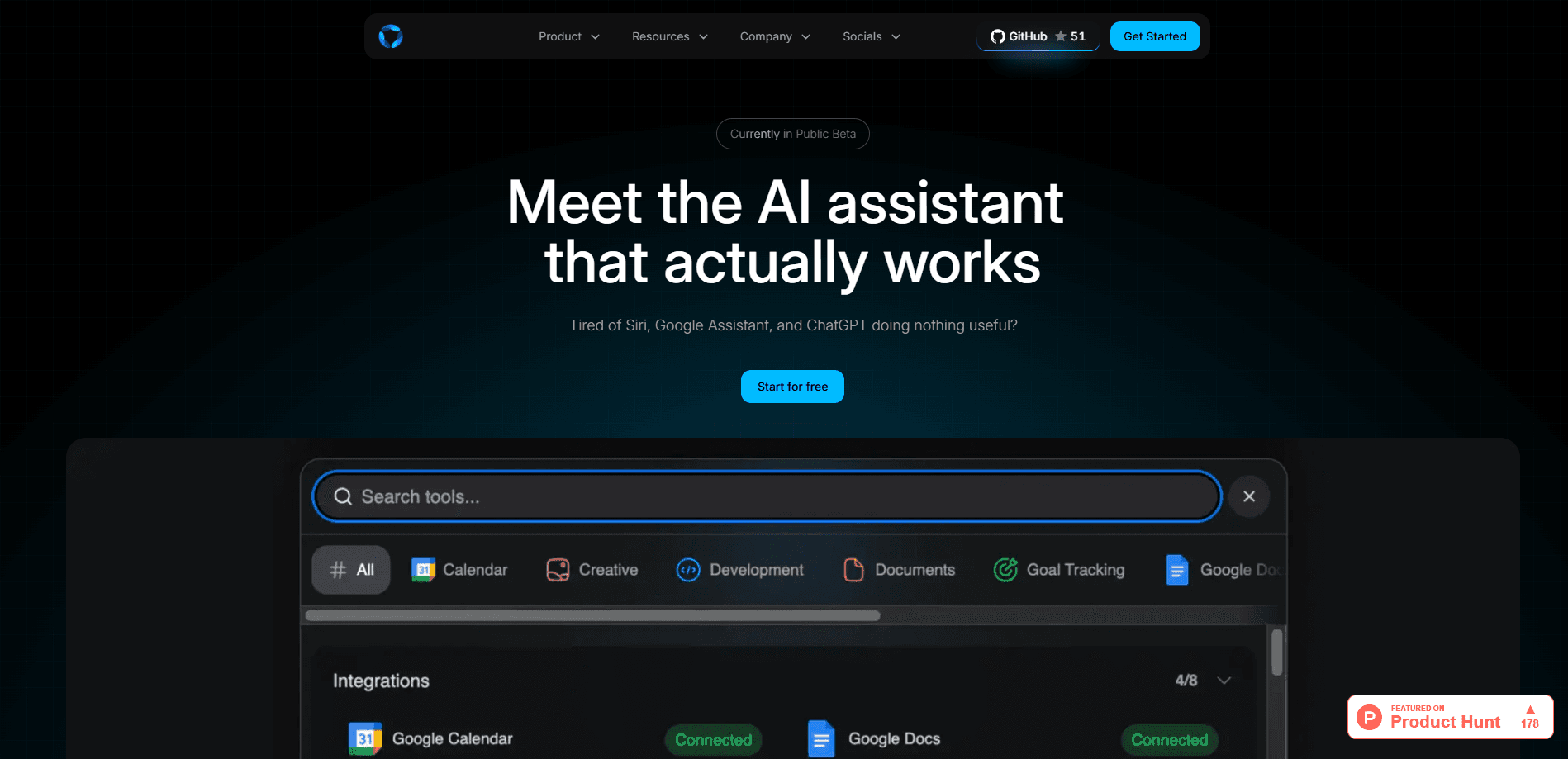
GAIA is an open-source personal AI assistant that connects the tools you already use and handles the work between them. Link Gmail and it reads your inbox every morning, drafts replies and turns messages into todos. Link a calendar and it briefs you before a meeting. You set none of that up. It starts the moment you connect.
The problem it answers is the layer of small work that fills a day. Triaging mail, prepping for meetings, chasing updates and copying tasks between apps each cost a minute or two. Together they cost an afternoon. GAIA takes that workflow automation layer over and tells you when it is done. As a personal AI agent, it acts inside your accounts rather than only answering questions.
It is a proactive AI assistant rather than a chat box waiting for a prompt. Jobs run on a schedule or on an event, like a new email, a calendar change or a commit, and the assistant reaches you where you already are: iMessage, WhatsApp, Telegram, Slack, Discord, the web app, desktop or mobile on one account. Because it is open source, you can self-host it as a self-hosted AI assistant and run your own keys, models and data.
Getting Started
- Go to heygaia.io and sign up for the free plan, or self-host with the CLI if you want your own infrastructure.
- Connect the tools you use, such as Gmail, Google Calendar, Notion, Slack or Linear.
- Let the built-in workflows switch on, or describe a new one in plain English and let GAIA write the steps.
- Choose where you want it to reach you, like Telegram or WhatsApp, and start a chat.
- Edit any memory or workflow later, or delete what you no longer want it to keep.
Product Information
A quick look at GAIA's pricing, supported platforms, and performance.
Best for
The users, tasks, and scenarios where this tool fits best.
Users
- Busy professionals
- Founders and small teams
- Developers and tinkerers
- Anyone who lives in chat apps
Tasks
- Inbox triage
- Meeting prep
- Task capture
- Deep research
- Follow-up drafting
Scenarios
- A morning routine where the inbox decides the day
- A back-to-back meeting day
- A cancelled meeting opens a gap
Key features
Proactive Workflows That Turn On by Themselves
Connect a tool and jobs start running without a settings screen. Link Gmail and an inbox desk triages mail every morning at eight, follows up on threads waiting on you or on someone else, and saves reply drafts, never sending them. Link a calendar and meeting briefings and reminders switch on. You can also build your own on a schedule or an event, from a new email to a Notion edit to a new row in a sheet.
A Memory That Learns as You Talk
GAIA picks up people, projects and preferences from your conversations and keeps them for later. You can read that memory, edit it, export it or delete any part of it. It carries across every channel, so a chat started on Telegram knows what you told it on the web app, and nothing is locked to one device.
Voice and a Wake Word on Your Device
It handles real-time calls, and a "Hey GAIA" wake word runs on your own hardware rather than a server. You can talk to it the way you would talk to a person, and the listening part stays local. That keeps the always-on part from depending on a connection.
One Account Across Every Channel
The same assistant answers on iMessage, WhatsApp, Telegram, Slack, Discord, the web, desktop and mobile, all on one account. A conversation you start in one place shows up in another, and the memory follows you. You do not run separate bots or set the assistant up again on each platform.
Code Execution and Real Files
A sandboxed workspace runs code and hands back real outputs, such as a cleaned spreadsheet, a chart or a finished deck. It writes and runs Python in a contained space, so the result is a file you can open, not just a description of one. That turns a request like "chart the outliers and send me the deck" into a working document.
Deep Research and Browser Use
GAIA runs multi-source research across the web and returns a structured answer, and it can also drive a real browser to log in, fill a form and click through a site to finish a task. Together these cover both reading widely and acting on a page that has no API, which few assistants handle in one place.
Skills and One-Click Integrations
It is built on the open Agent Skills spec, so you can install more skills from GitHub and extend what it does. Integrations are one click away, and anything with an MCP server can be added, so these AI assistant integrations grow without waiting for a built-in connector.
Pros and cons
Pros
- Proactive jobs start on their own once a tool is connected, so you do not build a rule before you get value.
- Open source and self-hostable, so you can run your own models, keys and data instead of renting someone else's.
- The free plan includes every tool and integration, so you can test it on real work before paying.
- It answers on the chat apps you already use, which keeps the assistant where the conversation happens.
Cons
- The comfortable cloud plan costs $30 a month, and the free tier caps memories at 50.
- Self-hosting is free but needs Docker and Node.js plus your own model API costs, so it is real infrastructure.
- The self-host licence is noncommercial, and running it inside a business needs an enterprise licence.
- It is a young, fast-moving project, so some features and docs are still firming up.
Frequently asked questions
GAIA is an open-source personal AI assistant from The Experience Company. It connects your mail, calendar and chat tools and runs routine work on its own, then reports back to you on the app you already use.
Related content
Explore related tools, skills, and articles for GAIA.
GAIA Alternatives
BinkBink
BinkBink · OtherBinkBink is a free online game platform and AI game maker that lets anyone turn a short text description into a playable browser game. You can jump into hundreds of community-made games. Or describe your own idea and play it in seconds, then share it with friends. Want to create your own game? You don't need to code. No engine setup, no download, no hassle.

Audiogen
Audiogen Inc. · OtherAudiogen is an AI music generator built by Audiogen Inc., a small research team that spent about 2.5 years training its own generative music model and designing a web interface around it. Instead of a plain text box, this AI music tool turns the timeline into a beginner-friendly Generative Audio Workstation, or GAW, where inpainting, extending, remixing and stem editing work more like painting on a canvas. The product is still in beta, so access runs through a waitlist or an invite. Paid plans aren't published yet.

Aiml API
AIMLAPI OÜ · OtherAiml API is a unified AI model API that puts more than 1000 models from OpenAI, Google, Anthropic, and others behind one endpoint and one bill. You write code against a single OpenAI-compatible schema, then switch between chat, image, video, and audio models by changing a model string. It suits developers and small teams who want multi-model access without juggling a dozen separate provider accounts, and it removes the usual billing headache that comes with testing several vendors. One key covers it all.