

Gene
Gene · Writing · Leaning · Business
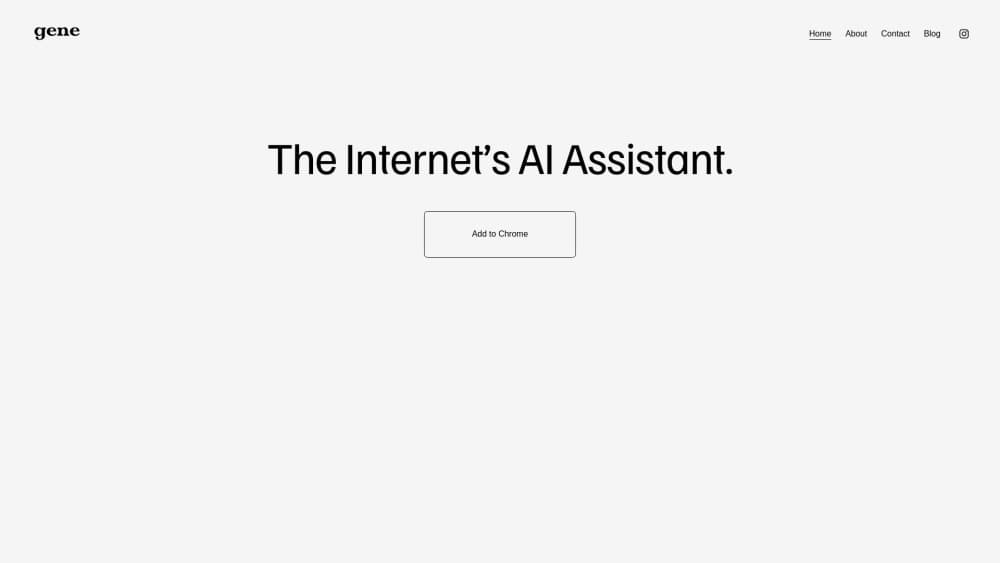
Gene is a Chrome AI assistant powered by GPT-5. Press Ctrl+Q to chat, summarize webpages, read PDFs, rewrite text, and generate images without leaving your current tab.
About Gene
What Is Gene
Gene is an AI assistant that runs inside your browser as a Chrome extension. It uses GPT-5 class models, so you can ask questions, summarize articles, translate text, and work on documents without opening a new tab or switching apps. The core gesture is a keyboard shortcut: press Ctrl+Q on any page, and a chat window appears over the content you are already reading.
The tool targets people who spend their day in a browser, including developers, students, researchers, writers, and knowledge workers reviewing reports. Instead of copying text between apps, you point Gene at the page in front of you. It reads webpages, Google Docs, YouTube videos, and PDFs, then answers, explains, or rewrites from that context. The published listing reports more than 10,000 users and a 4.6-star Chrome Web Store rating.
Gene sells on price. Its paid tiers sit far below the roughly $20 a month that ChatGPT Plus, Claude Pro, Gemini, and Perplexity Pro cost at the time of writing. Gene Pro runs $1.50 a month or $10 a year, and Gene Power runs $3 a month or $24 a year. Power removes the prompt cap; Pro allows up to 300 prompts a month. A free trial lets you test the extension before you pay.
The main limits are its platform and its model choice. Gene is a Chrome extension, so it does not run on Firefox, Safari, or as a standalone mobile app. It also depends on one underlying model family rather than letting you switch between providers. For anyone who works mainly in Chrome and wants a low-cost assistant beside their page, those trade-offs rarely matter.
Getting Started
- Add the Gene extension from the Chrome Web Store.
- Pin the extension to your toolbar for quick access.
- Sign in to start the free trial, with no separate ChatGPT or OpenAI account needed.
- Press Ctrl + Q on any tab to open the assistant over the page.
- Highlight text, take a screenshot, or open a PDF, then type your question or command.
Product Information
A quick look at Gene's pricing, supported platforms, and performance.
Best for
The users, tasks, and scenarios where this tool fits best.
Users
- Developers
- Students
- Researchers
- Writers and marketers
- Professionals reviewing reports
Tasks
- Summarizing a long webpage or article
- Reading and questioning a PDF
- Rewriting or translating text in place
- Generating images from a prompt
- Editing a page with plain language
Scenarios
- Studying for a course
- Drafting a report at work
- Comparing research sources
- Working through a long PDF
- Quick code help mid-task
Key features
Ctrl+Q chat on any page
Gene's default shortcut is Ctrl+Q. Press it on any tab and a chat window opens over the page, so you can ask GPT-5 class models a question without opening a new window or losing your place. The assistant keeps the page as context, which means follow-up questions stay tied to what you are actually reading. For browser-heavy work, this removes the tab-switching loop that slows down most AI use.
Webpage summaries and highlight and learn
Gene summarizes long articles and webpages into a short version so you can grasp the key points quickly. Highlight any text on a page, including in Google Docs, and ask about it directly. A question mark button offers quick insights when a single paragraph is unclear. Together these turn passive reading into an interactive pass, which helps when you are working through dense or unfamiliar material and want an explanation in the flow of the page.
PDF, Google Docs, and YouTube support
Gene reads PDFs, Google Docs, and YouTube videos inside the browser. You can extract, summarize, and analyze PDF text from documents you find online or open from your own computer, provided you enable the "Allow access to file URLs" setting in the extension. Google Docs supports highlight-and-ask within the document, and YouTube videos can be summarized and questioned like a page. This is the feature that keeps document work in one place.
Smart search agent
The Smart Search Agent searches the web on your behalf and returns a relevant answer rather than a list of links. You describe what you need, and Gene gathers information and presents it in the chat window. For research tasks where you would otherwise run several searches and open multiple tabs, this condenses the loop into a single prompt. It fits fact-finding and background checks without leaving the page you started from.
Website editor and image generation
Two commands extend Gene beyond reading. The Website Editor lets you redesign a page by describing the change in plain language, adjusting layout, text, and colors, and it activates with /design. Image Generation turns a description into an image and activates with /imagine. Both are prompt-driven tools that sit inside the same extension rather than separate apps, which keeps creative and editing tasks in the tab where you are already working.
Write with AI, translation, and math and code solutions
Gene handles writing, translation, and problem-solving in the same chat. It generates outlines and structured content for writing tasks, translates text on any webpage into your preferred language, and gives step-by-step breakdowns of math problems and coding challenges. These are the everyday uses that justify a permanent spot in the toolbar, and they run on the same Ctrl+Q shortcut as everything else.
Pros and cons
Pros
- Runs in the browser as a Chrome extension, so you ask, summarize, and write without leaving the tab.
- Ctrl+Q shortcut opens the assistant over any page, which keeps context and cuts tab switching.
- Works with webpages, Google Docs, YouTube videos, and PDFs, including files on your own computer.
- Paid plans are far cheaper than most competitors, at $1.50 to $3 a month against roughly $20 a month elsewhere.
- No separate ChatGPT or OpenAI account is needed, since everything runs inside the extension.
- Free trial and a no-obligation cancel path let you test it before paying.
Cons
- It is a Chrome extension, so Firefox, Safari, and standalone mobile users cannot use it.
- It relies on one underlying model family instead of letting you choose among providers.
- The Pro tier caps usage at 300 prompts a month, which heavy users will hit before Power.
- Editing and image tools depend on clear prompts, so vague requests need a retry.
Frequently asked questions
Gene is an AI assistant delivered as a Chrome extension. It uses GPT-5 class models to answer questions, summarize webpages, read PDFs and Google Docs, translate text, generate images, and edit pages, all from a chat window you open with Ctrl+Q on any tab.
Related content
Explore related tools, skills, and articles for Gene.
Gene Alternatives

Google EmbeddingGemma 2
Google DeepMind · Writing · Image · CodingGoogle EmbeddingGemma 2 is a 740M-parameter open model that turns text, code, images, audio, and video frames into vectors in one 768-dimension space, running on phones and laptops.

MePersona
MePersona, Inc. · Writing · Productivity · MarketingMePersona is an AI unified inbox for creators. It learns your voice, drafts replies to fan messages from 12 platforms, and sends only what you approve.

Fluence
Yay Software (Yannick Huchard) · Writing · Voice & Language · ProductivityFluence is an Android app that reads PDFs, EPUBs, Word files and web articles aloud, follows each sentence as it speaks, and answers questions about the text on the phone itself.