

Generatech AI
Generatech Studio, Inc. · Other
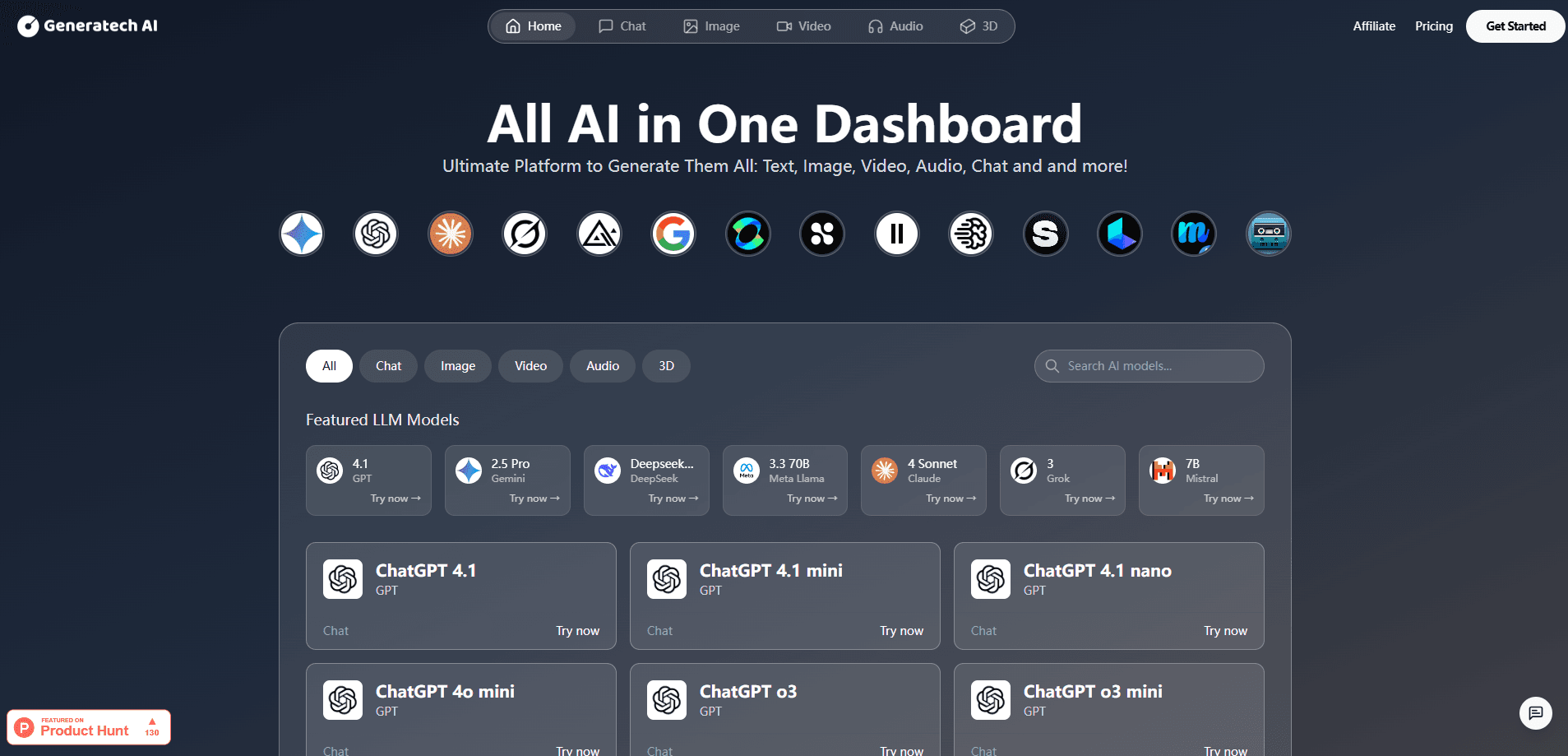
Generatech AI is a multi-model AI platform that puts AI chat models, AI image generation, video, audio and 3D tools from many providers behind one subscription and a single dashboard.
About Generatech AI
What Is Generatech AI
Generatech AI is a platform that bundles access to a wide range of generative AI models under one account. Instead of signing up for ChatGPT, Claude, Gemini and a separate image or voice tool, you log into one dashboard and pick the model you want for the job at hand.
The product targets a specific annoyance: people who test several AI tools end up paying several monthly bills and remembering several logins. Generatech AI replaces that with one AI subscription and a minimal interface built for quick switching, and the company frames it as an all-in-one AI dashboard rather than another single-purpose tool. Its own Terms of Service describe the service as a way to generate chat, visual, video, audio and 3D content from one place.
The limits are worth setting expectations on. Pricing and plan tiers aren't spelled out on the public site beyond a starting subscription, there's no dedicated mobile app, and there's no public API documented. Because the platform resells access to other companies' models, what you can do depends on what those providers ship and how Generatech passes it through.
Getting Started
- Create a Generatech AI account with your email and pick a subscription tier.
- Open the dashboard and choose a model category, such as chat, image, video, audio or 3D.
- Select a specific model from the list, like GPT or Flux, for your task.
- Write your prompt or upload the file you want the model to work on.
- Generate the output, then copy or download it from the results panel.
Product Information
A quick look at Generatech AI's pricing, supported platforms, and performance.
Best for
The users, tasks, and scenarios where this tool fits best.
Users
- People who test lots of AI tools
- Solo creators and freelancers
- Small teams without an ML engineer
Tasks
- Drafting and editing copy
- Generating marketing visuals
- Turning a script into a voiceover
Scenarios
- A launch week that needs many asset types
- Comparing how two models answer the same prompt
- Trying new releases without new bills
Key features
One dashboard for every model type
The core of the product is a single interface that holds chat, image, video, audio and AI 3D generation in one place. You move between categories without leaving the tab or logging in somewhere else, which is the main reason people pick an aggregator over a single-purpose tool.
Multi-model access from major providers
The catalog pulls in models such as ChatGPT, Claude and Gemini for text, and DALL-E, Stable Diffusion and Flux for visuals, alongside video and audio models. Having several leading models under one login matters when one model handles an edit better than another, and you'd rather not pay twice to compare.
Text, image, video and audio generation
Content generation spans the common formats: AI image generation, image-to-image, AI video generation and AI voice generation. That range suits a workflow where a written brief turns into a picture, then into a short clip with a narration, all without changing tools.
Image editing tools
Beyond straight generation, the platform offers editing steps such as inpainting, background removal, upscaling and style transfer. These let you fix or resize an existing image rather than regenerate from scratch, which saves time when a client only wants the background swapped.
Always-current model lineup
The platform markets itself on staying current, so new and updated models get added as providers release them. The payoff is that you don't hunt for a new subscription each time a stronger image or chat model appears; the same account is meant to reach it.
Minimal interface built for swift testing
The interface is deliberately bare, with little chrome around the prompt box and results. That design favors people who want to try a prompt across a model and move on, not teams that need deep project management built into the tool.
Pros and cons
Pros
- Replaces several AI subscriptions with one account and one recurring payment, which cuts both cost and admin overhead for heavy testers.
- Covers six content categories including chat, image, video, audio and 3D, so mixed-media work stays inside a single tool.
- Brings models from well-known providers such as ChatGPT, Claude, Gemini, DALL-E and Flux into one place, making side-by-side trials simple.
- A deliberately minimal UI keeps the focus on prompting and results instead of menus, which suits quick experimentation.
Cons
- Some capabilities sit behind the paid tier, so the free entry point won't show the full catalog.
- No dedicated mobile app means you work in a browser on phone or desktop, which is awkward for on-the-go image edits.
- The public site doesn't document an API, so teams that need programmatic access can't confirm a path and should ask the company directly.
- Plan tiers and credit limits aren't fully published, so you have to sign up or ask before you know how far the starting price stretches.
Frequently asked questions
Generatech AI is used to generate content with many different AI models through one account. It groups chat, image, video, audio and 3D tools in a single dashboard so you can create text, visuals, voice tracks and simple 3D assets without subscribing to each provider separately.
Related content
Explore related tools, skills, and articles for Generatech AI.
Generatech AI Alternatives
BinkBink
BinkBink · OtherBinkBink is a free online game platform and AI game maker that lets anyone turn a short text description into a playable browser game. You can jump into hundreds of community-made games. Or describe your own idea and play it in seconds, then share it with friends. Want to create your own game? You don't need to code. No engine setup, no download, no hassle.

Audiogen
Audiogen Inc. · OtherAudiogen is an AI music generator built by Audiogen Inc., a small research team that spent about 2.5 years training its own generative music model and designing a web interface around it. Instead of a plain text box, this AI music tool turns the timeline into a beginner-friendly Generative Audio Workstation, or GAW, where inpainting, extending, remixing and stem editing work more like painting on a canvas. The product is still in beta, so access runs through a waitlist or an invite. Paid plans aren't published yet.

Aiml API
AIMLAPI OÜ · OtherAiml API is a unified AI model API that puts more than 1000 models from OpenAI, Google, Anthropic, and others behind one endpoint and one bill. You write code against a single OpenAI-compatible schema, then switch between chat, image, video, and audio models by changing a model string. It suits developers and small teams who want multi-model access without juggling a dozen separate provider accounts, and it removes the usual billing headache that comes with testing several vendors. One key covers it all.