

GetResponse
GetResponse · Marketing
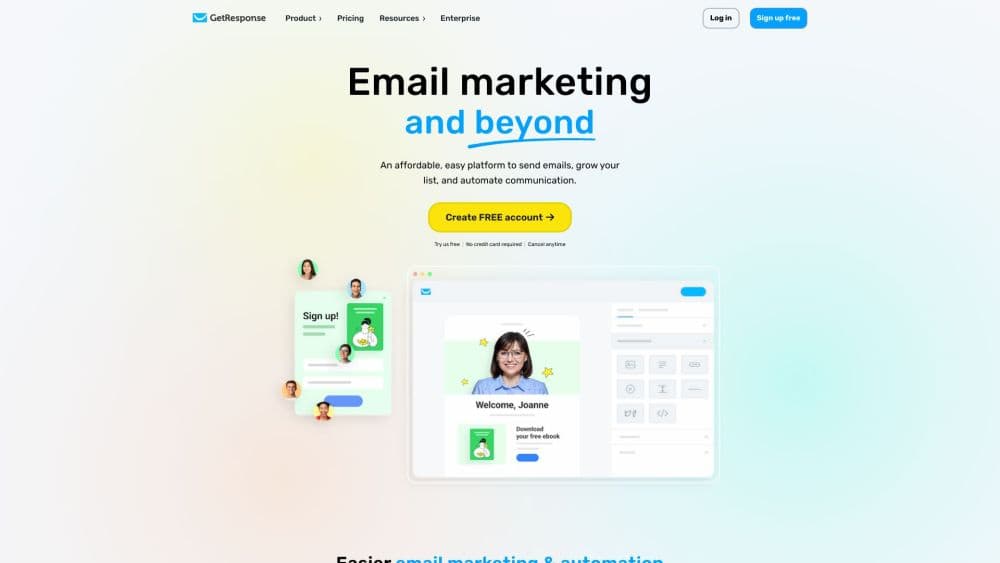
GetResponse is an AI-powered email marketing and automation platform. It combines newsletters, autoresponders, landing pages, and paid newsletters for small businesses and creators.
About GetResponse
What Is GetResponse
GetResponse is a marketing platform built around email, and it has grown into a wider toolkit for running campaigns. It started in Poland in 1998 and now serves more than 350,000 businesses, from solo creators to brands like Revolut and Carrefour. The core pitch is simple: send email, automate follow-ups, and sell products without stitching together five separate tools.
The platform targets people who need email marketing for small business or creator work on a budget. You can build a list with signup forms and popups, send unlimited newsletters, and set up automation flows that tag contacts, score leads, and recover abandoned carts. Ecommerce features sit alongside the email tools, so a small store can run promo codes, product recommendations, and order confirmations from the same dashboard.
The limits show up as you scale. The free plan caps you at 500 contacts, and features like A/B testing, ecommerce tracking, and unlimited automation all require a paid tier. Webinars, paid newsletters, and course creation are locked to the Creator plan or higher, so anyone who only wants basic email gets more than they need. Pricing also scales with list size, which means a growing list costs more each month even if you never change plans.
Getting Started
- Create a free account with an email address, no credit card needed, and confirm it from your inbox.
- Import contacts or connect a signup form to start building your list.
- Design your first newsletter in the drag-and-drop email creator or let the AI generator draft it.
- Set up an automation workflow to handle welcome emails or abandoned cart messages.
- Check open and click rates in the dashboard, then adjust subject lines and send times.
Product Information
A quick look at GetResponse's pricing, supported platforms, and performance.
Best for
The users, tasks, and scenarios where this tool fits best.
Users
- Small business owners
- Content creators and course sellers
- Ecommerce marketers
Tasks
- Sending regular newsletters
- Building welcome and drip sequences
- Turning visitors into subscribers
Scenarios
- Launching a product to a small list
- Recovering lost sales for an online store
- Growing a paid newsletter or course business
Key features
AI Email Generator
The AI email generator drafts promotional emails and subject lines from a short brief, and it tunes copy toward higher open and click rates. Starter users get a capped number of uses, while Marketer and above get it unlimited. It saves time on the blank-page problem for anyone who sends campaigns often.
Visual Marketing Automation
A drag-and-drop workflow builder lets you map out customer journeys with triggers, conditions, and actions. You can send welcome emails, follow up on clicks, score contacts, and branch based on behavior. Starter includes a single workflow, so serious automation means stepping up to the Marketer plan.
Ecommerce Tools
The Marketer plan and above add stores, product recommendations, abandoned cart recovery, and promo codes. These tools let an online shop tie email directly to revenue instead of just sending broadcast newsletters. Revenue reports show which messages actually drove sales.
Landing Pages and Signup Forms
You can publish landing pages and capture leads with popups, embedded banners, and contact forms without writing code or touching a landing page builder from scratch. The builder includes templates and built-in SEO settings. On the free plan, landing page traffic is capped, so heavier campaigns need a paid tier.
Webinars and Course Creator
The Creator plan bundles webinar hosting, an AI course creator, and premium newsletter subscriptions. You can upload lessons, run quizzes, and manage students in one place. This makes GetResponse a fit for educators and coaches, not just email senders.
Send-Time Optimization
Perfect Timing and Time Travel adjust when each email goes out, based on the recipient's habits and time zone. That means messages land when subscribers are likely to open them, not when you happen to hit send. Both tools sit behind paid plans.
Mobile Apps
The iOS and Android apps let you check campaign stats, manage contacts, and monitor automations on the move. You can add contacts and review A/B test results from a phone. It's built for oversight rather than full campaign creation.
Pros and cons
Pros
- Email, automation, landing pages, and ecommerce tools live in one account, so small teams avoid juggling separate subscriptions.
- Unlimited monthly email sends on every plan, even the paid entry tier, remove the awkward send cap that trips up other platforms.
- The AI email and campaign generators speed up drafting, which helps people who send frequently and hate starting from scratch.
- A free plan with 500 contacts and an open REST API make it easy to test the platform before committing.
Cons
- Key features like A/B testing, abandoned cart recovery, and unlimited automation sit behind the Marketer plan, so the entry price understates the real cost.
- Pricing scales with contact count, meaning your bill rises as your list grows even if your plan stays the same.
- Course creation, webinars, and paid newsletters are locked to the Creator tier, adding cost for anyone who mainly wants email.
Frequently asked questions
GetResponse is used for email marketing and marketing automation software. You send newsletters, build subscriber lists, run automated sequences, and, on higher plans, recover abandoned carts or sell courses and paid newsletters.
Related content
Explore related tools, skills, and articles for GetResponse.
GetResponse Alternatives

ngram 2.0
ngram · Video · Marketingngram 2.0 is an AI video generator for teams. It turns a prompt, a screen recording, or a product URL into a narrated explainer, product demo, or AI avatar video, and every scene stays editable.

shippedit.me
Krawlup · Marketing · Businessshippedit.me now redirects to Krawlup, a web platform that audits SEO, AEO and page speed every week, then hands the fixes to AI coding agents over MCP.

MePersona
MePersona, Inc. · Writing · Productivity · MarketingMePersona is an AI unified inbox for creators. It learns your voice, drafts replies to fan messages from 12 platforms, and sends only what you approve.