

GetSales.io
GetSales.io · Marketing · Business
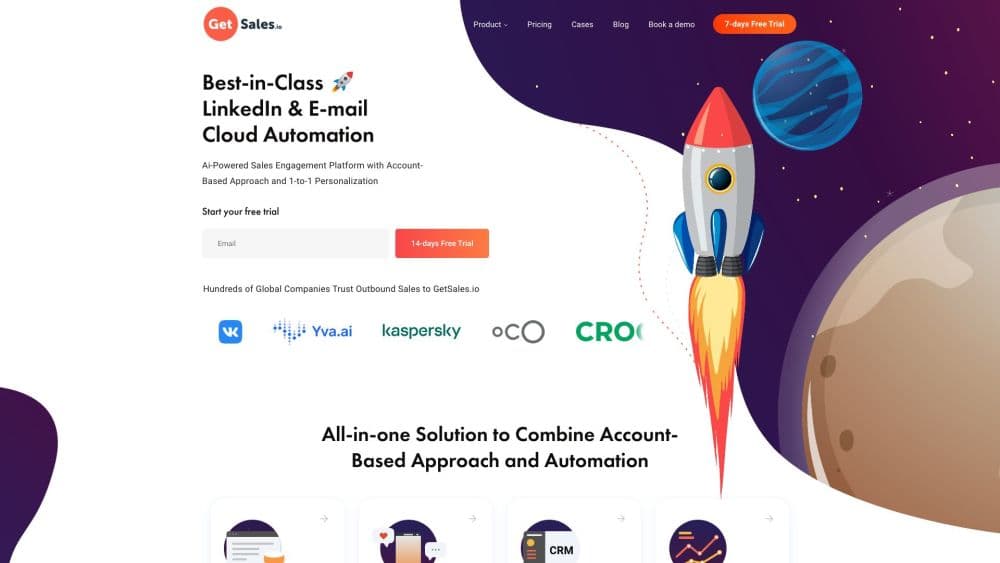
GetSales.io is a multichannel outreach platform for LinkedIn and cold email campaigns, with cloud browser sessions, AI agents, warm-up, and a built-in CRM.
About GetSales.io
What Is GetSales.io
GetSales.io is a B2B outreach platform for teams that sell through LinkedIn and cold email. You connect sender profiles and inboxes, build a sequence that moves a prospect from a connection request to an email follow-up, and answer replies from one shared inbox. The company works out of Portugal and says more than 1,000 go-to-market teams run campaigns on the platform.
The core argument is account safety. LinkedIn treats automated activity as a gray area, and a restricted profile can wipe out months of relationship building. In practice, this is cold email software with a protection layer, not a pure LinkedIn bot. GetSales gives every profile its own cloud browser session with a fixed region, caps daily invites and messages, and tracks more than 24 health signals per account so a warning appears before a ban does.
That protection comes with a price and a few trade-offs. The feature set covers the basics of a sales engagement platform: sequences, a shared inbox, and reporting. The entry plan leaves out the multichannel part. There's no free plan, only a trial, and multichannel sequences sit one tier above the entry price. Enrichment runs on monthly credits instead of unlimited use, which matters for teams that prospect at volume. No third-party tool can make automated LinkedIn activity officially approved by LinkedIn, either.
Getting Started
- Start the free trial at getsales.io and choose a seat count. The Send plan covers basic email outreach, while Enrich adds multichannel sequences and inboxes.
- Connect a LinkedIn profile and one or more email inboxes. GetSales opens each account in a cloud session, so there's nothing to install on your own laptop.
- Build a play in the no-code builder: a connection request, a wait step, a message, then an email if the prospect hasn't replied. Add conditions and A/B variants where they help.
- Import or enrich a lead list, map custom variables such as company or role, and set daily limits for each sender.
- Launch the campaign, then work replies from the unified inbox. The CRM and analytics views show which step actually produces meetings.
Product Information
A quick look at GetSales.io's pricing, supported platforms, and performance.
Best for
The users, tasks, and scenarios where this tool fits best.
Users
- Lead generation agencies
- B2B sales teams with two or more SDRs
- GTM engineers and ops leads
Tasks
- Running LinkedIn and email in one sequence
- Keeping sender accounts healthy
- Sorting replies by intent
- Reporting on outbound performance
Scenarios
- Scaling a cold email motion past a few hundred sends a week
- Running outreach for several clients at once
- Testing a new offer before hiring
Key features
Cloud Browser Sessions
Each connected profile runs inside its own cloud browser with a fixed device fingerprint and region. There's no local install, no extension tied to one laptop, and no logging in from a new city every morning. Teammates open the same session through the browser, so credentials and 2FA codes stay with the account owner.
Multichannel Sequences
The no-code builder chains LinkedIn actions and email steps in a single play. You can put a connection request first, follow with a message, and switch to email if the prospect accepts but doesn't answer. Sender rotation spreads the load across profiles, and live campaigns can be edited without pausing them.
AI Agents and Templates
Templates with dynamic variables handle the personalization work at scale, and AI agents write and answer messages. Reply handling classifies responses by intent, which cuts the time spent reading "thanks, not now" notes. The agents can also work inside the cloud browser, so automated activity comes from the same session as human work.
Deliverability and Account Health
Email warmup ramps new inboxes slowly, and Smart Limits randomize daily invites, messages, and profile visits. Account Health watches more than 24 signals per profile and alerts you before a restriction lands. The platform also checks SPF, DKIM, and DMARC records, which catches the setup mistakes that send cold email to spam.
Unified Inbox and Outreach CRM
Replies from LinkedIn and email land in one inbox, with the lead's history beside them. The built-in CRM scores prospects by acceptance, response, and conversion, and tasks keep follow-ups from slipping. Teams already running HubSpot, Salesforce, or Pipedrive can sync instead of switching tools.
API, MCP, and Integrations
GetSales exposes more than 130 API endpoints and a native MCP server, which lets Claude or another AI client drive campaigns and pull data. API steps also sit inside the automation builder, so a play can push a lead to a CRM or trigger a tool like Zapier or n8n. Native HubSpot, Salesforce, and Pipedrive connections cover the common cases.
Pros and cons
Pros
- LinkedIn and email run in one sequence, so a prospect who ignores one channel gets a second touch without manual work.
- Cloud sessions with fixed regions cut the logout and verification loops that break most automation setups.
- Deliverability tooling ships with every plan: warm-up, list checks, and SPF, DKIM, and DMARC validation.
- The API and MCP server are included at $39 per seat, which is rare for an outreach tool at this price.
- Unlimited campaigns, leads, and daily actions remove the per-action math that inflates costs elsewhere.
Cons
- There is no free plan. You get a trial, then pay at least $39 per seat per month.
- Multichannel sequences and email inboxes start on the $49 Enrich plan, so the headline price understates a real multichannel setup.
- Enrichment runs on monthly credits and unused credits don't carry over, which hurts teams with uneven prospecting volume.
- LinkedIn automation still sits outside LinkedIn's terms. The safety features reduce the risk, and they don't remove it.
Frequently asked questions
GetSales.io runs multichannel outbound campaigns. You connect LinkedIn profiles and email inboxes, build a sequence in a no-code builder, and manage replies in a shared inbox. It also includes a CRM, analytics, and API access for teams that want to automate the whole flow.
Related content
Explore related tools, skills, and articles for GetSales.io.
GetSales.io Alternatives

ngram 2.0
ngram · Video · Marketingngram 2.0 is an AI video generator for teams. It turns a prompt, a screen recording, or a product URL into a narrated explainer, product demo, or AI avatar video, and every scene stays editable.

shippedit.me
Krawlup · Marketing · Businessshippedit.me now redirects to Krawlup, a web platform that audits SEO, AEO and page speed every week, then hands the fixes to AI coding agents over MCP.

MePersona
MePersona, Inc. · Writing · Productivity · MarketingMePersona is an AI unified inbox for creators. It learns your voice, drafts replies to fan messages from 12 platforms, and sends only what you approve.