

Ghost
Ghost Labs · Writing · Productivity
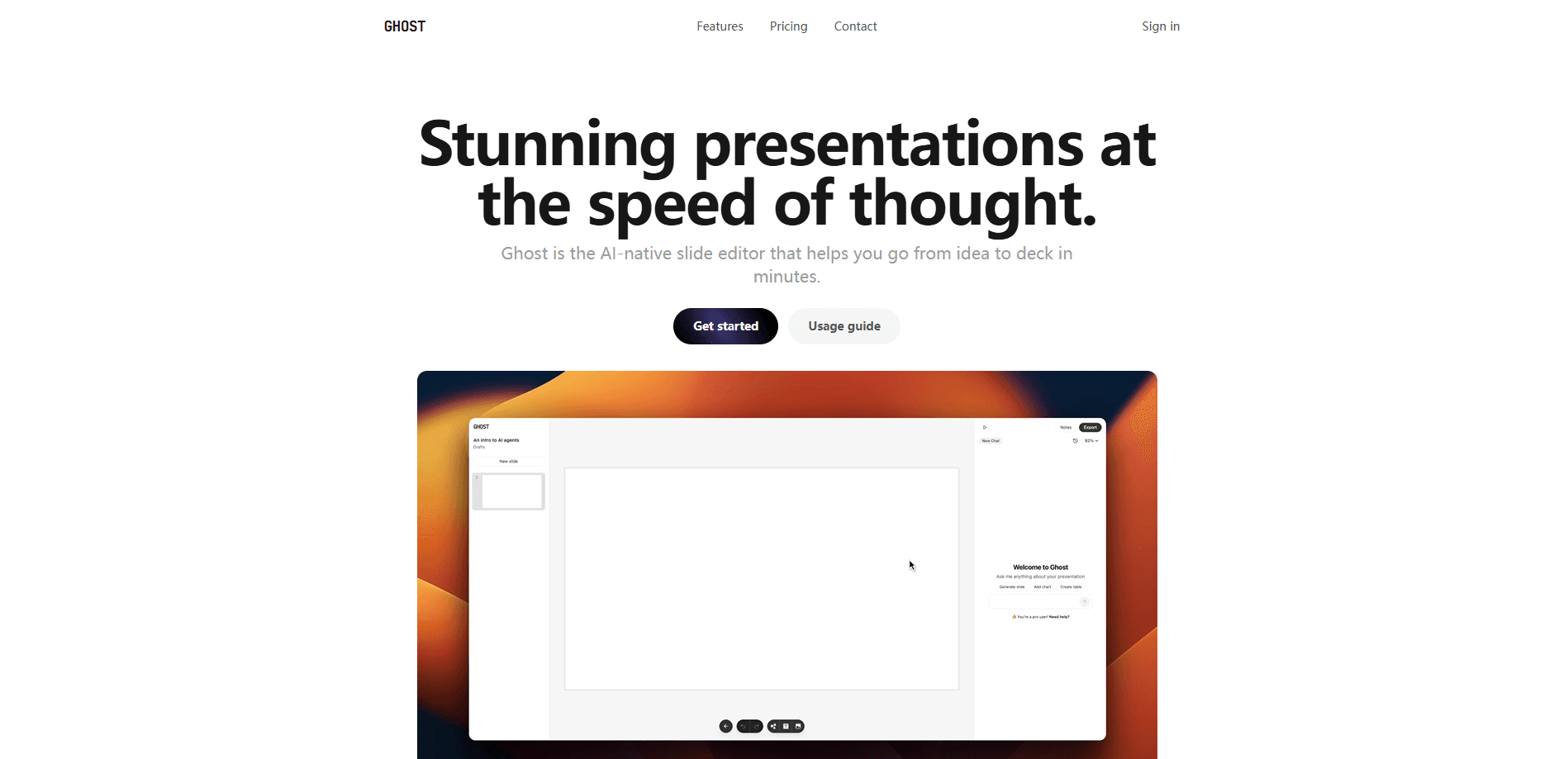
Ghost is an AI-native slide editor from Ghost Labs that turns a rough outline into a polished presentation in minutes, with GPT-5 built in and one-click PDF and PNG exports.
About Ghost
What Is Ghost
Ghost is a browser-based slide editor built around AI from the ground up. You describe the deck you want, and its built-in agent writes and lays out the slides for you. From there you refine things by hand in an editor that leans on the GPU so even busy slides stay responsive.
It targets the gap between blank white slides and heavyweight desktop design apps. Instead of building every slide from scratch, you start with an AI draft and spend your time adjusting, not building. Speaker notes, version history and a presenter mode all live in the same window, so you rarely leave the tab to finish a deck.
The trade-off is that Ghost is a web tool, not an offline app. You need a browser and a connection, and it does not import existing PowerPoint, Keynote or PDF files, so any work you already have in those formats stays outside the tool.
Getting Started
- Open the Ghost site and sign in, or start on the free plan.
- Create a new presentation and give it a name from the dashboard.
- Prompt the built-in agent in the chat with the topic and the structure you want.
- Switch models if you like, then let it draft the slides and check its thought-process panel.
- Refine layouts by hand with drag and drop, shortcuts and the properties panel.
- Export to PDF or PNG, or present straight from presenter mode.
Product Information
A quick look at Ghost's pricing, supported platforms, and performance.
Best for
The users, tasks, and scenarios where this tool fits best.
Users
- Founders and startup teams
- Marketers
- Non-designers
Tasks
- Turning an outline into slides
- Editing layouts by hand
- Exporting for sharing
Scenarios
- Last-minute deck building
- Demo day prep
- Recurring team updates
Key features
AI Slide Generation with GPT-5
Ghost's agent acts as an AI deck builder: describe the deck in a chat prompt and it drafts the structure, text and layout for you. It produces GPT-5 slides you can then edit, and you can switch between models, including GPT-5 tiers, with a thought-process panel that shows how it worked through the request.
GPU-Accelerated Editor
The editor runs on the GPU to keep the canvas smooth, which matters when a deck is heavy with shapes, images and text. Moving elements, resizing and zooming stay fluid on complex slides, so the fine-tuning stage does not slow you down.
Keyboard-First Controls
Ghost packs in shortcuts for copy, duplicate, layering, delete and zoom, so you rarely open a menu. Presenter mode pairs with these so you can navigate a live deck calmly. The quick-start guide walks through the common combos.
Speaker Notes and Presenter Mode
You can attach notes to each slide and present in a dedicated mode that keeps your cues in view. This turns a set of slides into something you can actually talk through, since the notes stay tied to the deck as you edit it.
One-Click Exports and Version History
Decks export to PDF or PNG in a click, which covers most sharing and printing needs. Version history lets you step back through earlier states, so an aggressive round of edits does not leave you stranded without the prior look.
Drag-and-Drop Slide Management
You can create, rearrange, lock and delete slides with click and drag. You build the running order visually rather than through menus, and the dashboard handles rename, search and delete for whole presentations.
Pros and cons
Pros
- AI draft gets you from outline to presentable deck in minutes, not hours.
- GPU rendering keeps complex slides responsive while you edit.
- One-click PDF and PNG exports cover most sharing needs without a separate tool.
- No learning curve for the basics, so non-designers can ship a clean deck.
- Speaker notes, presenter mode and version history live in the same editor.
Cons
- No import for PowerPoint, Keynote or PDF files, so existing decks must be rebuilt by hand.
- Web-only, so you need a browser and an internet connection to work.
- AI message limits on paid tiers are metered, and the official site addresses why they run low.
- The GPT-5 tiers are the ones with real generation power, so heavier AI use pushes you toward Pro.
Frequently asked questions
Ghost builds presentations. You describe a deck in chat, its AI agent drafts the slides, and you refine them by hand before exporting or presenting. It suits pitches, updates and demos rather than design work like photo editing.
Related content
Explore related tools, skills, and articles for Ghost.
Ghost Alternatives

Claude for Google Workspace
Anthropic · Writing · Productivity · BusinessClaude for Google Workspace puts Claude in a sidebar inside Google Docs, Sheets, and Slides, where it reads the file you have open and edits it in place.

Claude Haiku 5.5
Anthropic · Writing · Coding · ChatbotClaude Haiku 5.5 is Anthropic's fastest and cheapest small model, built for high volume tasks at $0.10 per million input tokens with a 1M token context window.

NoteWorthy
Suman Hansada · Writing · Productivity · AI AssistantNoteWorthy is a notes app for iPhone, iPad and Mac that writes titles, tidies formatting, summarizes long notes and files each one with on-device AI. No account, no upload, no network requests.