

Ghost Pepper 🌶️
Matt Hartman · Writing · Productivity
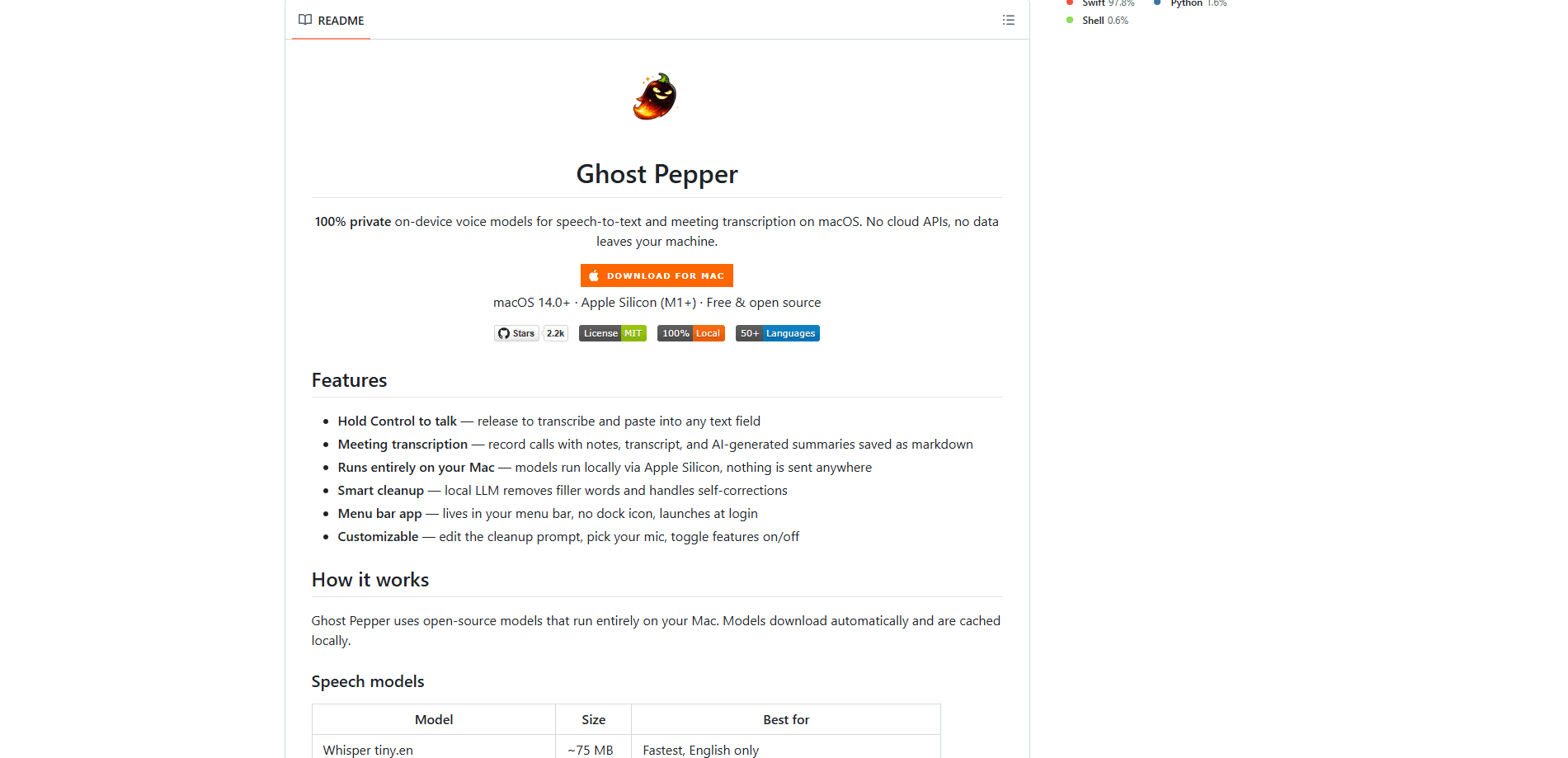
Ghost Pepper 🌶️ is a free, private speech-to-text and meeting transcription app for macOS. It runs open-source AI models entirely on your Mac, so your voice and recordings never touch a server. You hold Control to dictate into any text field, or let it capture a whole call, then read back a transcript and AI-written summary. If you care about dictation speed without handing your audio to the cloud, this is built for exactly that.
About Ghost Pepper 🌶️
What Is Ghost Pepper 🌶️
Ghost Pepper is a menu bar app that turns speech into text on your own machine. It covers two jobs: quick dictation anywhere you can type, and full meeting transcription that saves a transcript plus a summary as a markdown file. Both run on local open-source models via Apple Silicon.
The pitch is privacy, and it holds up. There's no cloud API, no account, and no upload step. The app downloads its models once, caches them locally, and does all the work on your hardware. Nothing leaves your Mac.
The catch is the platform. Ghost Pepper is Mac only, and you'll want an Apple Silicon machine (M1 or newer) running macOS 14 or later. Some of the better multilingual models need macOS 15. If you're on Windows, an older Intel Mac, or a phone, this app isn't for you. It's also free and open source, so there's no support desk if something breaks.
Getting Started
- Download GhostPepper.dmg from the GitHub releases page and drag the app to your Applications folder.
- Grant Microphone and Accessibility permissions when macOS asks. Accessibility is what lets it paste text into other apps.
- On macOS Sequoia, if you hit a Gatekeeper warning about an unverified developer, open System Settings > Privacy & Security, click Open Anyway, then Confirm.
- Pick a speech model and a cleanup model from the menu bar. Smaller models are faster; bigger ones are more accurate or handle more languages.
- Hold Control, speak, and release. Ghost Pepper transcribes and pastes the result into whatever field has focus.
Product Information
A quick look at Ghost Pepper 🌶️'s pricing, supported platforms, and performance.
Best for
The users, tasks, and scenarios where this tool fits best.
Users
- Writers and note-takers
- Privacy-minded professionals
- Mac owners who want local dictation
- Remote workers in meetings
Tasks
- Quick dictation
- Meeting capture
- Filler cleanup
Scenarios
- Taking notes during a video call without a second person typing.
- Drafting long messages or documents when typing feels slow.
- Working on confidential material where cloud transcription is off the table.
Key features
Hold-to-Talk Dictation
Hold the Control key, speak, and release. Ghost Pepper transcribes your speech and pastes it into whatever text field is active, whether that's a chat box, an email, or a code editor. It's a single gesture with no window to manage, which is what makes it fast enough to use all day.
On-Device Transcription With No Cloud
Every model runs locally via Apple Silicon. The app downloads open-source models once, caches them, and never sends audio anywhere. That means no account, no upload, and no terms-of-service question about who gets to hear your recordings. Compare that to cloud dictation tools, which route every sentence you speak through a remote server before the text shows up in your document, and the privacy gap is easy to see.
Meeting Transcription and AI Summaries
Ghost Pepper records calls and produces notes, a full transcript, and an AI-generated summary, all saved as a markdown file. The summary turns a long call into something you can skim. It's the difference between an hour of audio and a page you can actually use.
Smart Text Cleanup
A local LLM cleans up what the speech model hears. It removes filler words and handles self-corrections, so "we should, uh, ship it Monday, no wait, Tuesday" comes out as "we should ship it Tuesday." You can edit the cleanup prompt yourself if the default style doesn't match how you write.
Model Choice and Multilingual Support
You pick the trade-off between speed, size, and language coverage. Whisper tiny.en is fastest and English-only at about 75 MB, while Qwen3-ASR handles 50+ languages at around 900 MB. Parakeet v3 covers 25 languages, and Nemotron streaming models target low-latency work. If you want open-source transcription you can inspect and swap out yourself, this is where you do it.
Menu Bar App With Customization
The app lives in your menu bar with no dock icon and can launch at login. You choose your mic, toggle features on and off, and swap models from the same menu.
Pros and cons
Pros
- Completely free and open source, with no subscription or account.
- Audio stays on your Mac, which is a real advantage for confidential work.
- Hold-to-talk dictation pastes into any app, so there's no workflow to change.
- Meeting transcripts and summaries save as editable markdown you keep.
- You can tune models and the cleanup prompt to fit your needs.
Cons
- Mac only, and it needs Apple Silicon and macOS 14+, so Windows and Intel users are out.
- Some better multilingual models require macOS 15.
- First-time model downloads range from roughly 75 MB to 1.4 GB, which takes a while on slow connections.
- No official support desk, so you rely on GitHub issues and the README if something goes wrong.
Frequently asked questions
Yes. The app is free and open source, with no paid tier, subscription, or account required. You cover only your own hardware costs.
Related content
Explore related tools, skills, and articles for Ghost Pepper 🌶️.
Ghost Pepper 🌶️ Alternatives

Google EmbeddingGemma 2
Google DeepMind · Writing · Image · CodingGoogle EmbeddingGemma 2 is a 740M-parameter open model that turns text, code, images, audio, and video frames into vectors in one 768-dimension space, running on phones and laptops.

MePersona
MePersona, Inc. · Writing · Productivity · MarketingMePersona is an AI unified inbox for creators. It learns your voice, drafts replies to fan messages from 12 platforms, and sends only what you approve.

Fluence
Yay Software (Yannick Huchard) · Writing · Voice & Language · ProductivityFluence is an Android app that reads PDFs, EPUBs, Word files and web articles aloud, follows each sentence as it speaks, and answers questions about the text on the phone itself.