

GhostWriter by MyHandler
MyHandler · Writing · Productivity
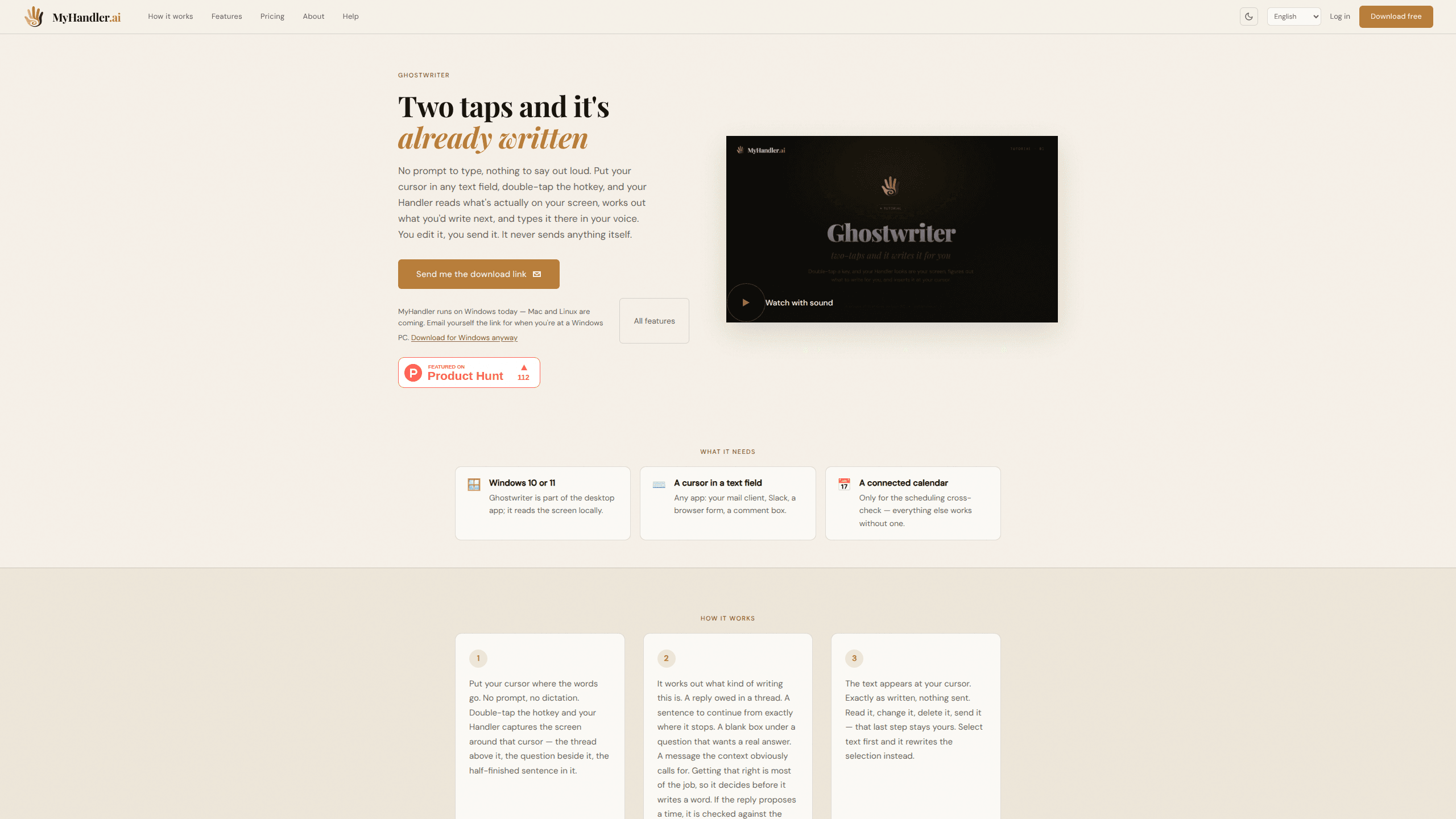
GhostWriter by MyHandler is a Windows AI writing assistant that drafts text by reading what's already on your screen. You put your cursor in any text field, double-tap a hotkey, and it works out what kind of writing the situation calls for, then types a draft in your voice. It's made for people who spend their day replying to messages, filling in forms, and finishing half-written sentences, and it never sends anything on its own. Think of it less as a prompt-driven tool and more as a reply generator that works from whatever is already on screen.
About GhostWriter by MyHandler
What Is GhostWriter by MyHandler
GhostWriter is a writing feature inside the MyHandler desktop app. It's built around one idea: the hardest part of most writing isn't the words, it's figuring out what to say. Instead of asking you to type a prompt or dictate out loud, it captures the text around your cursor, decides whether you owe a reply, a continuation, or a filled-in field, and then writes the draft where you need it.
The whole interaction is a double-tap. There's no prompt box to describe your request, no voice command to speak, and no separate window to copy text out of. That matters if you've ever put off a reply simply because switching into a chat tool and explaining the context felt like more work than the reply itself. Here the context is already on screen, so the tool skips straight to the draft.
The catch is the platform. GhostWriter only runs on Windows 10 and 11 right now, inside the MyHandler desktop app. That makes it a drafting app for Windows first and everything else later. Screen reading happens locally against an encrypted vault on your PC, but the assembled context still goes to MyHandler's cloud model to produce the draft unless you switch cloud AI off. macOS and Linux are listed as coming soon, so anyone outside Windows has to wait.
Getting Started
- Download the MyHandler desktop app for Windows 10 or 11 from the official site and install it.
- Create an account. The free tier needs no credit card, and you can be working within a couple of minutes.
- Place your cursor inside any text field, such as an email body, a Slack message, or a browser form.
- Double-tap the hotkey. GhostWriter reads the surrounding text and types a draft at your cursor.
- Edit the draft yourself and send it. If you'd rather rewrite existing text, select it first and the double-tap rewrites the selection instead.
Product Information
A quick look at GhostWriter by MyHandler's pricing, supported platforms, and performance.
Best for
The users, tasks, and scenarios where this tool fits best.
Users
- Customer support and sales staff
- Busy professionals juggling inboxes
- Non-native English speakers
Tasks
- Drafting email replies
- Continuing a half-finished sentence
- Filling in forms and comment boxes
- Scheduling a meeting by message
Scenarios
- Clearing a backlogged inbox on a Monday morning
- Replying to a Slack thread without leaving the app
- Finishing a message on a slow train of thought
Key features
Screen-Aware Context Capture
When you double-tap, GhostWriter reads the text around your cursor. That means the thread above it, the question beside it, and the half-finished sentence you're sitting in. That context is the entire input, so there's nothing to explain. The capture runs on your machine against an encrypted local vault.
Writing Intent Detection
Before it writes a word, GhostWriter decides what kind of writing the moment calls for: a reply owed in a thread, a sentence to continue, a blank box that wants an answer, or a fresh message. Getting this right is most of the job, which is why the tool classifies the situation first rather than generating on reflex.
Sender and Role Mapping
The tool works out who said what in a thread, which handle belongs to you, and who asked whom for something. That's what stops it from summarising a conversation back at you or replying to your own earlier message. It answers the other party, which is usually the whole point.
Voice Matching
The draft comes out in your voice rather than a generic assistant tone. It's built from your saved style and the context on screen, so a short reply stays short and a warmer message stays warm. You still edit it before it goes anywhere.
Calendar Cross-Check
If a draft reply proposes a time or a meeting, GhostWriter checks it against the next two weeks of your connected calendar before showing the text. A connected calendar is only needed for this step. Every other part of the tool works without one.
Selection Rewrite
Select existing text before the double-tap and the feature rewrites your selection instead of drafting from scratch. It's the same interaction, pointed at text that's already on screen rather than an empty field.
Never Sends on Your Own Behalf
The draft lands at your cursor and stops there. Nothing leaves the field until you read it, change it, and send it. That last step stays entirely yours, which keeps the tool on the right side of "helpful" rather than "automated".
Pros and cons
Pros
- No prompt to write. The entire interaction is a double-tap, which removes the "describe what you want" step people tend to avoid.
- Reads the situation, not just the words. Answering the right person in the right tone is handled before you see a draft.
- The free tier is genuinely usable. 300 credits a month covers everyday light use, and on-device AI keeps working after credits run out.
- Screen data stays local. Capture happens against an encrypted on-device vault, and cloud AI can be switched off entirely.
Cons
- Windows only. There's no macOS or Linux build yet, so Mac users can't run it at all despite the "coming soon" note.
- Cloud drafting costs credits. Each GhostWriter draft costs 3 credits, so heavy use on the free plan will run dry before the month is out.
- Privacy depends on your settings. If you keep cloud AI on, the assembled context leaves your machine to be drafted, even if screen capture stays local.
Frequently asked questions
It drafts text inside whatever app you're using, based on what's on your screen. You place your cursor, double-tap the hotkey, and it writes a reply, a continuation, or a form answer that you then edit and send yourself.
Related content
Explore related tools, skills, and articles for GhostWriter by MyHandler.
GhostWriter by MyHandler Alternatives

Google EmbeddingGemma 2
Google DeepMind · Writing · Image · CodingGoogle EmbeddingGemma 2 is a 740M-parameter open model that turns text, code, images, audio, and video frames into vectors in one 768-dimension space, running on phones and laptops.

MePersona
MePersona, Inc. · Writing · Productivity · MarketingMePersona is an AI unified inbox for creators. It learns your voice, drafts replies to fan messages from 12 platforms, and sends only what you approve.

Fluence
Yay Software (Yannick Huchard) · Writing · Voice & Language · ProductivityFluence is an Android app that reads PDFs, EPUBs, Word files and web articles aloud, follows each sentence as it speaks, and answers questions about the text on the phone itself.