

GitBot
gitbot-hq · Coding · Productivity
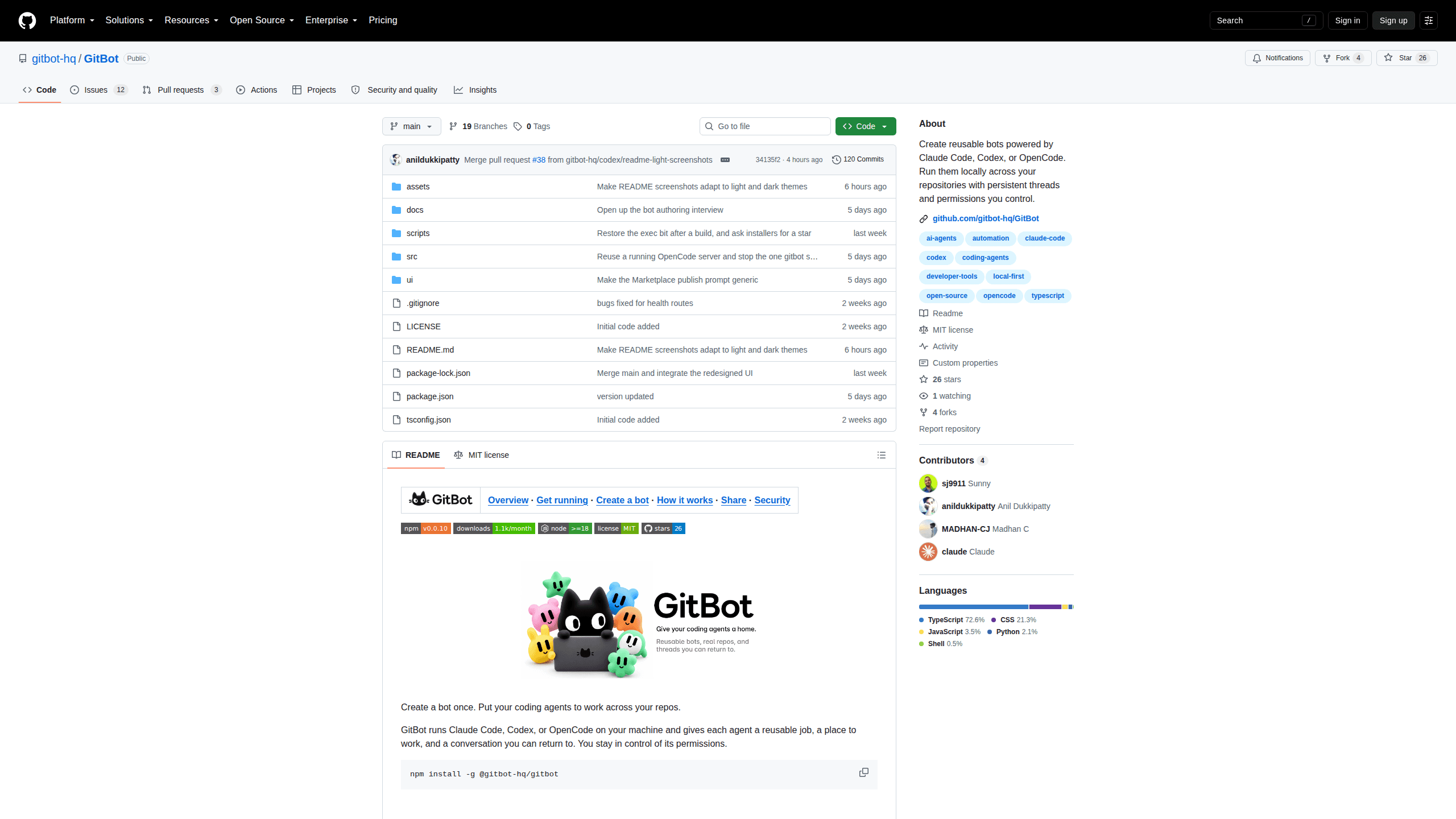
GitBot is an open-source local server that turns Claude Code, Codex or OpenCode into reusable bots with saved instructions, approval rules and threads you can resume later.
About GitBot
What Is GitBot
GitBot is a small server you install on your own computer. It sits between a browser tab and the coding agent you already pay for, and it lets you store that agent's job as a bot you can run again on any repository. No GitBot account is needed. Your files stay where they are, and the only outside connection is the one your chosen agent already makes.
The idea it solves is repetition. Claude Code, Codex and OpenCode all forget what you asked last time, so every task starts with the same explanation of how you like a review done, which files matter and what the agent may touch without asking. GitBot keeps that setup in a bot, then opens a thread against a folder whenever you need the work done again.
Two other pieces make the loop work. Threads are conversations tied to a repository, and each one stays with the agent that ran its first turn, so you can close the tab and come back to a running reply. Setup steps are optional commands that run once per machine, which is how a bot checks for a missing tool or prepares a local environment before it takes real work.
The limits are worth knowing before you install it. GitBot has no authentication at all and listens on every network interface, so anyone who can reach port 3000 can drive agents with your file and shell access. It also ships as a 0.0.x release under the MIT license, which means the surface is small and the rough edges are still being filed down.
Getting Started
- Install Node.js 18 or newer and one coding agent: the
claudeCLI, thecodexCLI aftercodex login, oropencodeafteropencode auth login. - Run
npm install -g @gitbot-hq/gitbotfrom a terminal. - Move into the folder that holds your projects and start the local AI agent server with
gitbot start. Add-p 4000for a different port, or--caffeinateto keep a Mac awake during long jobs. - Open
http://localhost:3000on the same machine, click the plus button in the Bots panel and choose Create manually. - Name the bot, pick an installed agent, write its standing instructions and leave bot permissions on Ask before each tool. Then open a thread, choose the repo folder and send your first message.
Product Information
A quick look at GitBot's pricing, supported platforms, and performance.
Best for
The users, tasks, and scenarios where this tool fits best.
Users
- Developers who already pay for Claude Code, Codex or OpenCode
- Solo maintainers juggling several repositories
- Small teams that want shared routines without a hosted platform
Tasks
- Recurring code review
- Documentation cleanup
- Dependency and build chores
Scenarios
- A contractor working across three client repos
- A laptop that already has an agent signed in
- A long refactor you want to check from the couch
Key features
Reusable Bots Instead of Repeated Prompts
A bot is a set of standing instructions plus an agent choice, a permission mode and optional setup steps. You write the job once in plain language, then reuse it on any repository you can read. The separation matters: the bot defines how the work is done, and your message defines today's task. That's the difference between a prompt file and reusable AI coding bots, since the setup becomes a saved object instead of text you paste again.
Threads Tied to a Folder
Every thread runs inside a repository folder you pick when you start it. GitBot streams the agent's output back to the browser, and the conversation survives a closed tab, so a long turn doesn't need babysitting. A thread also stays with the agent that ran its first turn, which keeps model-specific behaviour predictable.
Approval Cards and Tool Fences
With Claude Code or OpenCode, GitBot shows an approval card whenever a tool needs permission. An allowed tools list limits what the bot may call at all. Auto-approval is available if you want it, and it removes the chance to inspect individual tool calls, so start with the ask mode and widen it later.
Per-Agent Permission Modes
Codex works differently and GitBot reflects that. A Claude Code bot and an OpenCode bot both get approval cards, while a Codex bot has no per-action approval channel. For Codex you choose Plan only for read-only exploration or Edit in the working directory for edits inside the folder. Model selection is optional for Claude Code and Codex, and required as a provider slash model pair for OpenCode.
Shareable Bots and a Marketplace
Share with code copies a bot's instructions and settings into something a teammate can import. Chat history and local files stay behind. Publish to Marketplace drafts a public listing and a pull request against the GitBot Library, and it must show you the final diff before anything goes out.
Local Storage and No Account
Bots and thread records live under ~/.gitbot by default. GitBot runs no hosted database, collects no telemetry and asks for no signup. One startup request looks up your public IP, only to print the address other devices on your network should open.
Pros and cons
Pros
- Reusing an agent you already pay for keeps the bill flat, and there is no second subscription to justify.
- Instructions, permissions and setup steps live in one place, so an AI coding workflow stops depending on someone's chat history and becomes something a team can repeat.
- Threads resume after a browser restart, so long refactors don't depend on keeping a tab open.
- The code is MIT licensed and readable, which helps when you need to check what runs on your machine before trusting it.
- Import and export make handover easy: a teammate gets your exact bot setup, not a screenshot of a prompt.
Cons
- No authentication at all. Anyone who can reach the port can run agents with your account's file and shell access, so it belongs on a trusted network only.
- It does not include a model. Without a signed-in Claude Code, Codex or OpenCode installation, GitBot has nothing to run.
- Codex cannot enforce an allowed tools list, and it has no per-action approval, so a strict tool fence means choosing Claude Code or OpenCode.
- Imported bots can carry setup commands that run on import, and the 0.0.x versioning means conveniences like remote access controls are still missing.
Frequently asked questions
GitBot is a local server that gives Claude Code, Codex or OpenCode a reusable job, a repository folder and a conversation you can return to. You install it with npm, open a browser tab and work from there.
Related content
Explore related tools, skills, and articles for GitBot.
GitBot Alternatives

Base Code
Base44 (Wix) · Coding · ProductivityBase Code is a shared cloud development environment from Base44. Teammates describe changes to an existing GitHub codebase in chat, preview them live and send them back as pull requests.

Google EmbeddingGemma 2
Google DeepMind · Writing · Image · CodingGoogle EmbeddingGemma 2 is a 740M-parameter open model that turns text, code, images, audio, and video frames into vectors in one 768-dimension space, running on phones and laptops.

GitGlow
GitGlow · Coding · ProductivityGitGlow is a local-first desktop Git client that lets independent developers review their own code and their AI agents' changes in one place before shipping.