

Gitdocs AI
Gitdocs · Coding
Gitdocs AI is an AI README generator and documentation tool for GitHub repositories. It reads your codebase, writes a structured README that matches your project, then lets you refine it through a chat interface. Think of it as a way to auto-generate README files for GitHub without a blank-page stare. It's built for developers and small teams who keep putting codebase documentation off.
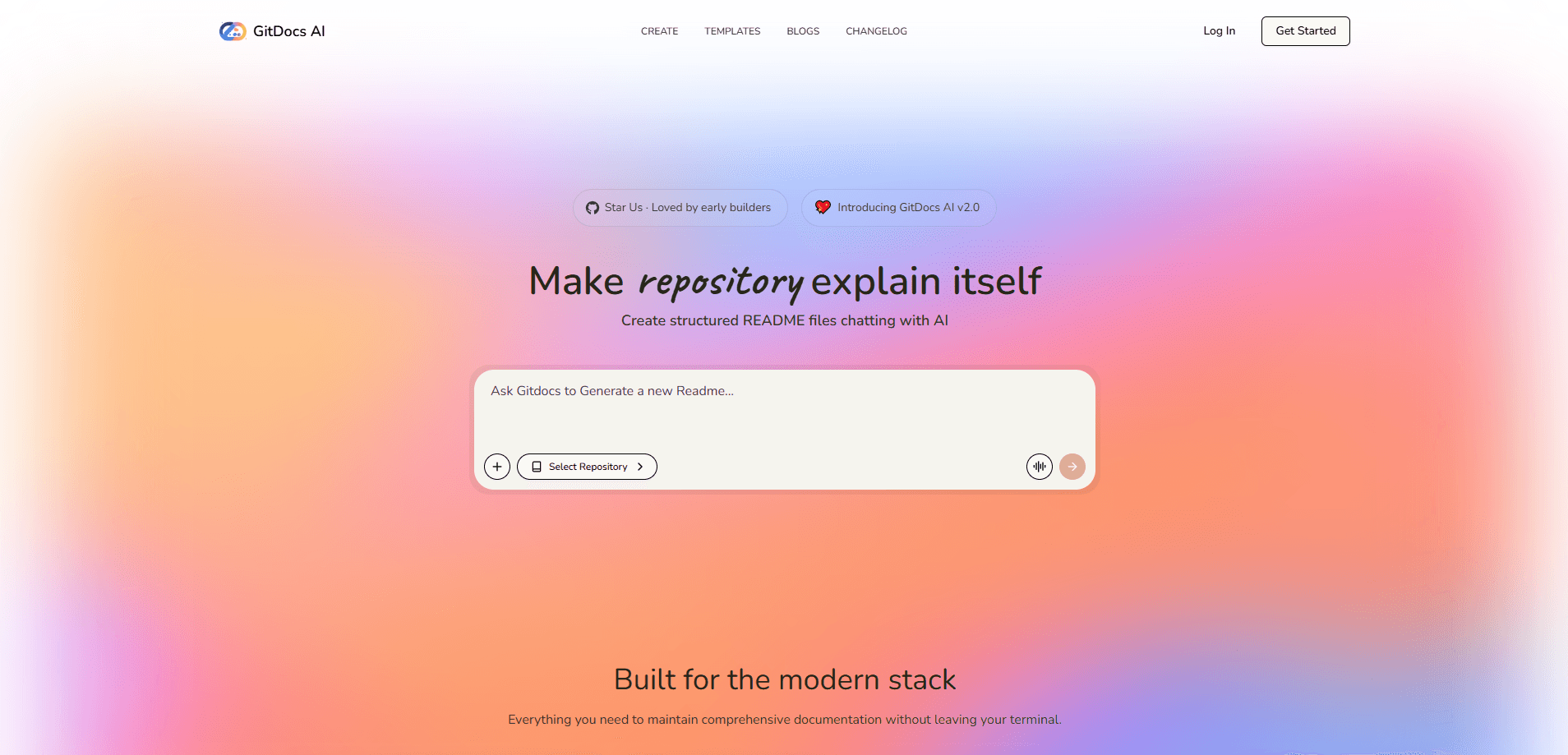
About Gitdocs AI
What Is Gitdocs AI
Gitdocs AI is an AI documentation generator built for GitHub repositories. It connects to your repo, analyzes the structure, code and comments, and produces a full README without you writing a line. The pitch is simple: the gap between shipping code and explaining it disappears.
The tool exists because READMEs rot. A project gets a new contributor, a few dependencies change, and the carefully written intro from two years ago no longer matches reality. Gitdocs AI re-reads the repository each time and regenerates the file, so the documentation tracks the code instead of drifting away from it.
There's a catch worth knowing up front. The official gitdocs.space site is no longer live, and some features described in early materials were built on top of third-party AI models rather than a fully proprietary stack. Availability and pricing have changed over time. Treat it as a niche tool, not a large established platform.
Getting Started
- Sign in and connect your GitHub account, picking the repository you want documented.
- Let the tool scan the repo. It reads the file tree, key source files and existing comments for context.
- Review the draft README it generates, checking sections like setup, usage and project structure.
- Open the chat to ask for changes, such as a shorter intro, more installation detail or a different tone.
- Commit the finished README straight to your repository, or copy it out and edit by hand.
Product Information
A quick look at Gitdocs AI's pricing, supported platforms, and performance.
Best for
The users, tasks, and scenarios where this tool fits best.
Users
- Solo developers who want a solid README without spending an evening on it
- Small open-source teams that need a consistent README format across several repos, with the caveat that upkeep depends on regenerating after major changes.
- Maintainers inheriting an undocumented codebase
Tasks
- Generating a first README for a repo that has none
- Refreshing a stale README after a rewrite
- Turning a messy set of notes and comments into readable documentation
Scenarios
- Publishing a side project you want people to actually try, where a clear README is the difference between a star and a bounce.
- Onboarding a new contributor who needs to understand how a repo fits together before touching it.
- Prepping a repo for a job application or portfolio, where the README is often the first thing a reviewer reads.
Key features
Codebase-Aware Generation
Gitdocs AI doesn't just fill in a template. It reads your repository, picking up the language, dependencies and file layout, then writes a README that reflects the actual project. Sections like setup and project structure describe what's really there. No generic boilerplate.
Interactive Chat Refinements
After the first draft lands, you talk to it. Ask for a friendlier intro, a shorter install section or a more technical summary, and it rewrites the relevant part on the spot. This back-and-forth is faster than editing Markdown by hand when you aren't quite sure what you want the finished document to say.
Direct GitHub Commits
You can push the generated README to your repository without leaving the tool, or copy it out first. One click, done. Committing directly keeps the workflow in one place, and skipping it gives you room to review.
Automatic Updates
When your code changes, you can regenerate the README instead of rewriting it. This is the part that solves the rot problem. Check the diff between versions before you commit.
Multiple AI Models Under the Hood
Early materials describe the platform using several large language models, including Gemini, ChatGPT and DeepSeek, to analyze repository content and draft the prose. The choice of model affects how the final README reads. A second pass with a different model is a reasonable way to compare output before you commit anything.
Contextual File Selection
You point the tool at the specific files that matter, giving the AI deeper context than a raw repository scan alone. Helpful for projects where one folder holds the logic that explains the whole repo.
Built for Faster Codebase Documentation
The whole point is speed. Point it at a repo, get a draft, refine it in chat, ship it. For a category where the usual answer is "I'll write the docs later," a tool that produces a real first draft in one sitting earns its place.
Pros and cons
Pros
- Turns a repo scan into a usable README draft in minutes, so you start from something instead of a blank file.
- The chat interface makes revisions quick when you know the content but not the wording.
- Direct commits to GitHub cut out the copy-paste step.
- Regeneration helps keep docs current as the code moves.
Cons
- The official website is offline, so you should confirm current availability, features and pricing before relying on it.
- Generated text still needs a human pass, since AI drafts can misread unusual project structures or invent setup steps.
- It's a narrow tool: READMEs only, not full docs sites or API references.
Frequently asked questions
It reads a GitHub repository and writes a README for it, then lets you edit the result through chat and commit it back to the repo.
Related content
Explore related tools, skills, and articles for Gitdocs AI.
Gitdocs AI Alternatives
Forefront
Forefront · CodingForefront is a web platform for building with open-source AI. It lets you fine-tune leading open-source language models on your own data, evaluate how they perform, and run them through an API or export them to host yourself. Developers who want the convenience of a closed-source platform but insist on owning their models and data are the target audience here.

Startkit
StartKit.AI · CodingStartkit is a boilerplate for building AI SaaS and AI wrapper products. Think of it as an AI startup boilerplate with the boring parts already wired up: authentication, Stripe and Lemon Squeezy payments, usage limits, transactional email, and an AI API starter that talks to OpenAI, Anthropic, Groq, or Llama. You clone the repo, set your price, and start on the part of your product that people actually pay for. It's Next.js under React and Tailwind, so most of the boilerplate code already feels familiar.
Testim
Tricentis · CodingTestim is an AI-powered test automation platform for building and running end-to-end tests across web, mobile, and Salesforce applications. It leans on machine learning to keep tests stable when an interface changes, so teams spend less time fixing broken selectors. Not bad for an automated testing tool you can start using today. You create tests by recording actions in a browser, then optionally add JavaScript when you need more control. It's a solid pick for busy QA teams.