

GitFit: Habit & Macros Tracker
twoloop · Coding · AI Assistant
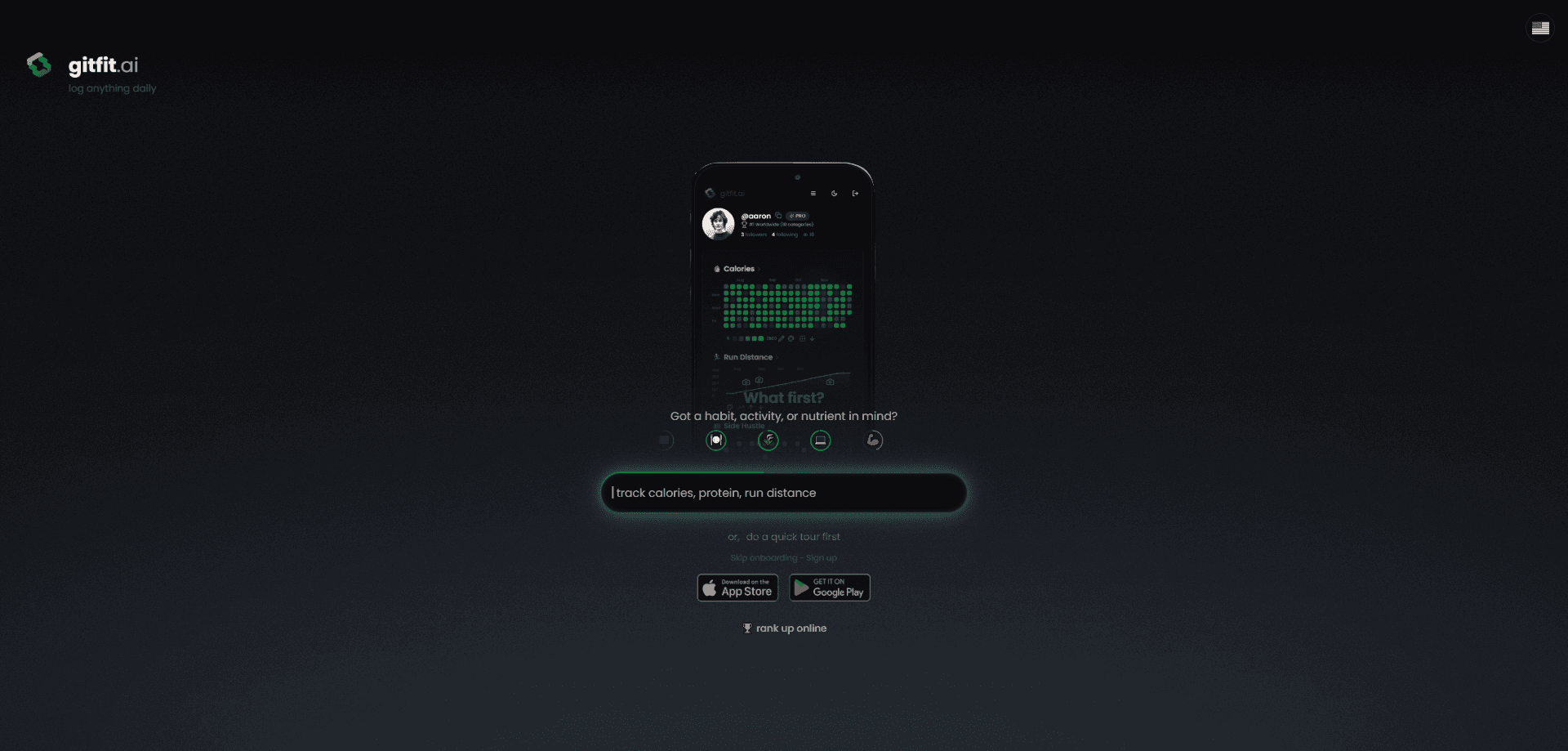
GitFit: Habit & Macros Tracker is an AI-powered fitness and wellness app that logs whatever you care about, from calories and protein to sleep, mood, or a coding streak. Snap a photo, type a note, or speak it out loud, and the AI fills in the entry while you confirm and adjust. It runs on Android, iOS, and the web, keeps a progress chart for every metric, and lets you compare graphs with friends. The pitch is simple: track anything, not just the usual fitness numbers.
About GitFit: Habit & Macros Tracker
What Is GitFit: Habit & Macros Tracker
GitFit.AI keeps the guesswork out of daily tracking. Where most calorie apps make you scroll a database for every food item, GitFit lets you photograph a plate, type "2 servings" or "45m run," or record a voice note and let the model estimate the numbers. You stay in control because every AI suggestion is editable before it counts.
The app isn't limited to food. You create your own metrics or pick from built-ins like calories, protein, fiber, and fasting, then set daily targets for any of them. That flexibility is the whole point. Someone training for a race can watch protein and sleep, while a developer can track commits alongside water intake.
The trade-off is that this is a young product. It launched in late 2025 and the Google Play listing shows 500+ downloads, so the community features that make tracking social are still small. That's a real limit. Pricing sits behind in-app purchases rather than a public plan page, and Apple Health sync only works on iOS with permission granted. Those limits matter if you want a huge support network or hate buying through an app store.
Getting Started
- Download GitFit from Google Play on Android, the App Store on iOS, or open it in a browser on the web.
- Create an account, or browse profiles online first since the web version lets you look around without signing up.
- Pick your metrics, using built-ins like calories and protein or adding your own custom ones.
- Set a daily target for each metric you want to follow.
- Start logging by photo, text, or voice, then confirm or adjust the AI's estimate before saving.
Product Information
A quick look at GitFit: Habit & Macros Tracker's pricing, supported platforms, and performance.
Best for
The users, tasks, and scenarios where this tool fits best.
Users
- Habit builders who want to track more than calories
- Developers and productivity nerds
- Friends who work better with company
Tasks
- Logging a meal in seconds
- Watching macros without the math
- Connecting health and behavior
Scenarios
- Tracking a metric no other app offers
- Sharing progress with a community
- Checking things out before committing
Key features
AI Photo, Text, and Voice Logging
This is the core of GitFit. You photograph a meal, type a short note like "2 servings" or "cooked in olive oil," or say it out loud, and the AI turns it into a logged entry. It works on quantities beyond food too, so "45m run" or a mood rating lands in the right metric. You confirm or adjust every result. No blind trust required.
Custom Metrics and Daily Targets
GitFit ships with built-ins for calories, protein, fiber, fasting, and more, but the interesting part is that you build your own. Any health signal you care about can become a tracked metric with its own daily goal. That means one app covers nutrition, fitness, mood, water, sleep, and even habits you're trying to cut.
Progress Charts and Compare Graphs
Every metric gets a chart, and the Compare feature goes further by plotting two metrics against each other. You can see how your macros line up with how you feel, or whether workouts move your mood. Head-to-head mode puts you and a friend on the same graph to see who's ahead. It's competitive in a good way.
Social Feed, Reels, and Leaderboards
GitFit leans into the social side with friends, short reels, reaction buttons, and leaderboards. You can follow people, share progress, and climb rankings on any metric. It's optional, and you can keep your logging private if that's what you prefer.
Integrations with Apple Health, GitHub, and Discord
On iOS, Apple Health sync brings in steps and sleep. A GitHub connection tracks commits for developer productivity, one of the odder but more distinctive features here. Discord can auto-share progress pictures with your community, so your group sees updates without you posting manually. Who else logs commits next to calories?
Privacy Controls and No Ads
The listing states plainly that your data isn't sold or shared and that social features are optional. Granular privacy controls let you decide what stays private. There are no ads in the app, which keeps the interface clean compared to ad-supported trackers.
Pros and cons
Pros
- Photo, text, and voice input means logging takes seconds, not minutes of database searching.
- Custom metrics let one app cover nutrition, fitness, mood, and any personal habit you choose.
- The Compare feature plots any two metrics against each other, which most calorie apps skip.
- No ads and an explicit no-data-selling policy keep the experience clean and the terms clear.
- Runs on Android, iOS, and the web, so you can browse profiles without installing anything.
Cons
- The community is small, with only 500+ Google Play downloads, so leaderboards and the social feed feel quiet.
- Apple Health sync is iOS-only and needs authorization, which leaves Android users without that automatic step and sleep data.
- Pricing isn't shown in a public plan page, so you have to open the app to see what the in-app purchases actually cost.
Frequently asked questions
Anything you set up as a metric. GitFit has built-ins for calories, protein, fiber, and fasting, and you can create custom metrics for sleep, mood, water, workouts, or personal habits. It works as an AI calorie counter and macro tracker without being limited to food.
Related content
Explore related tools, skills, and articles for GitFit: Habit & Macros Tracker.
GitFit: Habit & Macros Tracker Alternatives
Forefront
Forefront · CodingForefront is a web platform for building with open-source AI. It lets you fine-tune leading open-source language models on your own data, evaluate how they perform, and run them through an API or export them to host yourself. Developers who want the convenience of a closed-source platform but insist on owning their models and data are the target audience here.

Startkit
StartKit.AI · CodingStartkit is a boilerplate for building AI SaaS and AI wrapper products. Think of it as an AI startup boilerplate with the boring parts already wired up: authentication, Stripe and Lemon Squeezy payments, usage limits, transactional email, and an AI API starter that talks to OpenAI, Anthropic, Groq, or Llama. You clone the repo, set your price, and start on the part of your product that people actually pay for. It's Next.js under React and Tailwind, so most of the boilerplate code already feels familiar.
Testim
Tricentis · CodingTestim is an AI-powered test automation platform for building and running end-to-end tests across web, mobile, and Salesforce applications. It leans on machine learning to keep tests stable when an interface changes, so teams spend less time fixing broken selectors. Not bad for an automated testing tool you can start using today. You create tests by recording actions in a browser, then optionally add JavaScript when you need more control. It's a solid pick for busy QA teams.