

GitHits beta 0.9
GitHits, Inc. · Coding
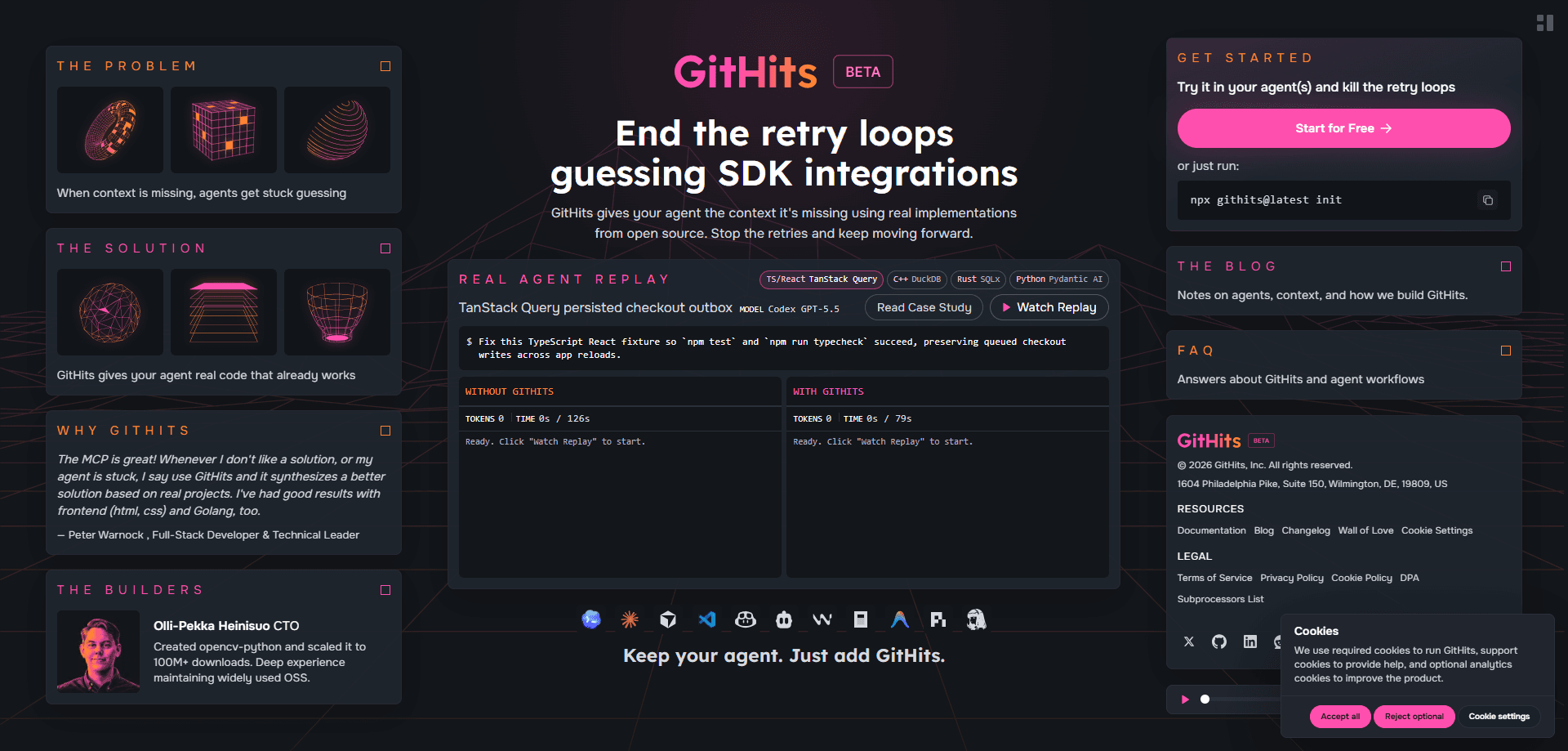
GitHits beta 0.9 is a code context layer for AI coding agents. It connects through an MCP server for coding agents, or a CLI, and hands your agent grounded, version-pinned open-source code, source navigation tools, package metadata, vulnerability data, changelogs, and real implementation examples. The pitch is narrow and honest. Agents stop guessing APIs. They stop retrying broken integrations when the answer lives outside your repository.
About GitHits beta 0.9
What Is GitHits
GitHits is a context layer that sits between your coding agent and the wider world of open-source software. Your agent can already read the files in your repo. But much of what your app actually does lives in frameworks, SDKs, and transitive dependencies. GitHits builds a version-aware code index over that outside code and makes it queryable, so the agent reads the real source instead of guessing from a half-remembered API.
The problem it targets is specific. Search results and docs usually describe the latest release, while your project may be pinned to an older one. Method names move. Config options shift. Defaults change between versions. Without the source for the version you actually use, an agent can blend details from several releases into an answer that was never correct for any of them. Dependency source navigation solves that.
The limits matter too. GitHits only reads public open-source repositories, docs, and package data. It never touches your private repos. It doesn't modify your code. It's also still beta, so tool names, setup flows, and result formats can change. Treat it as a fast-moving tool, not a frozen platform.
Getting Started
- Run
npx -y githits@latest initin your terminal. - Let the CLI detect your coding tool, then sign in with GitHub to identify your account.
- Accept the automatic MCP server configuration, or set up the remote MCP server manually if your client needs it.
- Optionally install the agent guidance during setup so the agent knows when to reach for GitHits.
- Ask your agent to research an integration, inspect a package, or find prior art, and it pulls version-pinned context on demand.
Product Information
A quick look at GitHits beta 0.9's pricing, supported platforms, and performance.
Best for
The users, tasks, and scenarios where this tool fits best.
Users
- Backend and full-stack developers
- Developers new to a codebase
- Teams using MCP-capable coding tools
Tasks
- Researching an integration
- Debugging version-specific behavior
- Checking a package before you add it
- Finding prior art
- Comparing an upgrade
Scenarios
- A dependency breaks after a minor bump and nobody knows which option moved
- You're onboarding onto a stack you've never touched and want grounded answers fast.
- You hit a retry loop where the agent keeps proposing a fix that doesn't apply to your version.
Key features
Version-aware code index
GitHits indexes repositories and packages by version or ref, then resolves your request to the matching commit. That means the answer tracks the code you actually ship, not whatever the latest release happens to be. When a method is renamed or a default flips, the agent sees the change instead of papering over it. No more version roulette.
Source navigation tools
The index records files, symbols, imports, and call relationships, so an agent can search code, grep matches, list files, and read exact lines. You get source-level access rather than a summary of what the code probably does. It's the difference between reading the function and trusting a description of it. Big difference.
Package intelligence
GitHits inspects package metadata, dependencies, vulnerabilities, licenses, changelogs, and upgrade evidence across 12 registries. A quick check tells you whether a package is safe to add, what it pulls in, and what changed since your current version. This is the part that saves the most painful manual digging.
Documentation access
The agent can search hosted and repo-backed package docs, then read targeted pages and line ranges. Docs that match your pinned version beat docs that describe a newer one, and GitHits keeps them aligned. You stop chasing answers that quietly assume a version you don't run. Annoying problem, clean fix.
Implementation examples and prior art
Beyond raw source, GitHits surfaces real examples showing how a library gets used in practice. When official docs thin out, those examples fill the gap with working code. So what does that buy you? A grounded starting point instead of a guess.
MCP server and CLI
You connect through a hosted MCP server or the hybrid CLI, and the CLI can auto-configure supported coding tools after a GitHub sign-in. Setup takes one command, and the same layer works across MCP-capable clients. No lock-in to a single editor.
Privacy and safety guardrails
GitHits doesn't access, index, or store your private repositories, and it doesn't train on your code, prompts, or outputs. Its search infrastructure includes guardrails meant to reduce prompt injection from retrieved sources. The honest caveat: no external source is automatically safe, so you still review generated code before shipping it.
Pros and cons
Pros
- Answers stay pinned to the version you actually run, which cuts down on wrong-version fixes.
- One connection layer covers code, docs, package metadata, vulnerabilities, and changelogs.
- Setup is a single CLI command that auto-configures supported coding tools.
- Works with any MCP-capable client, so you don't have to leave your editor.
- Clear privacy stance: private repos stay untouched and your code isn't used for training.
Cons
- It's beta software, so tool names, setup flows, and result formats can shift under you.
- Package-specific tools cover only supported ecosystems, so some stacks get less depth.
- No public pricing is listed yet, which makes budgeting hard for teams.
- It covers public open-source context only, so it won't answer questions about your own private code.
Frequently asked questions
GitHits is a code context layer for AI coding agents. It gives an agent tools to search open-source code and docs, read exact source files, inspect packages, check vulnerabilities, review changes, compare upgrades, and find prior art. The point is to replace guesswork with grounded, version-aware context.
Related content
Explore related tools, skills, and articles for GitHits beta 0.9.
GitHits beta 0.9 Alternatives
Forefront
Forefront · CodingForefront is a web platform for building with open-source AI. It lets you fine-tune leading open-source language models on your own data, evaluate how they perform, and run them through an API or export them to host yourself. Developers who want the convenience of a closed-source platform but insist on owning their models and data are the target audience here.

Startkit
StartKit.AI · CodingStartkit is a boilerplate for building AI SaaS and AI wrapper products. Think of it as an AI startup boilerplate with the boring parts already wired up: authentication, Stripe and Lemon Squeezy payments, usage limits, transactional email, and an AI API starter that talks to OpenAI, Anthropic, Groq, or Llama. You clone the repo, set your price, and start on the part of your product that people actually pay for. It's Next.js under React and Tailwind, so most of the boilerplate code already feels familiar.
Testim
Tricentis · CodingTestim is an AI-powered test automation platform for building and running end-to-end tests across web, mobile, and Salesforce applications. It leans on machine learning to keep tests stable when an interface changes, so teams spend less time fixing broken selectors. Not bad for an automated testing tool you can start using today. You create tests by recording actions in a browser, then optionally add JavaScript when you need more control. It's a solid pick for busy QA teams.