

GitMind: AI Mind Mapping App
Wangxu Technology · Other · Chatbot
GitMind is an AI mind mapping app that turns text, documents, videos, and images into structured mind maps and summaries, with flowchart, whiteboard, and real-time collaboration tools built in.
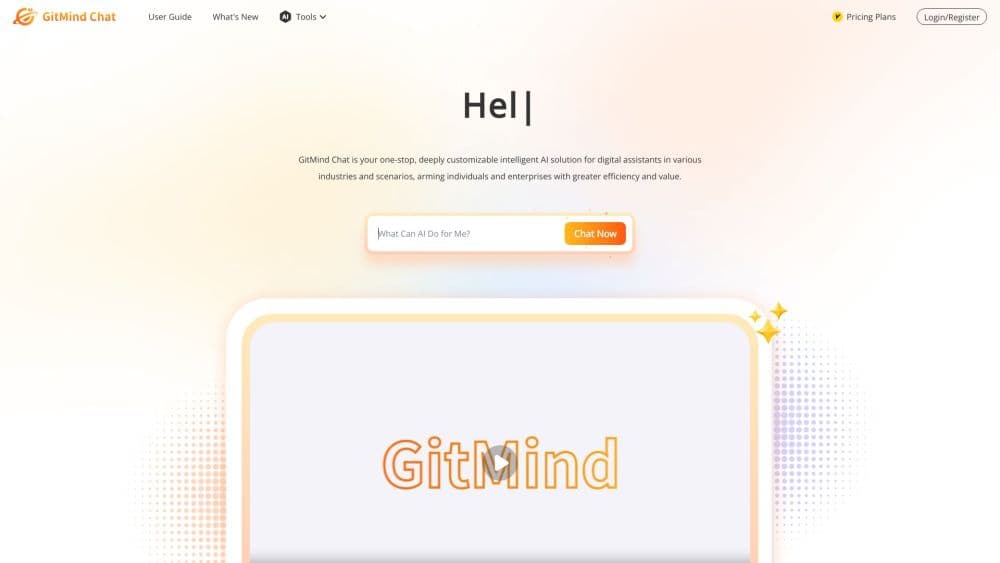
About GitMind: AI Mind Mapping App
What Is GitMind
GitMind is a visual thinking and productivity app built by Wangxu Technology. It started as a free mind mapping and flowchart tool and now leans on AI to handle the messy first step of organizing ideas: feeding it a document, a video, a link, or a rough thought and letting it build the structure for you.
The main problem it solves is scattered input. Most people collect notes across PDFs, meeting recordings, screenshots, and half-finished outlines. GitMind condenses that material into a mind map or summary you can edit, rearrange, and share. It also supports flowcharts, org charts, timelines, fishbone diagrams, and a freeform whiteboard, so the same workspace covers planning and diagramming.
The limits are worth knowing upfront. The polished AI tools sit behind a paid plan, and the free version caps how much you can export and how many AI actions you get. Anyone expecting a full project management suite will find GitMind focused on thinking and mapping rather than task tracking.
Getting Started
- Sign up with an email address or a Google account, or open the app on Windows, macOS, iOS, Android, or a Chrome browser.
- Pick a starting point: type an idea, paste text, upload a PDF or image, drop in a YouTube link, or choose one of the 100+ templates.
- Run the AI tool for that input and let it generate a mind map, outline, or summary.
- Edit nodes, drag branches, switch layouts, and add images, icons, or relation lines as needed.
- Export to image, PDF, Word, or txt, or share a live link so others can view and edit.
Product Information
A quick look at GitMind: AI Mind Mapping App's pricing, supported platforms, and performance.
Best for
The users, tasks, and scenarios where this tool fits best.
Users
- Students
- Teachers and trainers
- Project managers and analysts
- Writers and content planners
Tasks
- Summarizing long documents
- Turning video and audio into notes
- Building flowcharts and org charts
- Extracting text from images
Scenarios
- Prepping for an exam or a meeting
- Early-stage brainstorming
- Writing a report or proposal
- Daily planning
Key features
AI Mind Map Generation
Type a topic or paste a block of text and this mind map generator builds a mind map with branches already in place. It works as a text to mind map tool for rough ideas, and you can also feed it a document, a URL, or an image and let it handle the conversion. The output is a starting draft you edit rather than a finished layout, which is exactly where the time saving shows up.
Document and Text Summarizing
Upload a PDF, Word file, spreadsheet, or ebook and GitMind pulls out the core points as a summary or a map. It handles long inputs, so a dense report becomes a handful of main ideas you can scan in seconds. This is the feature most people reach for first when they need to get through a stack of reading.
Video and Audio Summarizing
Paste a YouTube link or upload a recording, and GitMind produces a transcript-driven summary with the key points pulled out. It works for podcasts, lectures, and meeting recordings, which cuts the time spent scrubbing through audio you have no intention of replaying.
Image to Text and Map
GitMind's OCR reads text from photos, screenshots, and scanned pages, then converts it into an editable map or outline. Handwritten notes and whiteboard photos become searchable text without retyping.
Multiple Diagram Types and Layouts
The same workspace handles mind maps, logic charts, org charts, fishbone diagrams, tree charts, and timelines. You switch layouts with a click, so a brainstorming map can turn into an org chart without starting over.
Whiteboard and Presentation Mode
The freeform whiteboard gives you a canvas for arrows, shapes, text, and images when a rigid structure gets in the way. Presentation mode converts a finished mind map into a slide show, useful for walking a class or a team through the structure.
Real-Time Collaboration
Multiple people can edit the same map at once, with changes syncing across devices. Sharing works through a link, and you can set whether it stays private or opens up to anyone with the URL.
Templates and Cross-Platform Sync
Over 100 templates cover study, planning, and business use cases, so you rarely start from a blank page. Everything syncs across web, desktop, and mobile, so a map started on a laptop opens on a phone.
Pros and cons
Pros
- The AI tools handle text, PDFs, video, audio, and images, so one app covers most of the input types people actually work with.
- Free plan is genuinely usable and the app is ad-free and watermark-free on exports, which is rare among freemind mapping tools.
- Real-time collaboration and link sharing make it practical for teams, not just solo users.
- Cross-platform sync across web, Windows, macOS, iOS, and Android keeps work available on whatever device is at hand.
- The template library and multiple layout types cut setup time for common diagrams.
Cons
- The AI features and unlimited exports sit behind the paid plan, so heavy free users hit limits quickly.
- There is no public API, which rules it out for teams that want to pull maps into their own tools or automate generation at scale.
- The AI output is a draft, not a finished result. Long or messy source material often needs manual cleanup before the map is usable.
- The free plan includes ads in some contexts and restricts certain advanced options, which can interrupt the flow when you are working quickly.
Frequently asked questions
Yes, GitMind has a free plan that covers mind maps, flowcharts, templates, and basic AI actions. Export limits and the more powerful AI tools require a paid subscription, and the free tier shows ads in some areas.
Related content
Explore related tools, skills, and articles for GitMind: AI Mind Mapping App.
GitMind: AI Mind Mapping App Alternatives

Odyssey 3
Odyssey · OtherOdyssey-3 is Odyssey's foundation world model. It simulates physics in real time, turns a prompt into an interactive environment, and adapts to robots, cars and games.

JarvisCore
Prescott Data · Coding · Productivity · OtherJarvisCore is an open source Python runtime where AI agents work as equal peers on an agent mesh, claim tasks from a shared ledger, and reach external services through a zero-trust broker.
Clef
Cloudflare · Business · OtherClef is Cloudflare's open-source decision model for Workers AI. It returns calibrated probabilities for typed questions, not generated text, so agents can classify, route, and act fast.