
GitPodcast
BandarLabs · Voice & Language · Coding
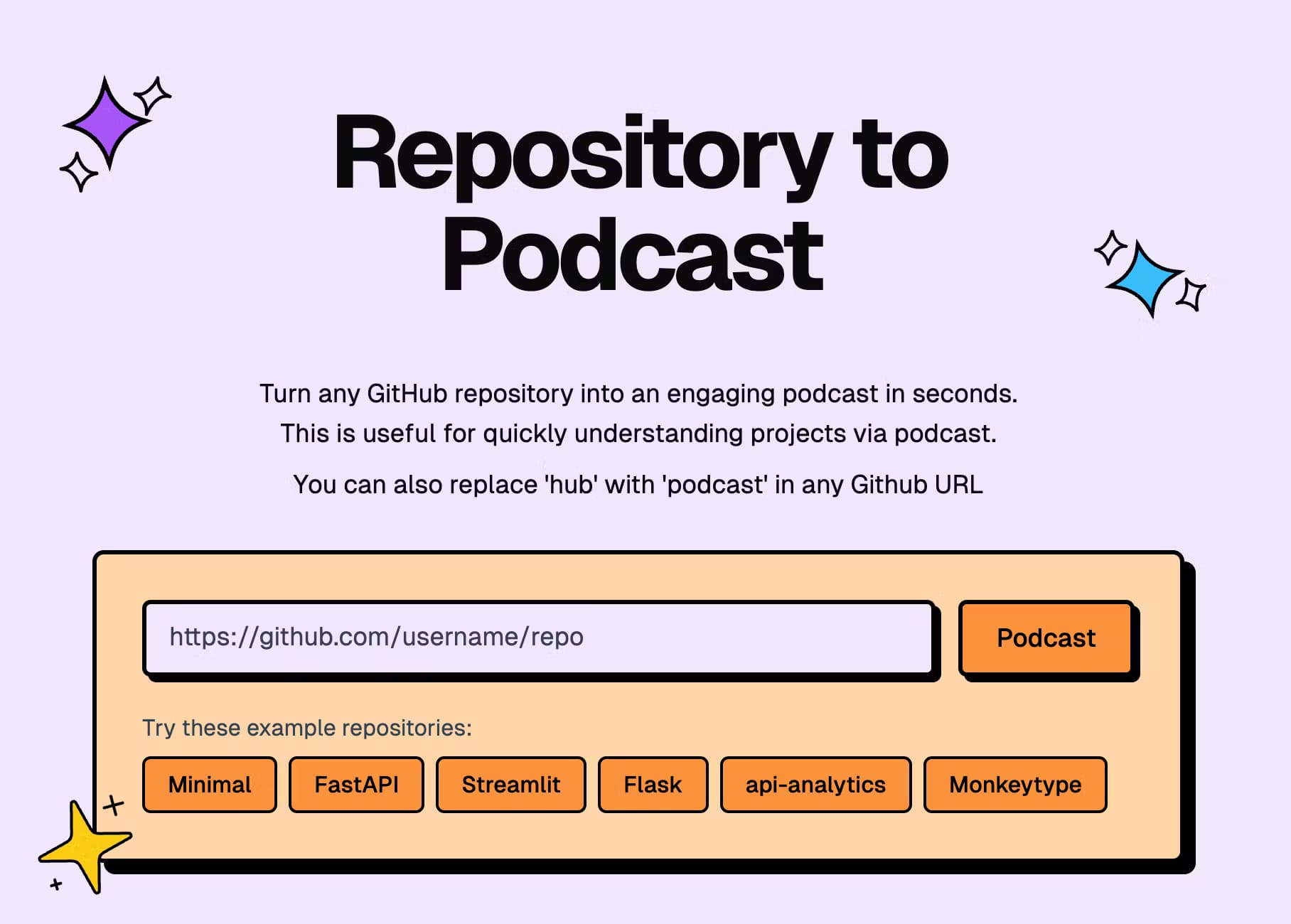
GitPodcast turns any GitHub repository into a short AI podcast, so you can grasp a project's structure by listening instead of reading. Pick Basic or In Depth, or swap "hub" for "podcast" in a repo URL.
About GitPodcast
What Is GitPodcast
GitPodcast is a web tool from BandarLabs that reads a GitHub repository and narrates what's inside it as a podcast episode. You point it at a repo, pick a length, and it produces an audio summary covering the project's structure and main files. The idea is simple enough: most developers skim a README, get lost in a folder tree, and give up. Hearing someone explain the layout out loud is often faster.
The tool leans on AI to turn a repository's structure into a spoken script, then a speech service turns that script into audio. GitPodcast uses an LLM to shape the narration and Azure's speech engine to voice it. According to the project's own README, OpenAI's models handle parts of the script generation, and the author has also wired in Gemini Flash as a free option.
The biggest limitation is depth. A ten minute episode can't explain a large codebase line by line, so you still need to read the code for real detail. GitPodcast gives you the map, not the terrain. It's a starting point for orientation, not a replacement for reading the source.
Getting Started
- Open gitpodcast.com and paste any public GitHub repository URL into the input box.
- Choose Basic for a roughly five minute overview, or In Depth for a longer walkthrough of about ten minutes.
- Optionally sign in with GitHub to unlock private repositories.
- Hit generate, wait for the episode to render, and play it in the browser.
- As a shortcut, edit any GitHub URL by replacing "hub" with "podcast" and the podcast loads directly.
Product Information
A quick look at GitPodcast's pricing, supported platforms, and performance.
Best for
The users, tasks, and scenarios where this tool fits best.
Users
- Developers new to a codebase
- Self-taught programmers
- Commuters and multitaskers
Tasks
- Triaging an unfamiliar project
- Catching up on a repo you follow
- Prepping for onboarding
Scenarios
- Evaluating a dependency during research
- Studying open source for learning
- Reviewing old projects
Key features
Repository to Podcast Conversion
The core trick is turning a GitHub repository's layout into a spoken episode. Paste a URL, pick a length, and GitPodcast walks through the project's structure and key files. It reads the shape of the codebase rather than pretending to review every line, which keeps episodes short enough to actually finish.
Two Episode Lengths
You're not stuck with one format. Basic delivers a quick overview in roughly five minutes, and In Depth stretches to about ten minutes for more detail on how the project is organized. That choice matches how people listen: a short commute versus a deliberate deep dive.
URL Shortcut
GitPodcast's cleverest touch is the URL swap. Change "hub" to "podcast" in any GitHub repository link, and the matching episode loads without you visiting the site first. It's a small thing that makes the tool feel native to your browsing habit.
Private Repository Support
Signing in with GitHub unlocks private repos, which matters if the codebase you care about isn't public. The feature launched as "Private Mode" and keeps working repos out of the shared pool. You need appropriate access to the repo for it to work.
Free and Open Source
The hosted version is free to use, with generous rate limits noted in the project's README. The code is open source under an MIT license, so teams can self-host and run it with their own API keys if they'd rather not rely on the public instance.
AI Script Plus Speech Pipeline
GitPodcast splits the job in two: an AI model writes the narration from the repository structure, and a speech service reads it aloud. The README credits OpenAI models and Azure's speech SDK, with Gemini Flash available as a free alternative for the script step.
Pros and cons
Pros
- Free to use and open source, so there's no paywall to test it.
- The hub-to-podcast URL shortcut makes it fast to reach from any repo page.
- Two episode lengths suit both quick checks and longer listening.
- Private repo support means internal codebases aren't off limits.
- No install or account needed for public repositories.
Cons
- Episodes stay at the overview level, so you can't rely on GitPodcast to explain complex logic in detail.
- Voice selection is still marked as work in progress, so the audio style isn't customizable yet.
- The public API is listed as work in progress, which means there's no dependable programmatic option for teams that want to automate episodes.
Frequently asked questions
GitPodcast converts a GitHub repository into an audio podcast, narrating the project's structure and main files so you can understand it by listening. It's aimed at developers who want a quick sense of a codebase before diving into the code.
Related content
Explore related tools, skills, and articles for GitPodcast.
GitPodcast Alternatives

Foley
Hanamori Labs, LLC · Voice & Language · Productivity · AI AssistantFoley is a voice to-do list that turns a spoken sentence into a filed task, complete with project, date and time, then helps you plan the day around what is already there.

HireKey
HireKey · Voice & Language · Productivity · LeaningHireKey is an AI job search copilot built by a former tech recruiter. It checks role fit, tailors resumes, runs interview practice and tracks every application.

Fluence
Yay Software (Yannick Huchard) · Writing · Voice & Language · ProductivityFluence is an Android app that reads PDFs, EPUBs, Word files and web articles aloud, follows each sentence as it speaks, and answers questions about the text on the phone itself.