

GitPulse
GitPulse Team · Marketing · Business
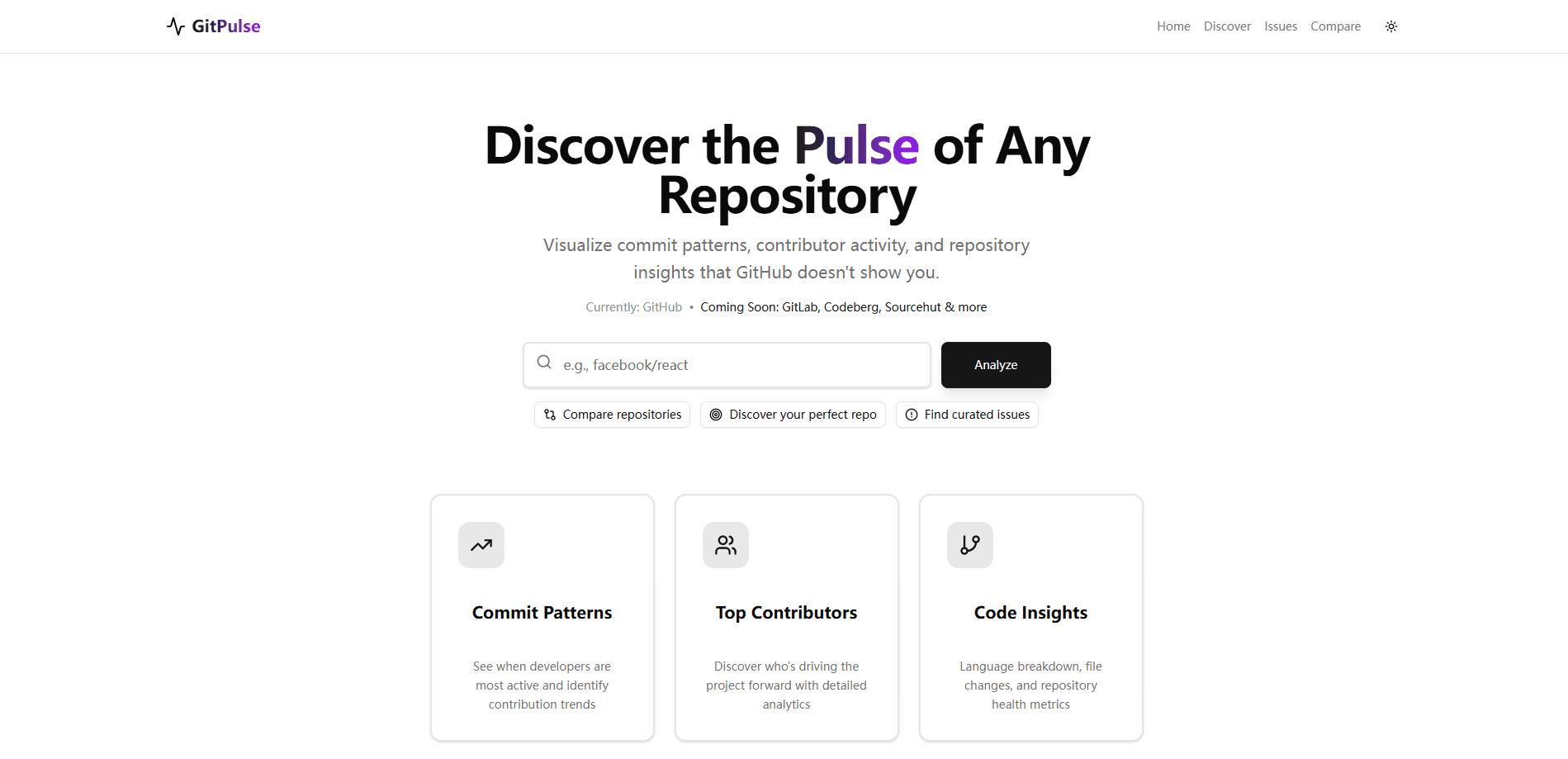
GitPulse is a free AI-powered GitHub repository analytics and open source discovery platform. Point it at any repository and you get commit patterns, an activity heatmap, contributor insights, and a repository health score in one dashboard. It also curates 500+ good first issues so newcomers can find beginner friendly issues instead of guessing which project to join. There are no paywalls or subscriptions.
About GitPulse
What Is GitPulse
GitPulse is a web tool that turns a GitHub repository into something you can actually read at a glance. Instead of scrolling through commit logs and issue lists by hand, you get a health score, a visual map of when work happens, and a shortlist of issues that match a beginner's skill level. The team behind it calls it a passion project built for developers, by developers.
The problem it solves is choice paralysis. There are millions of open source projects. "Just pick one and contribute" is easier said than done. GitPulse narrows that down. You can filter for issues that maintainers have flagged as approachable, compare two repositories side by side, and see whether a project is active or drifting before you invest a weekend in it. No guesswork required.
The limits are worth knowing up front. GitPulse reads public data through the GitHub API. That means private repositories and self-hosted GitLab instances aren't covered. Everything runs in the browser, and there's no desktop app. The whole thing is free, which means it leans on the goodwill of one small team rather than a funded roadmap.
Getting Started
- Open the GitPulse site in any modern browser. No account or install is required.
- Use the search bar or the Cmd+K command palette to look up a repository by name.
- Open the repository view to see its health score, commit heatmap, and contributor breakdown.
- Browse the curated good first issues, or switch to the Compare view to weigh two projects side by side.
- Click through to GitHub when you've found an issue worth picking up.
Product Information
A quick look at GitPulse's pricing, supported platforms, and performance.
Best for
The users, tasks, and scenarios where this tool fits best.
Users
- First-time contributors who want beginner friendly issues sorted out from the mountain of open tasks, and who only need a browser to start.
- Experienced developers sizing up a new project who want commit activity and a health score before they commit time.
- Maintainers and team leads who compare GitHub repositories to decide where to spend effort or how a project is trending.
Tasks
- Finding good first issues in a language or topic you already know.
- Checking whether a repository is actively maintained or quietly abandoned.
- Comparing two similar libraries side by side before adding a dependency.
Scenarios
- You want your first open source contribution and don't know where to begin.
- You're picking between competing frameworks and want activity data, not just star counts.
- You're evaluating a dependency for a side project and care whether its commit patterns look healthy.
Key features
Repository Health Score
Every repository gets a single score that pulls together activity, contributor spread, and issue turnover. It's a fast filter. Got ten candidate projects? The score tells you which ones deserve a closer look and which are coasting on the strength of old stars rather than ongoing work.
Commit Pattern Visualization
GitPulse renders commit history as a heatmap, so you can see at a glance when a project actually gets worked on and whether that activity is recent and steady or faded out months ago. A repo that lights up every weekday looks very different from one with a single burst two years ago. For anyone judging momentum, that picture is worth more than a raw commit count.
Curated Good First Issues
The platform keeps a rolling list of 500+ issues labeled for newcomers and refreshes it daily, which saves you from reading a thousand open issues just to find the three that won't assume you already know the codebase. Filtering by language and skill narrows it further. Big time-saver.
Repository Comparison
The Compare view puts two projects next to each other so the differences show up directly, lining up commit frequency, contributor counts, and issue activity on a single screen. If you're choosing between two libraries that look equivalent on their READMEs, this is where the gap appears.
Smart Search
Search runs on Algolia, so results come back as you type with instant suggestions. You can look up a project by name, by language, or by topic without learning a query syntax. What does that get you? A large catalog that feels quick rather than tedious to explore.
Contributor Insights
Beyond a total contributor number, GitPulse shows how concentrated the work is. A project where two people write nearly every commit behaves differently from one with a broad, rotating group. That distinction matters if you're hoping your contribution will actually get reviewed. Worth a look.
Pros and cons
Pros
- Completely free, with no paywalls or subscriptions to work around.
- Health scores and commit heatmaps turn raw GitHub data into a quick read.
- Curated good first issues cut the search time for a first contribution down to minutes.
- Side-by-side comparison helps you judge two projects on activity, not just popularity.
- No account is needed, so you can start exploring the moment the page finishes loading in your browser.
Cons
- It only sees public GitHub data, so private repos and other Git hosts are out of scope.
- Analytics rely on the GitHub API, which means heavy traffic or rate limits can slow results.
- As a free side project, it depends on a small team, so features and uptime can shift without notice.
Frequently asked questions
Yes. Every feature is free, with no paywalls or subscriptions. The team describes it as a passion project, and the site asks only for optional support like buying them a coffee.
Related content
Explore related tools, skills, and articles for GitPulse.
GitPulse Alternatives

Emailwritr
Emailwritr · Writing · MarketingEmailwritr is an AI email copywriting tool built for affiliates, course creators, and online businesses that want more revenue from the list they already own. Instead of blank pages or generic chatbot prompts, this AI email writer generates welcome sequences, launch campaigns, cart recovery emails, and promo series from frameworks modeled on well-known direct-response copywriters. You connect your autoresponder, answer a few questions about your offer, and it writes the copy for you.

Prosp
Prosp · Writing · Voice & Language · MarketingProsp is an AI LinkedIn outreach tool built for agencies and sales teams, and it writes the message and the voice note in your own voice for each prospect so they actually reply. You connect your accounts, find leads, and let the AI draft and send personalized messages at scale, all from one inbox. It's built for people running outbound at volume. That's the whole pitch. Every touchpoint still has to feel human.

On Model
On Model · Image · MarketingOn Model is an AI fashion model tool that places your clothing on virtual models so online stores can get on-model product photos without booking a photoshoot. It runs as a Shopify app, letting you swap the model in an existing image, change backgrounds, and generate faces for cropped or headless shots. The goal is simple: match your product photos to your customers and stand out from competitors using the same supplier images.