

GitSummarize
GitSummarize · Coding
GitSummarize turns any GitHub repository into an AI-powered documentation hub with architecture overviews, file summaries and business logic extraction.
About GitSummarize
What Is GitSummarize
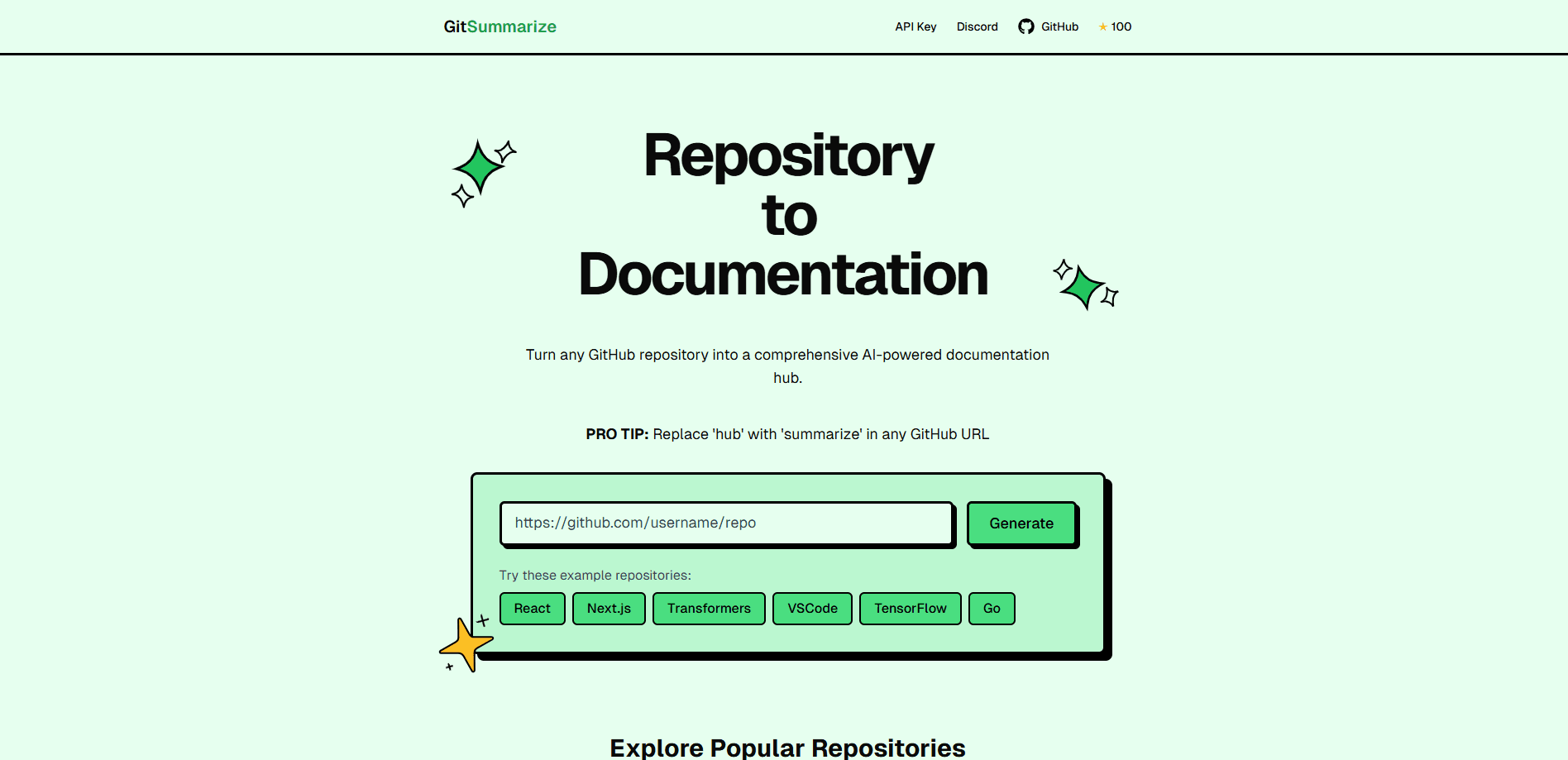
GitSummarize is an AI documentation generator that turns a GitHub repository to documentation on demand. Swap hub for summarize in any GitHub URL and you land on a generated page that explains how the code is put together. It builds system-level architecture overviews, per-directory and per-file summaries, and plain-language notes on what each part does.
The team built it after struggling to understand large open-source codebases fast enough to contribute. Instead of reading thousands of files by hand, you get a structured overview in minutes. That makes it useful for onboarding, code review prep and writing technical docs from scratch.
The limits matter before you commit. It only works with GitHub repositories, so GitLab and Bitbucket projects are out. It runs on Gemini 2.5 Pro, and the free hosting comes with rate limits the maintainers say could change as API policies shift. Very niche code and unusual patterns may not come through cleanly.
Getting Started
- Take any GitHub repository URL you can access, such as
https://github.com/vercel/next.js. - Replace
hubwithsummarizein the domain so it readshttps://gitsummarize.com/vercel/next.js. - Press enter and wait while the tool analyzes the codebase and generates the documentation hub.
- Read the architecture overview, folder breakdown and file summaries on the generated page.
- Grab an API key from the site if you want to call the generator from your own tools.
Product Information
A quick look at GitSummarize's pricing, supported platforms, and performance.
Best for
The users, tasks, and scenarios where this tool fits best.
Users
- Developers joining an unfamiliar project
- Open-source contributors
- Technical writers and maintainers
- Engineering leads sizing up a dependency
Tasks
- Documenting legacy code
- Preparing for code review
- Extracting business rules
- Onboarding new hires
Scenarios
- A new engineer starts on a large monorepo
- You are evaluating an open-source tool for a project
- You inherit a project with thin documentation
Key features
Instant Docs from a URL
GitSummarize works without signup or install for the basic flow. You change one word in a GitHub link and the tool generates a live documentation hub on the fly. That low friction is the whole point: the fastest way to get docs is to not build a pipeline first.
System-Level Architecture Overviews
The tool reads the whole repository and writes an overview of how the pieces fit together. You get the shape of the project, its major components and how they relate, which is exactly what a newcomer needs and what a README rarely provides.
Per-Directory and File Summaries
Beyond the big picture, GitSummarize breaks the repo into folders and files and explains each one in natural language. That granularity helps when you need to understand a specific module rather than the whole system, and it points you to the file worth opening.
Business Logic and Rules Extraction
One of its sharper features is pulling the business logic and rules out of the code and stating them plainly. For teams inheriting a system or auditing behavior, that translation from code to readable rules saves hours of tracing.
Architecture Diagrams and Flows
The generated hub includes architecture diagrams and flow views alongside the text. Visual maps are easier to review in a meeting than a tree of imports, and they make the structure legible to people who avoid reading source.
Public and Private Repo Support
GitSummarize handles both public and private repositories you have access to, so internal codebases are in scope. It runs on Gemini 2.5 Pro, and the open-source codebase is on GitHub if you want to self-host or contribute.
Pros and cons
Pros
- Near-zero setup: one URL edit gets you documentation without an account, install or config.
- Covers the whole repo: architecture, folders, files and business logic in a single generated hub.
- Works with private repo docs you can already access, so internal projects are covered.
- Open source, so teams with privacy or budget constraints can run their own copy.
Cons
- GitHub only, so GitLab and Bitbucket users get nothing from it.
- Free hosting comes with rate limits, and the maintainers warn these could tighten as Gemini API policy shifts.
- It runs on Gemini 2.5 Pro, so a private or unusual codebase sends your code to a third-party model.
- Thin or unusual codebases can produce loose summaries, so the output still needs a human pass before it ships as official docs.
Frequently asked questions
GitSummarize generates documentation for GitHub repositories. It produces architecture overviews, file and folder summaries, business logic notes and diagrams so you can understand a codebase without reading every file. It is aimed at onboarding, code exploration and doc drafting.
Related content
Explore related tools, skills, and articles for GitSummarize.
GitSummarize Alternatives

Base Code
Base44 (Wix) · Coding · ProductivityBase Code is a shared cloud development environment from Base44. Teammates describe changes to an existing GitHub codebase in chat, preview them live and send them back as pull requests.

Google EmbeddingGemma 2
Google DeepMind · Writing · Image · CodingGoogle EmbeddingGemma 2 is a 740M-parameter open model that turns text, code, images, audio, and video frames into vectors in one 768-dimension space, running on phones and laptops.

GitGlow
GitGlow · Coding · ProductivityGitGlow is a local-first desktop Git client that lets independent developers review their own code and their AI agents' changes in one place before shipping.